Table of Contents
The Huananzhi X99‑CD4 appeared on the market in 2025 and is sometimes sold under other brand names and with minor variations. Huananzhi is likely not the OEM; it appears to relabel an ODM design.
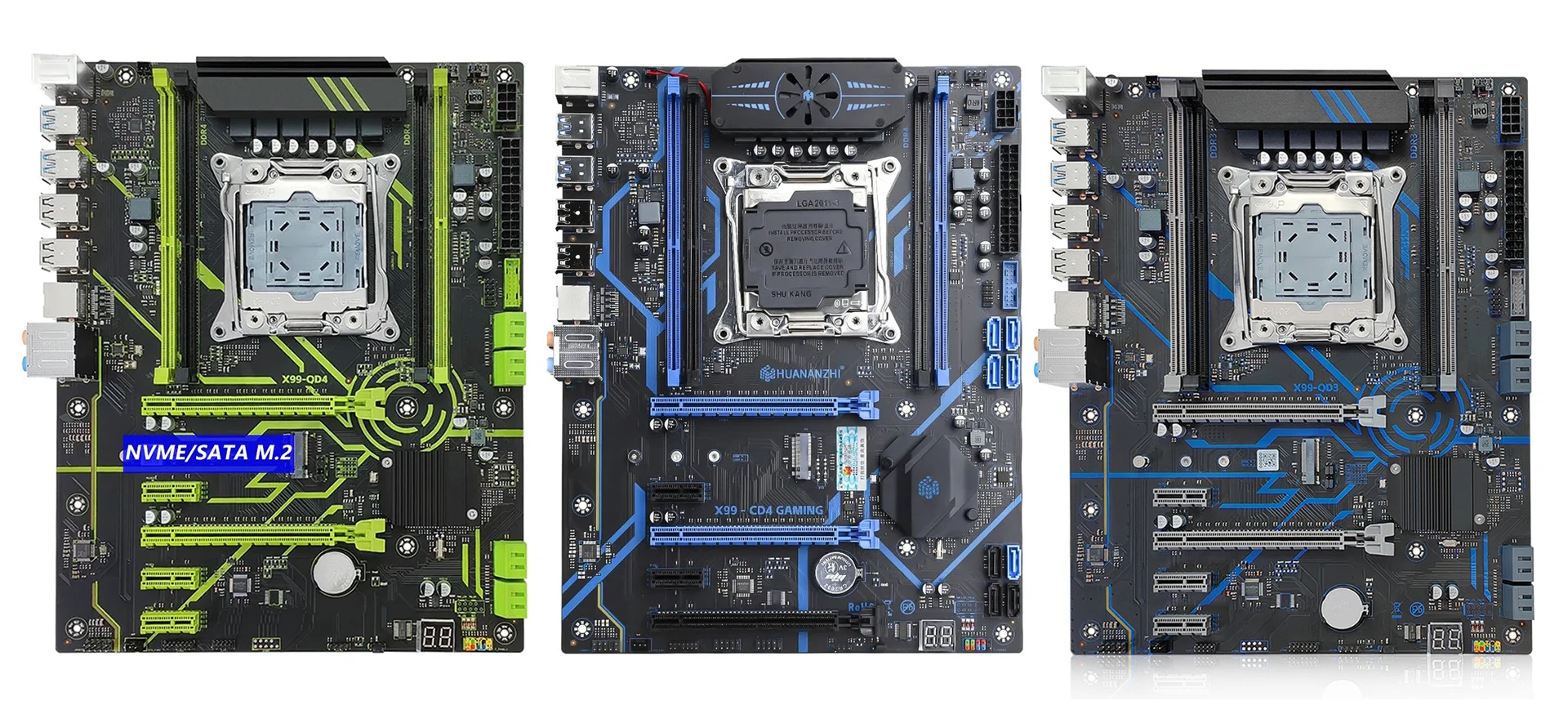
There is also a DDR3 variant of this board that only works with a limited set of CPUs whose memory controller supports DDR3.
Specifications
| Model | Huananzhi X99-CD4 |
|---|---|
| Socket | LGA 2011-3 |
| Chipset | C612 |
| Supported Processors | Intel Core i7 (5000, 6000 series, Haswell-E/Broadwell-E) Intel Xeon E5-1600 v3/v4, E5-2600 v3/v4, E5-4600 v3/v4 (Haswell-EP/Broadwell-EP) |
| VRM Configuration | 3 phase (6 virtual via doublers) Total MOSFETs: 12 (6 high-side + 6 low-side) |
| Maximum Recommended TDP | ≤120W (v3 processors) ≤130W (v4 processors) |
| Supported Memory | 4 x DDR4 DIMM (dual-channel) with ECC and non-ECC support Maximum capacity: 128 GB |
| Sleep Mode Support | No |
| Expansion Slots | 2 x PCI-e x16 (Gen 3.0) 3 x PCI-e x1 (Gen 2.0) |
| Storage | 8 x SATA 3.0 1 x M.2 (NVME, Gen 3.0 x4) |
| Fan Connectors | 1 x CPU cooler (4pin) 1 x Case fan (4pin) 2 x Case fan (3pin) |
| PS/2 Ports | 2 (mouse + keyboard) |
| USB 3.0 Ports | 4 (+ front panel support) |
| USB 2.0 Ports | 4 (+ front panel support) |
| Network | Gigabit LAN (RTL8111 \ RTL8168) |
| Audio | 7.1 channel (ALC897) |
| Extra | DEBUG CARD |
| Bios Chip | W25Q128FV |
| JLPC1\DEBUG1 header | Yes |
| TPM 2.0 header | 14Pin LPC |
| PCB layers | 4 |
| Form Factor & Dimensions | ATX 280 x 220 mm |
| Approximate Price | AliExpress: $60 - $80 (Check Price) |

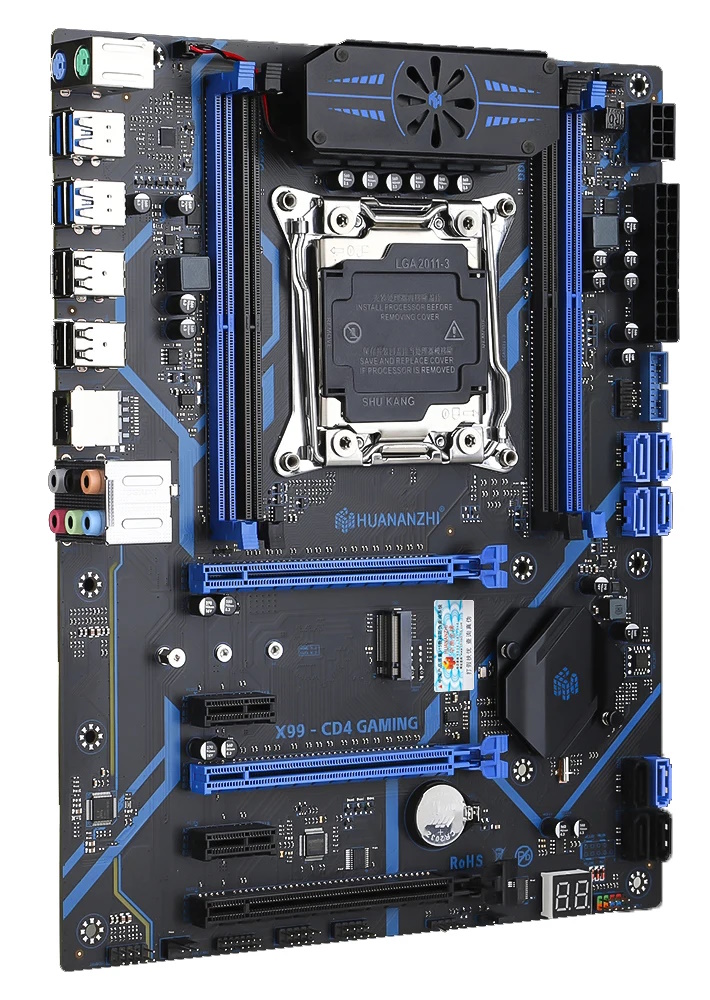

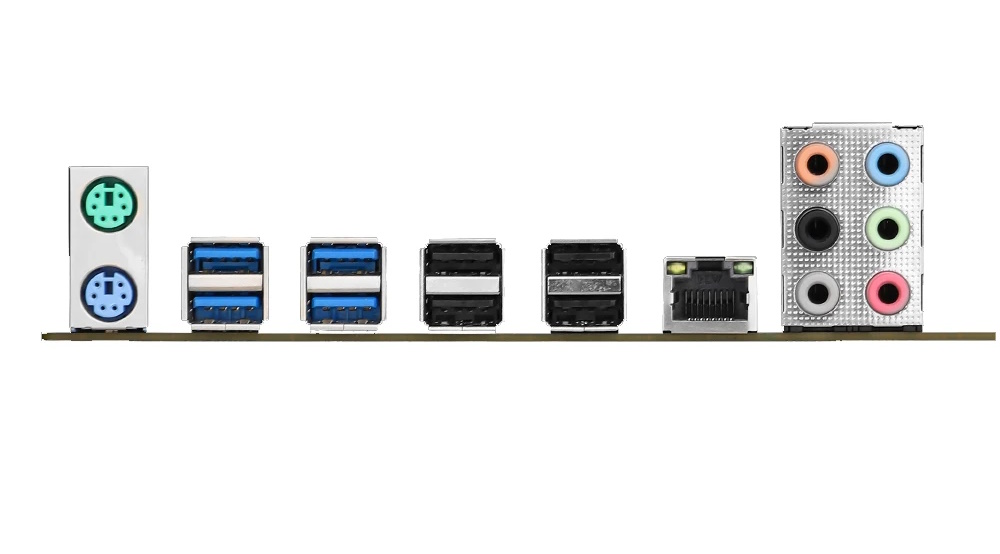
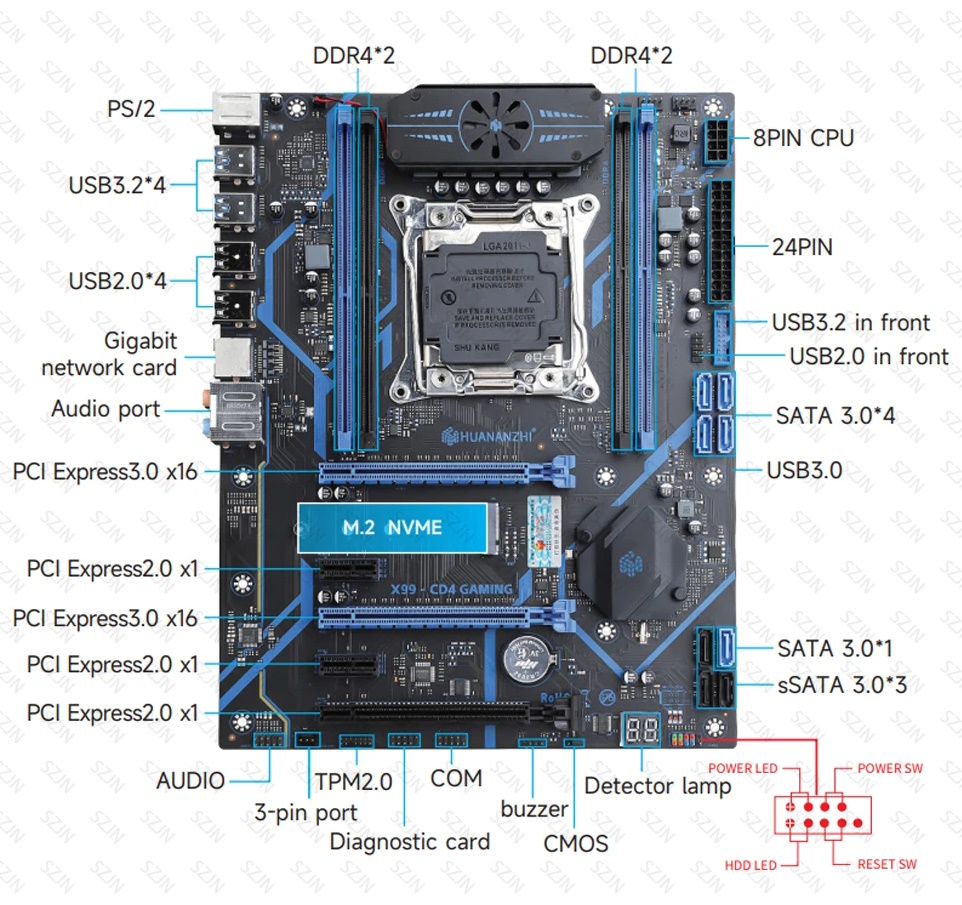
The board looks appealing and clearly resembles the Huananzhi X99‑QD4. It includes a TPM 2.0 header and uses the server‑grade C612 PCH, so I/O is plentiful. However, that’s where the highlights end: elsewhere it’s a budget‑oriented design with a thin PCB, dual‑channel memory only, and power delivery typical of this class.
The presence of three full‑length PCIe x16 slots is also a bit misleading. The bottom slot, although physically full‑length, only provides a single PCIe 2.0 lane from the chipset (like the x1 slots). Only the two blue PCIe x16 slots are wired to the CPU’s PCIe 3.0 lanes. It’s unclear why this configuration was chosen—especially given that some CPU lanes remain unused (Xeon E5 provides 40).
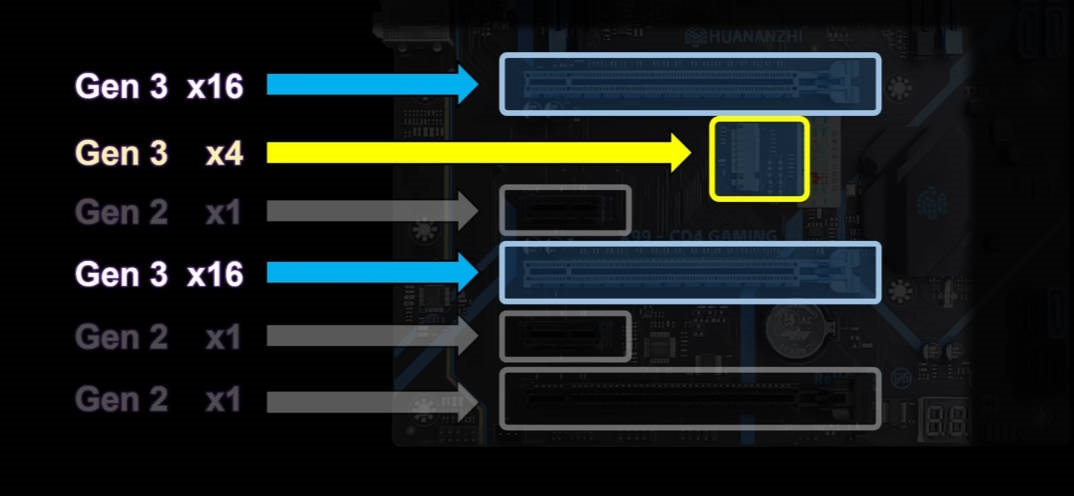
The storage subsystem consists of a single M.2 NVMe slot that consumes four additional CPU PCIe lanes. Despite the board’s size and the available lanes, only one M.2 is provided. On the plus side, there are eight SATA ports. Three are labeled sSATA. The connectors are standard SATA, but performance and features can differ from the regular SATA 6 Gb/s ports.
Update: a revision with a dual‑mode M.2 slot has been observed. Switching between NVMe and NGFF modes is done with a small lever next to the slot.
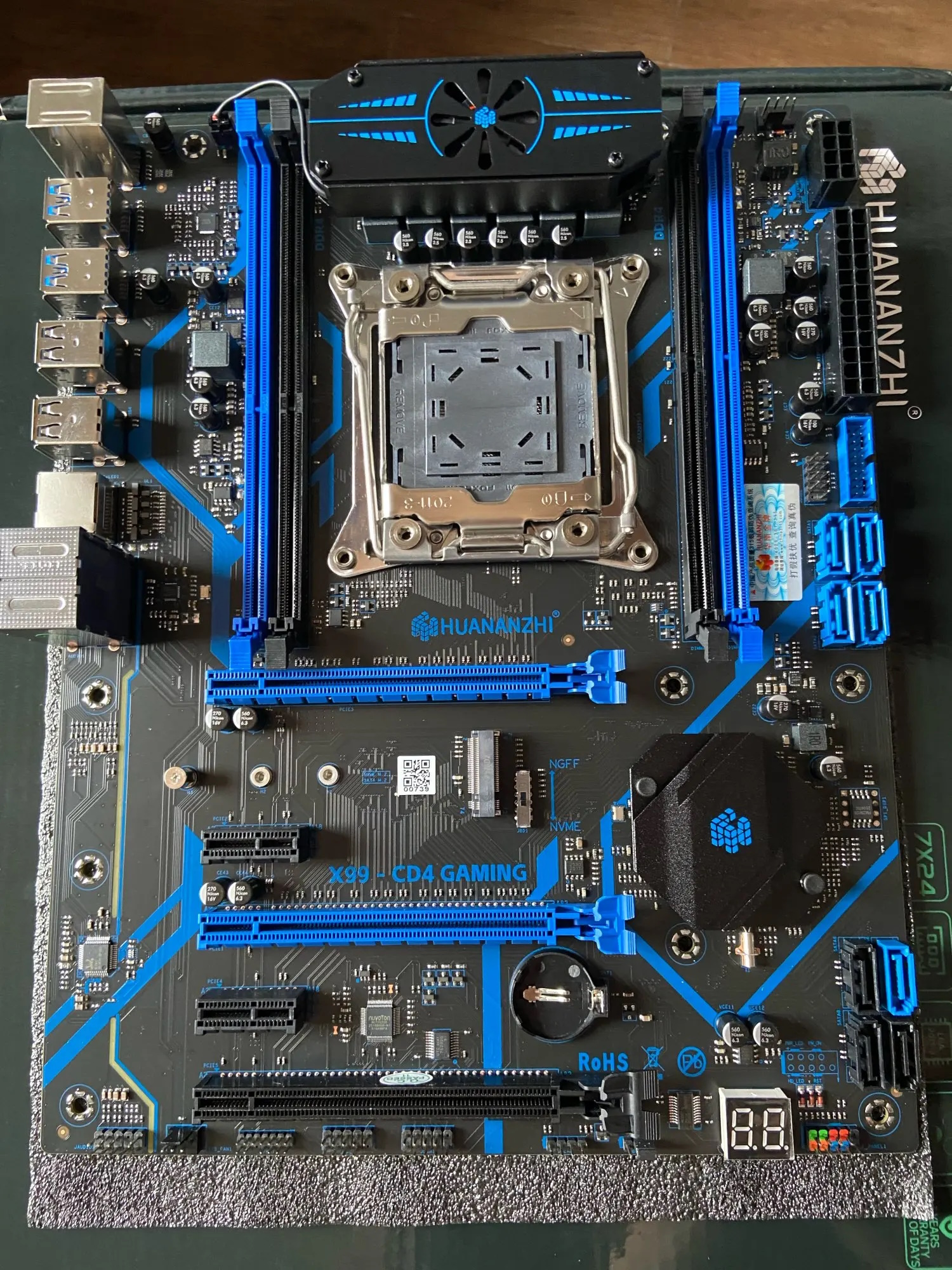
The VRM uses a layout typical of budget boards: three doubled phases (six effective phases), with two MOSFETs per phase. It uses a uP1651P PWM controller and MOSFETs with unknown markings for which no datasheets could be found.
As optional extras—presumably to elevate the model’s perceived status—there is active VRM cooling and a POST code display.
BIOS Capabilities
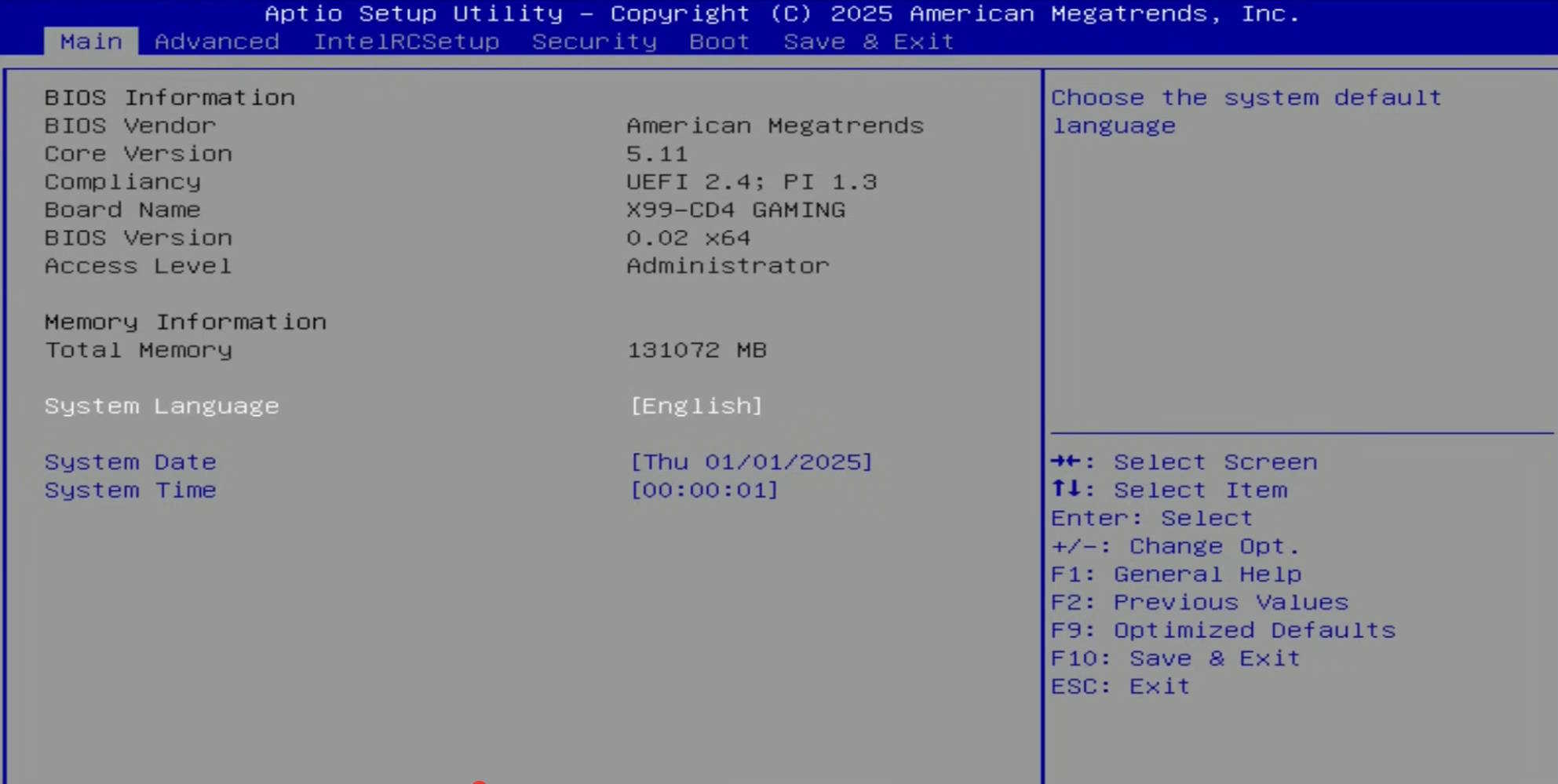
The board runs a typical AMI BIOS implementation seen on Chinese X99 boards: the UI is plain, but most essentials are present. Out of the box you can tweak memory timings; there’s Resizable BAR, PCIe 3.0 bifurcation, and SmartFan with per‑header control for each 4‑pin connector. There is no support for multiplier overclocking, and for some reason the “Restore on AC Power Loss” option is hidden—even though it works.
In short, the stock firmware is suitable for daily use. Keep in mind the usual caveats are still present: some non‑functional temperature sensors, an inaccurate power‑consumption reading, and no DC control for fans connected to 3‑pin headers.
Simple BIOS Flashing Guide (Windows)
| BIOS version & date | Ram Timings | ReBAR | Unlocked CPU OC | Turbo Boost unlock | Undervolt | Notes & Link |
|---|---|---|---|---|---|---|
| X9CD4 Ver:002 02/12/2025 15:11:43 | + | + | - | - | - | Stock BIOS [Download] |
| X9CD4 Ver:002 02/12/2025 15:11:43 | + | + | - | - | - | Stock BIOS mod (Restore on AC Power Loss + overclocking through Intel XTU) [Download] |
| X9CD4 Ver:002 02/12/2025 15:11:43 | + | + | - | + | -50 mV | Stock BIOS mod + TBU (undervolt -50 mV) [Download] |
- Download FPTW 9.1.10 from this page.
- Open Command Prompt as Administrator.
- Copy your BIOS file (
bios.binorbios.rom) into the same folder as FPTW. - In Command Prompt, navigate to the FPTW folder using the
cdcommand. - Backup first:
fptw64 -d backup.bin - Flash the BIOS:
fptw64 -f bios.bin
Note: Replace bios.bin with the actual name of your BIOS file.
After flashing, load BIOS defaults or clear CMOS to reset settings.

Frequently Asked Questions
Where can I find the official manual?
The official manual can be downloaded here.
The board won’t POST (black screen, etc.). What should I do?
See our article about the most common LGA2011‑3 issues.
Where can I find drivers for this board?
The page with current drivers for socket 2011‑3 boards is located here.
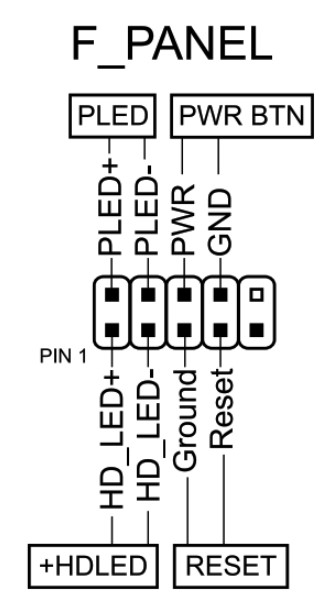
How do I connect the front panel?
Is headless boot possible?
Yes, headless boot is possible on the stock BIOS.
Where is the BIOS chip located?
To the right of the chipset heatsink; you can attach a programmer clip.
Which TPM 2.0 module is compatible with this board?
You need an MSI 14‑pin LPC TPM 2.0 module — for example, this one.

Conclusion
OldRigRevive Review
3.5
3.6
3.7
4.2

Written by
Senior Hardware Specialist proving you don't need top-tier gear to game. Expert in smart upgrades and budget-friendly PC restoration.