Table of Contents
The Qiyida X99 K9s is a budget LGA2011‑3 motherboard with a TPM 2.0 header, aimed at entry‑ to mid‑range processors.
TPM 2.0 is a Trusted Platform Module responsible for hardware security and storing encryption keys. It’s required for installing Windows 11 and for some tools and anti‑cheat systems.

This isn’t the only Windows 11–ready board from this brand; a more advanced model—the Qiyida X99 H9s—is also available.
Specifications
| Model | Qiyida X99 K9s |
|---|---|
| Socket | LGA 2011-3 |
| Chipset | C612 |
| Supported Processors | Intel Core i7 (5000, 6000 series, Haswell-E/Broadwell-E) Intel Xeon E5-1600 v3/v4, E5-2600 v3/v4, E5-4600 v3/v4 (Haswell-EP/Broadwell-EP) |
| VRM Configuration | 3 phase (6 virtual via doublers) Total MOSFETs: 12 (6 high-side + 6 low-side) |
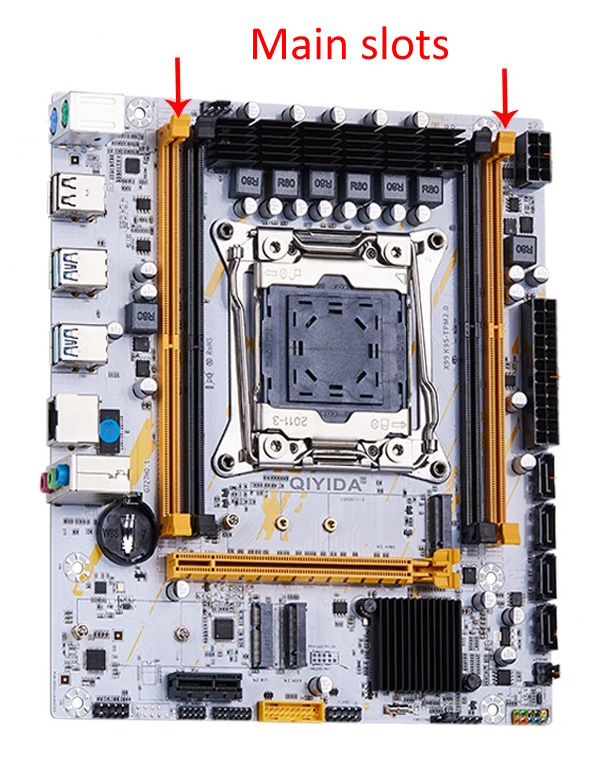
| Supported Memory | 4 x DDR4 DIMM (dual-channel) with ECC and non-ECC support Maximum capacity: 128 GB |
| Sleep Mode Support | No |
| Expansion Slots | 1 x PCI-e x16 (Gen 3.0) 1 x PCI-e x1 (Gen 2.0) |
| Storage | 4 x SATA 3.0 1 x M.2 (NVME, Gen 3.0 x4) 1 x M.2 (NGFF) |
| Fan Connectors | 1 x CPU cooler (4pin) 1 x Case fan (4pin) 1 x Case fan (3pin) |
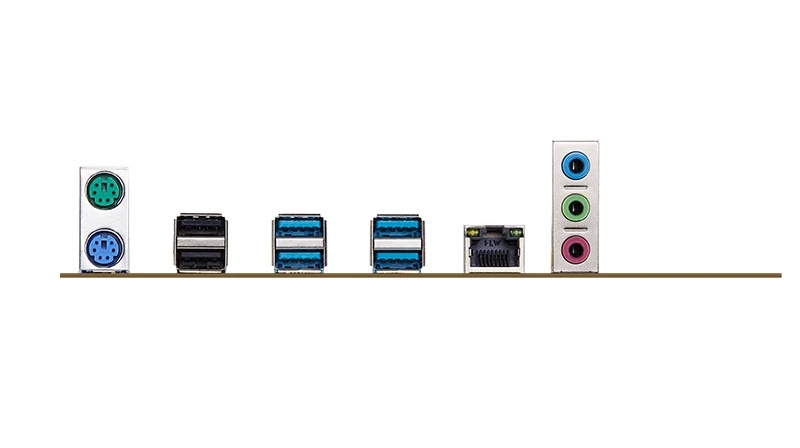
| PS/2 Ports | 2 (mouse + keyboard) |
| USB 3.0 Ports | 4 (+ front panel support) |
| USB 2.0 Ports | 2 (+ front panel support) |
| Network | Gigabit LAN (RTL8111 \ RTL8168) |
| Audio | 5.1 channel (ALC887/ALC897) |
| Bios Chip | W25Q128FV |
| JLPC header | Yes |
| TPM 2.0 header | LPC 14 Pin |
| Extra | M.2 Wi-Fi port |
| Form Factor & Dimensions | mATX 215 x 186 mm |
| Approximate Price |
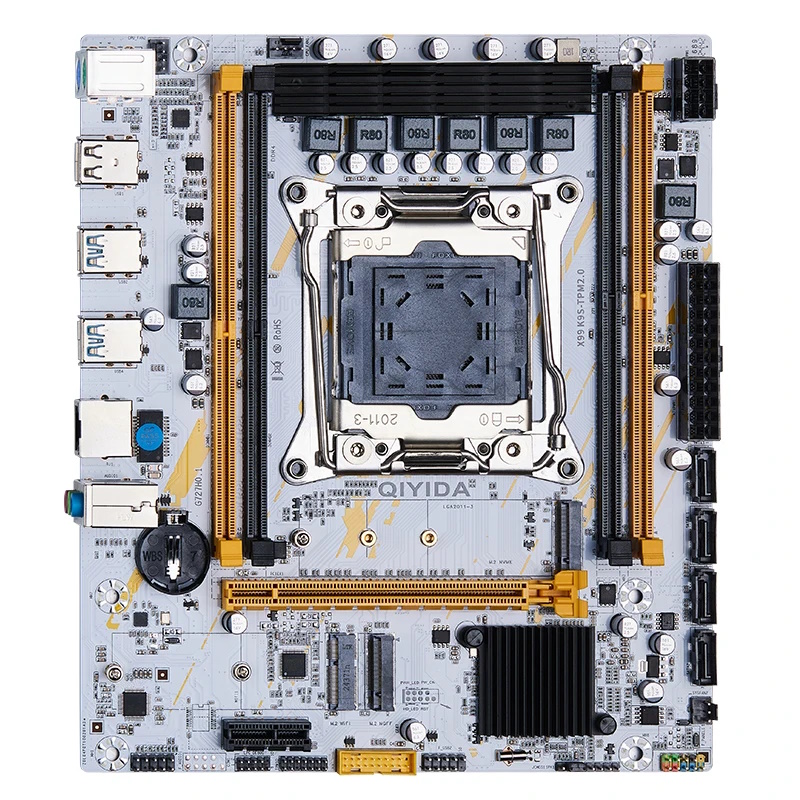
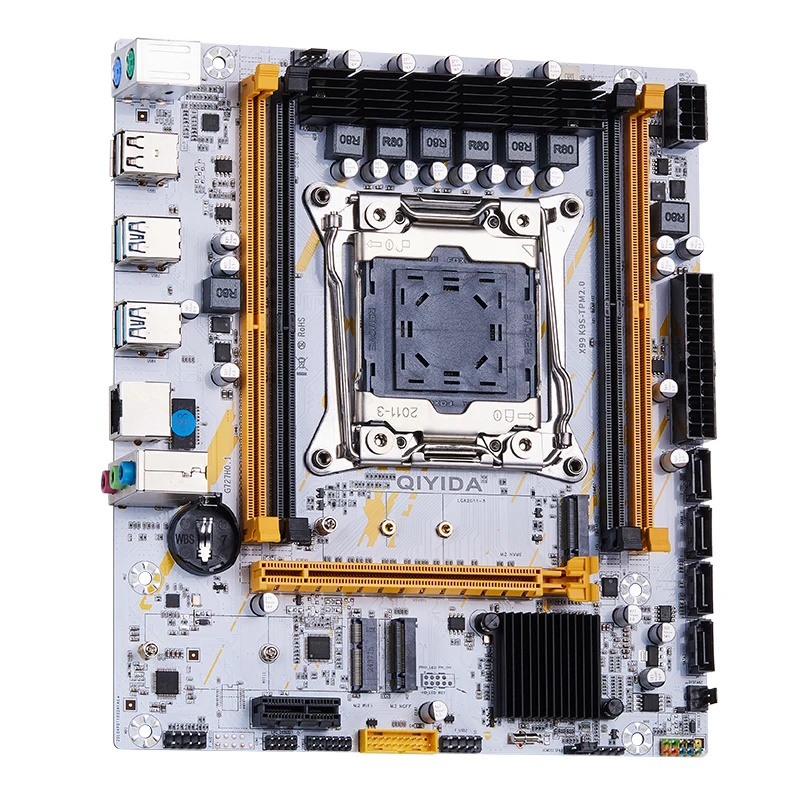
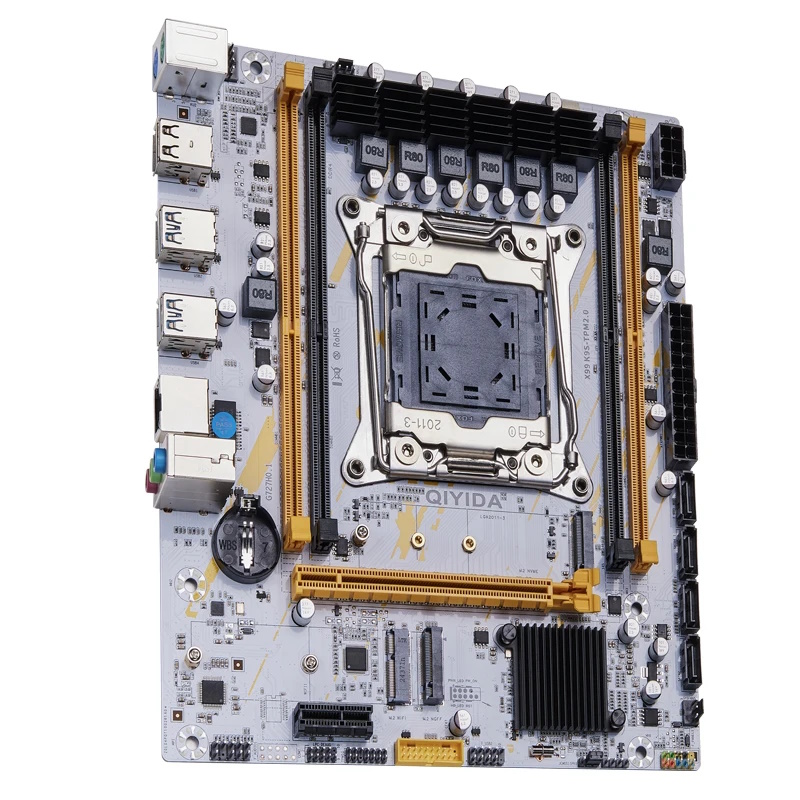
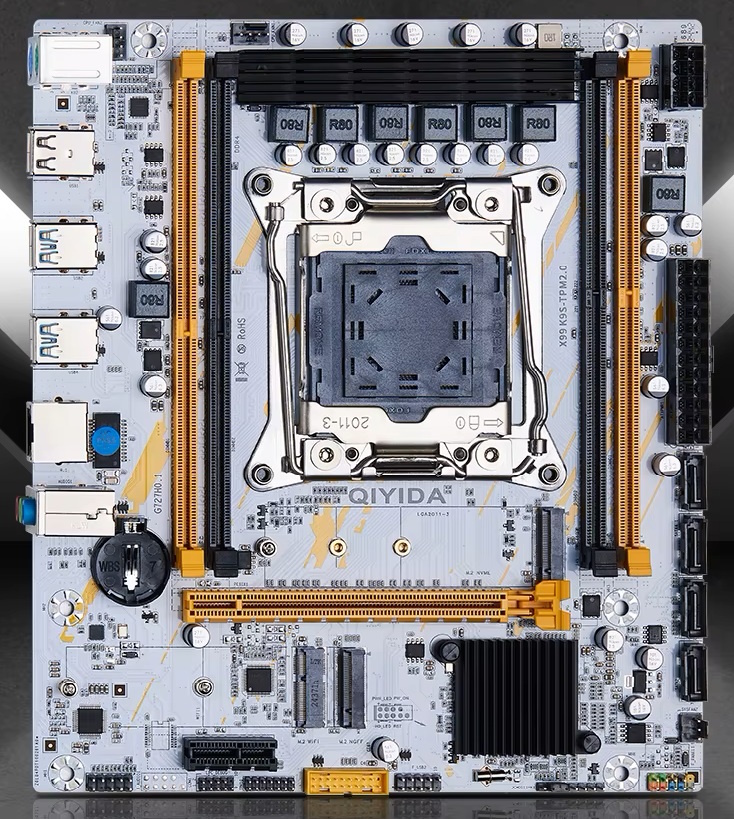
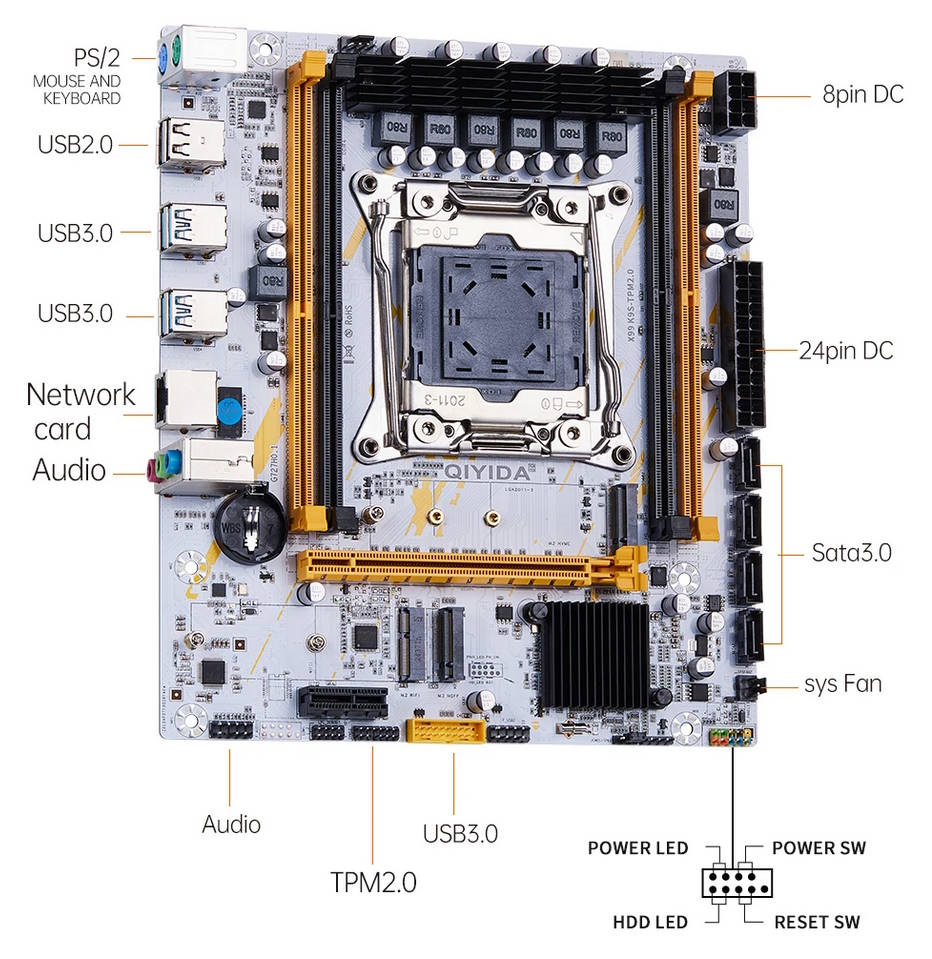
The X99 K9s comes in a non‑standard white‑and‑orange color scheme. A clear advantage is the server‑grade C612 chipset, which provides a decent, albeit limited, selection of modern I/O ports.
Otherwise, the board doesn’t differ much from other budget models. Unfortunately, it only supports dual-channel memory, and the power delivery (three phases doubled to six “virtual” phases) isn’t suitable for the most power‑hungry CPUs for this socket.
The storage subsystem offers four SATA III ports and two M.2 slots: one operates in NVMe mode and the other in SATA (NGFF) mode. These modes are not interchangeable.
Less obvious advantages include a working CPU package power readout (rare on budget boards), two 4‑pin fan headers, an M.2 slot for Wi‑Fi modules, and a Winbond BIOS chip, which is generally considered less troublesome than alternatives.
The drawbacks are typical of inexpensive Chinese boards: no S3 sleep support, non‑functional motherboard temperature sensor readouts, and rather limited firmware. The PCIe x1 slot and TPM 2.0 header are placed very close to each other, which can also cause problems — large expansion cards may block installation of the TPM module.
Revisions
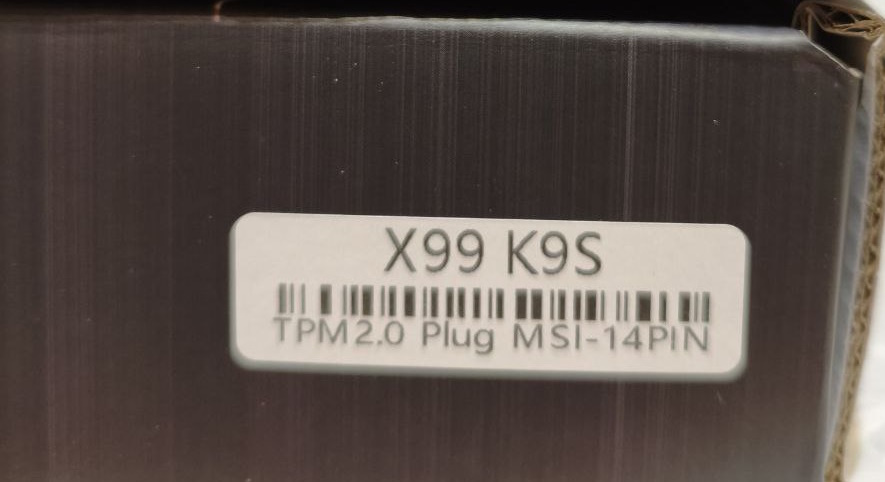
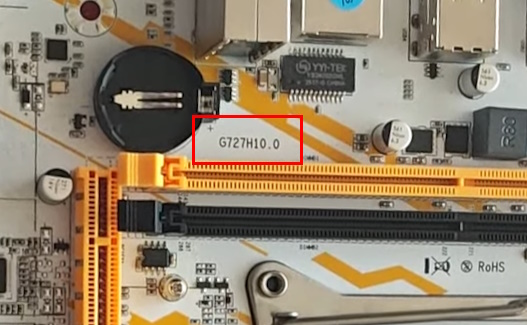
There are at least two revisions of this model that differ in their TPM 2.0 header pinout. One version is intended for MSI modules, the other for ASUS modules. In both cases the TPM 2.0 header is 14‑pin, and the boards look nearly identical. You can identify the revision from the box sticker or the silkscreen printed on the PCB near the CMOS battery:
- G727H0.1 — for ASUS modules
- G727H10.0 — for MSI modules
BIOS Capabilities
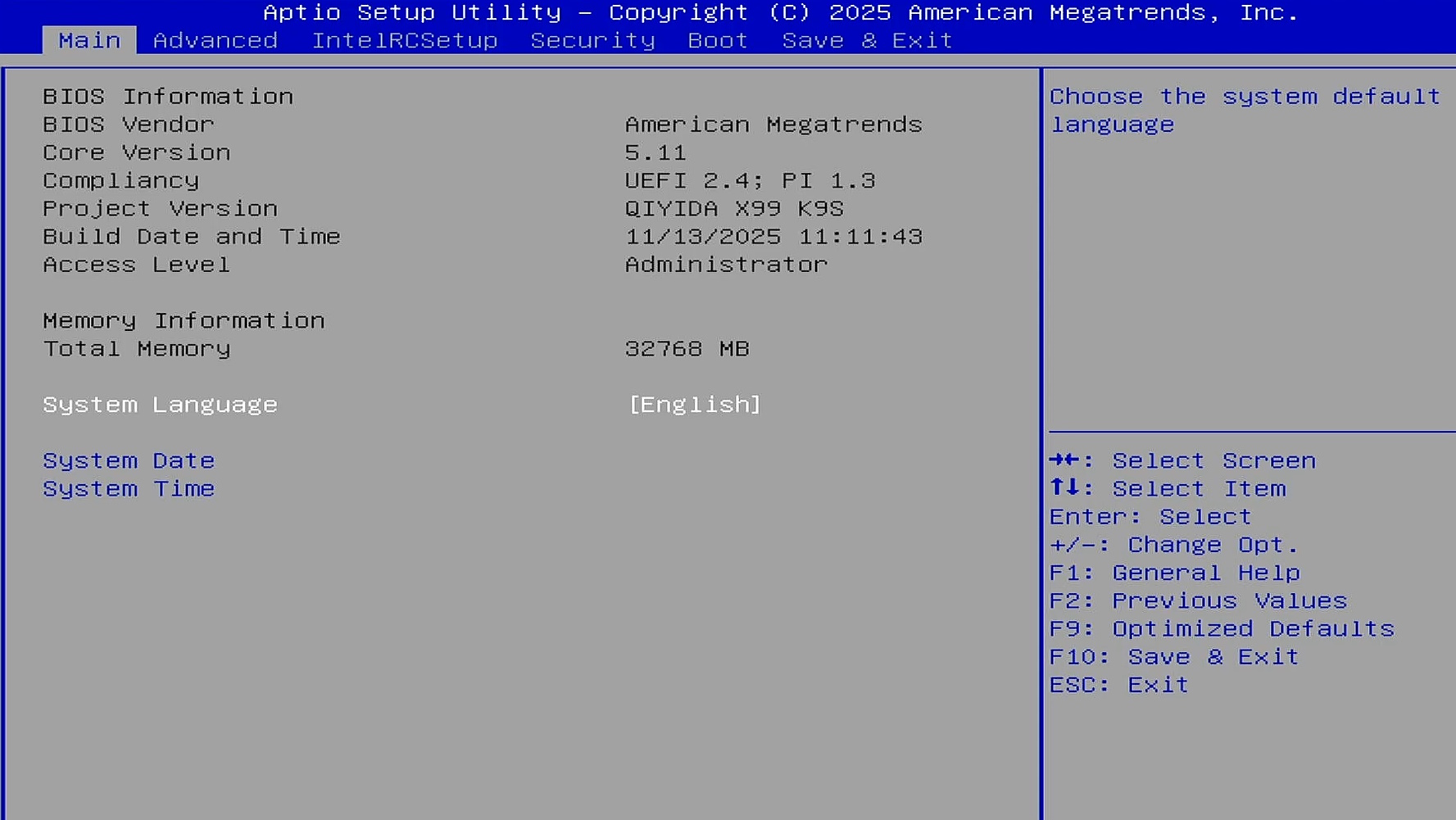
Like most Chinese LGA2011‑3 boards, the X99‑K9s uses an AMI (American Megatrends) UEFI BIOS. The stock firmware isn’t perfect, but it allows you to adjust RAM timings, configure separate SmartFan profiles for both 4‑pin headers (the 3‑pin header isn’t controllable), and enable Restore on AC Power Loss. Naturally, there are options for TPM 2.0 modules and Secure Boot.
There’s no overclocking support for unlocked‑multiplier CPUs, and Resizable BAR (ReBAR) is absent. As usual, the BIOS exposes a lot of options, but many of them don’t actually function.
Simple BIOS Flashing Guide (Windows)
| BIOS version & date | Ram Timings | ReBAR | Unlocked CPU OC | Turbo Boost unlock | Undervolt | Secure Boot | Notes & Link |
|---|---|---|---|---|---|---|---|
| 11/13/2025 | + | + | - | - | - | + | Stock BIOS from G727H10.0 rev. with REBar added [Download] |
| 11/13/2025 | + | + | - | + | -50 mV | + | Stock BIOS from G727H10.0 rev. with REBar and TBU (undervolt -50mV). [Download] |
- Download Intel Flash Programming Tool (FPTW) 9.1.10 from this page.
- Open Command Prompt as Administrator.
- Copy your BIOS file (
bios.binorbios.rom) into the same folder as FPTW. - In Command Prompt, navigate to the FPTW folder using the
cdcommand. - Backup first:
fptw64 -d backup.bin - Flash the BIOS:
fptw64 -f bios.bin
Notes: Replace bios.bin with the actual name of your BIOS file.
After flashing, we recommend resetting settings or clearing CMOS.

Frequently Asked Questions
The board won’t boot, black screen, etc. What should I do?
See our article about the most common LGA2011‑3 issues.
Where can I find drivers for this board?
Current drivers for socket 2011-3 boards can be found here.
Where is the BIOS chip located?
To the right of the chipset heatsink.
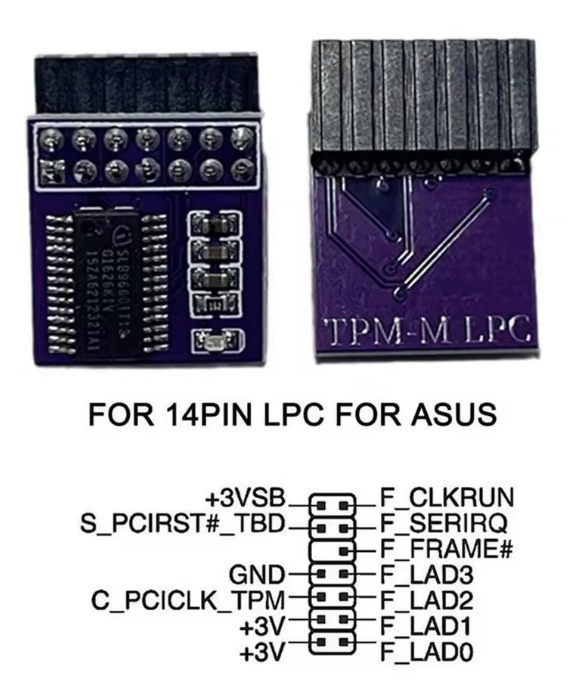
Which TPM 2.0 module is compatible with this board?
It depends on the revision: either an MSI 14‑pin LPC module or an ASUS 14-pin module. Both types are available in this store listing.

Conclusion
OldRigRevive Review
5.0
3.5
3.8
4.2
“The Qiyida X99 K9s is a middle-of-the-road option in its segment. It’s a good fit for users who aren’t chasing peak performance but need TPM 2.0 and don’t want to spend too much on the system. However, if you also require quad‑channel memory and a stronger VRM, consider the slightly more expensive mATX options: Qiyida X99 H9s or X99‑XD4.”

Written by
Senior Hardware Specialist proving you don't need top-tier gear to game. Expert in smart upgrades and budget-friendly PC restoration.