Table of Contents
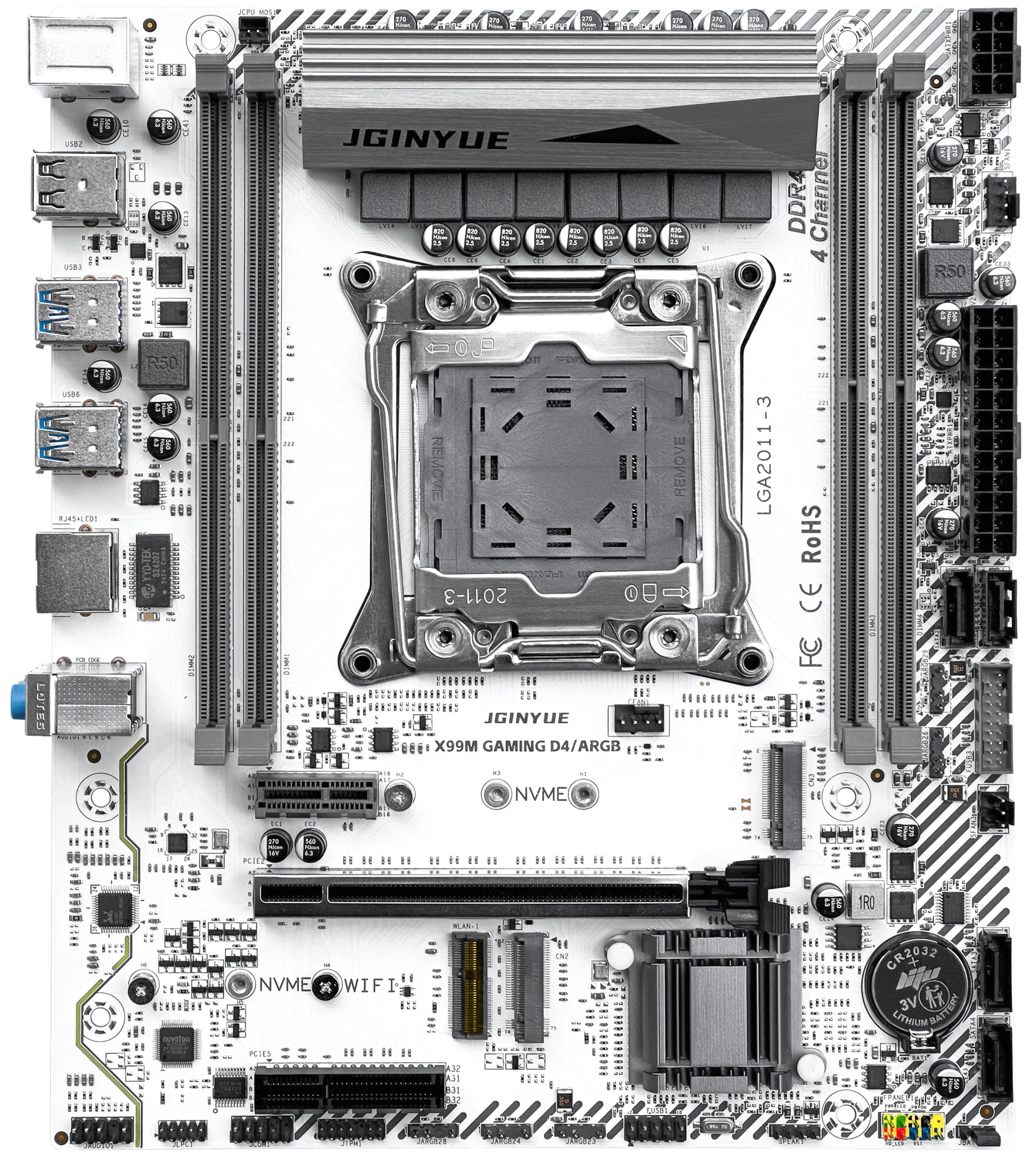
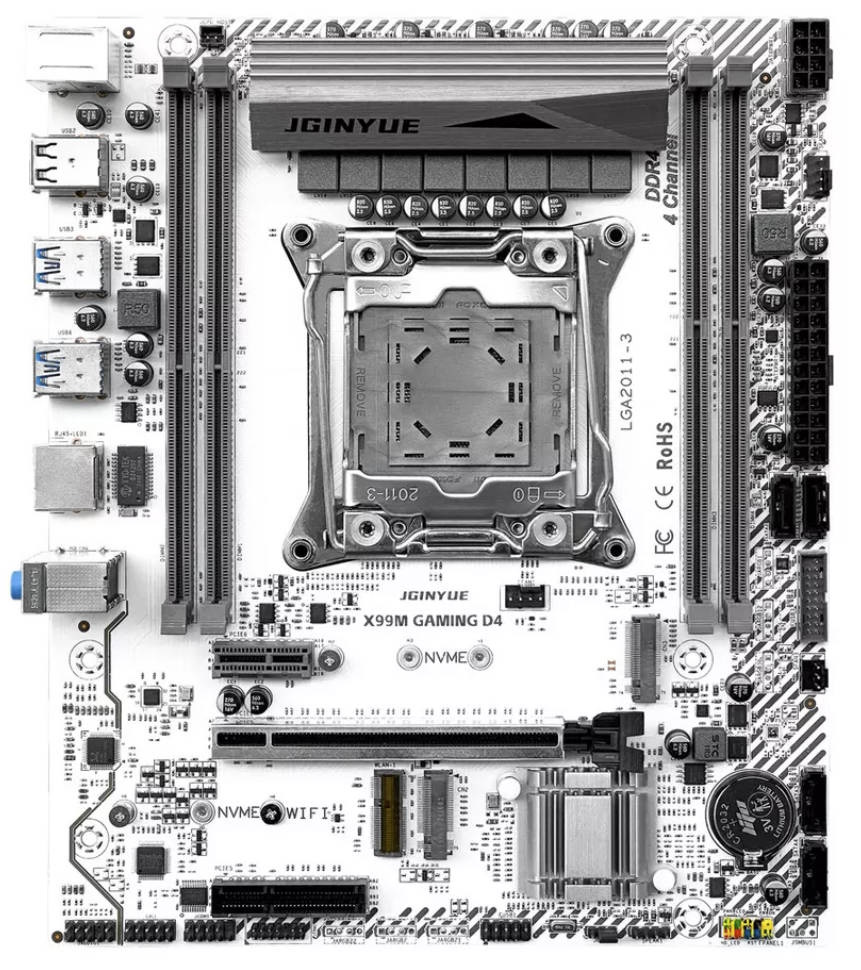
The JGINYUE X99M GAMING D4 (ARGB) is a Chinese LGA2011‑3 motherboard that stands out for its robust VRM, integrated ARGB controller, and TPM 2.0 support.
There is also a DDR3 variant—the X99M GAMING D3—that supports only a limited set of CPUs.
A near‑identical clone is sold as the JieShuo X99 JS12; in our view it’s slightly weaker overall.
Specifications
| Model | JGINYUE X99M GAMING D4/ARGB |
|---|---|
| Socket | LGA 2011-3 |
| Chipset | C612 |
| Supported Processors | Intel Core i7 (5000, 6000 series, Haswell-E/Broadwell-E) Intel Xeon E5-1600 v3/v4, E5-2600 v3/v4, E5-4600 v3/v4 (Haswell-EP/Broadwell-EP) |
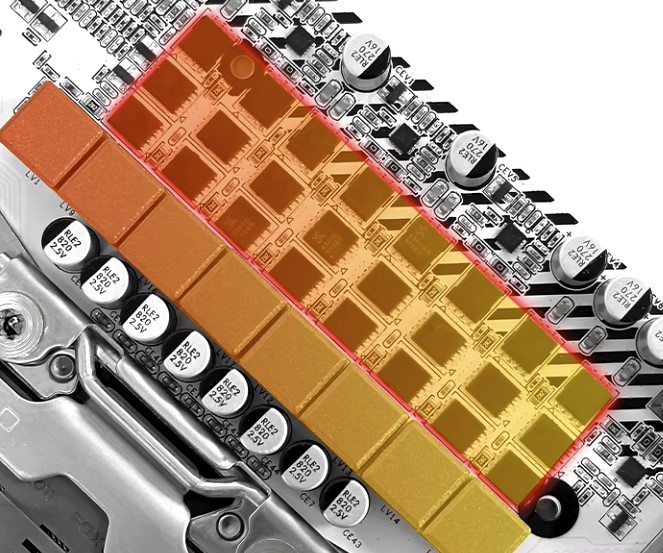
| VRM Configuration | 4 phase (8 virtual via doublers) Total MOSFETs: 24 (8 high-side + 16 low-side) |
| Supported Memory | 4 x DDR4 DIMM (quad-channel) with ECC and non-ECC support Maximum capacity: 128 GB |
| Sleep Mode (S3) Support | No |
| Expansion Slots | 1 x PCI-e x16 (Gen 3.0) 1 x PCI-e x4 1 x PCI-e x1 |
| Storage | 4 x SATA 3.0 2 x M.2 (NVME, Gen 3.0 x4) |
| Fan Connectors | 1 x CPU cooler (4pin) 1 x VRM fan (2pin) 1 x Case fan (4pin) 1 x Case fan (3pin) |
| PS/2 Ports | 2 (mouse + keyboard) |
| USB 3.0 Ports | 4 (+ front panel support) |
| USB 2.0 Ports | 2 (+ front panel support) |
| Network | Gigabit LAN (RTL8111 \ RTL8168) |
| Audio | 5.1 channel (ALC897) |
| Bios Chip | W25Q128JV |
| Super I/O | NCT5532D |
| JLPC header | Yes |
| TPM 2.0 header | LPC 14 Pin |
| Extra | 5 x 5V3PIN ARGB header Metal‑reinforced X16 slot M.2 Wi-Fi port |
| Form Factor & Dimensions | mATX 235 x 220 mm |
| Approximate Price | AliExpress: $60 - $85 (Check Price) |
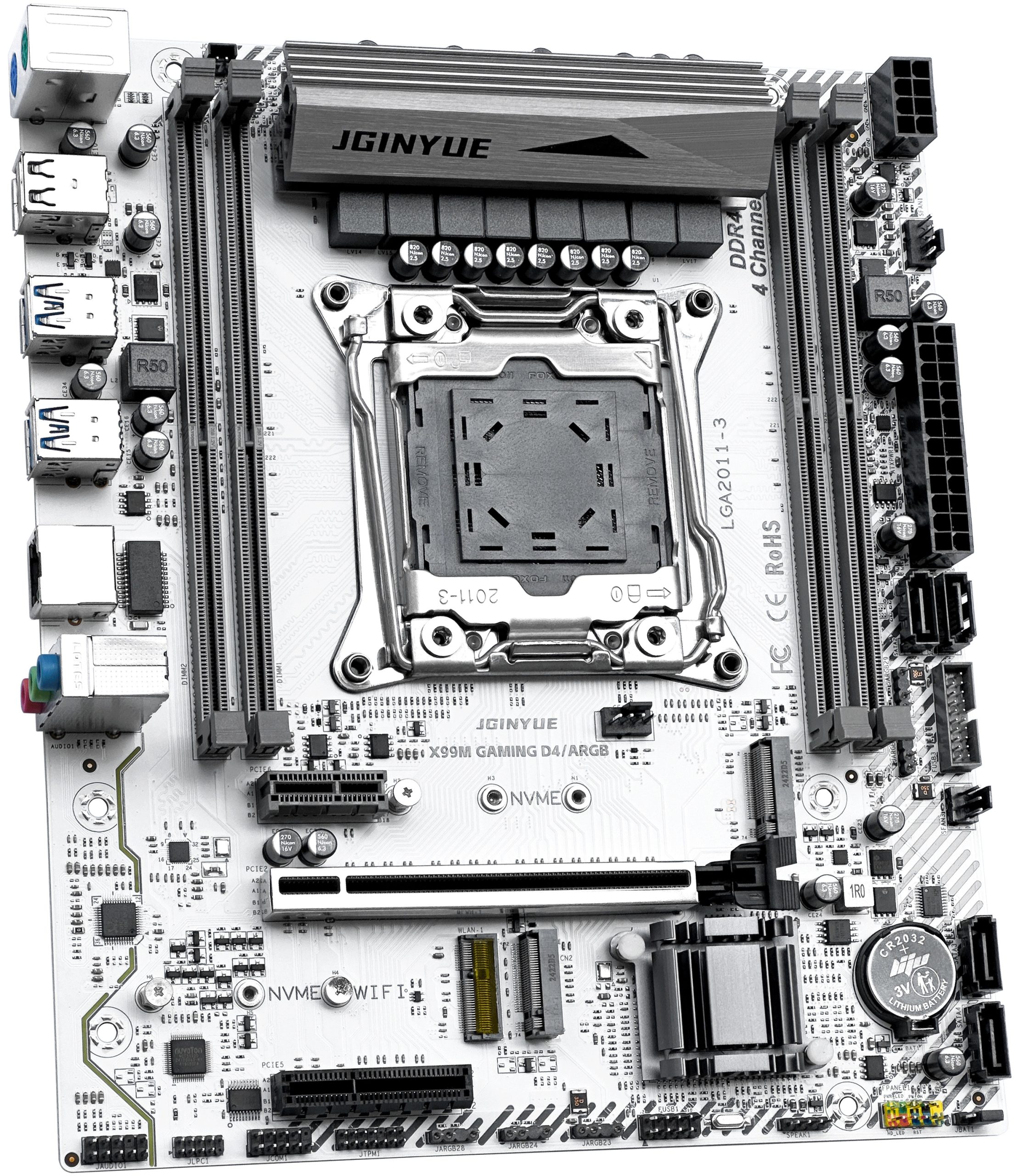
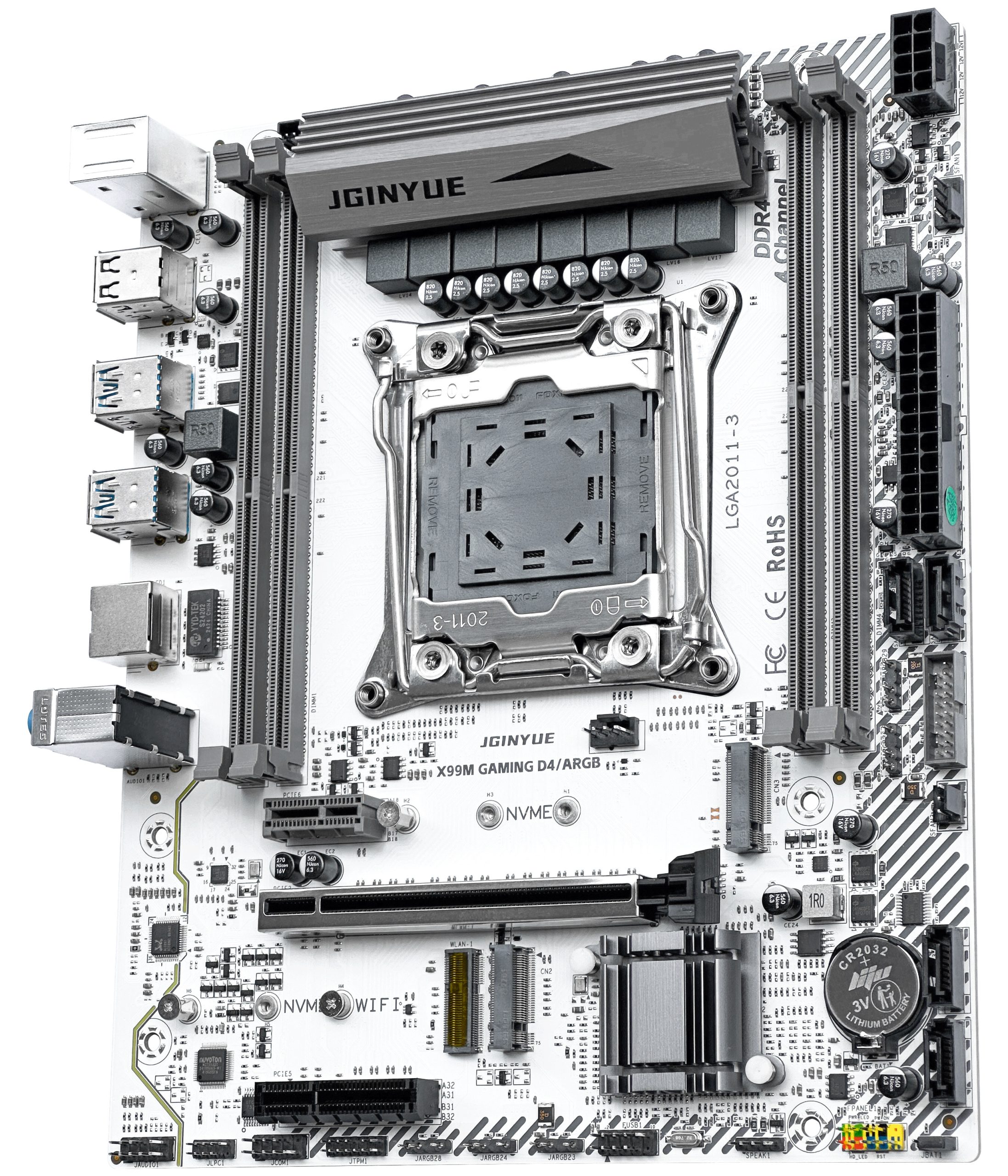
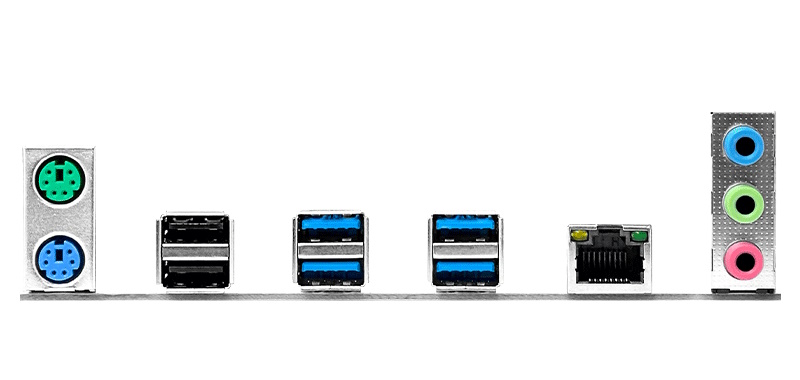
Visually, the board isn’t very different from many other Chinese micro‑ATX models. Thanks to the server‑grade C612 chipset, there’s no shortage of modern I/O—though it’s not record‑breaking either.
Storage consists of four SATA III (6 Gb/s) ports plus two M.2 slots intended for NVMe drives. NGFF (SATA) M.2 devices are not supported.
Five ARGB 5V3‑pin headers are available. The board has no proprietary lighting software; the manufacturer recommends using OpenRGB, which works well overall.

Power delivery is the model’s main forte. This is one of the most capable VRMs we’ve seen on Chinese boards: eight virtual phases with three MOSFETs per phase, covered by a heatsink weighing about 70 g. This configuration handles top‑tier CPUs with TDPs around 145 W without trouble. There is no active VRM cooling, but a nearby 2‑pin header is provided if you want to add a fan.
Otherwise, the board is similar to many other Chinese models. The audio and network controllers are the usual entry‑level parts (audio section without extra filtering capacitors), and there is no sleep (S3) mode. Less‑obvious positives include a Winbond BIOS chip (among the least troublesome commonly used options), while less‑obvious downsides are the lack of a POST display and no onboard speaker—both of which can complicate troubleshooting.
Revisions
In addition to the ARGB version, there is a standard variant without the ARGB controller. No other revisions are known at this time.
BIOS Capabilities
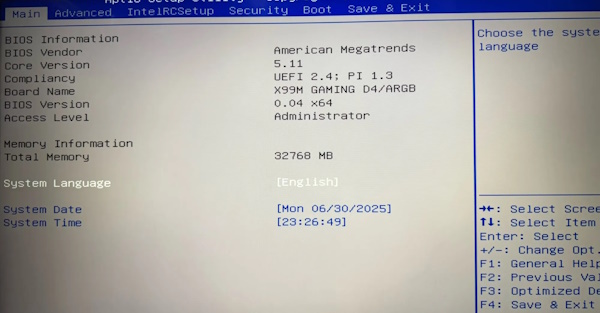
The stock firmware is based on Aptio V. It lacks a flashy GUI, but it includes nearly everything you need: memory‑timing controls, Above 4G Decoding and Resizable BAR, working Secure Boot, and TPM 2.0 configuration. Smart Fan control is available only for 4‑pin headers. As usual, the firmware exposes a large number of options, but many of them simply don’t work. You’ll also encounter the common quirks seen on similar boards: a non‑functional motherboard temperature sensor (don’t be alarmed if you see around 120°C) and power‑consumption telemetry that reads far below actual values.
Unlike most X99 boards, this model uses Intel SPS (Server Platform Services) instead of Intel ME.
Simple BIOS Flashing Guide (Windows)
| BIOS version & date | Ram Timings | ReBAR | Unlocked CPU OC | Turbo Boost unlock | Secure Boot & TPM2.0 | Notes & Link |
|---|---|---|---|---|---|---|
| X9MPA Ver:004 08/17/2024 | + | + | - | - | + | Stock BIOS [Download] |
| X9MPS Ver:006 08/17/2024 | + | + | + | + | Stock BIOS + TBU for V3 CPUs (GAMING D3/ARGB) [Download] |
- Download Intel Flash Programming Tool (FPTW) 9.1.10 from this page.
- Open Command Prompt as Administrator.
- Copy your BIOS file (
bios.binorbios.rom) into the same folder as FPTW. - In Command Prompt, navigate to the FPTW folder using the
cdcommand. - Back up first:
fptw64 -d backup.bin - Flash the BIOS:
fptw64 -f bios.bin
Notes: Replace bios.bin with the actual name of your BIOS file.
After flashing, we recommend resetting settings or clearing CMOS.

Frequently Asked Questions
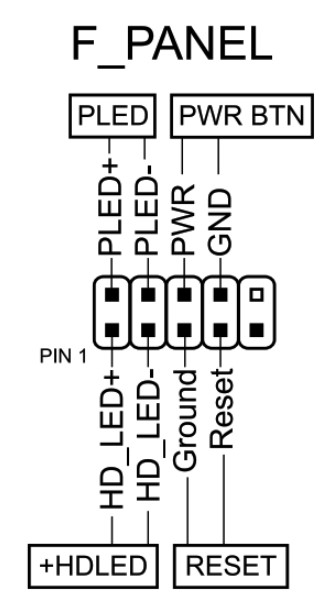
How do I connect the front panel?
The board won’t boot, black screen, etc. What should I do?
See our article about the most common LGA2011‑3 issues.
Where can I find drivers for this board?
The page with current drivers for socket 2011‑3 boards is located here.
Where is the BIOS chip located?
To the right of the chipset heatsink.
Which TPM 2.0 module is compatible with this board?
You need an MSI 14‑pin LPC TPM 2.0 module — for example, this one.

Conclusion
OldRigRevive Review
5.0
4.7
4.2
4.4

Written by
Senior Hardware Specialist proving you don't need top-tier gear to game. Expert in smart upgrades and budget-friendly PC restoration.