
Table of Contents
The Soyo X99 D4 is a white mATX motherboard for LGA2011‑3 released in 2025. The model is labeled D4‑V5‑BSW and looks very similar to the Qiyida X99‑D4, but it has a few advantages.
Like most modern boards for this socket, Soyo’s model includes a header for TPM 2.0 modules, making it compatible with Windows 11.
Specifications
| Model | Soyo X99 D4-V5-BSW |
|---|---|
| Socket | LGA 2011-3 |
| Chipset | C612 |
| Supported Processors | Intel Core i7 (5000, 6000 series, Haswell-E/Broadwell-E) Intel Xeon E5-1600 v3/v4, E5-2600 v3/v4, E5-4600 v3/v4 (Haswell-EP/Broadwell-EP) |
| VRM Configuration | 3 phase (6 virtual via doublers) Total MOSFETs: 12 (6 high-side + 6 low-side) |
| Maximum Recommended TDP | ≤130W (v3 processors) ≤140W (v4 processors) |
| Supported Memory | 4 x DDR4 DIMM (dual-channel) with ECC and non-ECC support Maximum capacity: 128 GB |
| Sleep Mode (S3) Support | No |
| Expansion Slots | 1 x PCI-e x16 (Gen 3.0) 1 x PCI-e x1 (Gen 2.0) |
| Storage | 4 x SATA 3.0 1 x M.2 (NGFF\NVME, Gen 3.0 x4) 1 x M.2 (NVME, Gen 3.0 x4) |
| Fan Connectors | 1 x CPU cooler (4pin) 1 x Case fan (3pin) |
| PS/2 Ports | 2 (mouse + keyboard) |
| USB 3.0 Ports | 4 (+ front panel support) |
| USB 2.0 Ports | 2 (+ front panel support) |
| Network | Gigabit LAN (RTL8111 \ RTL8168) |
| Audio | 5.1 channel (ALC897) |
| Bios Chip | W25Q128FV |
| Super I/O | NCT5532D |
| JLPC header | Yes |
| TPM 2.0 header | LPC 14 Pin |
| Extra | Active VRM cooling metal‑reinforced X16 slot |
| Form Factor & Dimensions | mATX 220 x 190 mm |
| Approximate Price |
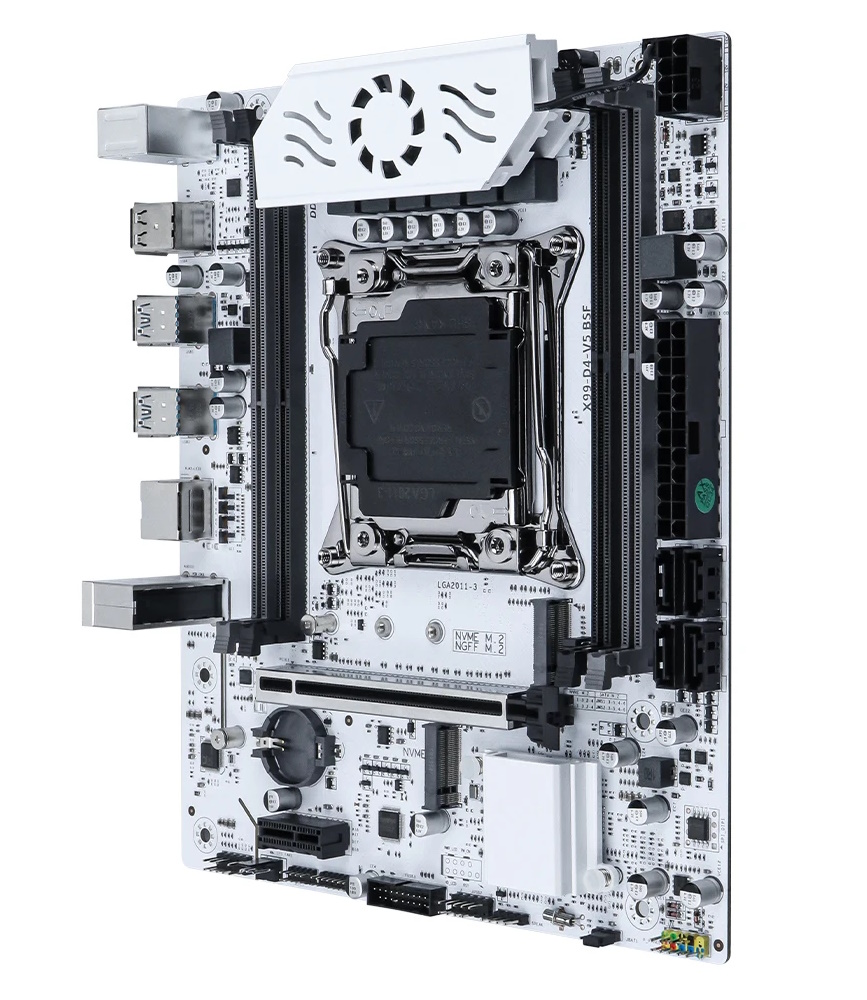
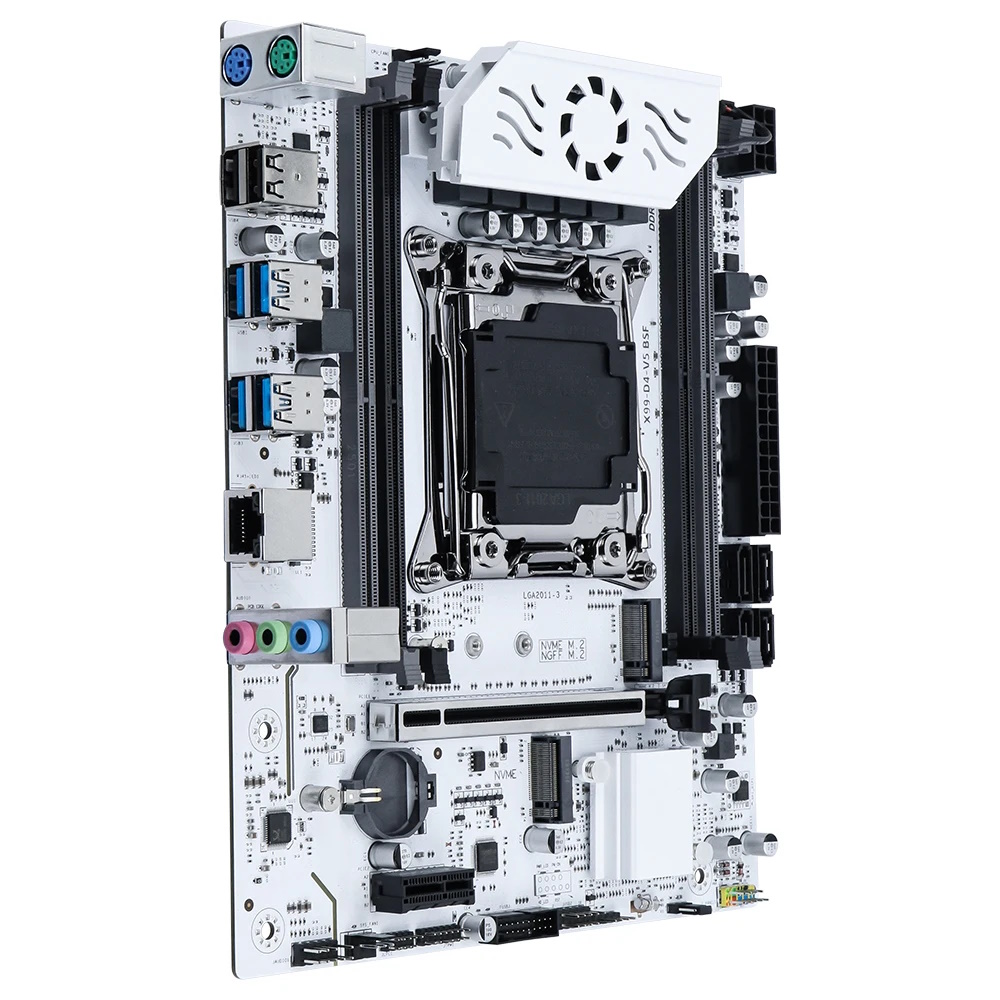
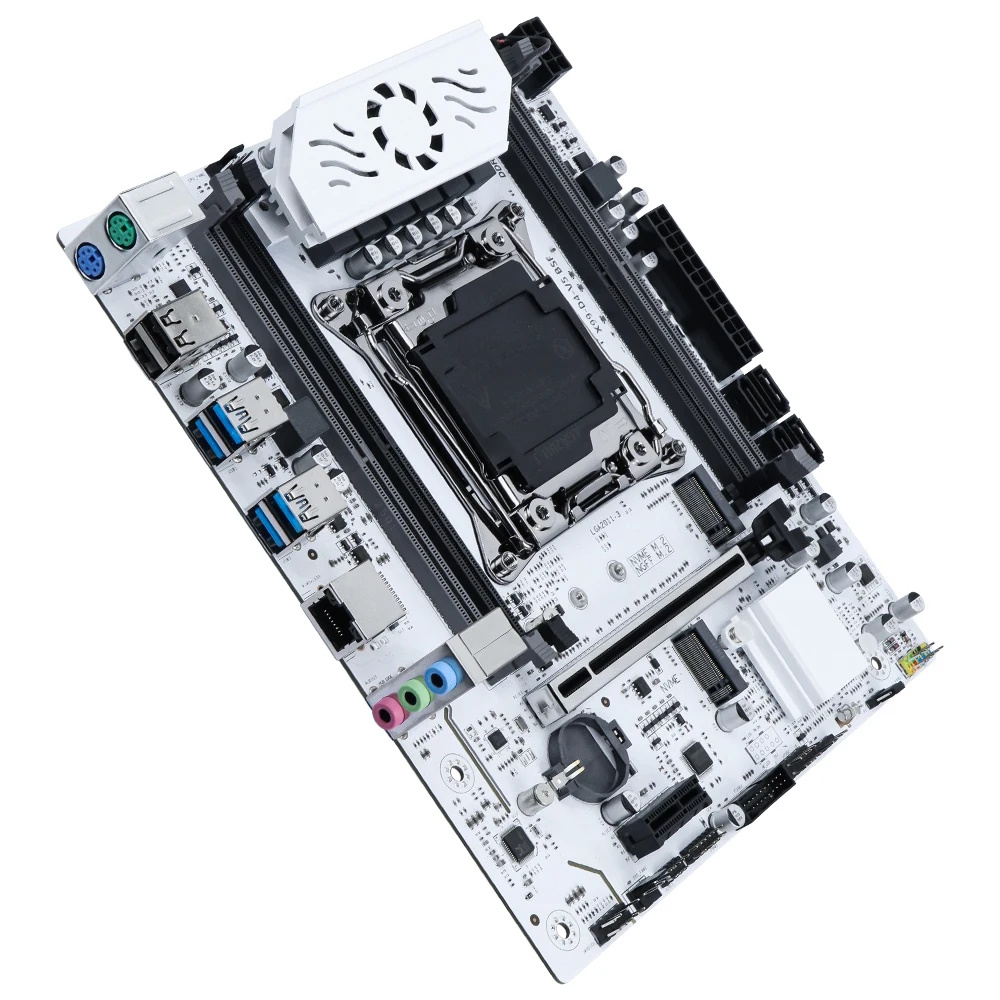
As with the Qiyida model, the board is built on the server‑grade C612 chipset, but it makes better use of its capabilities. You get more USB 3.0 ports, and the storage subsystem, in addition to four SATA III ports and a dual‑mode M.2 slot, has gained a second M.2 NVMe slot. That’s a welcome and logical addition.

PCIe connectivity is identical to the Qiyida variant and likewise consists of only one full‑length x16 (Gen 3) slot and one x1 slot whose lanes come from the chipset (Gen 2). To give it a more stylish and premium look, the x16 slot is metal‑reinforced, even if it gets completely hidden beneath a GPU.
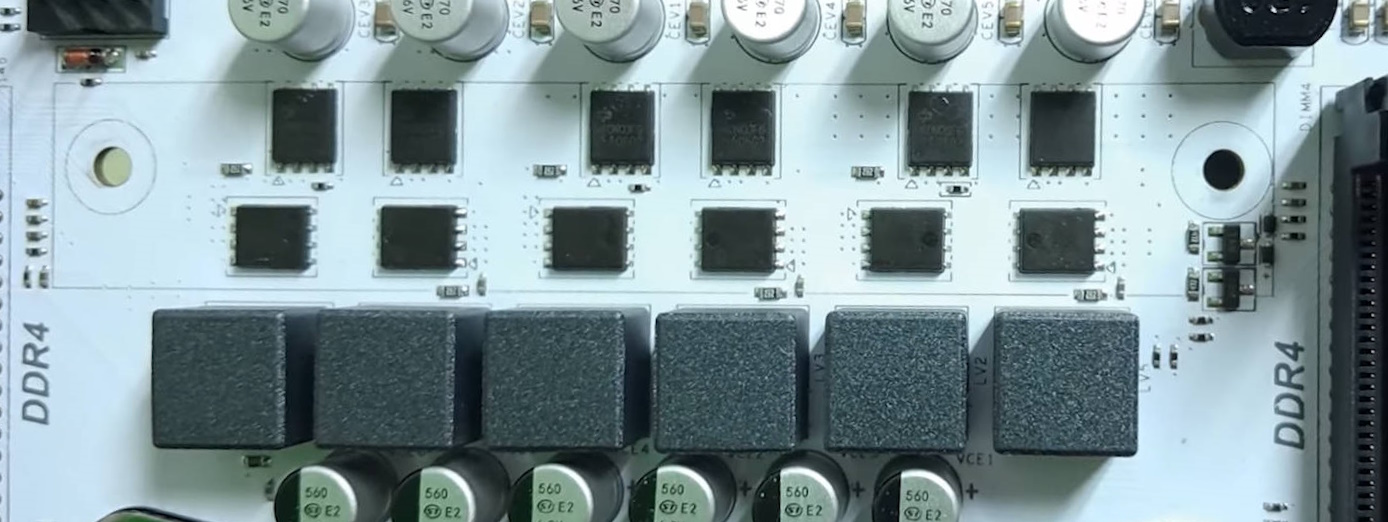
One might expect the VRM configuration to be exactly the same as well, but the VRM layout hides a pleasant surprise. Although it uses the classic 3×2 layout common to budget boards, this board features a uP1651 PWM controller paired with high-quality Infineon MOSFETs. The high side has six 060N03L MOSFETs (50 A / 6 mΩ), and the low side has six 026N03L5 MOSFETs (100 A / 2.6 mΩ). This configuration outclasses most inexpensive LGA2011‑3 boards we’ve encountered. With the active VRM cooling implemented as a small fan integrated into the heatsink and spinning at a fixed speed, the D4‑V5‑BSW can comfortably run CPUs with a TDP around 130–140 W.
Unfortunately, there are still only two fan headers, and only one (the 4-pin header) supports PWM control, making a fan hub or external controller a must for case cooling. There’s also a small regression: instead of a built‑in PC speaker, there’s now only a header for connecting one.
BIOS Capabilities
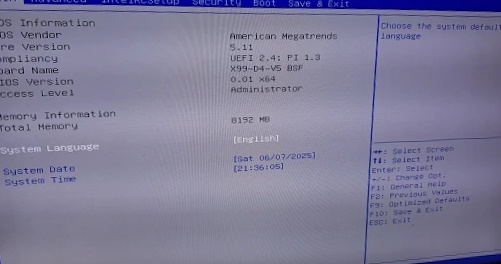
The board runs a traditional UEFI BIOS based on Aptio V. There’s no fancy graphical UI or mouse control, but you get virtually the full set of features typically found on Chinese boards. You can adjust RAM timings, enable ReBAR, Secure Boot, and configure the TPM 2.0 module. There’s no overclocking for unlocked‑multiplier CPUs, but that feature isn’t often needed on budget boards.
As usual, the firmware exposes a large number of settings, but a significant portion of them simply doesn’t work. Also present are the standard quirks found in almost every such firmware: non‑functional motherboard temperature sensors (don’t be alarmed if you see around 120 °C) and a power-consumption sensor that heavily underreports actual wattage.
Nevertheless, the stock BIOS is quite suitable for daily use, and after the initial setup you’ll rarely need to go back in.
Simple BIOS Flashing Guide (Windows)
| BIOS version & date | Ram Timings | ReBAR | Unlocked CPU OC | Turbo Boost unlock | Undervolt | Secure Boot & TPM2.0 | Notes & Link |
|---|---|---|---|---|---|---|---|
| XD4V5 Ver:001 03/26/2025 | + | + | - | - | - | + | Stock BIOS [Download] |
- Download Intel Flash Programming Tool (FPTW) 9.1.10 from this page.
- Open Command Prompt as Administrator.
- Place your BIOS file (
bios.binorbios.rom) in the FPTW directory. - In Command Prompt, navigate to the FPTW folder using the
cdcommand. - Back up first:
fptw64 -d backup.bin - Flash the BIOS:
fptw64 -f bios.bin
Notes: Replace bios.bin with the actual name of your BIOS file.
After flashing, we recommend resetting settings or clearing CMOS.

Frequently Asked Questions
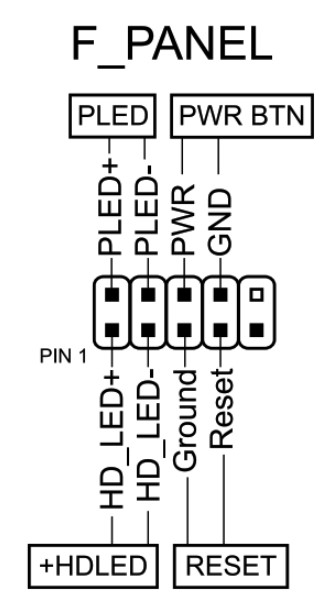
How do I connect the front panel?
Which memory slots are primary?
The gray slots (the ones farther from the CPU). The black slots are secondary and should be populated last.
The board won’t boot, black screen, etc. What should I do?
See our article about the most common LGA2011‑3 issues.
Is Turbo Boost Unlock possible on this board?
Yes, you can perform the unlock yourself using S3TurboTool by following our guide, or wait for a ready‑made BIOS with the unlock applied.
Where can I find drivers for this board?
You can find up-to-date drivers for LGA2011‑3 platforms on this dedicated page.
Where is the BIOS chip located?
To the right of the chipset heatsink. The location is convenient for attaching a programmer clip.
Which TPM 2.0 module is compatible with this board?
You need an MSI 14‑pin LPC TPM 2.0 module — for example, this one.

Conclusion
OldRigRevive Review
5.0
4.2
4.1
4.3

Written by
Senior Hardware Specialist proving you don't need top-tier gear to game. Expert in smart upgrades and budget-friendly PC restoration.
I have bought this motherboard with a Xeon E5-2680v4 CPU, and I was getting a power consumption of 50W at max, even tho the processor is rated at 120W max TDP, is there a way to get around this limitation?
These boards are known to misreport CPU power usage. The processor isn’t actually limited to 50W — it’s just a reporting issue in the board/BIOS, and there’s no real fix for it.