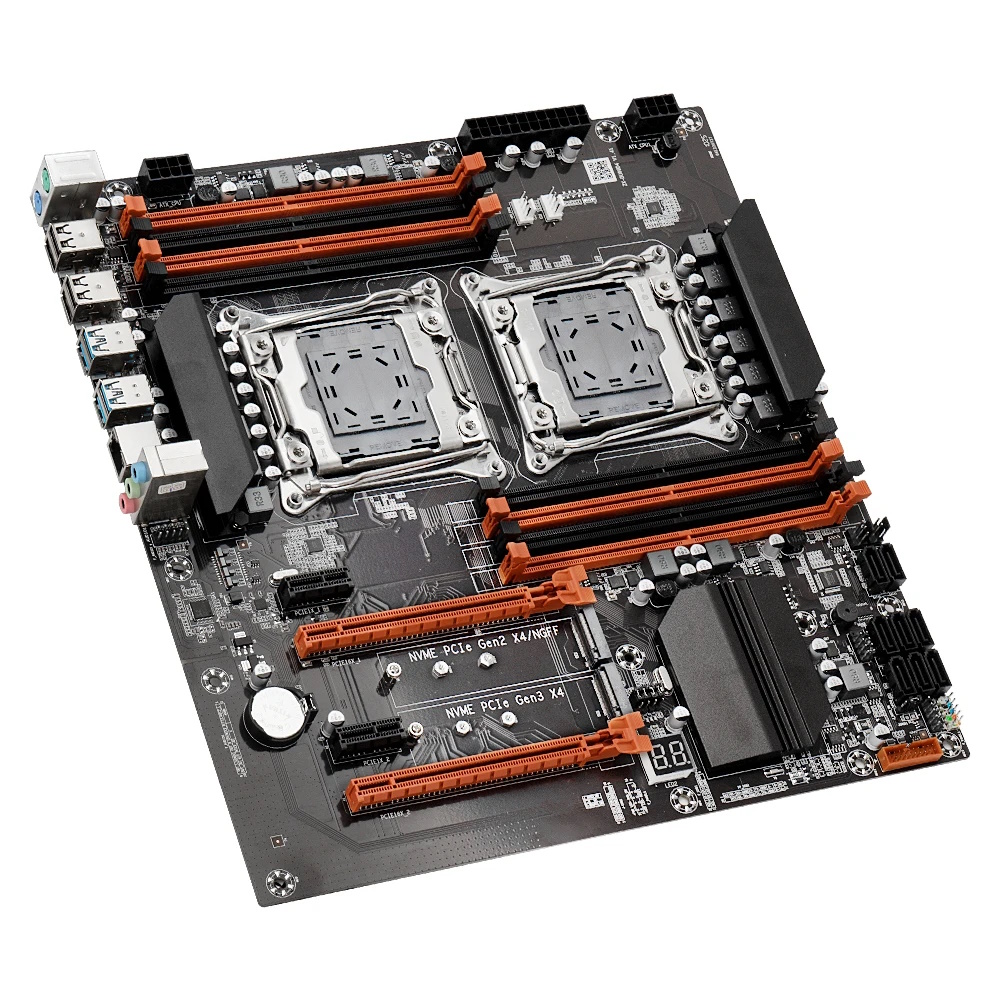
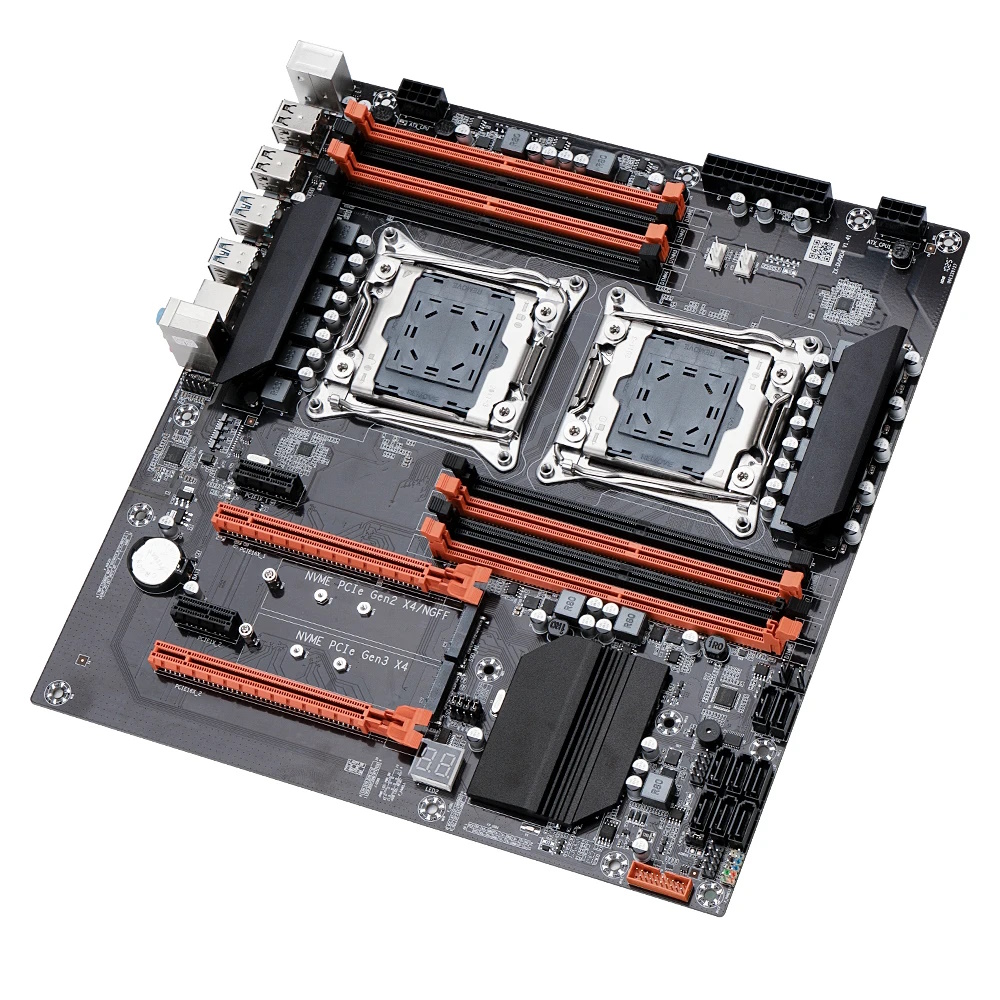
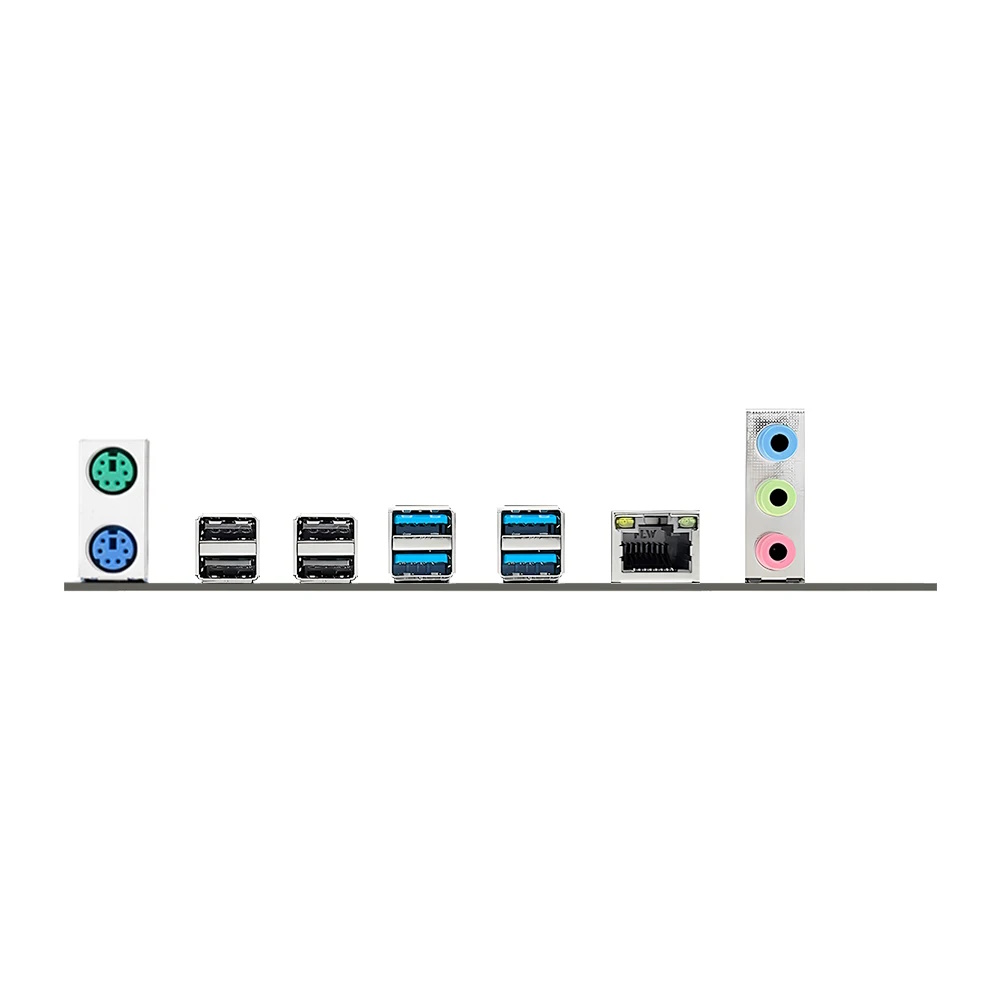
ZX-DU99D4 is one of the earliest dual-socket Chinese boards for LGA2011‑3. It first appeared back in 2020 and quickly became the go‑to ultra‑budget dual‑socket option. You’ll see it sold under many brand names: Atermiter, Mucai, Mougoi, Kllisre, Machinist, and so on.
Despite a few shortcomings and sometimes inconsistent QC, the board is still in production, and it has seen plenty of revisions over the years.
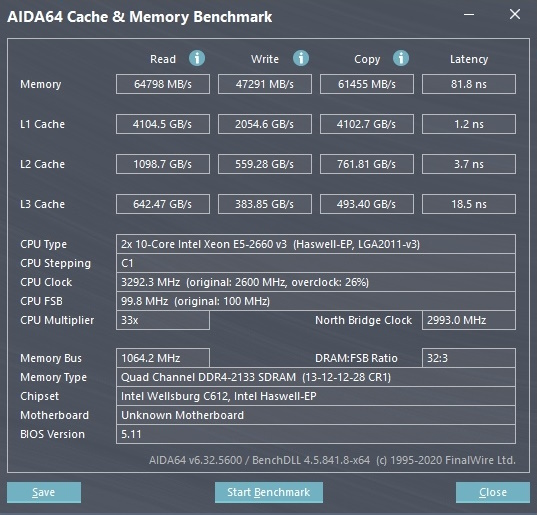
The board uses Intel’s server chipset C612, but each CPU only supports dual-channel memory. However, because there are two processors with independent memory controllers, total bandwidth ends up close to classic quad‑channel, and some software will even detect it as such. Keep in mind that while the CPUs can access each other’s memory, remote access has higher latency than in single‑socket systems.
Enabling NUMA (IntelRCSetup > Common RefCode Configuration > Numa = Enabled) helps reduce memory latency significantly. In most cases you can get it down to around 80 ns.
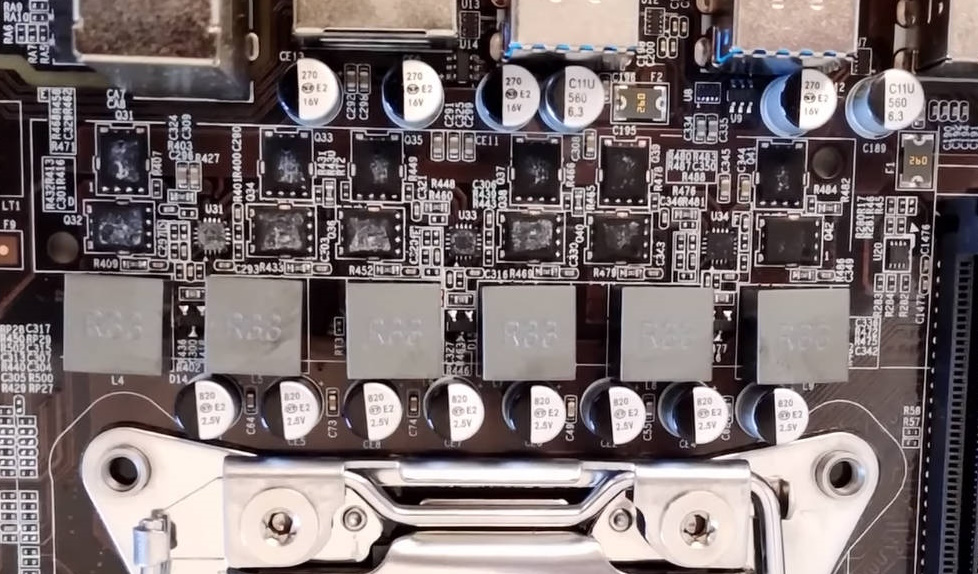
Each processor’s power delivery uses 3 doubled phases (6 virtual phases) with two MOSFETs per phase. Early versions used QN3103M6N (68 A / 6.3 mΩ) as the high‑side and QN3107M6N (110 A / 2.6 mΩ) as the low‑side. Later revisions switched to SM4377NSKP (50 A / 7 mΩ) and SM4522NSKP (110 A / 2.65 mΩ). In both cases you’ll find the uP1649Q PWM controller common on Chinese boards and three uP1961S MOSFET drivers. Cooling is handled by a small heatsink on plastic push‑pins. While the original VRM variant is considered slightly better, both designs are intended for entry‑ to mid‑range CPUs — rather than power-hungry, many-core monsters with TDPs exceeding 120 W.
For storage you get 8 SATA III ports and two M.2 slots; one of the M.2 slots can be switched to NGFF (SATA) mode via the jumpers next to it. Unfortunately, one slot is wired to the chipset (PCIe Gen 2), so NVMe speeds there are noticeably limited.
Key features of ZX‑DU99D4:
It’s very compact compared to other dual‑socket boards. ZX‑DU99D4 is only slightly larger than standard ATX and can fit some ATX cases with no cutting or modding.
The trade-off for this tight layout is that the CPU sockets sit fairly close together, and the RAM slots are crammed right next to them. Large coolers may be hard to fit. Also, a big graphics card in the top x16 slot can block access to all memory slots.
Early revisions could run both server ECC and desktop UDIMMs (not both in the same build). Newer boards officially support server memory only, though some may still boot with a desktop DIMM if only one CPU is installed.
Out of the box you can run up to three GPUs. In some cases, enabling “Above 4G Decoding” helps bring up a fourth. More than four is unlikely.
Both processors will power up even if only the first CPU 8‑pin EPS connector is plugged in, but this is not recommended for long‑term use.
Both CPUs can initialize even if there’s only a single memory module installed in the first slot of CPU1.
Obvious drawbacks: no sleep support, no TPM 2.0 header compatibility, average soldering and overall build quality (remember, this is one of the cheapest boards), plus the usual rough‑around‑the‑edges firmware and revision chaos. There is a clear upside too—the board exposes working power telemetry for both CPUs, which is rare among Chinese boards.
Revisions
One defining trait of this model is the huge number of different revisions with no coherent changelog.
At minimum, the ZX‑DU99D4 exists in these revisions: 1.11 \ 1.12 \ 1.31 \ 1.41, and there may be rarer variants. Even boards with the same revision aren’t guaranteed to be identical. Things have changed over time: the number of SATA ports, the audio and LAN chips, heatsink size and shape, the presence or absence of a two‑digit POST code display, different BIOS flash ICs, and more. The manufacturer shuffled these parts around seemingly at random until things settled into what we see on the latest two revisions: 1.31 and 1.41.
Although the main silicon (chipset, Super I/O, etc.) stayed the same, this many undocumented tweaks didn’t help the model and only added confusion.
BIOS Capabilities
ZX‑DU99D4 ships with the familiar APTIO V‑based BIOS. The stock firmware depends on board revision, but functionality is similar across versions. You can adjust memory timings out of the box. Resizable BAR and Secure Boot are not present on stock firmware. The usual issues are here too: broken motherboard temperature sensors, Smart Fan control only for 4‑pin headers, and various small rough edges.
Are BIOS images cross‑compatible between revisions?
We recommend flashing only the BIOS for your exact revision, but in most cases 1.11 and 1.12 images are interchangeable. Revisions 1.31 and 1.41 appear to have important differences, so it’s best to use an image as close to stock as possible for those.
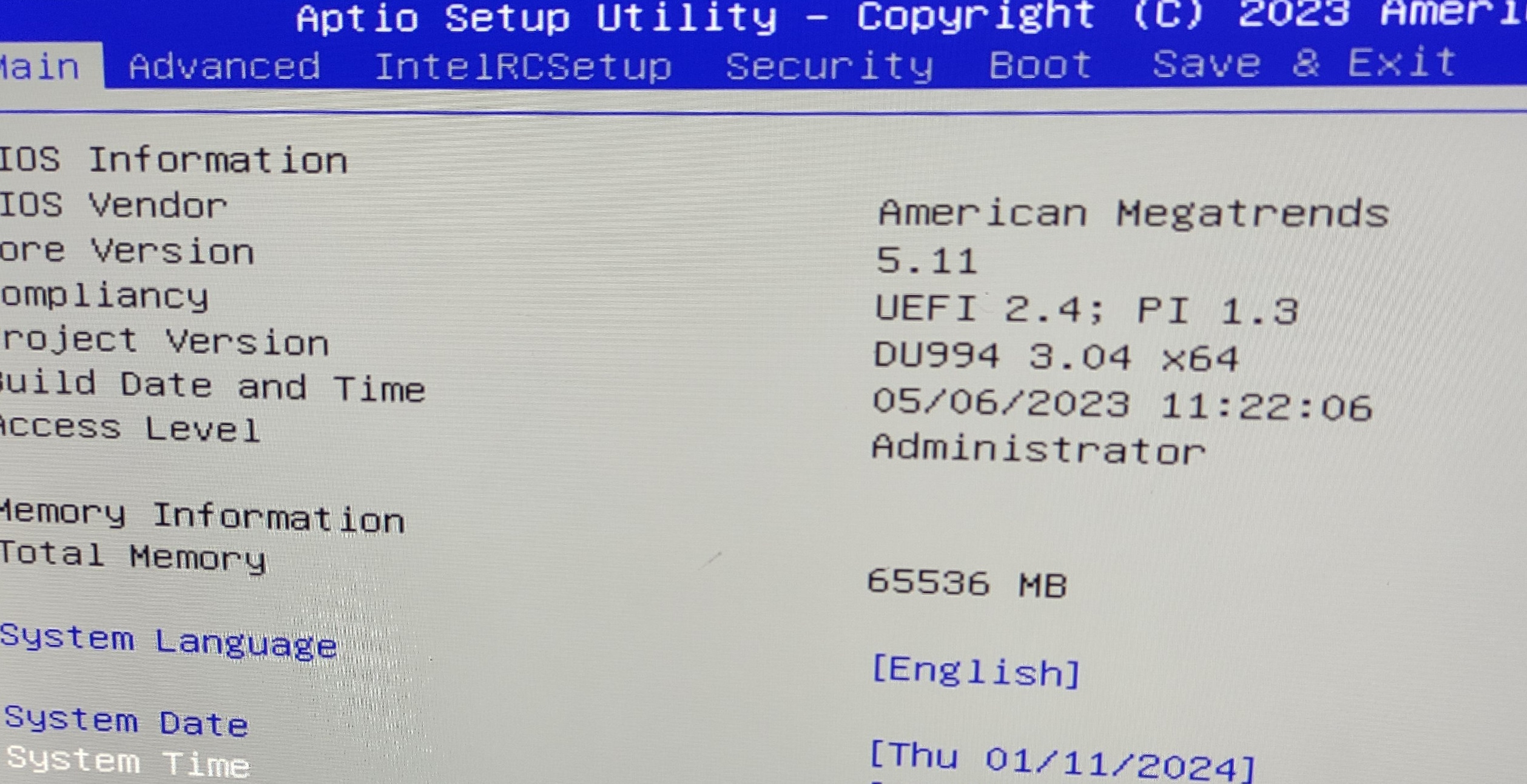
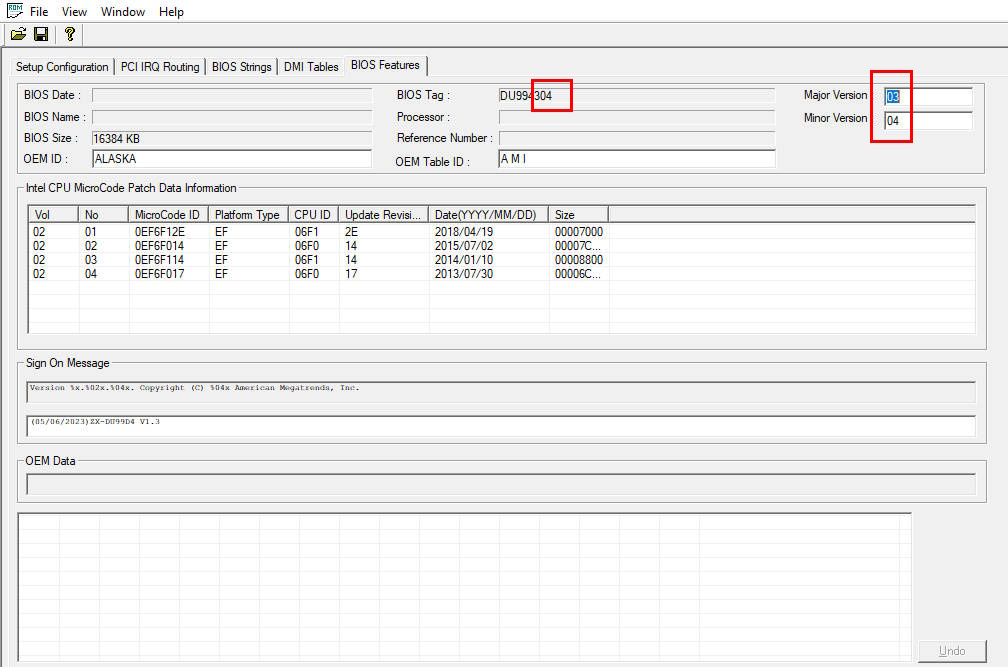
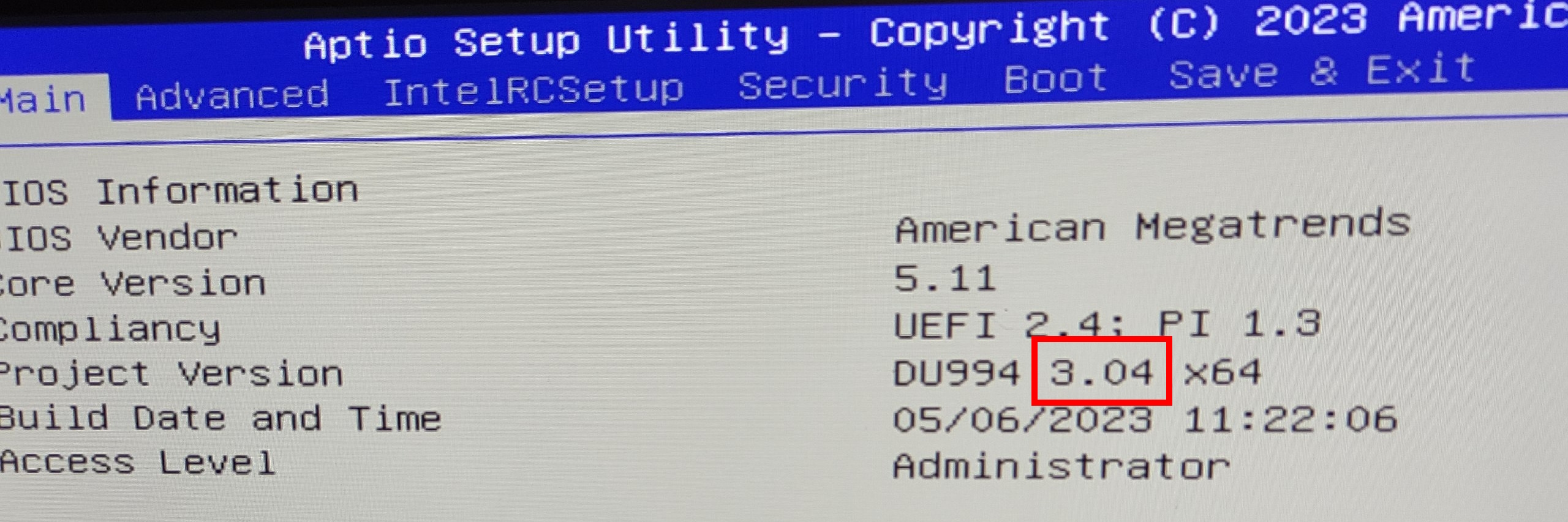
There’s a rumor that boards running BIOS versions 994304 and older are incompatible with those shipping from the factory with BIOS 994305 and newer. We currently can’t confirm or deny this, but keep it in mind. You can check your version on the BIOS splash screen or by dumping the image and opening it in AMIBCP.
For example, here’s how BIOS version 994304 is shown:
Is Turbo Boost Unlock possible?
Yes. You can do the unlock yourself using S3TurboTool by following our guide (use the DXE driver), or flash a suitable BIOS with the unlock already applied.
Simple BIOS Flashing Guide (Windows)
⚠️ WARNING: BIOS flashing carries real risks and can permanently damage your motherboard if the firmware is incompatible or the process fails. We cannot guarantee compatibility with every board revision or hardware configuration. Failed flashes typically require a hardware programmer for recovery. Make sure you understand the risks first.
Download Intel Flash Programming Tool (FPTW) 9.1.10 from this page.
Open Command Prompt as Administrator.
Place your BIOS file (bios.bin or bios.rom) in the FPTW directory.
In Command Prompt, navigate to the FPTW folder using the cd command.
Back up first: fptw64 -d backup.bin
Flash the BIOS: fptw64 -f bios.bin
Notes: Replace bios.bin with the actual name of your BIOS file. After flashing, we recommend resetting settings or clearing CMOS.
There’s also a modified BIOS with ReBAR support and many other additions. You can download it here (for boards on 4304 and older BIOSes) and here (for boards on 4305 and newer).
Must-have Tool
The CH341A is a compact USB tool that saves motherboards. It’s perfect for flashing SPI BIOS chips directly when the system won't boot.
As an Amazon Associate I earn from qualifying purchases.
Frequently Asked Questions
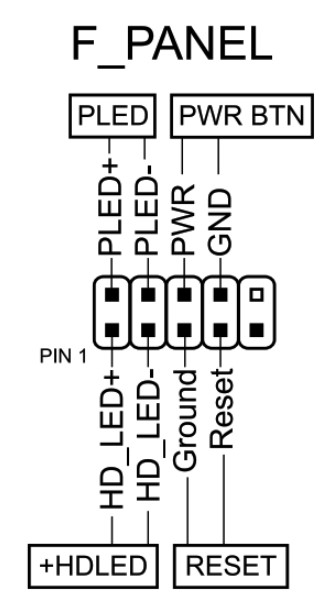
How do I connect the front panel?
Which memory slots are primary?
The orange slots (the ones farther from the CPU). The black slots are secondary and should be populated last.
The board won’t boot, black screen, etc. What should I do?
See our article about the most common LGA2011‑3 issues.
Where can I find drivers for this board?
You can find the latest drivers for socket 2011‑3 boards on this dedicated page. Note: for this board we recommend installing the USB 3.0 Host Controller Driver even on OSes newer than Windows 7.
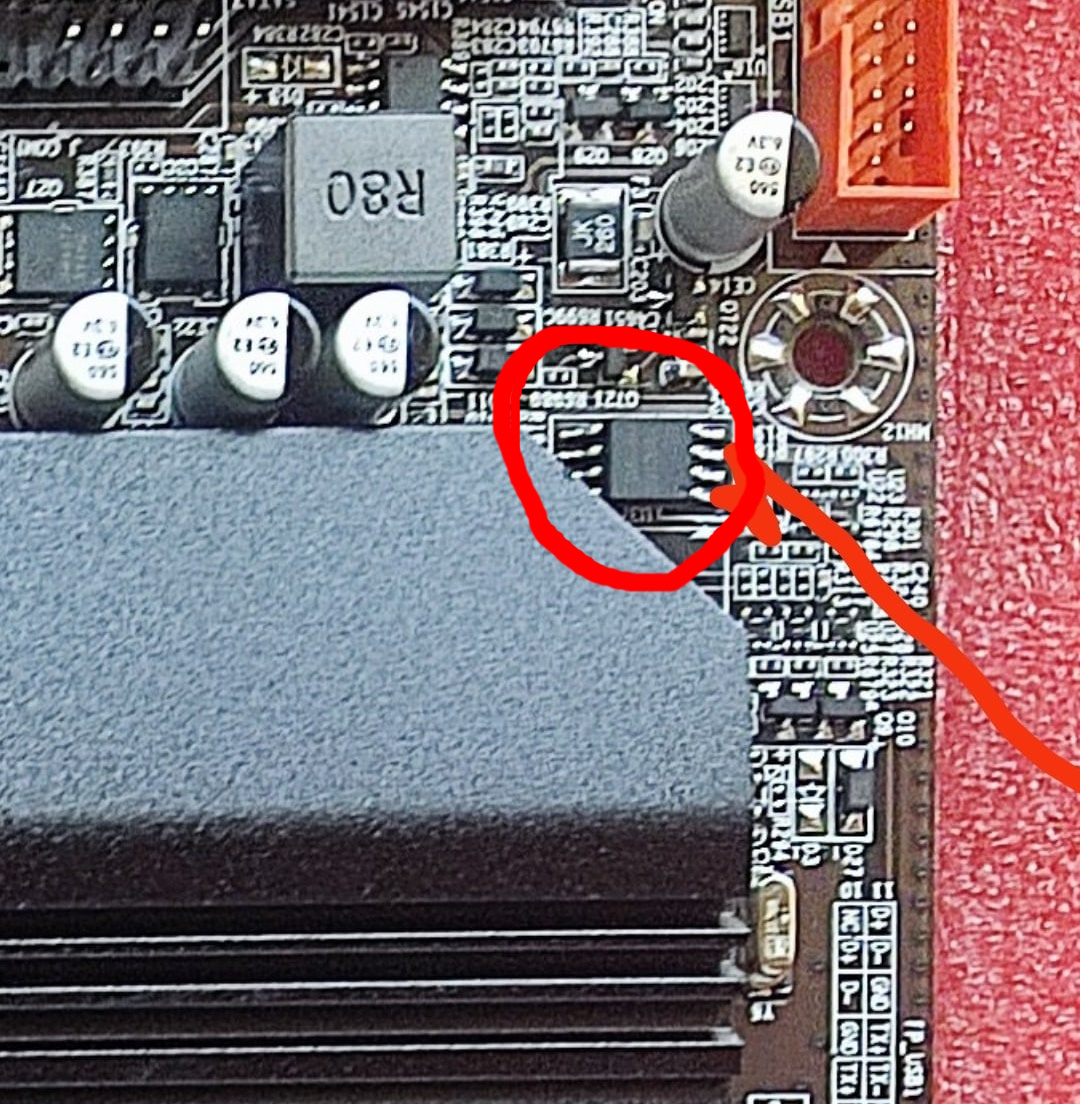
Where is the BIOS chip located?
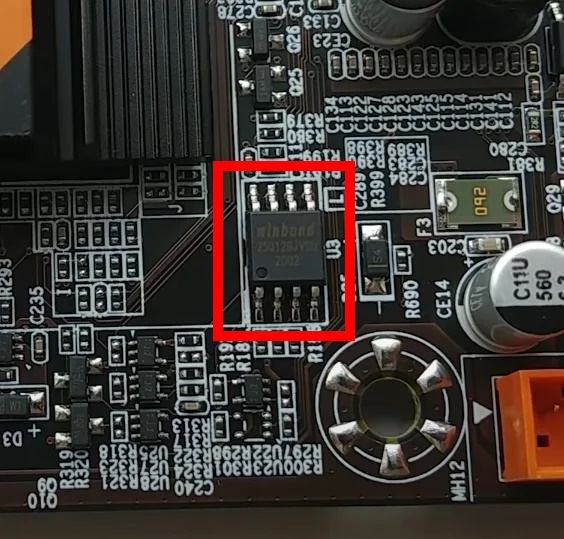
To the right of the chipset heatsink. If your revision has the larger heatsink, you’ll need to remove it to clip on a programmer.
Is booting without a graphics card possible?
Yes, headless boot works on the stock BIOS.
Conclusion
ZX‑DU99D4 OldRigRevive Review
Price / Value 5.0
VRM & Cooling 3.3
Features & Connectivity 3.8
BIOS & Software 3.5
3.9
★★★★☆
The Verdict
“ZX‑DU99D4 is far from perfect, but it’s the easiest way to get started with dual‑socket LGA2011‑3. The board has flaws, it’s not meant for high‑TDP CPUs, and you never quite know which revision you’ll get from the seller. Still, if you want a capable home server, a pile of VMs, hosting for a pet project, or a local LLM box, this is truly the most affordable route. It is undeniably a compromise, but there are plenty of scenarios where the cheapest working option is the best option right now.”