Table of Contents
The X79G is a budget motherboard for socket 2011. It’s basically the minimum viable configuration for a simple home PC.
The first revisions hit the market back in 2019 and, despite the extremely basic configuration and some shortcomings, the model is still being produced. Over time, many revisions have been released, and you can find this board under various brands: Atermiter, Envinda, Machinist, etc.
There is also an almost identical model available in a different color scheme — the Machinist X79 S7.
Specifications
| Model | X79G v1.6 |
|---|---|
| Socket | LGA 2011 |
| Chipset | C602 |
| Supported Processors | Intel Core i7 (3000, 4000 series, Sandy Bridge-E/Ivy Bridge-E) Intel Xeon E5-1600 v1/v2, E5-2600 v1/v2, E5-4600 v1/v2 (Sandy Bridge-EP/Ivy Bridge-EP) |
| Supported Memory | 4 x DDR3 DIMM (dual-channel) with ECC and non-ECC support Maximum capacity: 64 GB |
| Sleep Mode (S3) Support | No |
| Expansion Slots | 1 x PCI-e x16 1 x PCI-e x1 |
| Storage | 1 x SATA 3.0 3 x SATA 2.0 1 x M.2 (NGFF\NVME, Gen 3.0 x4) |
| Fan Connectors | 1 x CPU cooler (4pin) 1 x Case fan (3pin) |
| PS/2 Ports | 2 (mouse + keyboard) |
| USB 3.0 Ports | - |
| USB 2.0 Ports | 6 (+ front panel support) |
| Network | Gigabit LAN (RTL8111H) |
| Audio | 5.1 channel (ALC662) |
| JLPC\Debug header | Yes |
| Extra | COM port header |
| Form Factor & Dimensions | mATX 235 x 185 mm |
| Approximate Price |
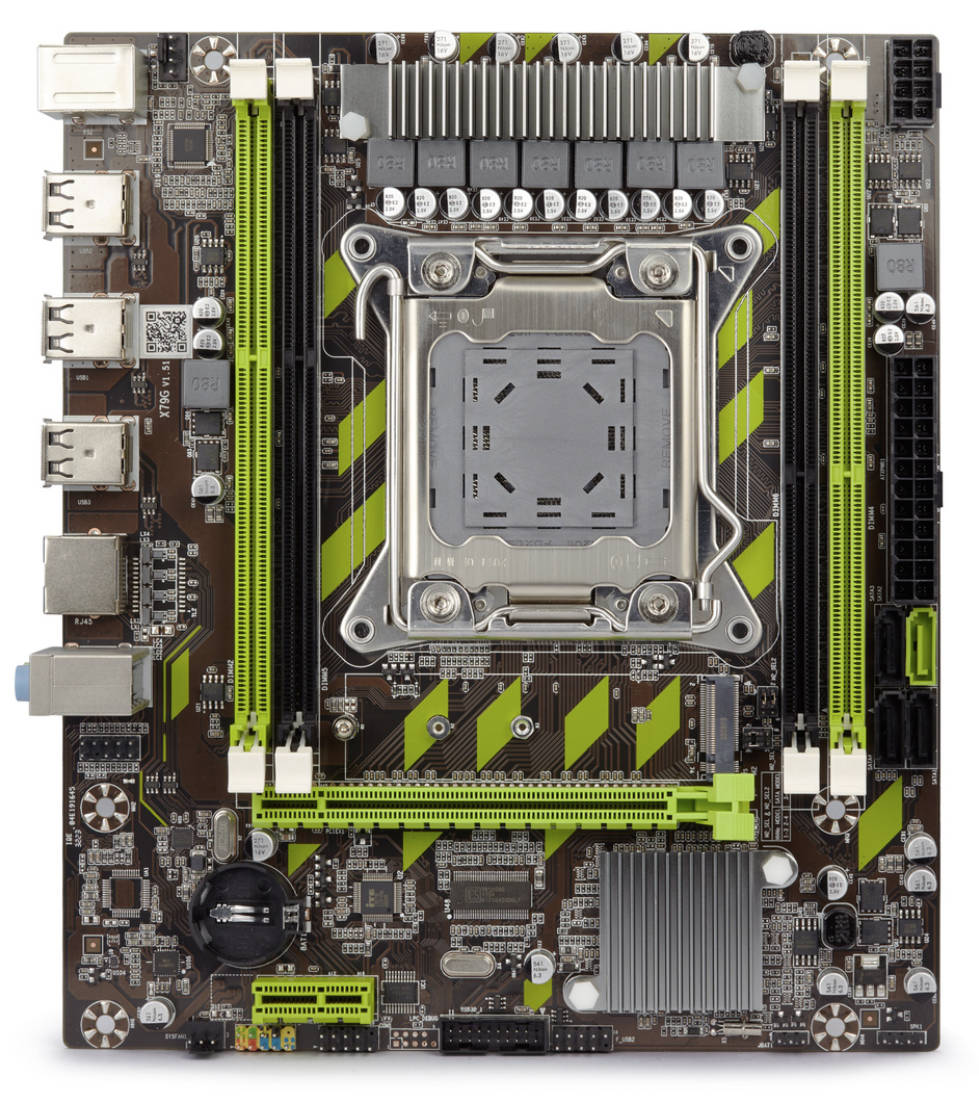
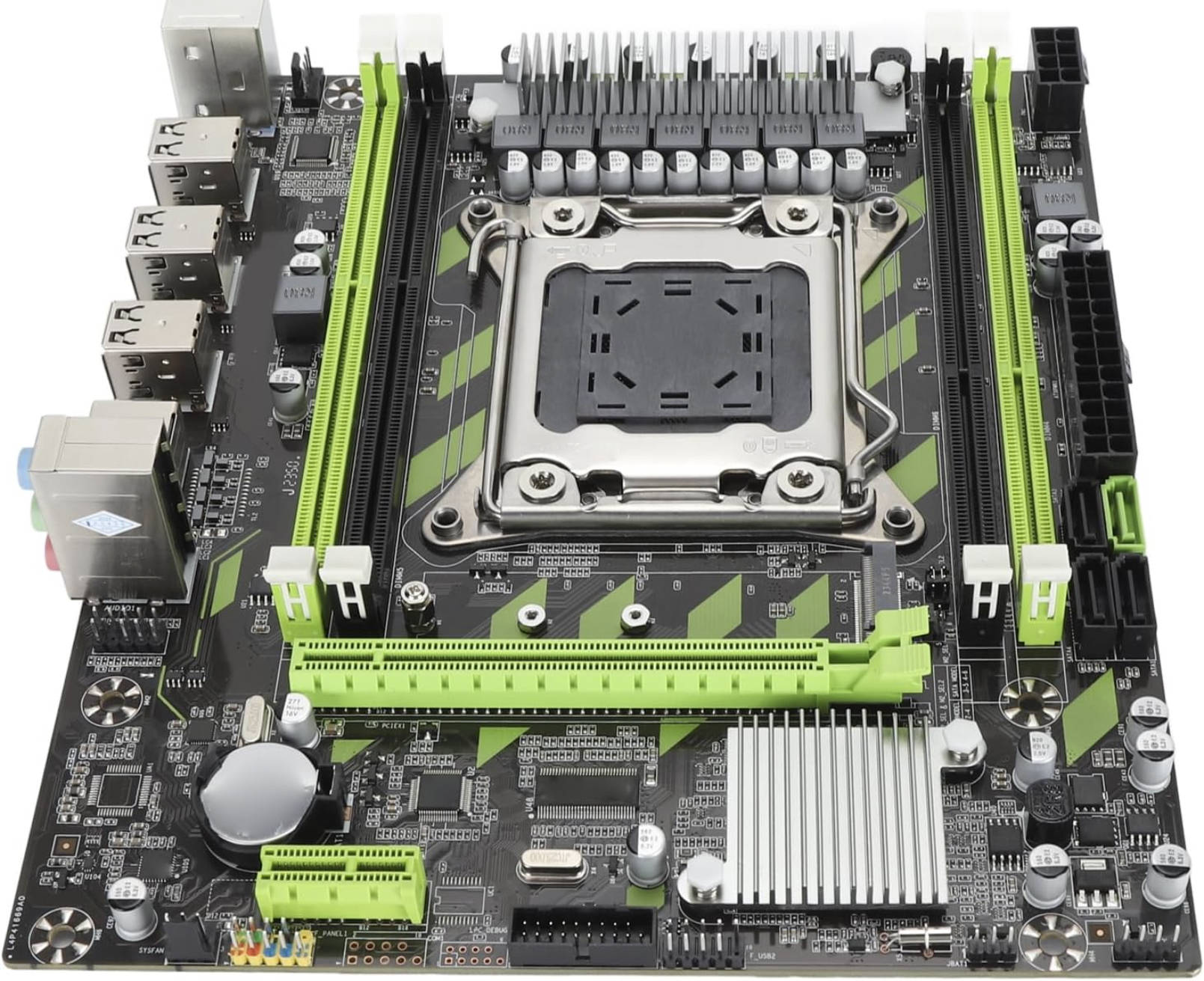
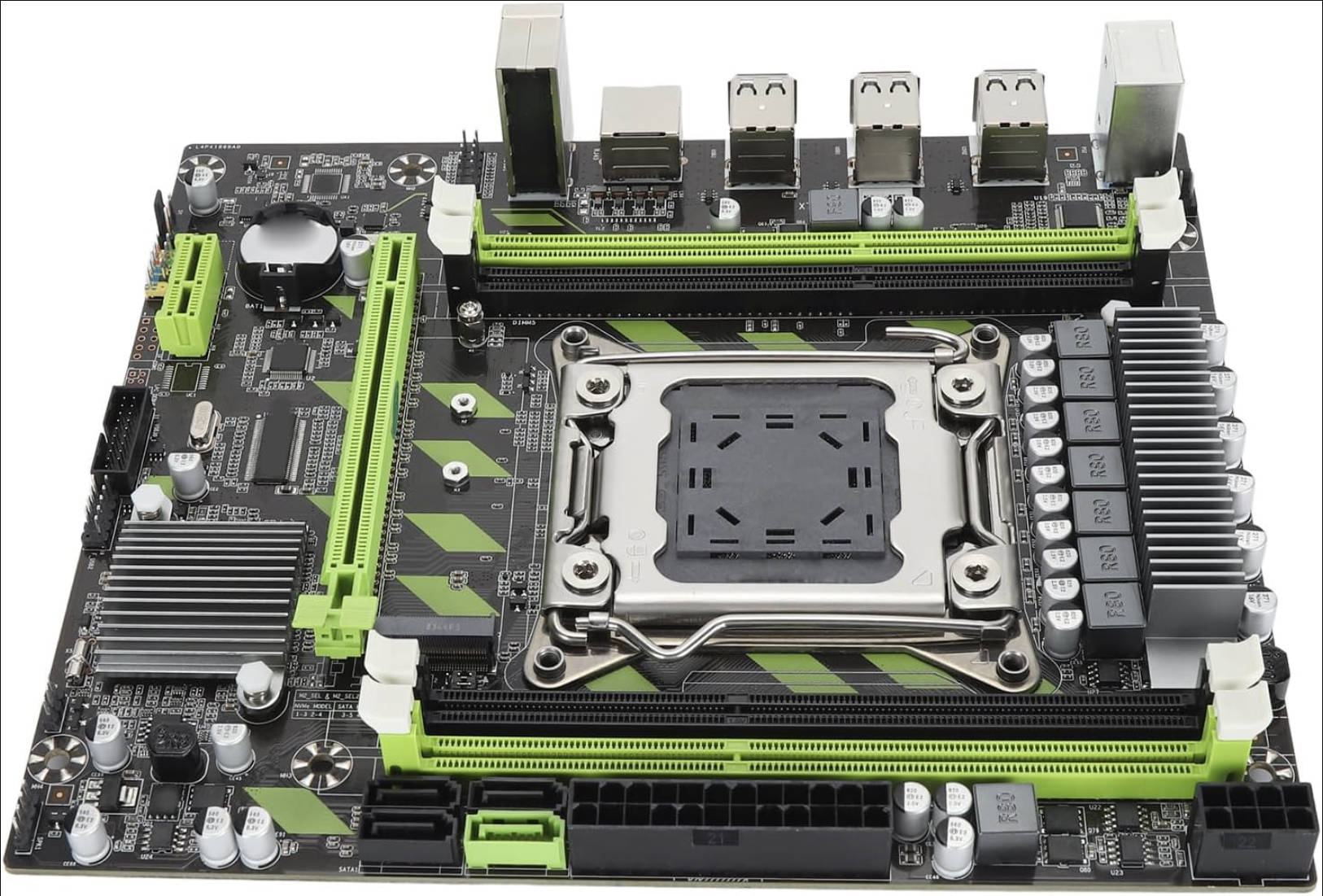
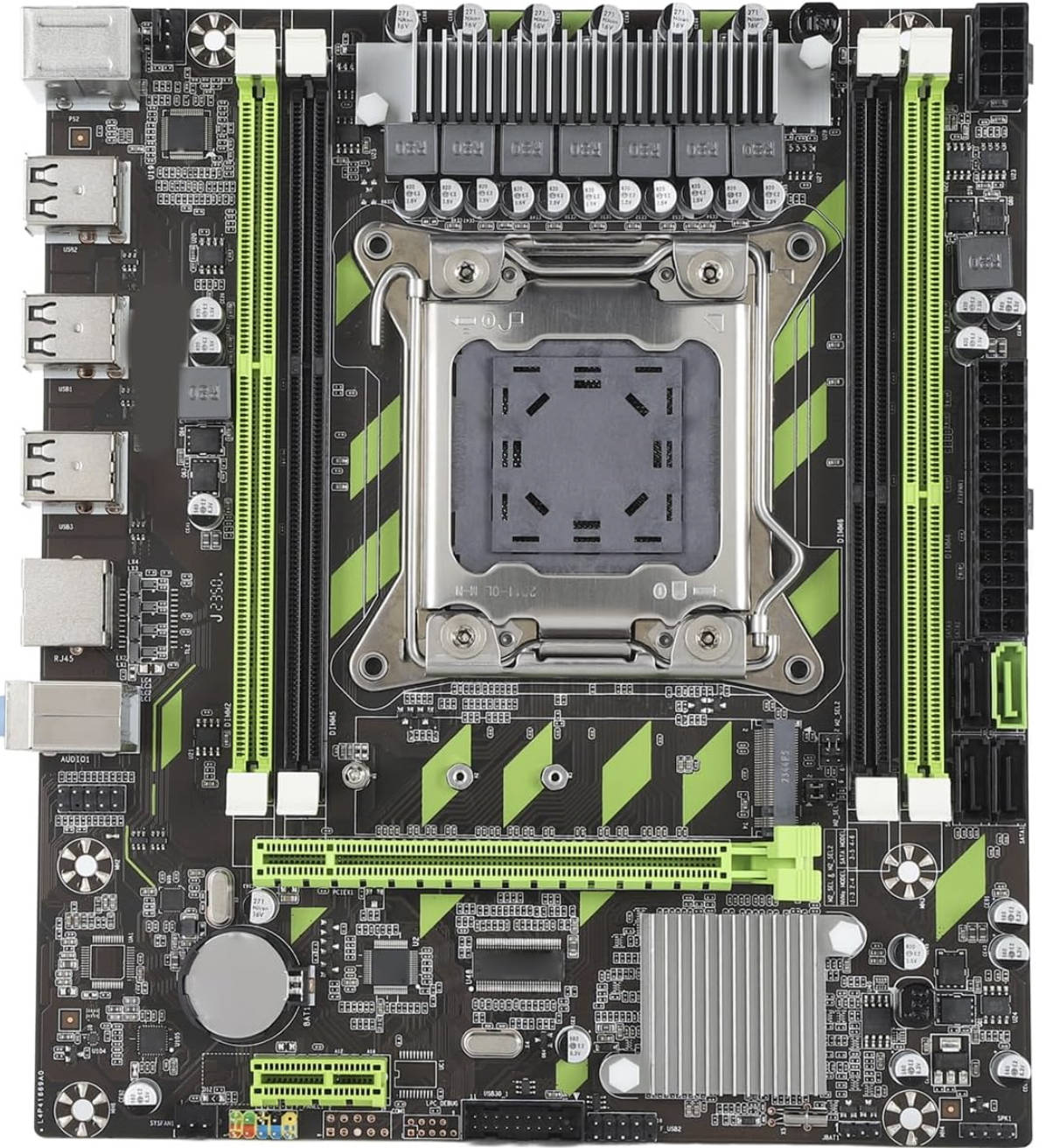
Since this is a bottom-of-the-barrel budget board, don’t be surprised by the modest I/O. You only get one SATA III port; this is somewhat offset by a dual-format M.2 slot, but the lack of USB 3.0 is something you’ll just have to live with, or work around by using the single PCIe x1 slot for an expansion card.
Even if your particular revision has a USB 3.0 header for the front panel, it will still run at USB 2.0 speeds. The only benefit is that you can at least hook up more ports.
The power delivery is typical for boards of this level: a total of 7 phases, 6 of which are dedicated to the CPU. Each phase uses two MOSFETs. On our sample these are QN3103M6N (68 A / 6.3 mΩ) as the high‑side and QN3107M6N (110 A / 2.6 mΩ) as the low‑side, but you may encounter versions with other MOSFETs. The manufacturer doesn’t publish exact VRM capabilities, but given our experience with similar hardware, you shouldn’t install CPUs with a TDP higher than ~100 W without adding extra airflow over the VRM.
Otherwise, the board doesn’t really stand out from the countless other inexpensive LGA2011 options. Standard components are used and soldering quality is average.
Revisions
One defining trait of this model is the huge number of different revisions with no coherent changelog.
At a minimum, the X79G exists in the following revisions: 1.21 / 1.3 / 1.41 / 1.51 / 1.6 / 2.0 / 3.0 / 3.01, and there may be a few rarer variants. Even boards with the same revision aren’t guaranteed to be identical. Over time, a lot has changed: the total number of SATA ports and how many of them are SATA3, the number of USB ports, whether the M.2 slot supports different operating modes, the audio and LAN chips, and more. The manufacturer shuffled these parts around seemingly at random until things settled into what we see on the latest version of the board, which apparently is the X79G v1.6 (versions 2.0 and 3.0 actually came out earlier).
Although the main silicon (chipset, Super I/O, etc.) stayed the same, this many undocumented tweaks didn’t do the board any favors and only added to the confusion.
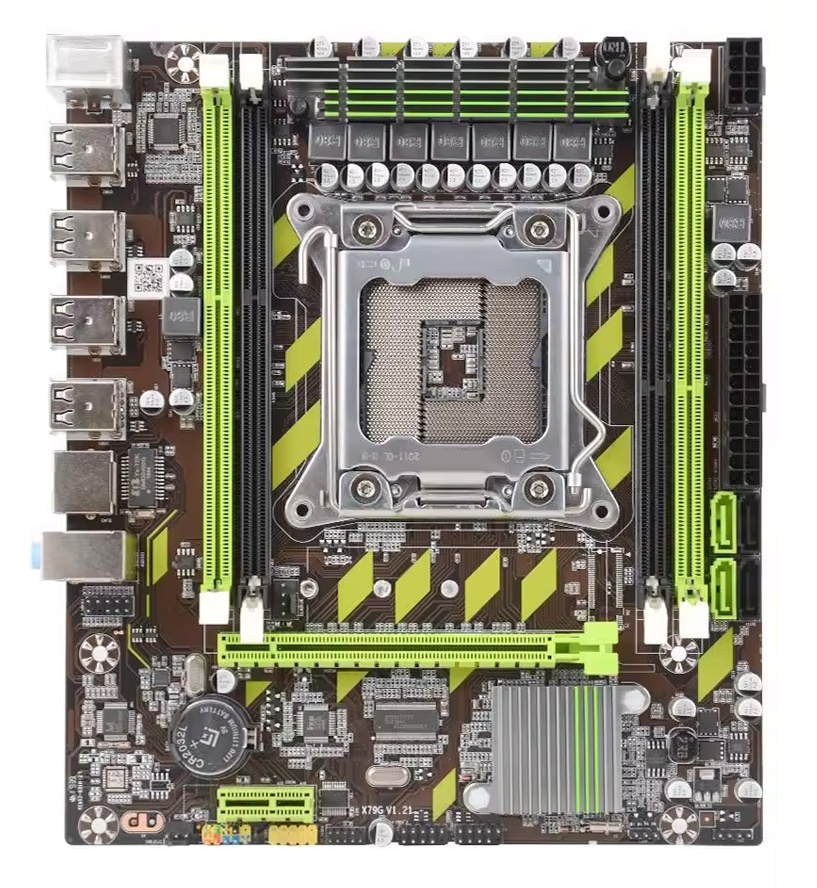
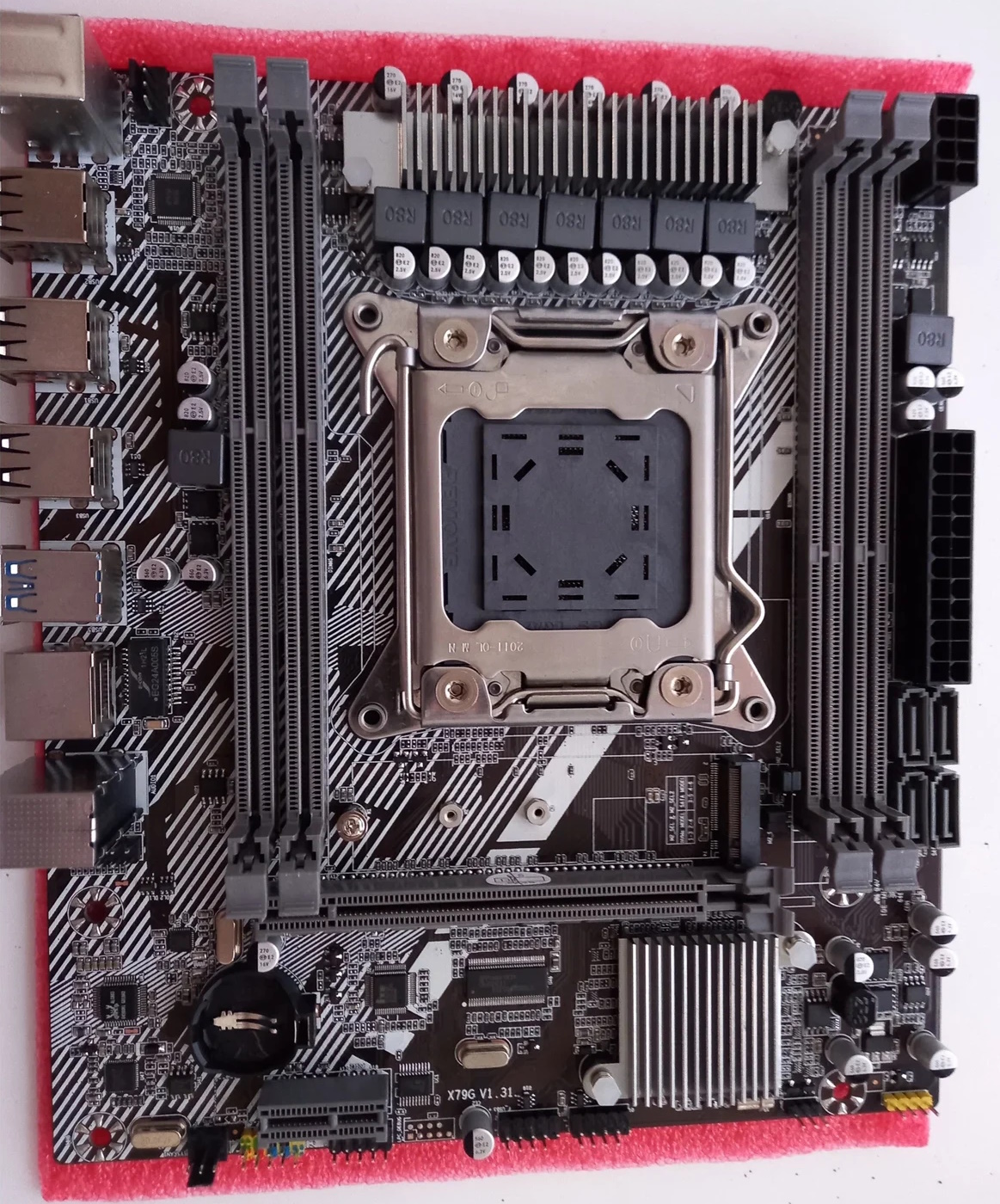
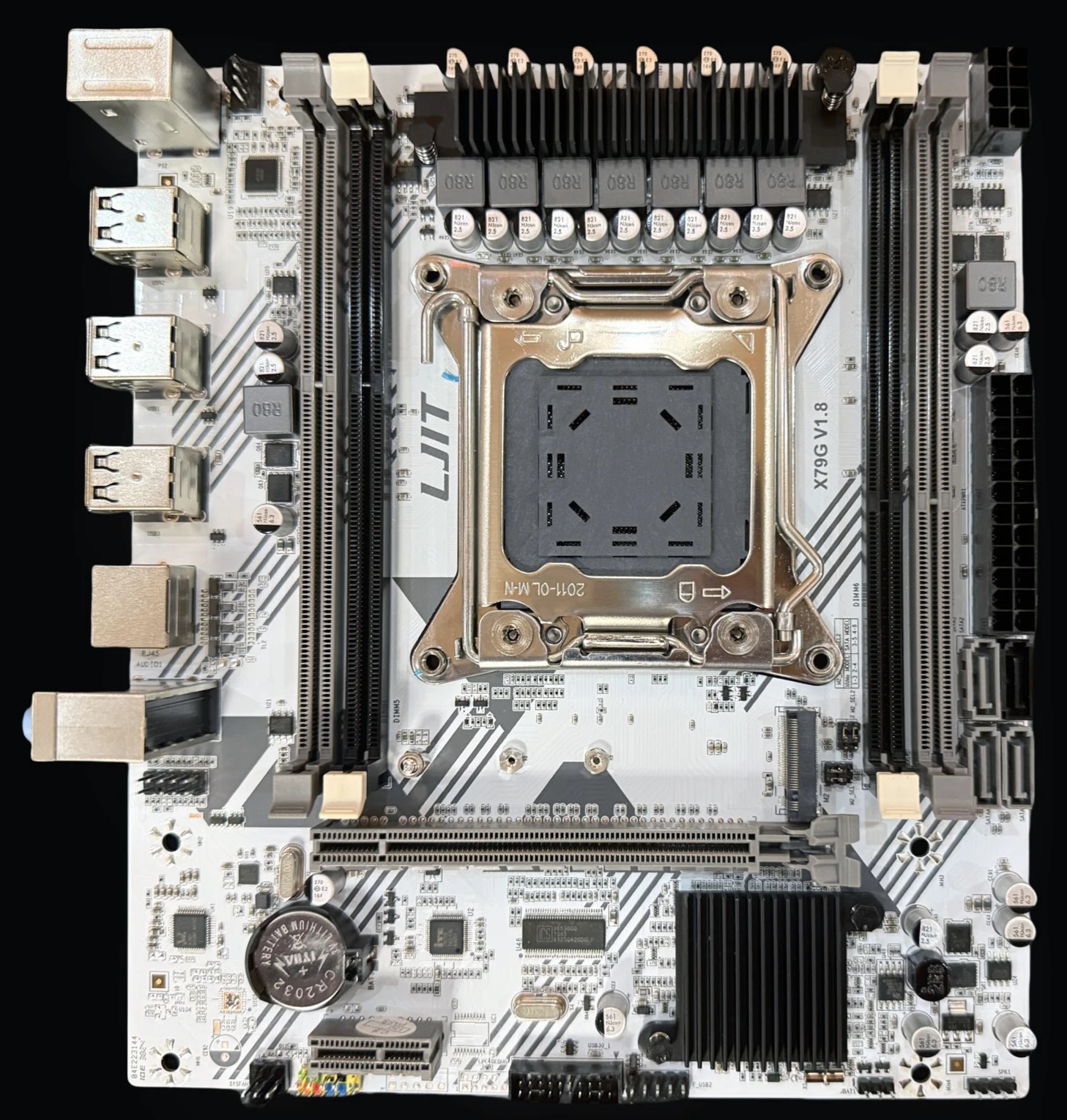
BIOS Capabilities
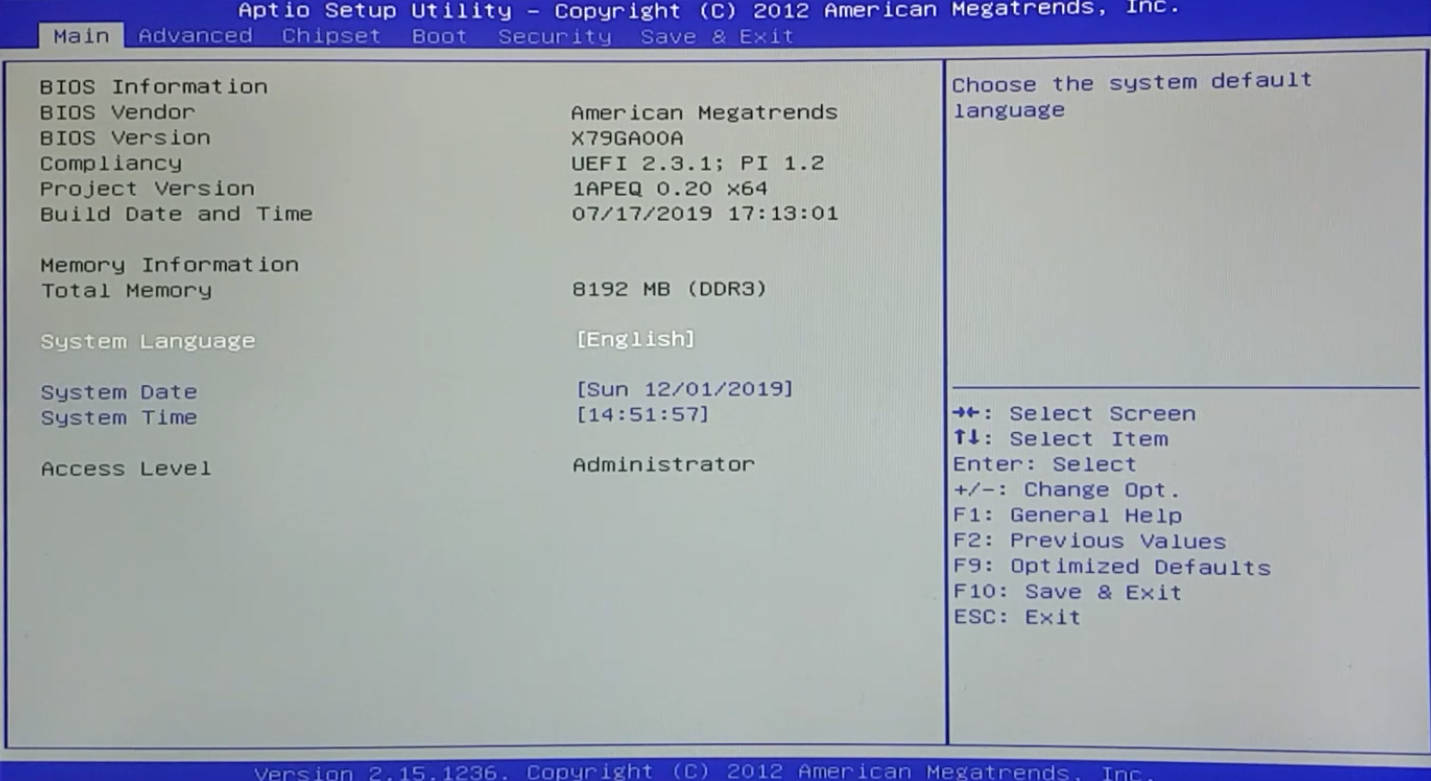
The X79G uses a typical Chinese BIOS template based on AMI APTIO 4. The firmware has no fancy interface or mouse support.
Regardless of board revision and stock BIOS version, the functionality is roughly the same: you can adjust memory frequency (up to 1866 MHz), and on some versions it’s possible to overclock unlocked CPUs up to around 3.9 GHz. Secure Boot is present in most builds (though its functionality hasn’t been thoroughly tested). There is no access to memory timings by default. Flashing a modified BIOS unlocks timing controls, memory overclocking up to 2133 MHz, plus higher CPU overclocks.
The main problem with X79G BIOSes is that, because of the huge number of revisions, it’s impossible to say for sure which BIOS build will be compatible with a specific board. We recommend flashing modified firmware only if its version matches the original one (as shown on the BIOS splash screen).
Nothing technically stops you from trying other versions, but for this kind of experiment you really should have an SPI programmer on hand.
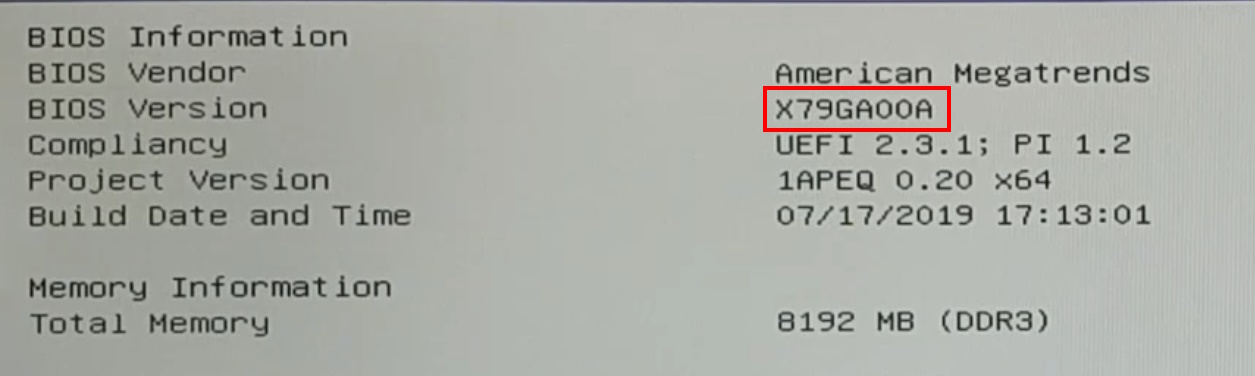

| BIOS version | BIOS date | Board rev | Ram Timings | ReBAR | Unlocked CPU OC | Secure Boot | Notes & Link |
|---|---|---|---|---|---|---|---|
| X79GA00A | 07/17/2019 17:13:01 | 1.21 | + | - | + | + | Stock version + mod (timings, CPU and RAM overclocking) [Download] |
| X79GA00C | 12/21/2019 16:27:40 | 1.21 | + | - | + | + | Stock version + mod (timings, CPU and RAM overclocking) [Download] |
| X79GA00E | 03/30/2020 17:34:17 | 1.21 | + | - | + | + | Stock version + mod (timings, CPU and RAM overclocking) [Download] |
| X79GA00K | 12/14/2020 14:52:01 | 1.3 | + | - | + | + | Stock version + mod (timings, CPU and RAM overclocking) [Download] |
| X79GA00J | 09/23/2020 14:33:11 | 1.3 | + | - | + | + | Stock version + mod (timings, CPU and RAM overclocking) [Download] |
| X79GA00O | 08/25/2022 14:20:38 | 1.51 | + | - | + | + | Stock version + mod (timings, CPU and RAM overclocking) [Download] |
| X79GA00R | 04/01/2024 14:24:15 | 1.6 | + | + | + | - | Mod version only [Download] |
| X79GN002 | 11/19/2020 16:55:33 | 2.0 | + | - | + | + | Mod version only [Download] |
| X79GN006 | 12/28/2020 11:15:03 | 3.0 | + | - | + | + | Mod version only [Download] |
Frequently Asked Questions
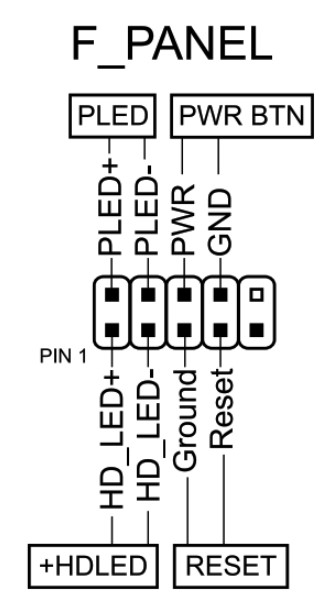
How do I connect the front panel?
Which memory slots are primary?
The green slots (the ones farther from the CPU). The black slots are secondary and should be populated last.
Where can I find drivers for this board?
The page with current drivers for socket 2011 boards is located here.
Where is the BIOS chip located?
To the right of the chipset heatsink.
Conclusion
The X79G is a completely ordinary model for its price segment that has somehow managed to stick around on the market. There’s nothing special here, but if you’re on a razor-thin budget and can’t afford to spend a penny more, it’ll do the job. Yes, you’ll have to live without fast USB, without proper sleep mode, and with some quirks of Chinese firmware, but if those things don’t scare you off, you’ll end up with an inexpensive system that offers decent enough performance for the money.

Written by
Senior Hardware Specialist proving you don't need top-tier gear to game. Expert in smart upgrades and budget-friendly PC restoration.
my X79G originally came with X79GA00E, out of curiosity I flashed it with the A, K and R versions and it all worked. right now it’s running the latest X79GA00R version without issues so I’m assuming that all BIOS versions are intercompatible.
However, despite all the different firmware versions I used, I can’t seem to able to run this motherboard with any UEFI/GOP GPU’s. I tested a dozen graphics cards from various generations (both NVIDIA and AMD) and it only shows an image when a pure Legacy GPU is inserted regardless of the Video Policy. Is there a possible fix for this?
Thanks for sharing your BIOS flashing experience — that’s useful info.
As for GPUs, that’s unusual — UEFI/GOP cards should normally work on these boards. I’ve heard about a few similar cases, but haven’t personally run into it. It might be related to specific board revisions or even individual units.
Could you share a bit more detail?
Did you try disabling CSM?
What BIOS settings did you change?
Did you test Above 4G Decoding and ReBAR (on X79GA00R)?
Which GPUs did you test?
Hard to say without more info, but it’s likely a BIOS config or firmware-related issue.
Thanks for the fast respone
My motherboard is the X79G 1.3 version by the way, my apologies for not saying that earlier on. What I find funny is that despite it being 1.3 it came with a 1.21 BIOS but I bought this used from whole a lot so I can’t confirm if it came like that, but these chinese boards are certainly hit-or-miss.
Upon trying to disable CSM, the BIOS tells me to set the Video Policy to ‘UEFI Only’ but when I do that, I get a blank display regardless of my GPU. I tried to ‘mimic’ the keypresses to change the CMOS settings while the screen was blank but that didin’t help.
I didin’t change any BIOS settings before this as the board always had this issue, infact I started flashing ROM’s from different revisions because my initial idea was that there were missing UEFI/GOP drivers on the firmware level. And that’s how I learned that different revisions are compatible with each other :D. When enabling 4G decoding the system refuses to show anything at all, however my monitor still detects a signal funily enough.
I used the following GPU’s;
NVIDIA GeForce GT 545, GTX 650, 650 Ti, GTX 950,1050 2GB, 1060 6GB, and a Radeon HD 6570.
All of these except for the 545 are GOP cards, so they don’t display anything, my legacy GPU (the 545) is the only one that displays but unfortunately it has VRAM issues so most of the screen is corrupted (for example when I enable 4G decoding my screen boots back up showing a black screen with blue artifacts all over the place, but there is still a signal detected, so I can’t say for certain what it actually does display)
^forgot to add (since you asked), on the X79GA00R firmware when I enable ReBAR it doesn’t impact anything.
That’s a pretty strange case.
Since you’ve already tried multiple BIOS versions and the behavior is identical across all of them, it’s probably not just a firmware issue. At this point, I’d suspect something specific to the board itself — especially considering it’s used and its history is unknown.
What’s interesting is that the system clearly initializes the GPU (your monitor detects a signal), but the actual output via GOP seems to fail. Before giving up, there are a few more specific things to check:
PCIe Speed Settings: In the BIOS, try manually setting the PCIe speed to Gen2 or even Gen1 instead of “Auto”.
CPU Socket Inspection: It wouldn’t hurt to carefully inspect the CPU socket pins. Since the PCIe lanes go directly to the CPU, a single bent or slightly dirty pin can lead to weird behavior where Legacy works but more complex UEFI/GOP initialization fails.
Display Connection: Just to rule it out, have you tried a different monitor or cable type (switching from HDMI to DVI/DP)? Occasionally, specific GOP drivers have “preferred” ports for the initial output.
Cross-flashing Experiment: As a last resort, you could try flashing a BIOS from a different Chinese X79 just as an experiment. Sometimes they have better UEFI implementations. However, this requires an external programmer in case it bricks the board.
But overall, this doesn’t look like a typical configuration problem. If none of the above helps, it might honestly be easier to just stick with legacy GPUs on this board.
成功刷入,ecc内存超到1866 10-10-10,2667v2,cpuz单核跑分从350跑到370分,多核3400跑到3600,感谢分享!不过频率还是锁死在3.6ghz,跑不上去了,不知道大佬有没有办法