Table of Contents
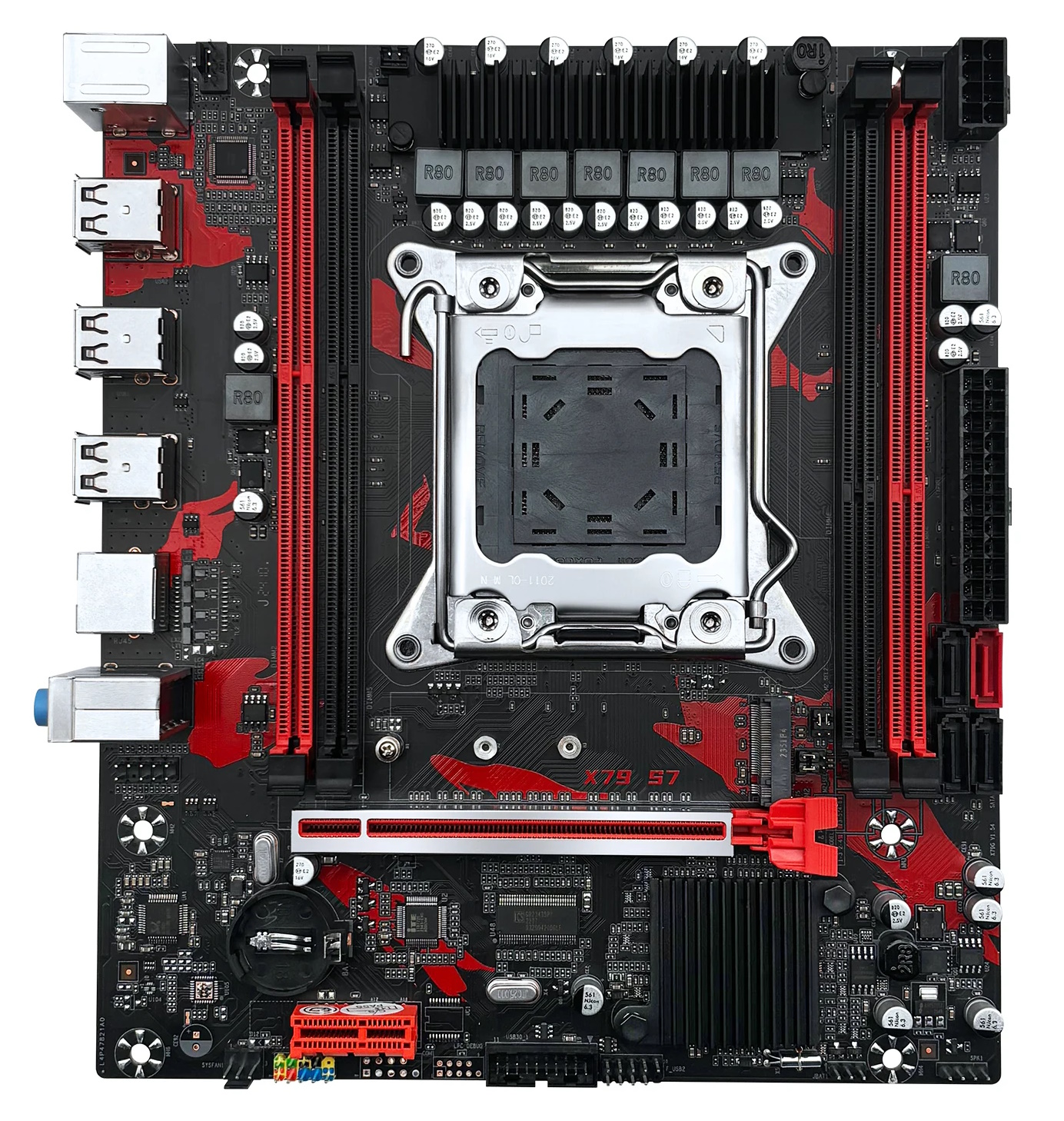
The Machinist X79 S7 is essentially an updated and slightly “fancier” version of the well-known X79G. It represents the same bare minimum for the LGA2011 socket, but with cosmetic refinements and a few minor tweaks.
The board targets the ultra‑budget segment, where price is prioritized over features. Like its predecessor, the X79 S7 can be found under various brands; besides Machinist, it has been spotted as JUXIESHI and SHANGZHAOYUAN.
Technical Specifications
| Model | Machinist X79 S7 |
|---|---|
| Socket | LGA 2011 |
| Chipset | C602 |
| Supported Processors | Intel Core i7 (3000, 4000 series, Sandy Bridge-E/Ivy Bridge-E) Intel Xeon E5-1600 v1/v2, E5-2600 v1/v2, E5-4600 v1/v2 (Sandy Bridge-EP/Ivy Bridge-EP) |
| Supported Memory | 4 x DDR3 DIMM (dual-channel) with ECC and non-ECC support Maximum capacity: 64 GB |
| Sleep Mode (S3) Support | No |
| Expansion Slots | 1 x PCI-e x16 1 x PCI-e x1 |
| Storage | 1 x SATA 3.0 3 x SATA 2.0 1 x M.2 (NGFF\NVME, Gen 3.0 x4) |
| Fan Connectors | 1 x CPU cooler (4pin) 1 x Case fan (3pin) |
| PS/2 Ports | 2 (mouse + keyboard) |
| USB 3.0 Ports | - |
| USB 2.0 Ports | 6 (+ front panel support) |
| Network | Gigabit LAN (RTL8111H) |
| Audio | 5.1 channel (ALC662) |
| JLPC\Debug header | Yes (pins may be missing) |
| Extra | 2pin 5v Fan header |
| Form Factor & Dimensions | mATX 235 x 185 mm |
| Approximate Price |
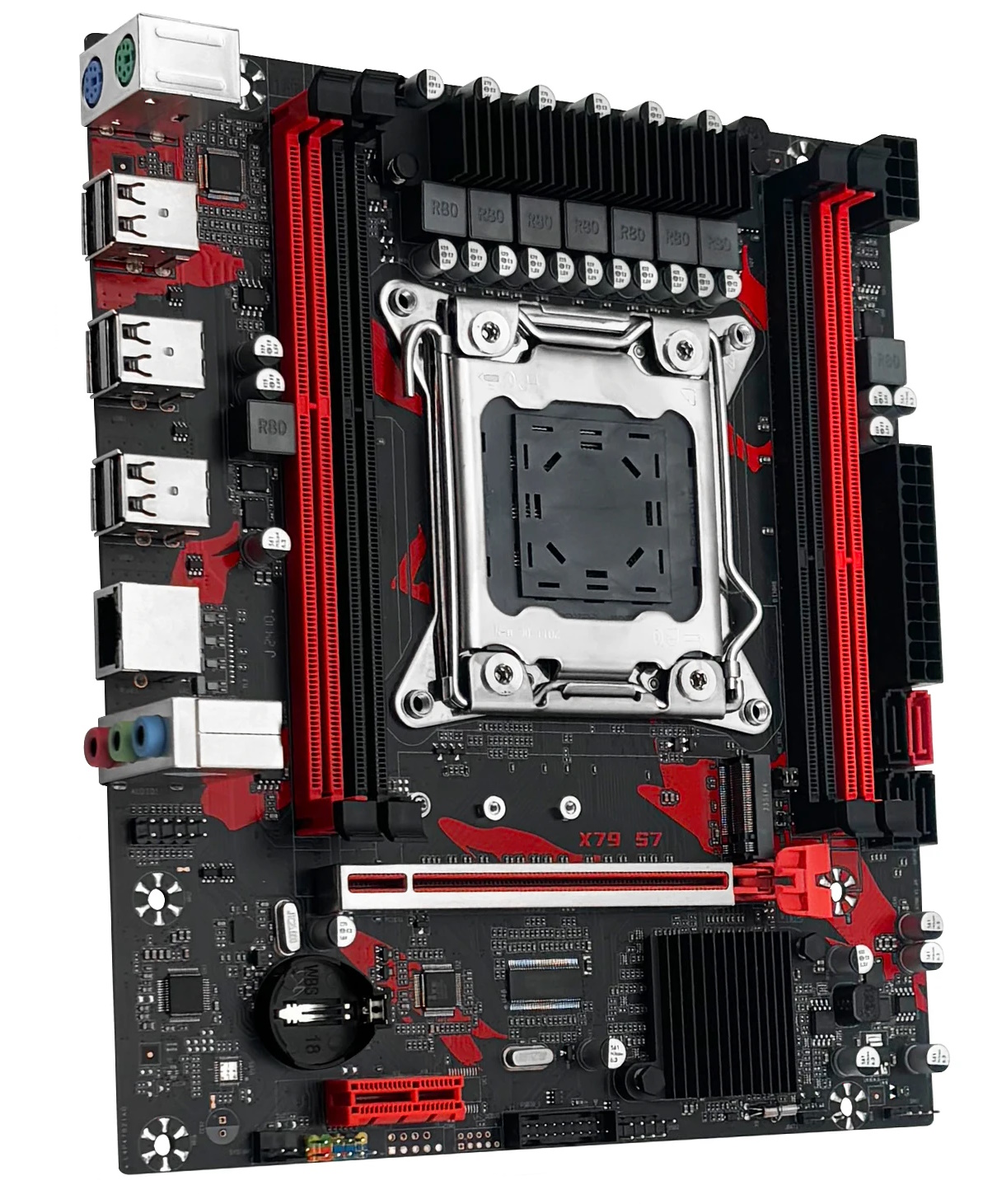
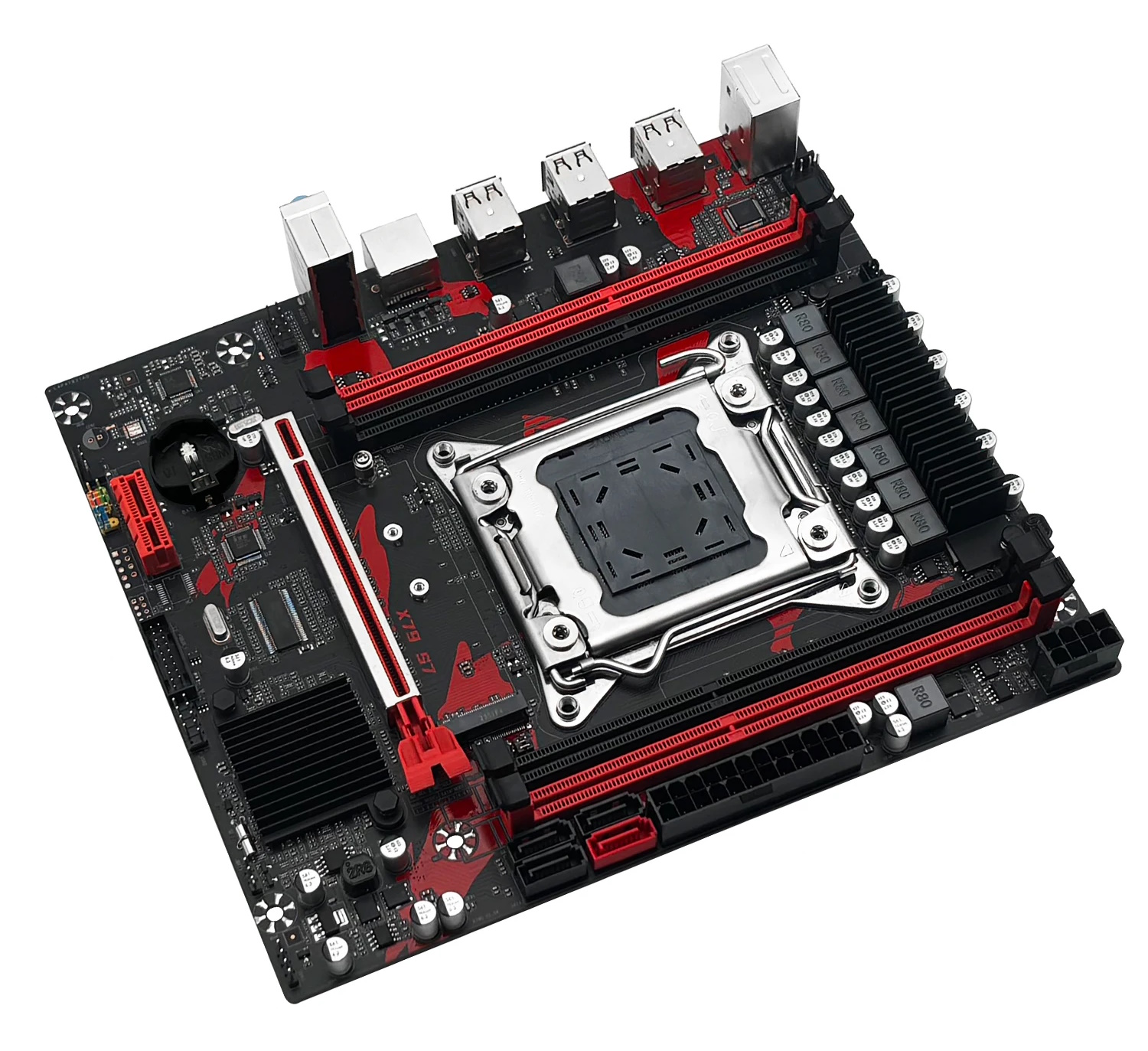
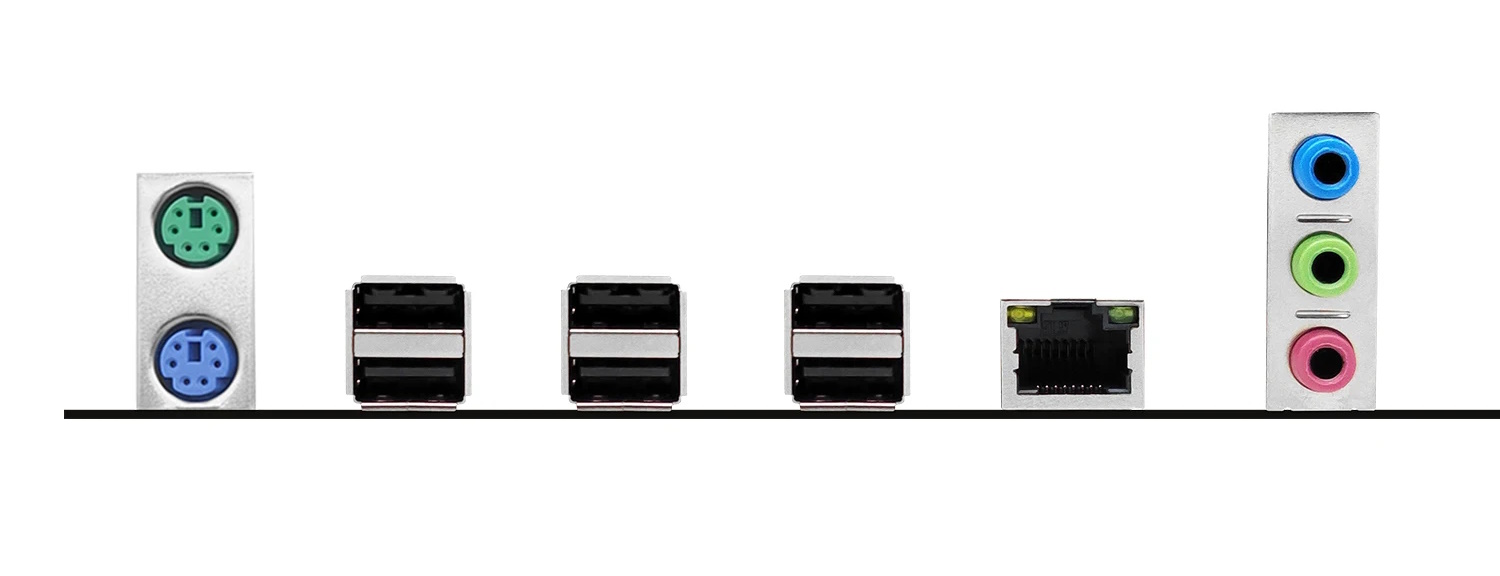
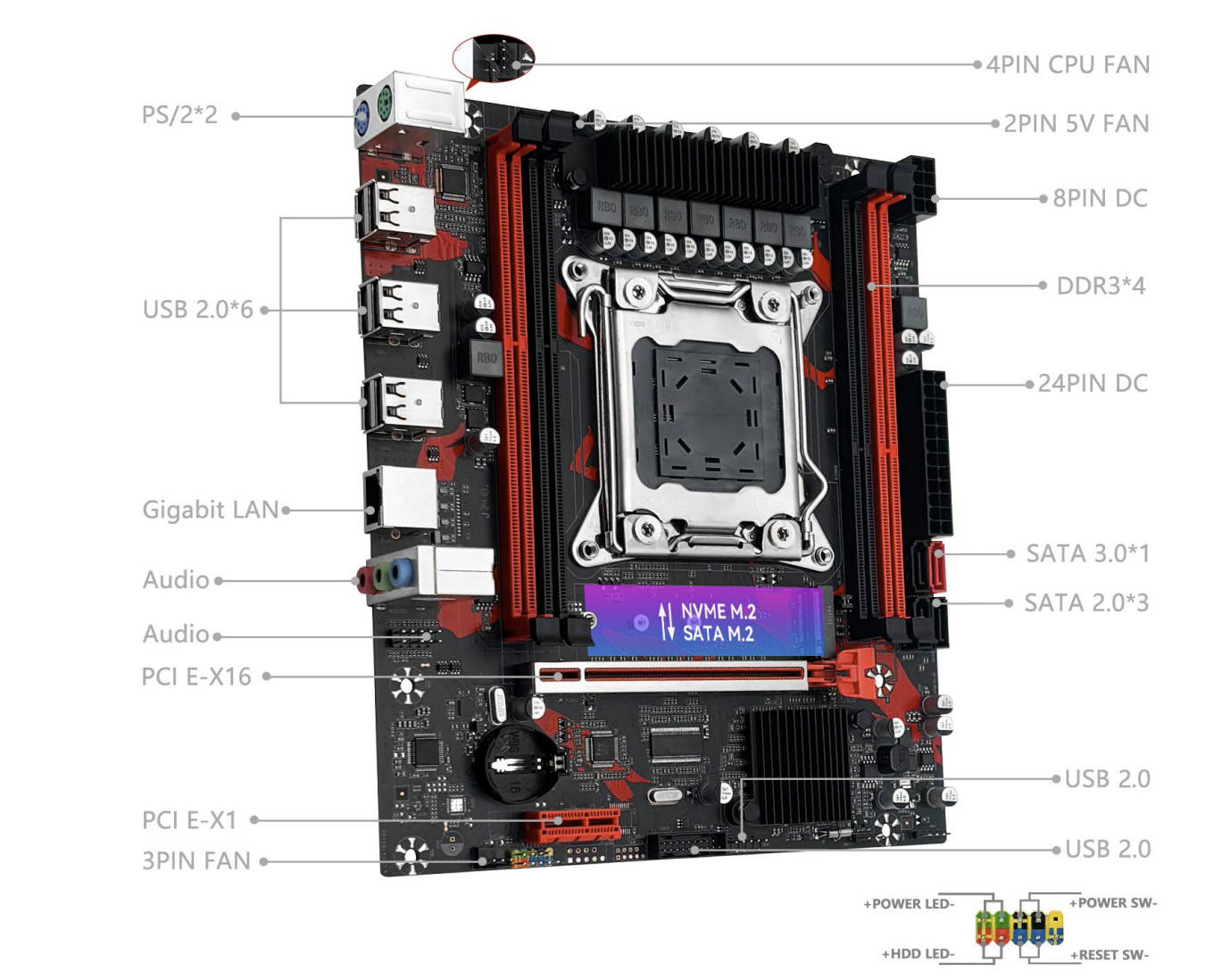
In terms of I/O, the board remains very basic. The most obvious change on the S7 is the metallic (reinforced) PCIe x16 slot. While it offers little practical benefit when you’re installing lightweight cards, it does look more premium.
The port selection hasn’t changed: only one SATA 3.0 port, which is partially compensated for by a combo M.2 slot (NVMe/SATA). There is no native USB 3.0; front‑panel ports connected to the USB 3.0 header will operate at USB 2.0 speeds.
What else has changed in the S7:
- Color scheme: The board features an aggressive black‑and‑red design.
- 2‑pin 5 V port: A connector for a small VRM cooler now sits at the top of the board. The fan itself is not included, but the header is now there.
- Port headers: The JLPC and JCOM headers are present on the PCB, but the pins are not soldered. If these headers are a dealbreaker for you, it’s better to choose the original X79G.
The CPU power delivery (VRM) remains unchanged: a typical 6‑phase setup for the CPU under a small heatsink. Using chips with a TDP higher than 100 W without active airflow over the VRM area is still not recommended.
BIOS Capabilities
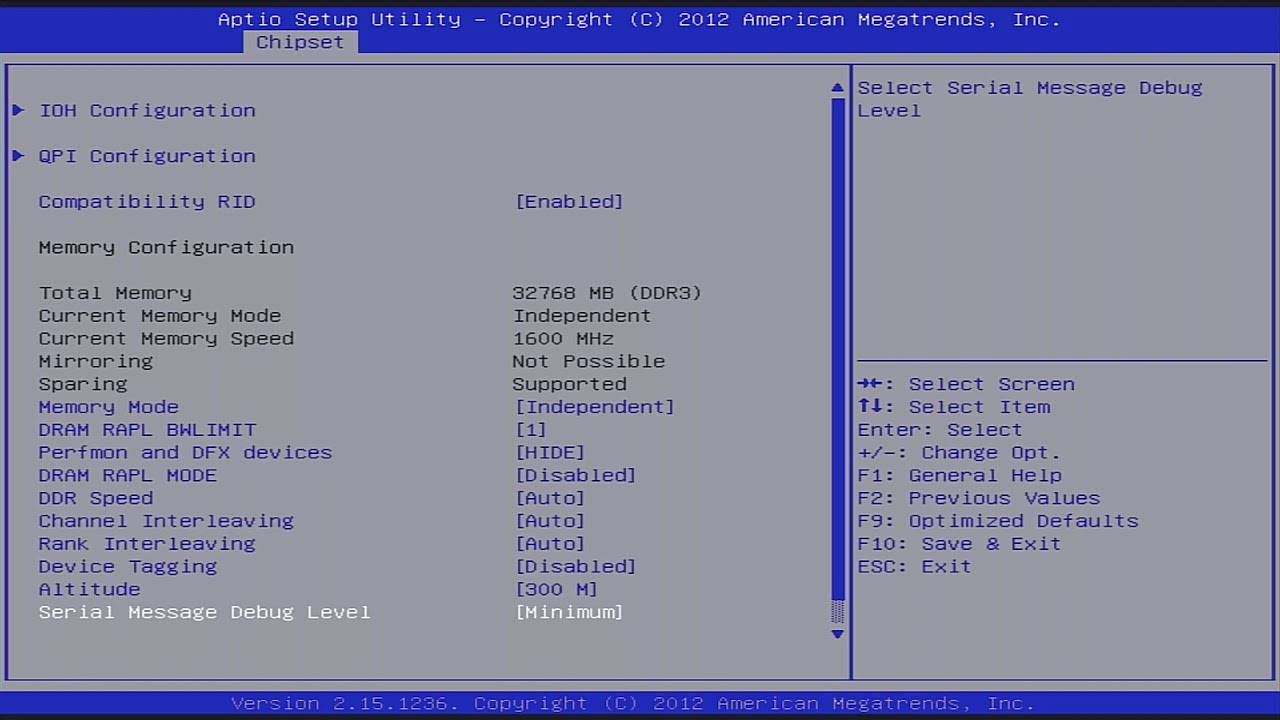
No significant changes have occurred here either. The board still runs a typical Chinese BIOS based on AMI APTIO 4. There is no modern GUI or mouse support.
Out of the box, the feature set is pretty barebones: memory frequency adjustment up to 1866 MHz and basic overclocking for CPUs with an unlocked multiplier up to ~3.9 GHz. There is no access to memory timings in the factory firmware. After flashing a modified BIOS, timings become available, along with memory frequencies up to 2133 MHz and higher CPU overclocking.
| BIOS version | BIOS date | Ram Timings | ReBAR | Unlocked CPU OC | Secure Boot | Notes & Link |
|---|---|---|---|---|---|---|
| X79GN006 | 12/28/2020 11:15:03 | + | - | + | + | Mod BIOS from X79G v3.0. Timings and CPU/RAM overclocking. [Download] |
We are currently looking for the original BIOS for this board. If you own this board and are willing to share the firmware with the community, please contact us.
1. Preparation
- Tool: Grab
fpt.exefrom the Intel ME System Tools v8.1 package (DOS folder). - Environment: Create a bootable USB drive using Rufus with the FreeDOS boot selection.
- Files: Copy
fpt.exeand your target BIOS file (e.g.,bios.bin) to the root of the USB drive.
2. Flashing Process
Boot from the USB drive and execute the following commands:
Step A: Create a Backup
Always dump your current BIOS first to ensure you have a recovery file:
fpt -d backup.bin
Step B: Flash New BIOS
Perform a full flash of all regions (Descriptor, ME, and BIOS):
fpt -f bios.bin
Replace bios.bin with the actual filename of your firmware.
3. Post-Flash Requirements
Once the green FPT Operation Passed message appears:
- Shut down the system.
- Perform a Clear CMOS.
- Re‑configure your BIOS settings on the first boot.

Frequently Asked Questions
Is there a manual available (PDF)?
The official Machinist manual can be downloaded here.
Which memory slots are primary?
The red slots (the ones farther from the CPU). The black slots are secondary and should be populated last.
Where can I find drivers for this board?
You can find the latest socket 2011 drivers right here.
Where is the BIOS chip located?
To the right of the chipset heatsink.
Conclusion
The Machinist X79 S7 is a cosmetic refresh of the time‑tested X79G. The addition of the reinforced slot and the VRM fan header are nice but non‑essential extras. It remains one of the most budget‑friendly entry points into the LGA2011 platform. If you’re willing to tolerate the lack of USB 3.0 and the typical quirks of Chinese boards for the sake of maximum savings, the S7 is a perfectly viable foundation for an entry‑level home or gaming PC.

Written by
Senior Hardware Specialist proving you don't need top-tier gear to game. Expert in smart upgrades and budget-friendly PC restoration.