Table of Contents
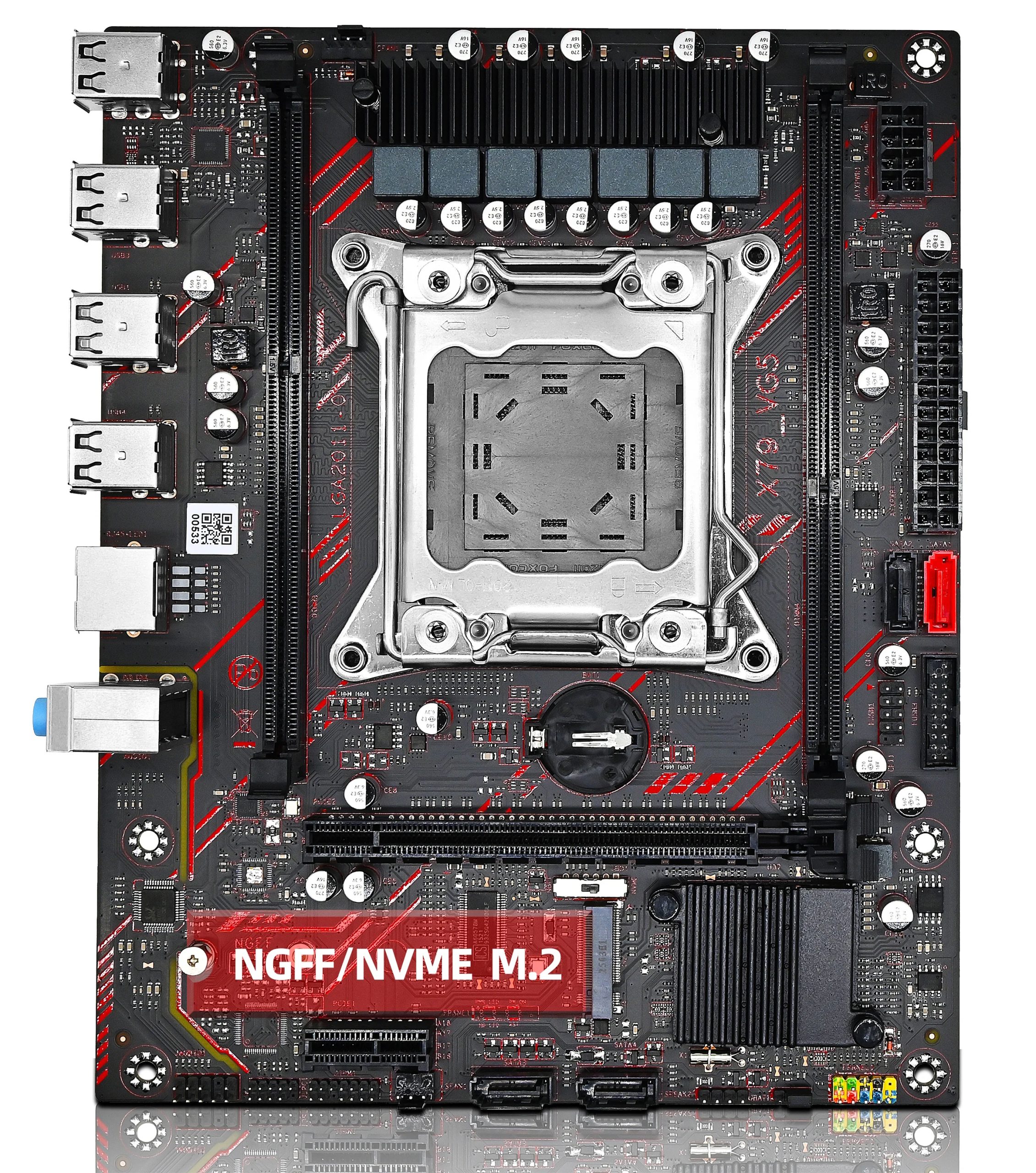
The X79-VG5 is one of the most primitive LGA2011 boards still worth considering. This model has been simplified to such an extent that the Super I/O (SIO) controller isn’t even soldered onto it. Nevertheless, the board deserves attention as it is one of the first Chinese X79 models to support TPM 2.0.
TPM 2.0 is a Trusted Platform Module responsible for hardware security and storing encryption keys. It’s required for installing Windows 11 and for some tools and anti‑cheat systems.

Like many models manufactured by Shenzhen Angxun Technology (Angthumb), the VG5 can be found under various brands: Jieshuo, Zsus, Atermiter, and others. The board is even sold under the Huananzhi brand, where it is designated as the X79M‑CD3.
Specifications
| Model | X79-VG5 V1.1 |
|---|---|
| Socket | LGA 2011 |
| Chipset | X79 \ C602 |
| Supported Processors | Intel Core i7 (3000, 4000 series, Sandy Bridge-E/Ivy Bridge-E) Intel Xeon E5-1600 v1/v2, E5-2600 v1/v2, E5-4600 v1/v2 (Sandy Bridge-EP/Ivy Bridge-EP) |
| Supported Memory | 2 x DDR3 DIMM (dual-channel) with ECC and non-ECC support Maximum capacity: 64 GB |
| Sleep Mode (S3) Support | No |
| Expansion Slots | 1 x PCI-e x16 Gen 3.0 1 x PCI-e x1 Gen 2.0 |
| Storage | 1 x SATA 3.0 3 x SATA 2.0 1 x M.2 (NGFF\NVME, Gen 3.0 x4) |
| Fan Connectors | 1 x CPU cooler (4pin) 1 x Case fan (3pin) |
| PS/2 Ports | - |
| USB 3.0 Ports | - |
| USB 2.0 Ports | 8 (+ front panel support) |
| Network | Gigabit LAN (RTL8111H) |
| Audio | 5.1 channel (ALC662) |
| JLPC\Debug header | Yes |
| TPM 2.0 header | LPC 14 Pin |
| Form Factor & Dimensions | mATX 215 x 172 mm |
| Approximate Price |
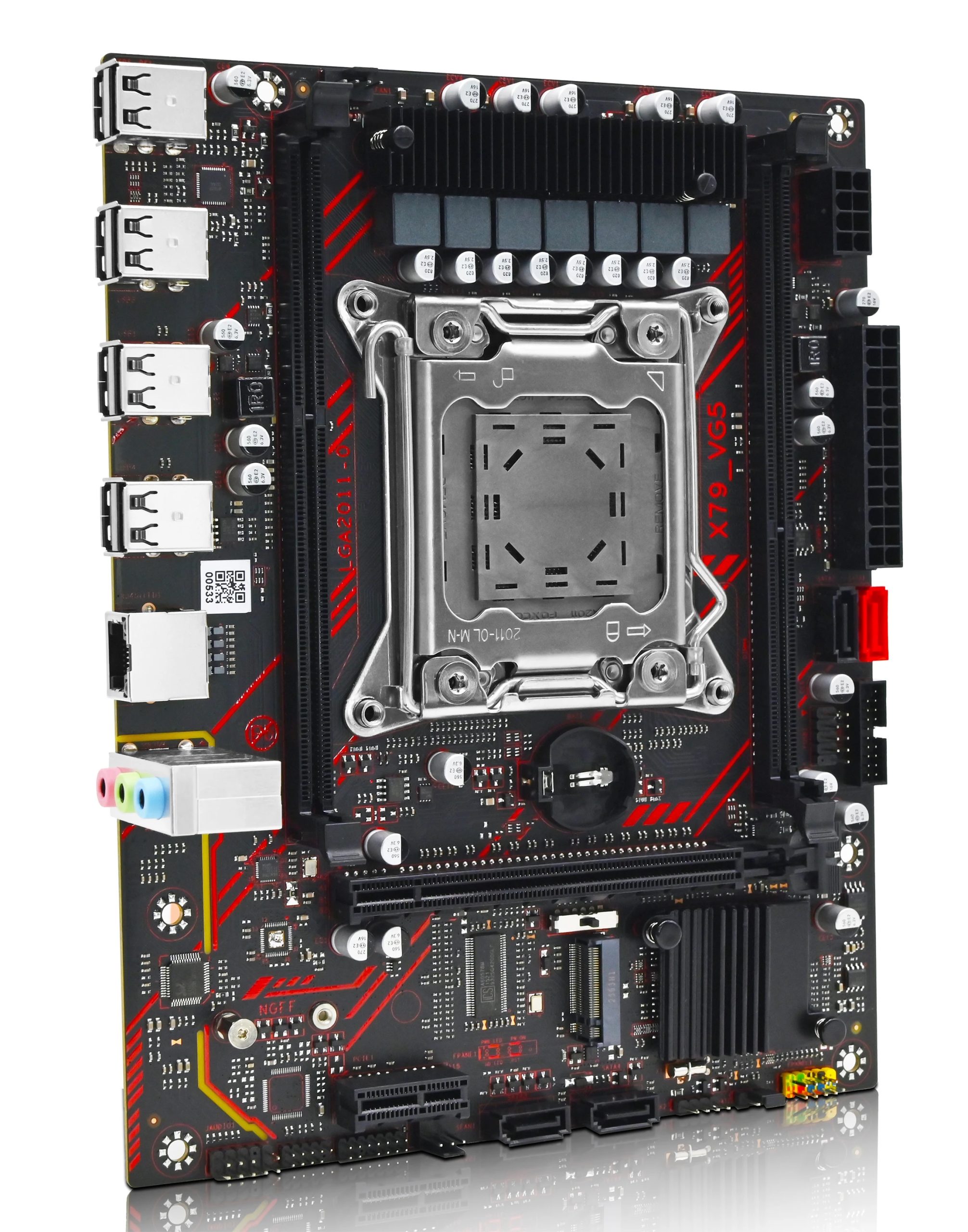
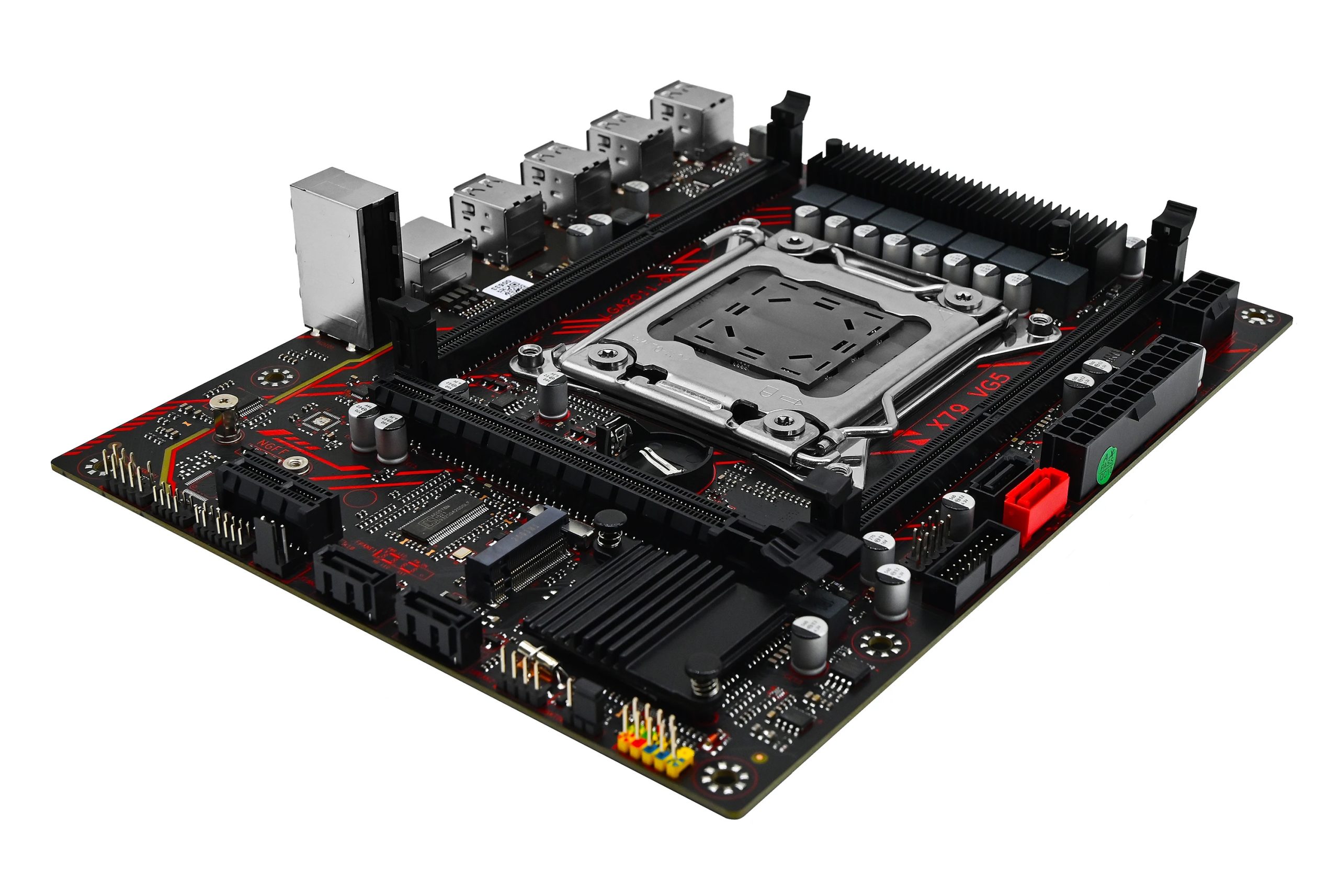
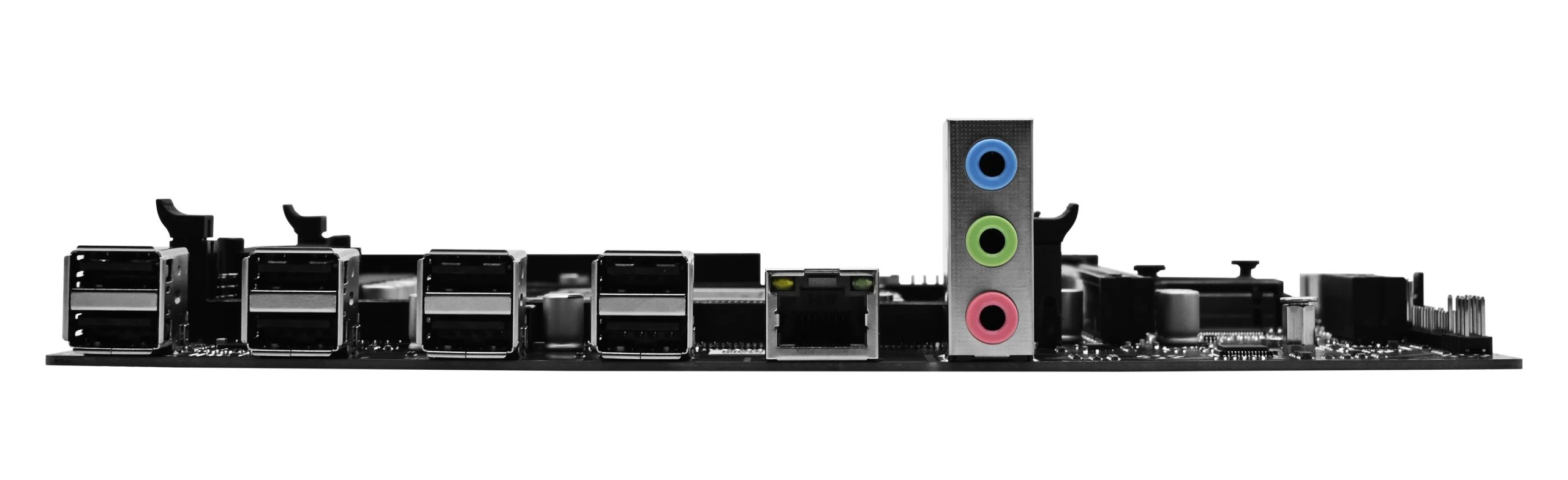
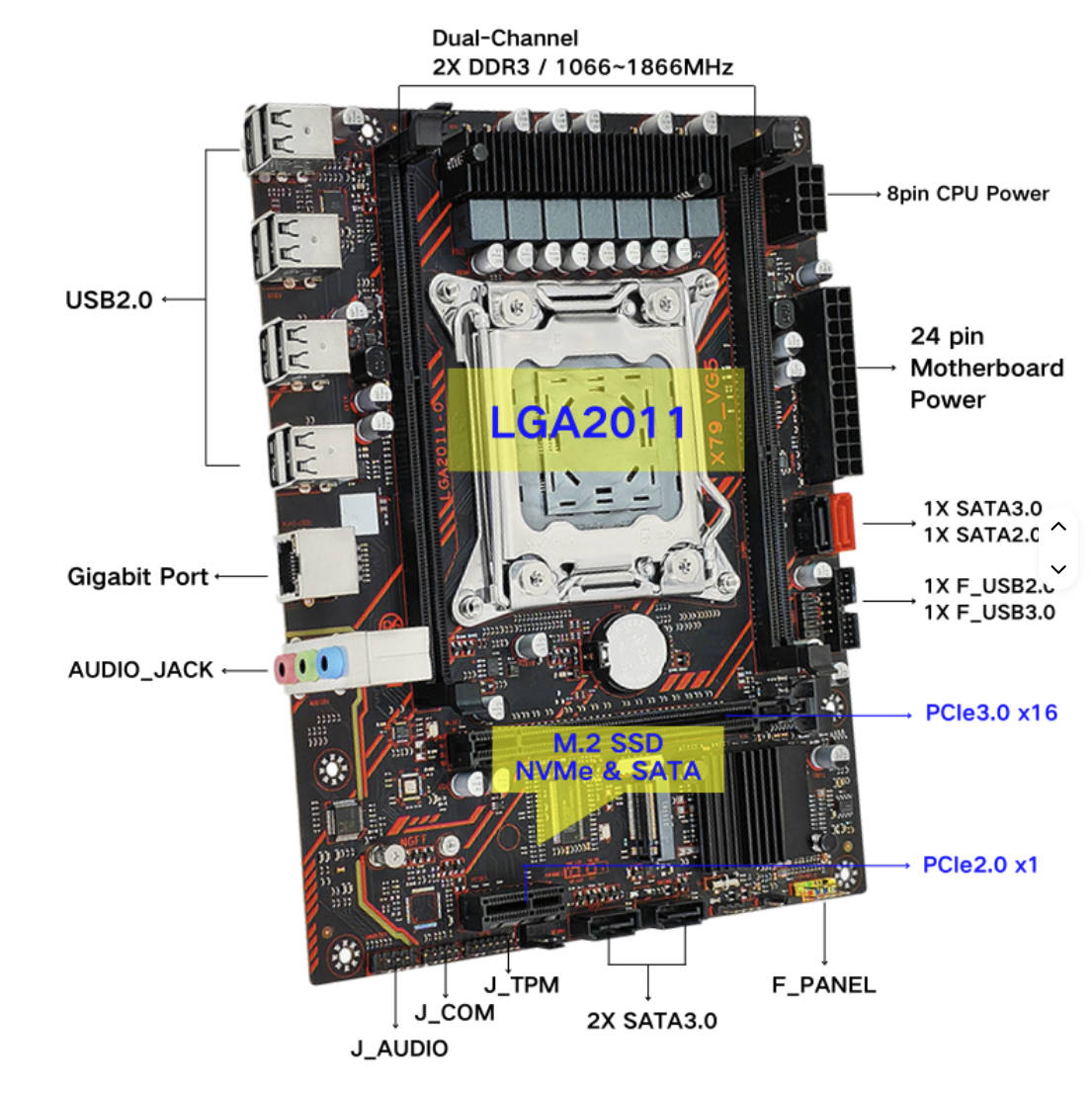
Functionally, the model is quite similar to many other budget LGA2011 boards, such as the X79G. It offers a minimal set of ports: only one SATA III (though at least there is a dual‑protocol M.2 slot), while USB 3.0 is completely absent. It features typical low‑end audio and networking chips, a standard 7‑phase power delivery system, weak heatsinks, and dual‑channel memory.
Two things make this model stand out:
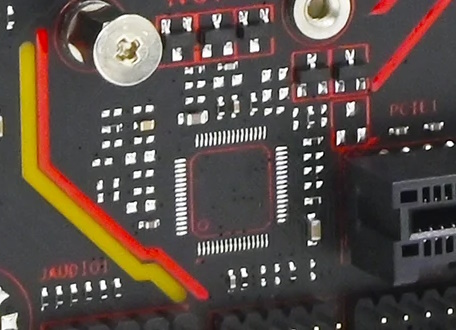
- The absence of a Super I/O controller. The footprint for it exists, but the chip itself is not soldered. This likely allowed for a slight reduction in final cost, but it created many problems: from the inability to control fan speeds to the total absence of hardware monitoring. This is also likely why the board lacks PS/2 and JCOM ports.
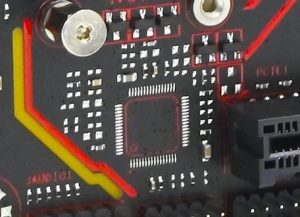
Where the Super I/O controller should be located - The presence of a full TPM 2.0 port and BIOS support for it. Previously, only X99 models could boast this, and adding such functionality to X79 was reserved for individual enthusiasts.
Otherwise, we’re looking at another cheap Chinese board designed for entry‑level and mid‑range processors. The manufacturer does not specify the power delivery system parameters, but I would not recommend using processors with a TDP over 90–100 W here without arranging additional airflow over the VRM.
Similar Models from Angthumb
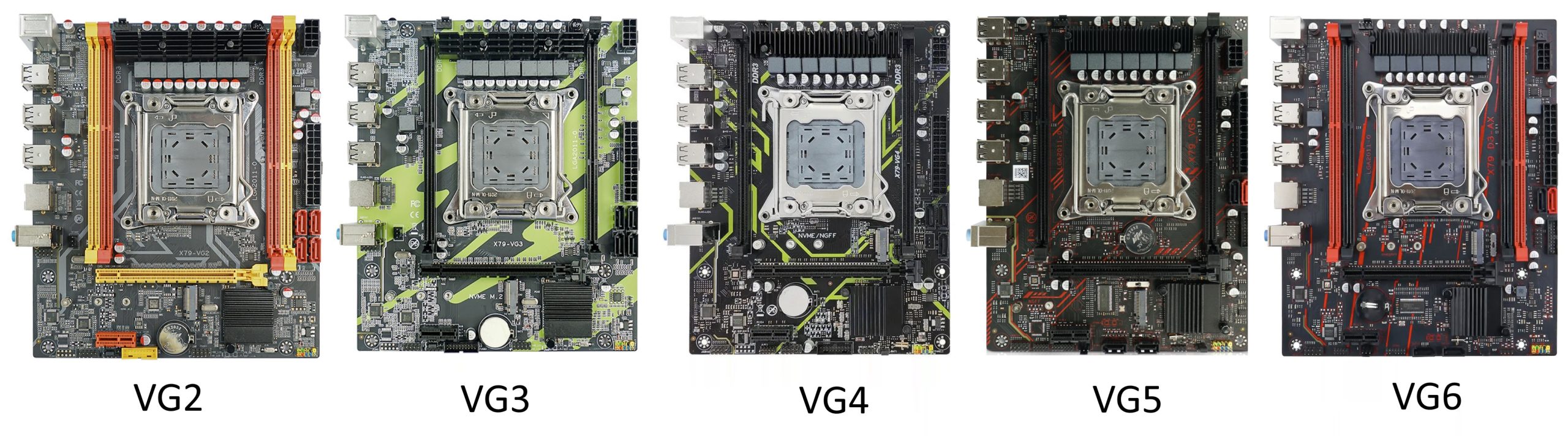
The name “VG5” itself already hints that this is not the first board of its kind from this manufacturer.
Indeed, Angthumb has already released a whole lineup of X79‑VG boards. At least the VG2, VG3, VG4, and VG6 models are known. Many of these boards may look visually similar, but be careful — technically they differ quite significantly from the VG5:
- The lower‑end models are usually built on the H61 chipset, and their firmware is incompatible with the VG5.
- The VG6, by all accounts, is the most similar variant, where the only visible additions are two extra RAM slots. However, neither true quad‑channel support nor a Super I/O controller was added. The VG6 firmware is likely compatible with the VG5.
BIOS Capabilities
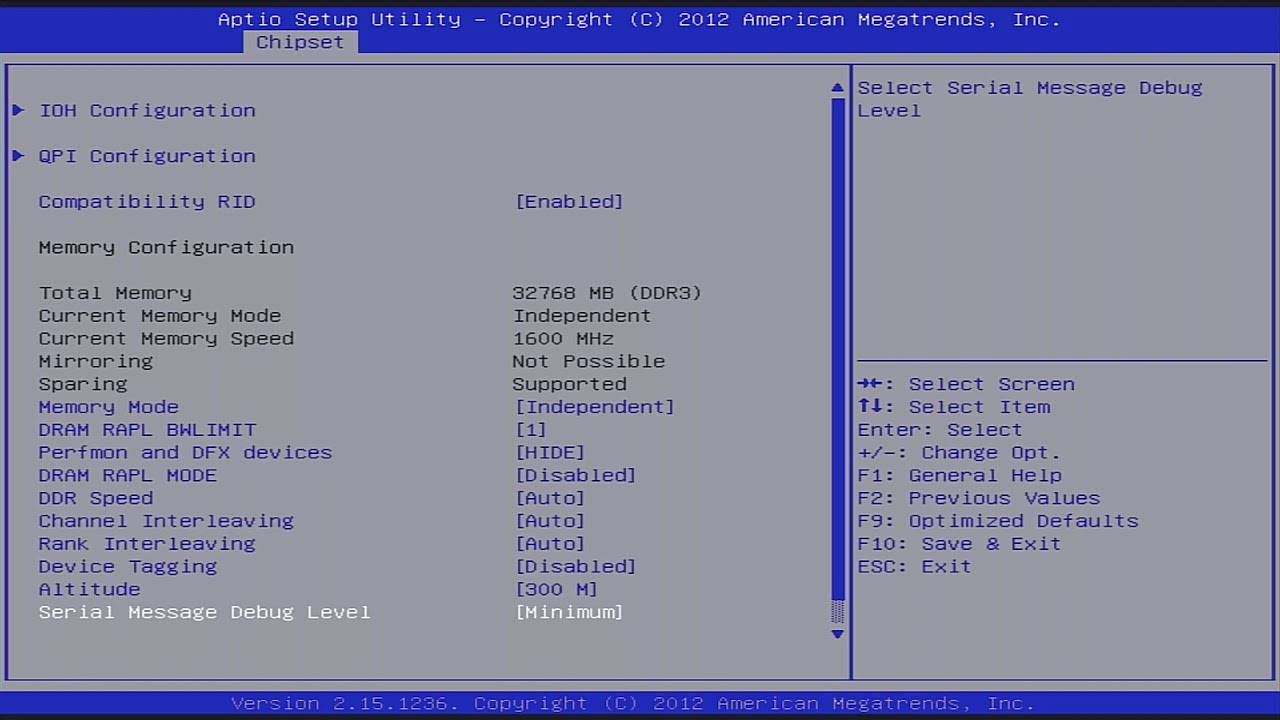
The board runs on a typical Chinese BIOS based on Aptio 4. Don’t expect a fancy GUI or mouse support here, but the stock functionality exceeds most competitors: RAM frequency selection up to 1866 MHz is available, and there is working Re‑Size BAR and Above 4G Decoding. PXE and Wake‑on‑LAN are available, as well as Secure Boot and, most importantly, TPM 2.0 support. Access to memory timings is not available in the stock firmware.
| BIOS Message & date | Ram Timings | ReBAR | Secure Boot | Notes & Link |
|---|---|---|---|---|
| X7VG5 Ver:005 09/29/2025 10:04:06 | - | + | + | Stock bios from VG5 V1.21 [Download] |
| 79CD3 Ver:001 02/26/2026 14:14:48 | - | + | + | Stock bios from Huananzhi X79M-CD3 [Download] |

Frequently Asked Questions
How do I connect the front panel?
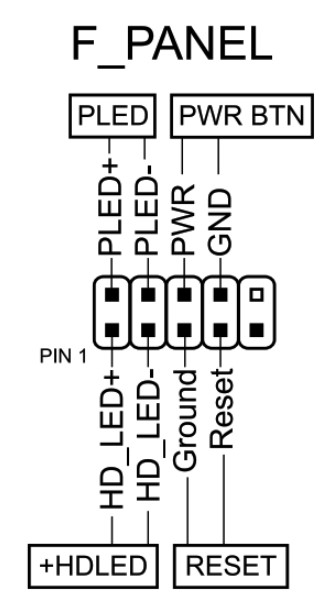
Where can I find drivers for this board?
The page with current drivers for socket 2011 boards is located here.
Where is the BIOS chip located?
To the right of the chipset heatsink.
Which TPM 2.0 module is compatible with this board?
You need an MSI 14‑pin LPC TPM 2.0 module — for example, this one.

Conclusion
To be honest, it is very difficult to recommend purchasing the X79‑VG5 to anyone. This model lacks a Super I/O controller, and that fact alone should deter most potential buyers. Yes, the board works without it; the inability to control fans can be mitigated with a separate fan controller, and you can live without USB 3.0 and some other conveniences. However, TPM 2.0 support is basically the only real advantage, while the list of drawbacks is significantly longer. If having TPM 2.0 is not absolutely critical for you, it’s better to look at other models.

Written by
Senior Hardware Specialist proving you don't need top-tier gear to game. Expert in smart upgrades and budget-friendly PC restoration.