Table of Contents
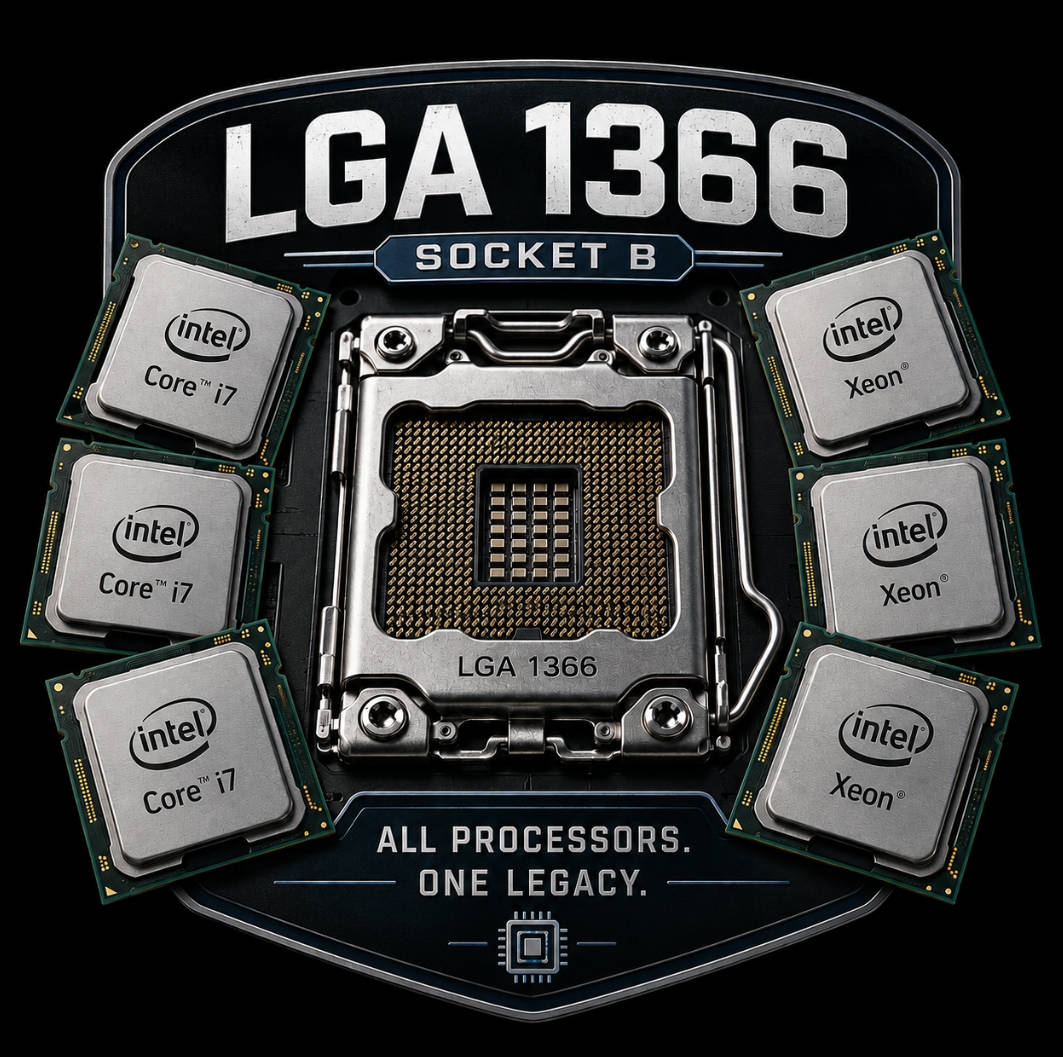
LGA 1366, or Socket B, hit the scene in November 2008, representing a fundamental shift in Intel’s consumer history. Its debut coincided with the Nehalem microarchitecture, which finally retired the venerable but aging Core 2 design that had hit its frequency ceiling. LGA 1366 effectively launched the modern Intel era: it introduced the Core i7 brand and established the clear divide between mainstream platforms and High-End Desktop (HEDT) systems.
Unlike previous generations where the CPU talked to the system logic via the Front Side Bus (FSB), LGA 1366 introduced a radically different topology. Moving the memory controller onto the die and introducing the high-speed QuickPath Interconnect (QPI) fundamentally changed motherboard design and overclocking. This was the first enthusiast platform to offer triple-channel DDR3 memory, providing a massive jump in bandwidth that was unheard of at the time.
The platform’s legacy is defined by its exceptional longevity. Originally positioned as a premium solution for workstations and extreme gaming rigs, LGA 1366 found a second life years later. Thanks to its compatibility with powerhouse server-grade Xeon 5500 and 5600 series chips, the platform remained a go-to for overclockers and budget-conscious hardware hackers for well over a decade.
In this deep dive, we’ll break down the technical nuances of LGA 1366: from the architectural shifts between Nehalem and Westmere to the intricacies of the X58 chipset. You’ll also find a definitive list of processors ever released for the socket—ranging from the legendary Extreme Edition Core i7s to the server Xeons that can still put up a fight today.
Architectural Foundations: From Nehalem to Westmere
Nehalem was a “point of no return” for Intel. While the previous Core 2 architecture was a refined evolution of the Pentium Pro lineage, LGA 1366 moved toward a modular approach, integrating components that had lived on the motherboard for decades into the silicon itself.
Platform Key Features
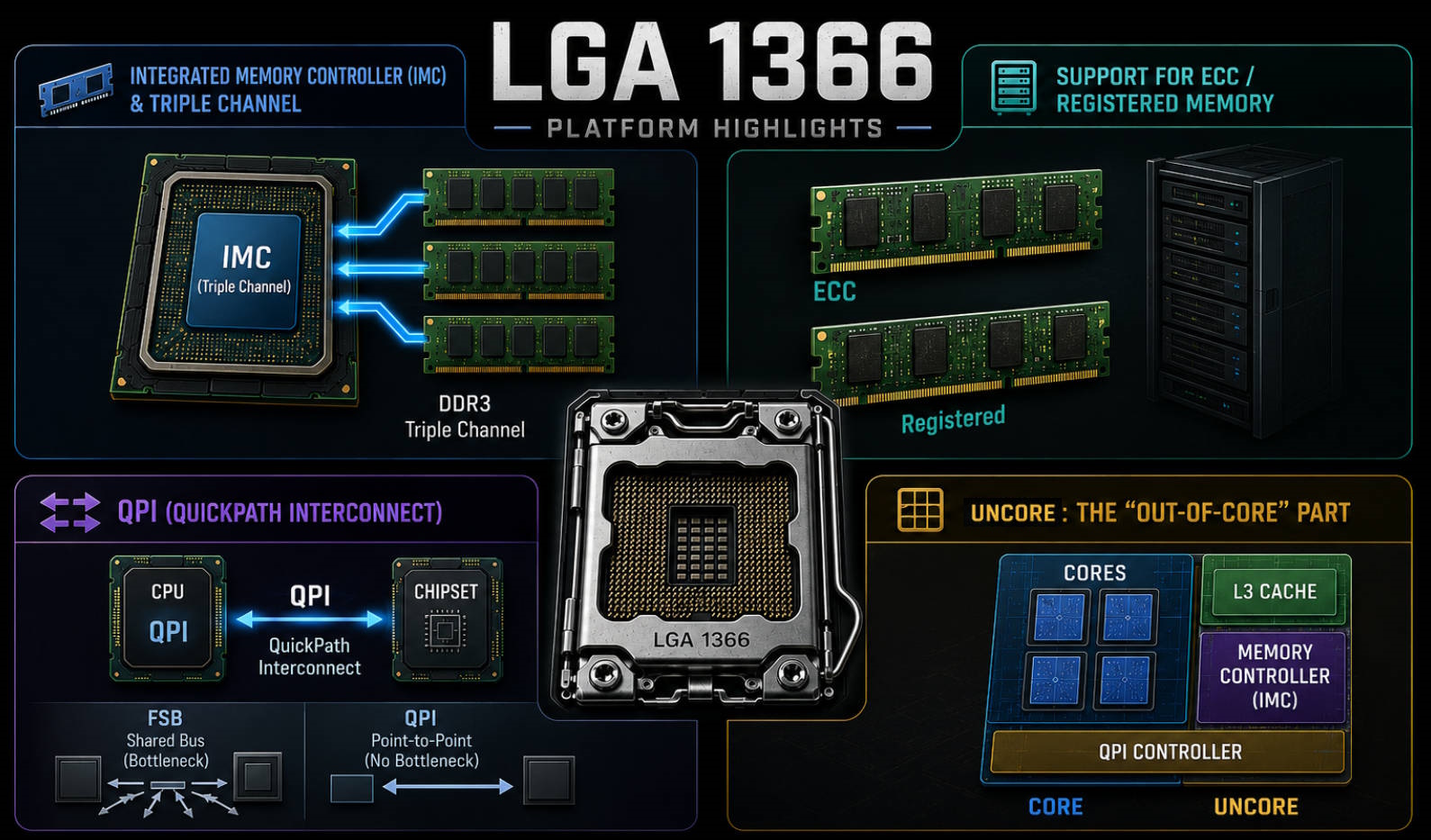
Integrated Memory Controller (IMC) and Triple Channel
The biggest revolution was moving the memory controller from the Northbridge directly into the CPU. This slashed latency and boosted throughput.
- Triple-Channel Mode: LGA 1366 remains one of the few consumer-adjacent platforms with a 192-bit wide memory interface. It offered a significant bandwidth advantage in memory-intensive workloads.
- ECC/Registered Support: While Core i7 CPUs officially only supported unbuffered memory, the IMC in most processors (especially Xeons) allowed the use of cheap, second-hand server registered ECC RAM. This made the platform a “budget HEDT” king on the used market.
QPI (QuickPath Interconnect)
Replacing the archaic FSB, QPI was a high-speed, point-to-point serial bus. It eliminated the bottlenecks between the CPU and the chipset, ensuring the system remained responsive even under heavy I/O loads.
Uncore: The “Non-Core” Logic
LGA 1366 introduced a strict separation between the execution cores and the Uncore block, which houses the L3 cache, the IMC, and the QPI controller.
- Overclocking Implications: Uncore frequency directly impacts memory performance. A classic rule of thumb for this platform: Uncore frequency must be at least double the effective DRAM frequency (e.g., for DDR3-1600, Uncore needs to be at 3200 MHz or higher).
The Evolution of the Silicon
Despite sharing the same socket, LGA 1366 CPUs span two distinct technological eras. For an enthusiast, the difference isn’t just about core counts; it’s about fundamentally different voltage and frequency limits.
Nehalem (45nm, Bloomfield / Gainestown)
This is the architecture that started it all. Nehalem killed the FSB for good and brought the integrated memory controller to the masses. These chips used a 45nm process with high-k dielectrics and metal gates, which significantly reduced leakage compared to the Core 2 Quad era.
- Die: Monolithic, ~731 million transistors, 263 mm² area. Four cores + 8 MB of shared L3 cache on a single chip.
- IMC: Triple-channel DDR3. Officially rated for 1066/1333 MHz, though most Bloomfield chips can easily handle 1600 MHz.
- Uncore: Locked to a 2x multiplier relative to RAM. This was often the primary ceiling when trying to push high-speed memory on 45nm silicon.
- Power: 130W TDP was the standard. When pushed with high voltage and heavy loads, these chips can easily pull over 200W.
Westmere (32nm, Gulftown / Westmere-EP)
The “Tick” in Intel’s Tick-Tock strategy. Westmere was a 32nm shrink and optimization of Nehalem. Using second-gen High-k Metal Gate tech, Intel managed to fit six cores and 12 MB of L3 cache into the same 130W TDP, while actually making the die smaller (248 mm²).
- Density: 1.17 billion transistors—nearly 1.6x the density of Bloomfield.
- IMC: Officially rated for DDR3-1333, but it’s much more robust and runs cooler. On high-end boards, 2000 MHz+ is achievable.
- Uncore: A massive win for overclockers—the minimum Uncore multiplier was dropped to 1.5x. This allowed for aggressive RAM overclocking without forcing the Uncore to astronomical, unstable frequencies.
- New Instructions: Added AES-NI and PCLMULQDQ.
- Clock Speeds: Thanks to the 32nm process, Westmere chips usually hit 4.4–4.6 GHz where Bloomfield would hit a wall at 4.0–4.2 GHz.
The LGA 1366 Processor Lineup
Core i7 Series (Bloomfield and Gulftown)
These are the chips that kicked off the i7 legacy. Early i7-920 (C0 stepping) chips were notoriously hot, but the later D0 stepping became a legend for hitting 4 GHz on air. The Extreme Edition variants held a special place, as they were the only chips with fully unlocked multipliers in an era where BCLK tuning was the standard.
| Model | Codename | Cores/Threads | Base/Turbo Freq | L3 Cache | TDP | Lithography | Max Memory | Multiplier |
|---|---|---|---|---|---|---|---|---|
| Core i7-920 | Bloomfield | 4/8 | 2.66 / 2.93 GHz | 8 MB | 130 W | 45 nm | DDR3-1066 | Locked (20x) |
| Core i7-930 | Bloomfield | 4/8 | 2.80 / 3.06 GHz | 8 MB | 130 W | 45 nm | DDR3-1066 | Locked (21x) |
| Core i7-950 | Bloomfield | 4/8 | 3.06 / 3.33 GHz | 8 MB | 130 W | 45 nm | DDR3-1066 | Locked (23x) |
| Core i7-960 | Bloomfield | 4/8 | 3.20 / 3.46 GHz | 8 MB | 130 W | 45 nm | DDR3-1066 | Locked (24x) |
| Core i7-965 EE | Bloomfield | 4/8 | 3.20 / 3.46 GHz | 8 MB | 130 W | 45 nm | DDR3-1066 | Unlocked |
| Core i7-975 EE | Bloomfield | 4/8 | 3.33 / 3.60 GHz | 8 MB | 130 W | 45 nm | DDR3-1066 | Unlocked |
| Core i7-970 | Gulftown | 6/12 | 3.20 / 3.46 GHz | 12 MB | 130 W | 32 nm | DDR3-1066 | Locked (24x) |
| Core i7-980 | Gulftown | 6/12 | 3.33 / 3.60 GHz | 12 MB | 130 W | 32 nm | DDR3-1066 | Locked (25x) |
| Core i7-980X | Gulftown | 6/12 | 3.33 / 3.60 GHz | 12 MB | 130 W | 32 nm | DDR3-1066 | Unlocked |
| Core i7-990X | Gulftown | 6/12 | 3.46 / 3.73 GHz | 12 MB | 130 W | 32 nm | DDR3-1066 | Unlocked |
Xeon 3500 and 3600 Series
Designed for single-socket workstations, these are essentially Core i7 clones. However, they were often binned from better-quality silicon. Models like the W3680 and W3690 even feature unlocked multipliers, making them direct equivalents to the 980X and 990X.
| Model | Codename | Cores/Threads | Base/Turbo Freq | L3 Cache | TDP | Lithography | Memory Support | Multiplier |
|---|---|---|---|---|---|---|---|---|
| Xeon W3520 | Bloomfield | 4/8 | 2.66 / 2.93 GHz | 8 MB | 130 W | 45 nm | ECC/Reg DDR3-1066 | Locked |
| Xeon W3550 | Bloomfield | 4/8 | 3.06 / 3.33 GHz | 8 MB | 130 W | 45 nm | ECC/Reg DDR3-1066 | Locked |
| Xeon W3580 | Bloomfield | 4/8 | 3.33 / 3.60 GHz | 8 MB | 130 W | 45 nm | ECC/Reg DDR3-1066 | Locked |
| Xeon W3670 | Gulftown | 6/12 | 3.20 / 3.46 GHz | 12 MB | 130 W | 32 nm | ECC/Reg DDR3-1333 | Locked |
| Xeon W3680 | Gulftown | 6/12 | 3.33 / 3.60 GHz | 12 MB | 130 W | 32 nm | ECC/Reg DDR3-1333 | Unlocked |
| Xeon W3690 | Gulftown | 6/12 | 3.46 / 3.73 GHz | 12 MB | 130 W | 32 nm | ECC/Reg DDR3-1333 | Unlocked |
Xeon 5500 and 5600 Series
The sweet spot for modern LGA 1366 fans. These support dual-socket configurations. While the 5500 (Nehalem) series is mostly obsolete, the 32nm 5600 (Westmere) chips are legendary. They support AES-NI, handle cheap registered ECC memory, and overclock brilliantly via the BCLK. Suffixes breakdown: L (Low power), E (Efficient/Mainstream), and X (Performance).
| Model | Codename | Cores/Threads | Base/Turbo Freq | L3 Cache | TDP | Lithography | Memory Support | QPI Speed |
|---|---|---|---|---|---|---|---|---|
| Xeon E5520 | Gainestown | 4/8 | 2.26 / 2.53 GHz | 8 MB | 80 W | 45 nm | DDR3-1066 | 5.86 GT/s |
| Xeon X5550 | Gainestown | 4/8 | 2.66 / 3.06 GHz | 8 MB | 95 W | 45 nm | DDR3-1333 | 6.40 GT/s |
| Xeon X5570 | Gainestown | 4/8 | 2.93 / 3.33 GHz | 8 MB | 95 W | 45 nm | DDR3-1333 | 6.40 GT/s |
| Xeon L5640 | Westmere-EP | 6/12 | 2.26 / 2.80 GHz | 12 MB | 60 W | 32 nm | DDR3-1333 | 5.86 GT/s |
| Xeon E5645 | Westmere-EP | 6/12 | 2.40 / 2.66 GHz | 12 MB | 80 W | 32 nm | DDR3-1333 | 5.86 GT/s |
| Xeon E5649 | Westmere-EP | 6/12 | 2.53 / 2.93 GHz | 12 MB | 80 W | 32 nm | DDR3-1333 | 5.86 GT/s |
| Xeon X5650 | Westmere-EP | 6/12 | 2.66 / 3.06 GHz | 12 MB | 95 W | 32 nm | DDR3-1333 | 6.40 GT/s |
| Xeon X5670 | Westmere-EP | 6/12 | 2.93 / 3.33 GHz | 12 MB | 95 W | 32 nm | DDR3-1333 | 6.40 GT/s |
| Xeon X5675 | Westmere-EP | 6/12 | 3.06 / 3.46 GHz | 12 MB | 95 W | 32 nm | DDR3-1333 | 6.40 GT/s |
| Xeon X5680 | Westmere-EP | 6/12 | 3.33 / 3.60 GHz | 12 MB | 130 W | 32 nm | DDR3-1333 | 6.40 GT/s |
| Xeon X5690 | Westmere-EP | 6/12 | 3.46 / 3.73 GHz | 12 MB | 130 W | 32 nm | DDR3-1333 | 6.40 GT/s |
Motherboards and the Intel X58 Express Chipset
The Intel X58 (Tylersburg) was Intel’s last flagship platform to retain the classic dual-bridge (Northbridge + Southbridge) layout before most functions were sucked into the CPU die.
X58 (Tylersburg): The Last Great Northbridge
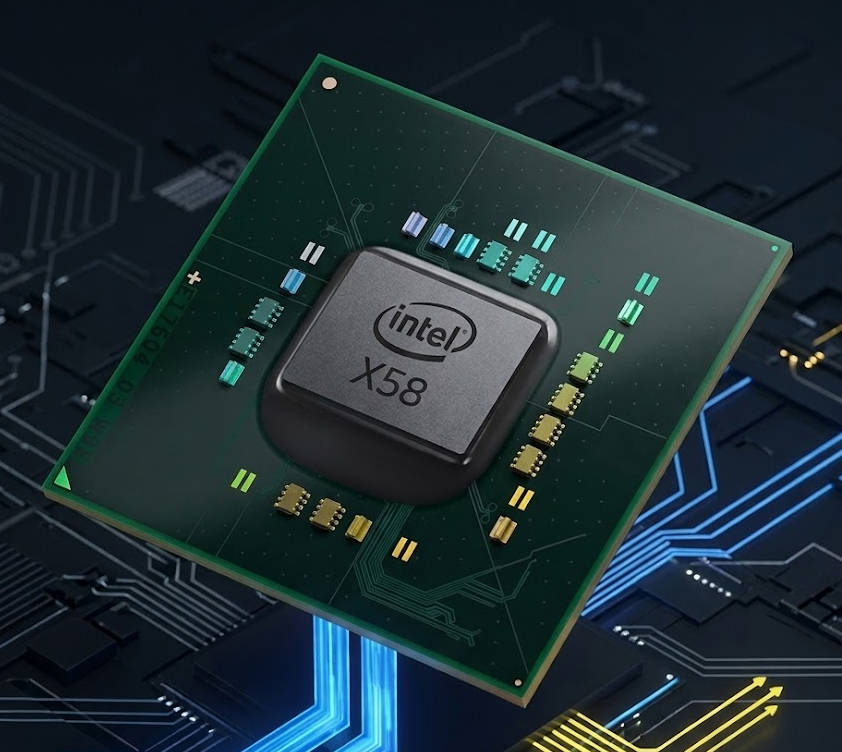
The X58 chipset was the pinnacle of discrete system logic. While the mainstream LGA 1156 platform was already moving to a single-chip PCH design, LGA 1366 kept the Northbridge and Southbridge separate, giving enthusiasts unprecedented control over PCIe lanes and bus speeds.
- Northbridge (IOH — Input/Output Hub):
- QPI Bus: Connected to the CPU with up to 25.6 GB/s (6.4 GT/s) of bandwidth, completely removing the bottleneck issues of the old FSB era.
- PCI Express Lanes: The IOH provided 36 full PCIe 2.0 lanes. This allowed for proper SLI and CrossFireX setups at x16/x16 or even x16/x8/x8/x4. Legendary boards like the Gigabyte UD9 or ASUS Rampage III Extreme added NVIDIA NF200 bridge chips to enable 4-way SLI madness.
- Thermals: The IOH was manufactured on a 65nm process with a 24W TDP. In reality, it was one of the hottest components in the system. Seeing temps north of 80°C was common, leading many users to replace the factory “pink stuff” with high-quality paste or active cooling.
- Southbridge (ICH10R — I/O Controller Hub):
- SATA and RAID: The “R” stands for Intel Matrix Storage (later Rapid Storage). The biggest downside in 2026 is the lack of native SATA 3.0 (6 Gbps), which caps modern SSDs at around 270–280 MB/s.
- Legacy I/O: Native support was limited to USB 2.0. To keep boards competitive, manufacturers integrated third-party NEC/Renesas chips for USB 3.0 and Marvell controllers for SATA 3.0.
Legendary Boards: The Kings of Overclocking
LGA 1366 is remembered as an era where manufacturers didn’t hold back. Top-tier boards were absolute monsters with thick PCBs, massive VRMs, and heavy cooling. This is where the modern culture of extreme overclocking was solidified.
ASUS Rampage Series
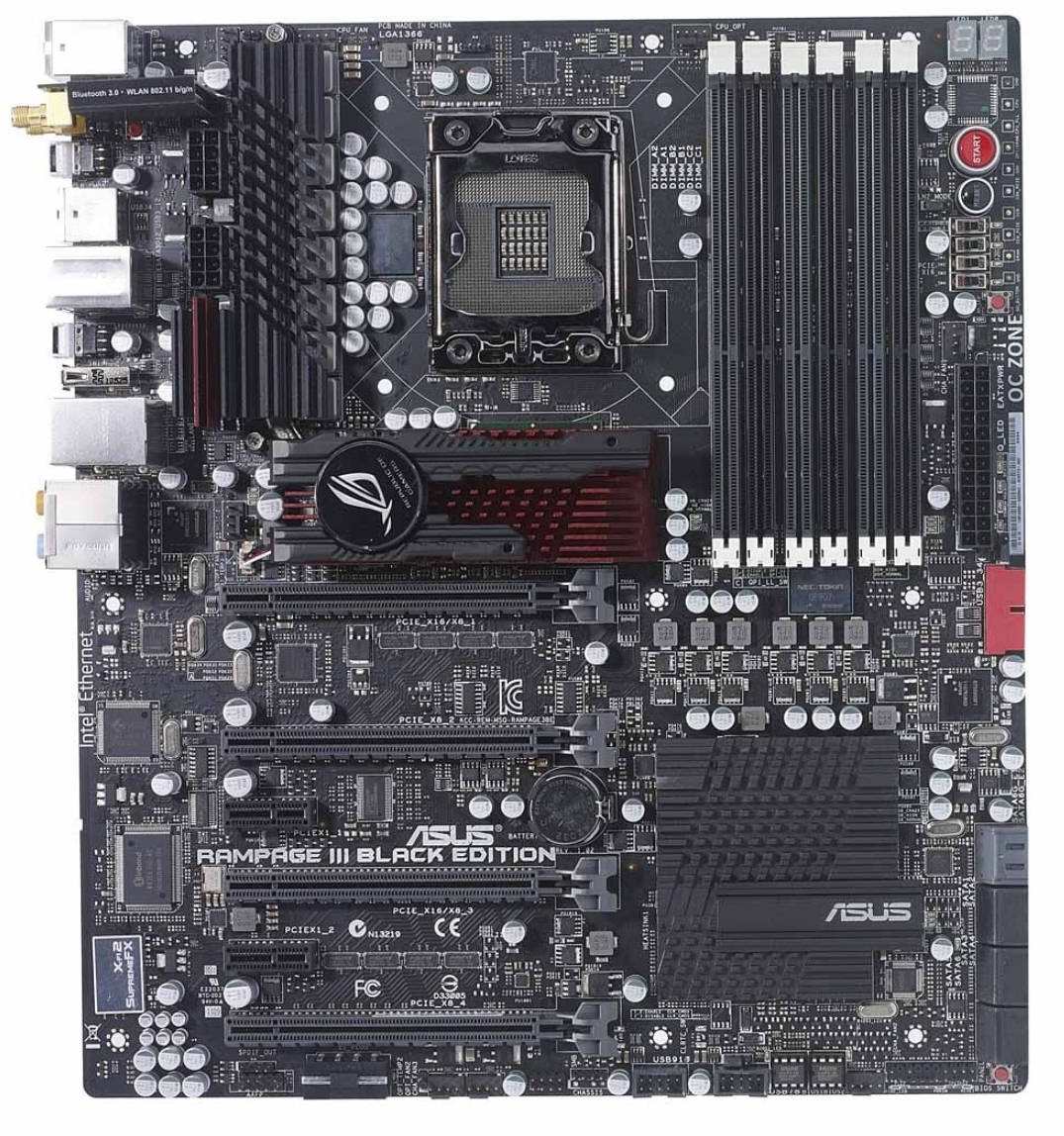
The Rampage II Extreme and the Rampage III Extreme / Black Edition are arguably the most iconic X58 boards ever made. They featured:
- Massive VRMs (16+2 phases) for heavy duty overclocks.
- The OC Station remote for real-time tuning.
- Top-tier Uncore and memory stability.
EVGA Classified Series
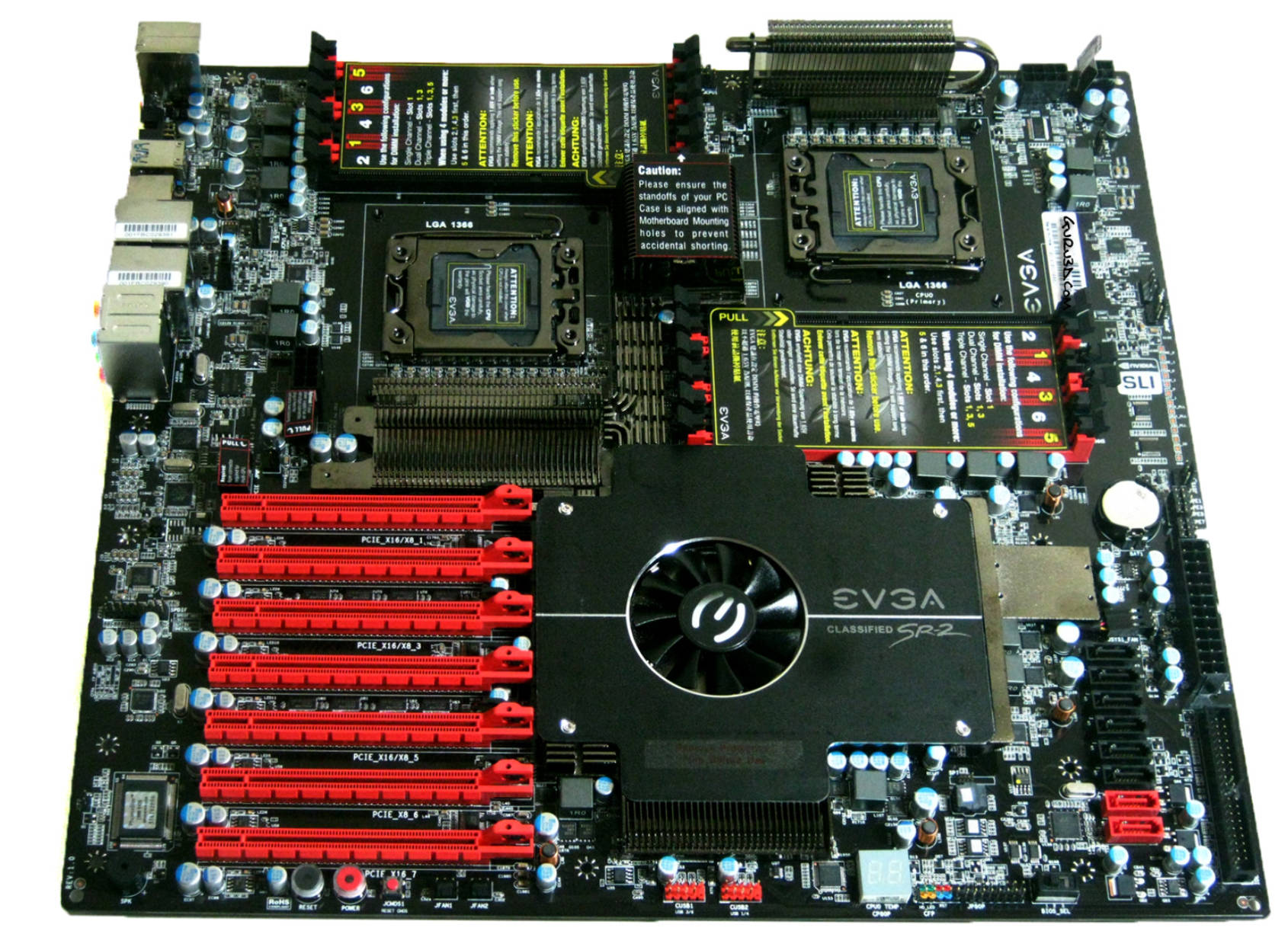
The go-to choice for competitive benchers. The X58 Classified line was famous for its high BCLK stability. The EVGA Classified SR-2 remains unique—a dual-socket HPTX monster that allowed for two Xeons and 4-way SLI, becoming the ultimate enthusiast board.
Gigabyte GA-X58A-UD7 and UD9
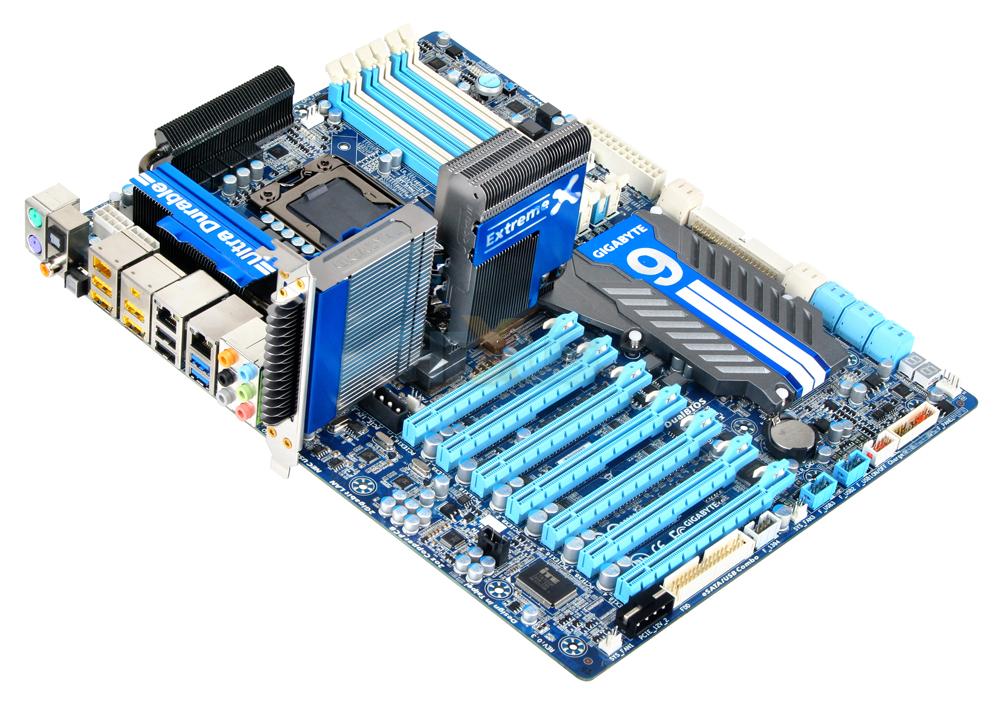
Gigabyte’s flagships used a 2-oz copper PCB and insane cooling. The UD9 was a behemoth with two NF200 chips and a waterblock-ready Northbridge, while the UD7 remains one of the most reliable daily-driver enthusiast boards.
The AliExpress Legacy
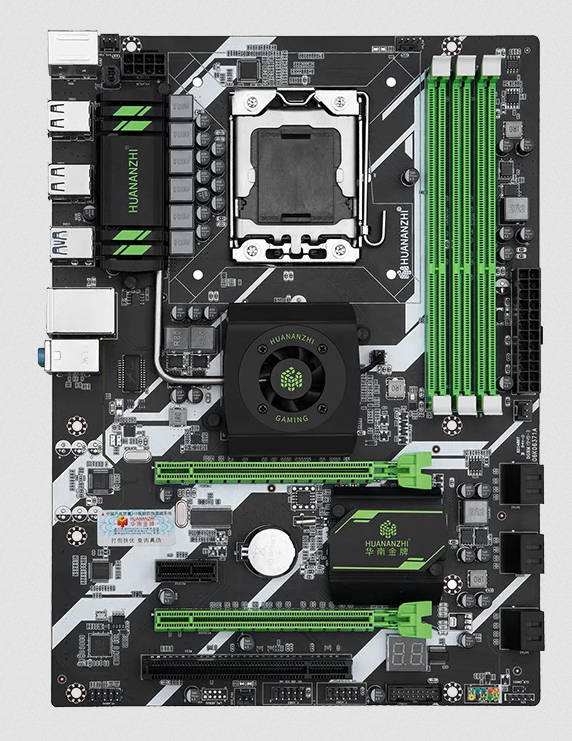
When brand-name boards became scarce or overpriced, Chinese manufacturers (Huananzhi, Plexhd, Jingsha) stepped in with new “remanufactured” boards.
- Pros: Cheap, “new” physical components, support for server DDR3 registered ECC.
- Cons: Almost zero overclocking (BCLK is usually locked or capped), rarely support true triple-channel, and have weak VRMs that require active airflow to survive high-TDP CPUs.
Overclocking: The Art of BCLK Tuning
LGA 1366 is an overclocker’s dream because it requires actual skill. Since almost all CPUs (except for the Extreme Editions and select Xeons) have locked multipliers, overclocking is done by raising the Base Clock (BCLK).
The Balancing Act
The stock BCLK is 133 MHz. Raising it boosts the core, memory, Uncore, and QPI frequencies simultaneously. To hit a stable 190–210+ MHz BCLK (resulting in 4.0–4.6 GHz cores), you have to balance several factors:
- Memory (DRAM): You’ll need to drop the memory multiplier to keep the RAM within its limits as the BCLK climbs.
- Uncore (UCLK): On Nehalem, keep it at 2x DRAM frequency. On Westmere, you can drop it to 1.5x, which is key for hitting high RAM speeds.
- QPI: Use the lowest multiplier to keep the bus from crashing. High QPI is a common cause of BSODs.
Key Voltages
- Vcore: 45nm chips can take 1.40–1.45V if cooled properly; 32nm chips usually sit at 1.32–1.38V for 24/7 use.
- Vtt (QPI/VTT): The most critical voltage for high BCLK and triple-channel stability. Aim for 1.25–1.35V. Too little causes instability; too much toasts the IMC.
Is LGA 1366 Still Viable in 2026?
Nearly 18 years later, LGA 1366 has transitioned into the “Legendary Retro-Hardware” category. It remains popular for its triple-channel novelty and cheap Xeon cores, but how does it hold up in a modern environment?
Workstation and Multithreaded Tasks
A 6-core/12-thread Westmere Xeon clocked at 4.5 GHz is still surprisingly capable:
-
- Coding and Home Labs: Excellent for Proxmox or Docker thanks to cheap registered ECC memory.
- Video & Content Creation: Let’s be real—you won’t be winning any speed contests here. Without Intel QuickSync or AVX, the CPU struggles with modern 4K codecs. However, for 1080p editing or as a dedicated stream-encoding box (using a GPU), it remains “functional.” It’s more of a “I’m doing this because I can” experience than a professional choice.
Gaming Performance: The AVX Wall
This is where the platform is showing its age.
- The AVX Bottleneck: This is the dealbreaker. Many modern AAA titles (especially on newer engines) require AVX/AVX2 instructions. Without them, games either won’t launch or require “unsupported” patches that tank performance.
- Esports: CS2, Dota 2, and Valorant still run at 100+ FPS on a clocked-out six-core, though 1% lows can be choppy.
- GPU Pairing: In 2026, the ceiling for this platform is something like a GTX 1080, RTX 2060, or RX 5600 XT. Using a modern GPU with x8 PCIe lanes on this version 2.0 bus will result in significant stuttering.
In 2026, don’t pair this platform with modern mid-range cards that use cut-down PCIe lanes (like x8 or x4). On a PCIe 2.0 bus, the bandwidth starvation will lead to massive micro-stutters and a terrible experience. Stick to cards with a full x16 interface.
Gaming and synthetic performance of the LGA 1366 platform featuring an overclocked Core i7-980X:
The Verdict: Retro Hobby or Rational Choice?
In 2026, it’s hard to justify LGA 1366 on a purely economic basis. While the CPUs are pennies, finding a functional, high-end motherboard is the real challenge and expense. For the same money, a newer LGA 2011-3 setup is objectively better.
Building an LGA 1366 system today makes sense primarily as a retro project—for those who enjoy the challenge of BCLK tuning and want to own a piece of overclocking history. The platform delivers on nostalgia and the satisfaction of coaxing performance from aging hardware, but don’t expect it to match modern systems in raw capability.

Written by
Senior Hardware Specialist proving you don't need top-tier gear to game. Expert in smart upgrades and budget-friendly PC restoration.