Table of Contents
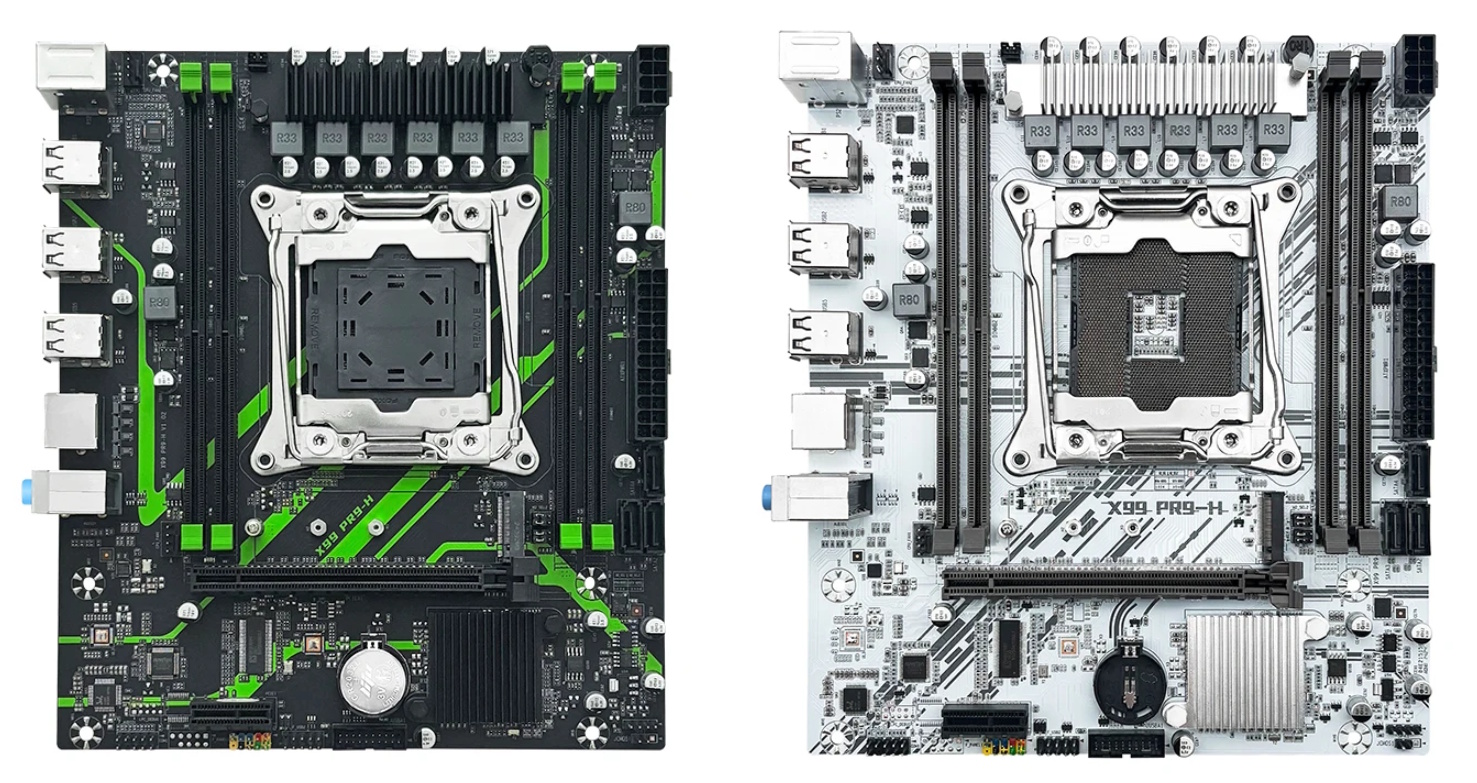
The Machinist X99 PR9-H is a typical entry-level board at the absolute rock-bottom of the price scale. It comes in black-and-green and white color options.
Despite the similar name and visual resemblance, the board shares very little with the original Machinist X99 PR9. Its much closer relative is the X99E.
This is an absolute bottom-tier X99 motherboard. If you're thinking of buying one, keep in mind that while the price is temptingly low, the savings rarely pay off in the long run.
Manufacturers heavily cut corners on these models, so expect hardware quirks and broken BIOS features. Some issues can be fixed, but it takes time, effort, and often an SPI programmer.
If you care about decent functionality, hassle-free BIOS flashing, and modern connectivity, you're better off spending a bit more on solid budget options like Qiyida X99 K9s, Qiyida X99 H9s, or X99-XD4.
Specifications
| Model | Machinist X99 PR9-H v1.02 |
|---|---|
| Socket | LGA 2011-3 |
| Chipset | P55 / H55 / HM55 |
| Supported Processors | Intel Core i7 (5000, 6000 series, Haswell-E/Broadwell-E) Intel Xeon E5-1600 v3/v4, E5-2600 v3/v4, E5-4600 v3/v4 (Haswell-EP/Broadwell-EP) |
| VRM Configuration | 3 phase (6 virtual via doublers) Total MOSFETs: 12 (6 high-side + 6 low-side) |
| Maximum Recommended TDP | ≤90W (v3 processors) ≤100W (v4 processors) |
| Supported Memory | 4 x DDR4 DIMM (dual-channel) with ECC and non-ECC support Maximum capacity: 64 GB |
| S3 Sleep Mode Support | No |
| Expansion Slots | 1 x PCI-e x16 (Gen 3.0) 1 x PCI-e x1 (Gen 2.0) |
| Storage | 3 x SATA 2.0 1 x M.2 NGFF/NVME (Gen 3.0 x4) |
| Fan Connectors | 1 x CPU cooler (4pin) 1 x Case fan (4pin) 1 x VRM fan (2pin) |
| PS/2 Ports | 2 (mouse + keyboard) |
| USB 3.0 Ports | - |
| USB 2.0 Ports | 6 (+ front panel support) |
| Network | Gigabit LAN (RTL8168H \ RTL8111H) |
| Audio | 5.1 channel (ALC897) |
| TPM 2.0 header | No |
| JLPC1 header | No |
| Form Factor & Dimensions | mATX 205 x 185 mm |
| Approximate Price |
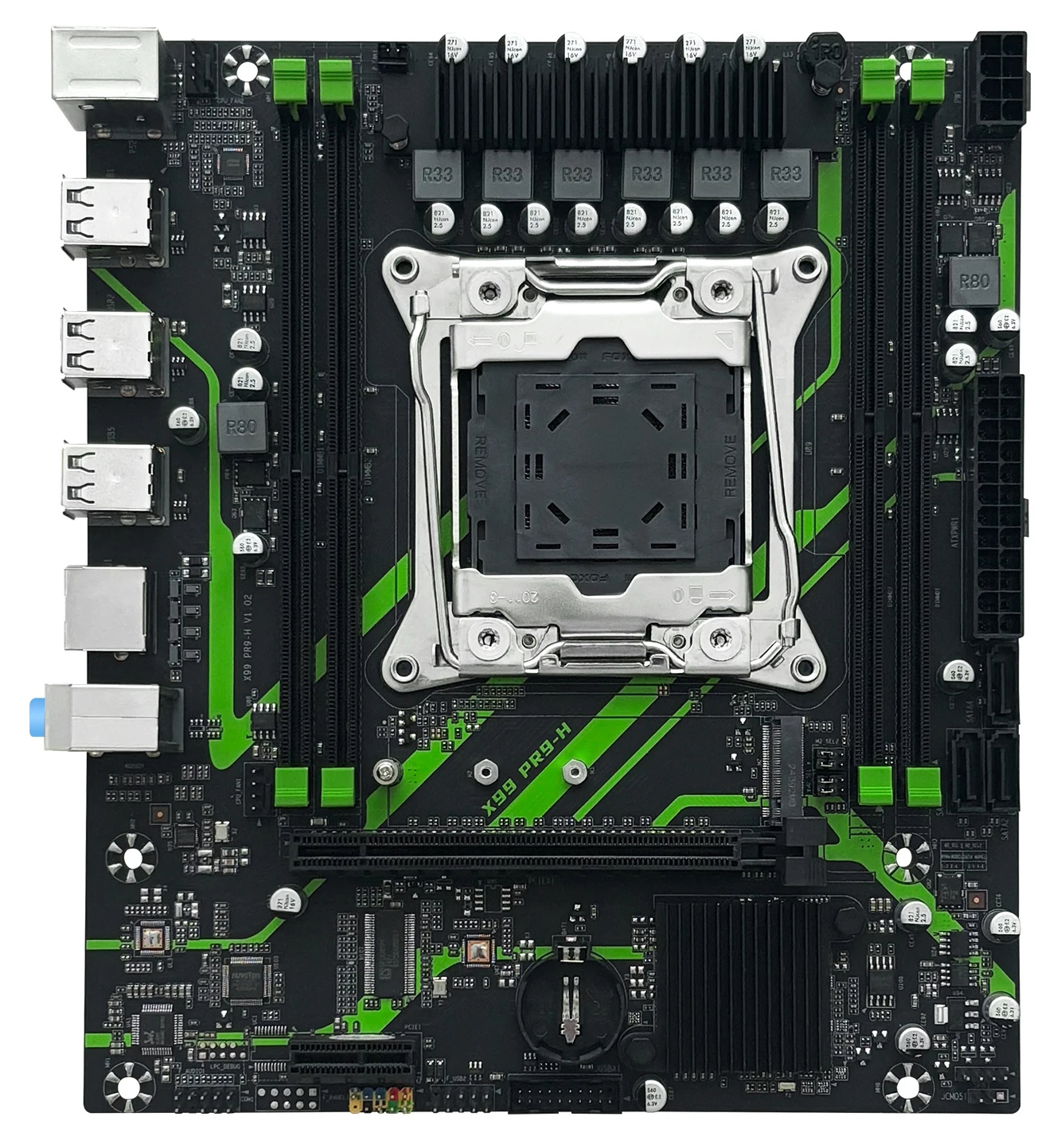
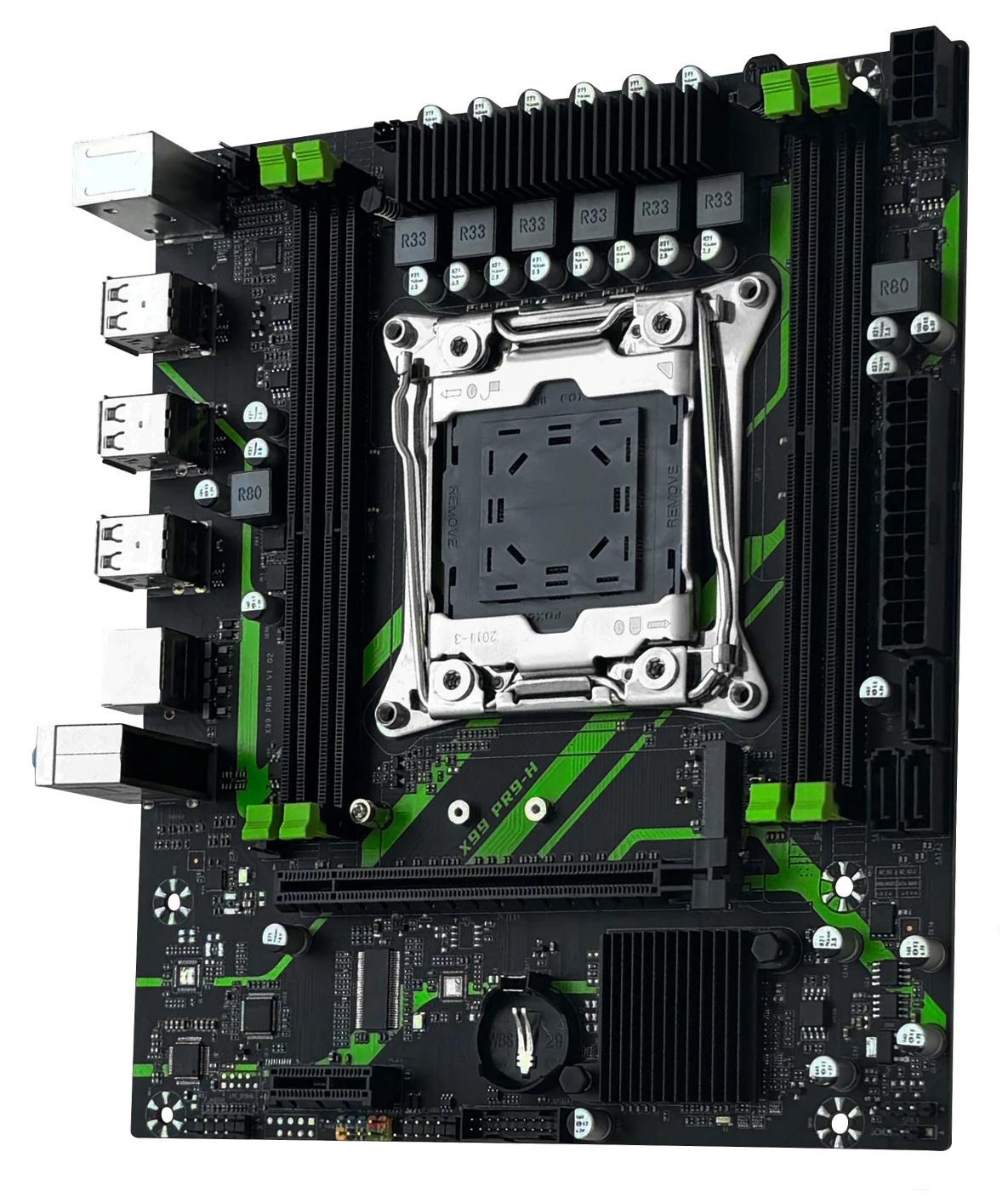
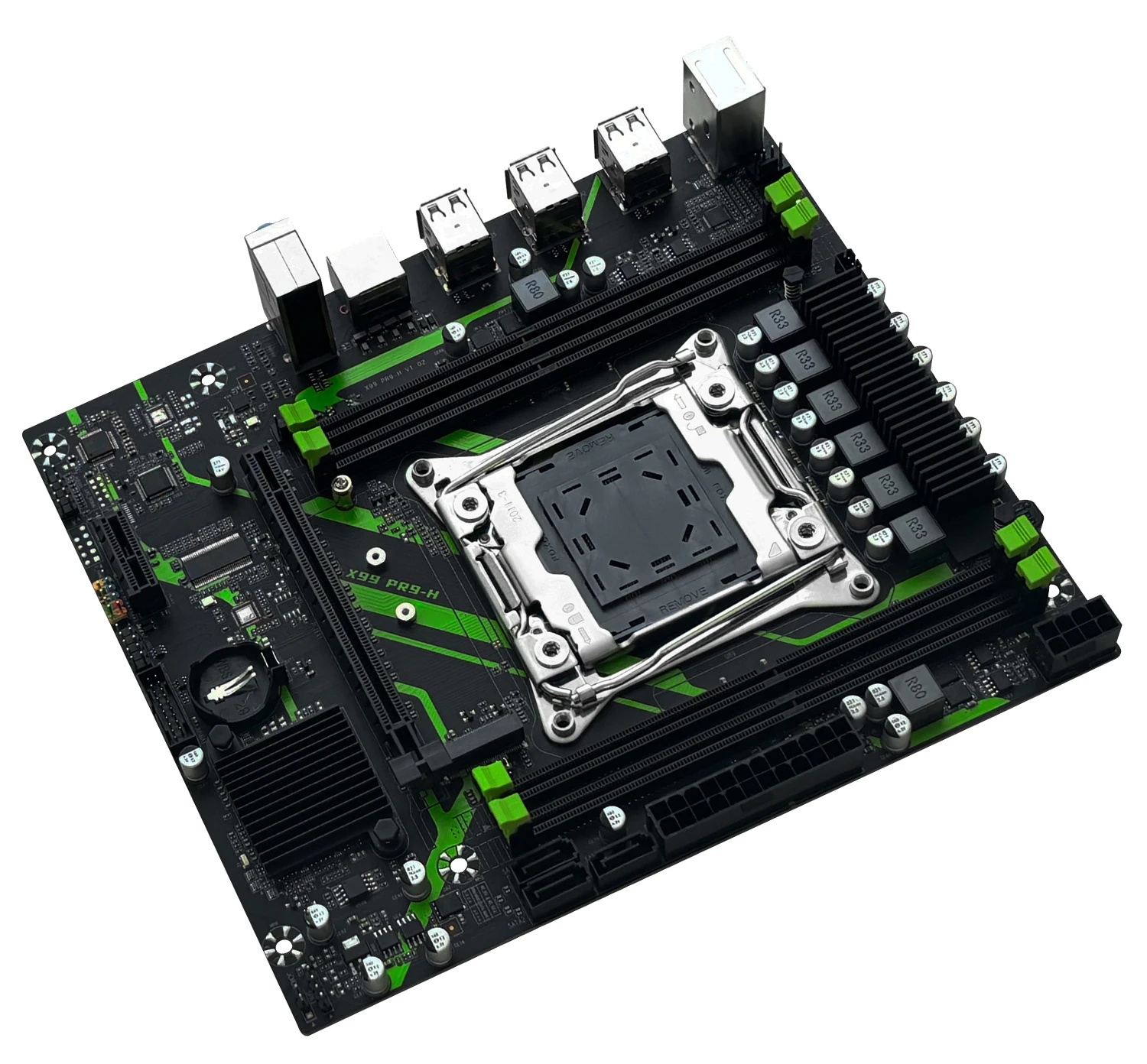
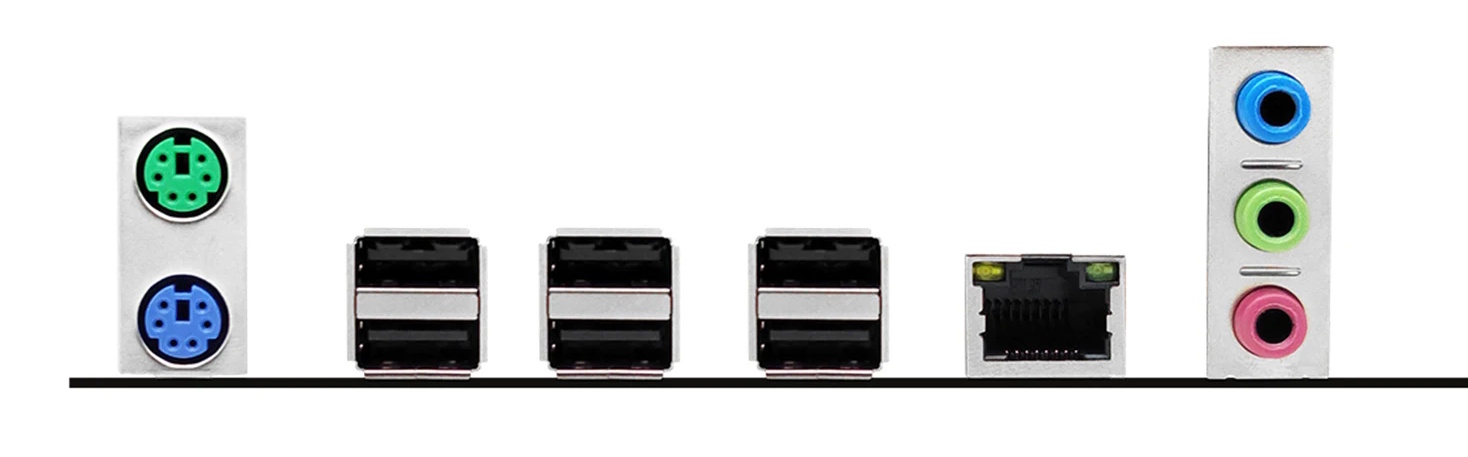
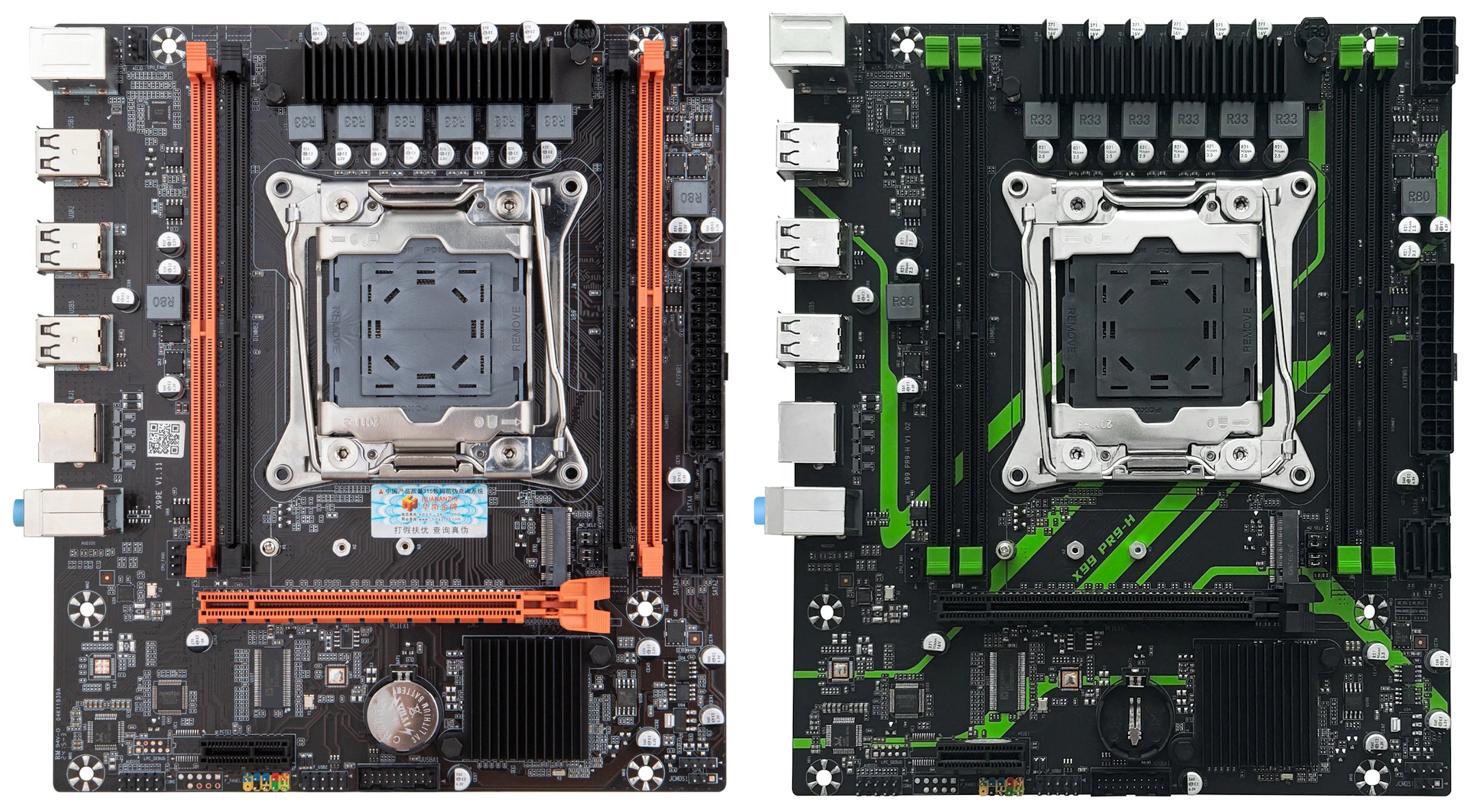
To put it plainly, the PR9-H offers virtually no advantages over other boards in this price range. There’s no TPM 2.0 header, build quality is average at best, sleep mode doesn’t work, the audio chip has no filtering capacitors, and there’s no M.2 Wi-Fi slot — a feature that’s already showing up on other boards in this class. The only meaningful difference from the X99E is a 2-pin connector that can be used to attach a small fan for VRM cooling.
Like all boards built on legacy 5-series chipsets, the PR9-H completely lacks SATA III and USB 3.0. The lack of native SATA III can be partially offset by the dual-mode M.2 slot, which defaults to NVMe (Gen 3.0) mode, while the lack of fast USB is something you’ll either have to live with or work around using the single PCIe x1 slot for an expansion card.
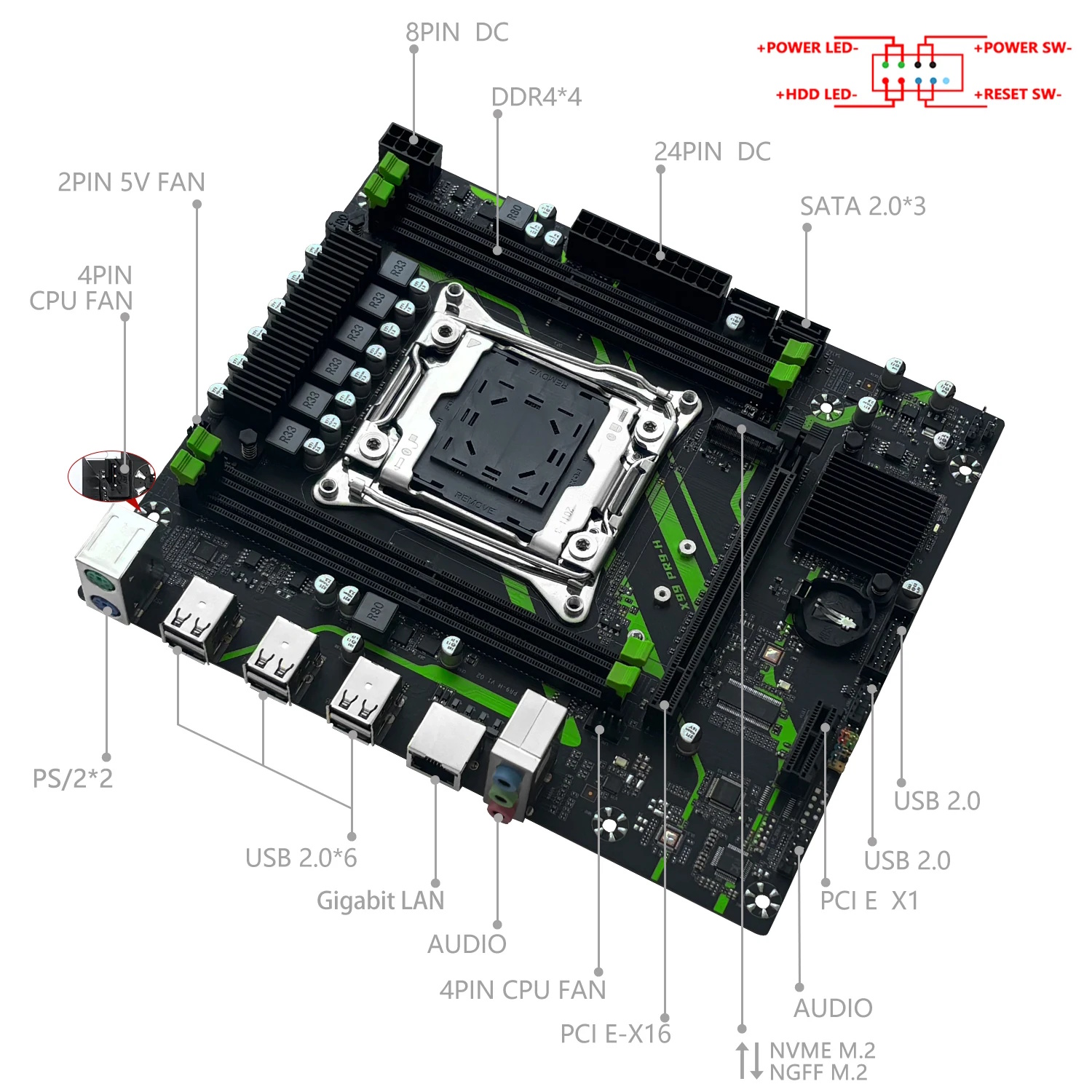
The power delivery is entirely typical for a board at this level — 6 virtual phases, each with 2 MOSFETs covered by a small heatsink. This configuration handles processors up to 90–100W TDP with ease. If you plan to run a higher-TDP CPU or unlock Turbo Boost on Haswell processors, adding some direct airflow over the VRM is highly recommended.
BIOS Capabilities
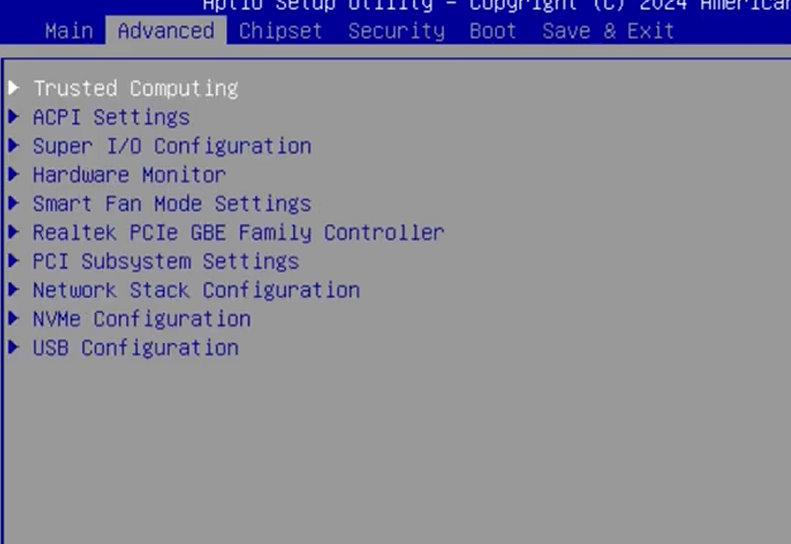
Unfortunately, the firmware is just as disappointing as the rest of the board. It runs a typical Aptio V-based BIOS with no modern graphical interface. There’s no access to memory timings and no ability to overclock unlocked processors. As with other Chinese X99 board BIOSes, there’s an enormous number of settings — most of which have no actual effect. The only notable features are ReBAR and Above 4G Decoding.
The board suffers from all the typical quirks: inaccurate temperature sensors, a power consumption sensor that underreports actual draw, a less-than-intuitive Smart Fan implementation, and other minor bugs typical of generic Chinese motherboards.
Unfortunately, 5-Series chipsets create real headaches for backup and flashing. Standard tools like the Intel Flash Programming Tool don’t work with these platforms. AFUDOS / AFUWIN can dump only the BIOS region. Full flashing and full backup require a hardware programmer.

We are currently looking for an original firmware dump for the PR9-H. If you have one and are willing to share, please contact us. You could help a lot of board owners.
Motherboards on 5-series chipsets often run into issues when disabling CSM or enabling Secure Boot. If you're facing similar problems after tweaking these settings, check out our fix guide.
Frequently Asked Questions
The board won’t boot, black screen, etc. What should I do?
See our article about the most common LGA2011‑3 issues.
Where can I find drivers for this board?
You can find up-to-date drivers for LGA2011-3 platforms on this dedicated page.
Can I flash a BIOS from a regular X99-PR9?
No. Flashing firmware from a board with a different chipset series will result in a brick.
Is there any way to access RAM timings or unlock Turbo Boost?
If you have an SPI programmer, you can try flashing the appropriate modded BIOS from the X99E. Make sure to back up your original firmware first.
Without a programmer, you can dump the BIOS region using AFUDOS, apply the Turbo Boost unlock by following our guide, and flash it back the same way.
Conclusion
OldRigRevive Review
4.8
3.5
2.3
3.0
“Even within its price bracket, this board can’t compete with offerings from other manufacturers. Yes, it’s cheap and it works — but that’s where the list of positives ends. On the flip side: a rough firmware with no access to timings, no TPM 2.0 support, a limited port selection, and mediocre build quality. Use at your own risk.”

Written by
Senior Hardware Specialist proving you don't need top-tier gear to game. Expert in smart upgrades and budget-friendly PC restoration.