Table of Contents
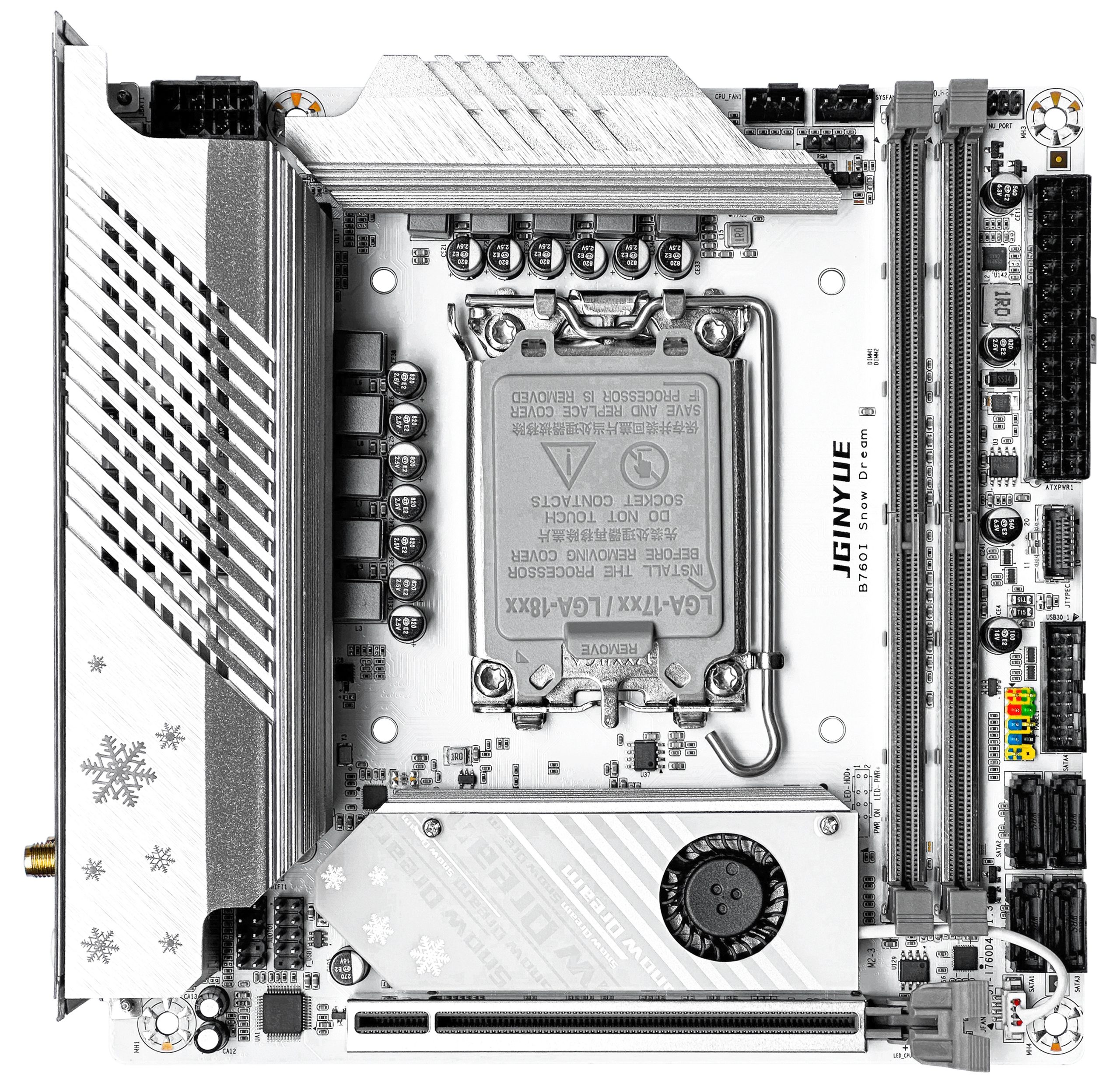
The B760i Snow Dream sits at the top of Jginyue’s motherboard lineup. It’s an ITX model available in both DDR4 and DDR5 variants (Snow Dream D4, model number JY-I760D4, and Snow Dream D5, model number JY-I760D5).
The board boasts a solid power delivery system, a respectable port count for its form factor, and a clean, good-looking design. It also ranks among the best Chinese boards in terms of price-to-quality ratio.
Specifications
| Model | JGINYUE B760I Snow Dream |
|---|---|
| Socket | LGA 1700 |
| Chipset | B760 |
| Supported Processors | Intel Core 12/13/14th Gen |
| VRM Configuration | 8+1+1 phase |
| Supported Memory | 2 x DDR4 / DDR5 DIMM (Dual-Channel, up to 64GB) DDR4: 2133-4200MHz (G1 mode) DDR5: 4800-7200MHz (G2 mode) |
| Sleep Mode Support | Yes |
| Expansion Slots | 1 x PCI-e x16 (Gen 4.0) |
| Storage | 4 x SATA 3.0 2 x M.2 NVME (Gen 4.0 x4) |
| Fan Connectors | 1 x CPU cooler (4pin) 1 x Case fan (4pin) |
| PS/2 Ports | - |
| USB 3.2 Ports | 2 (+ front panel support) |
| USB 2.0 Ports | 3 (+ front panel support) |
| Network | 1 x RTL8111 (1 Gbps) 1 x RTL812 (2.5 Gbps) 1 x M.2 Wi-Fi (CNVI and PCIE protocols) |
| Audio | 5.1 channel (ALC897) |
| Extra | 2 x Display Port 1.4 1 x HDMI 2.1 1 x USB-C (Type-E) 2 x 5V 3Pin RGB header (MCU chip) |
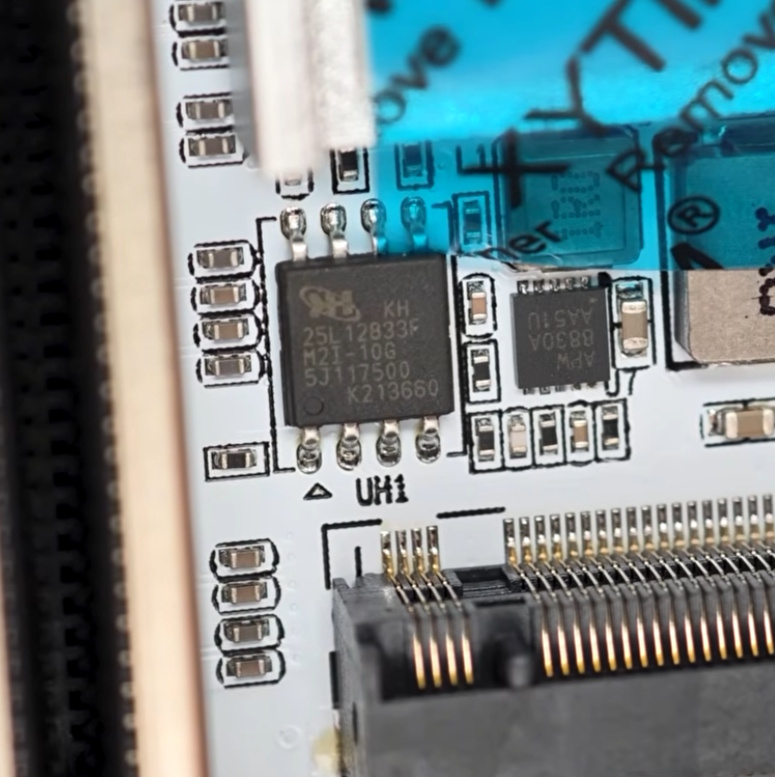
| Bios Chip | KH 25L12833F |
| Form Factor & Dimensions | ITX, 170 x 170 mm |
| Approximate Price |
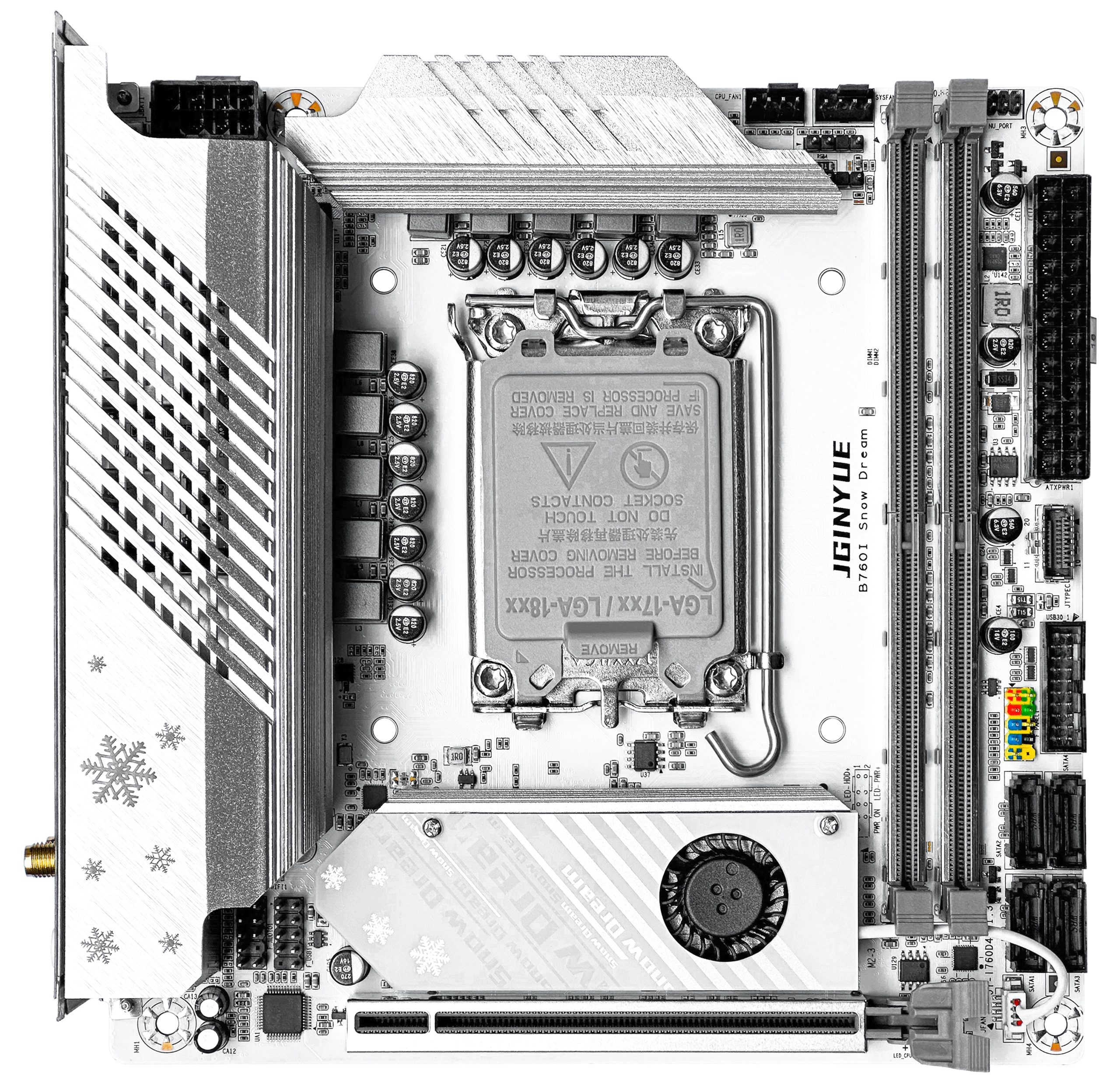
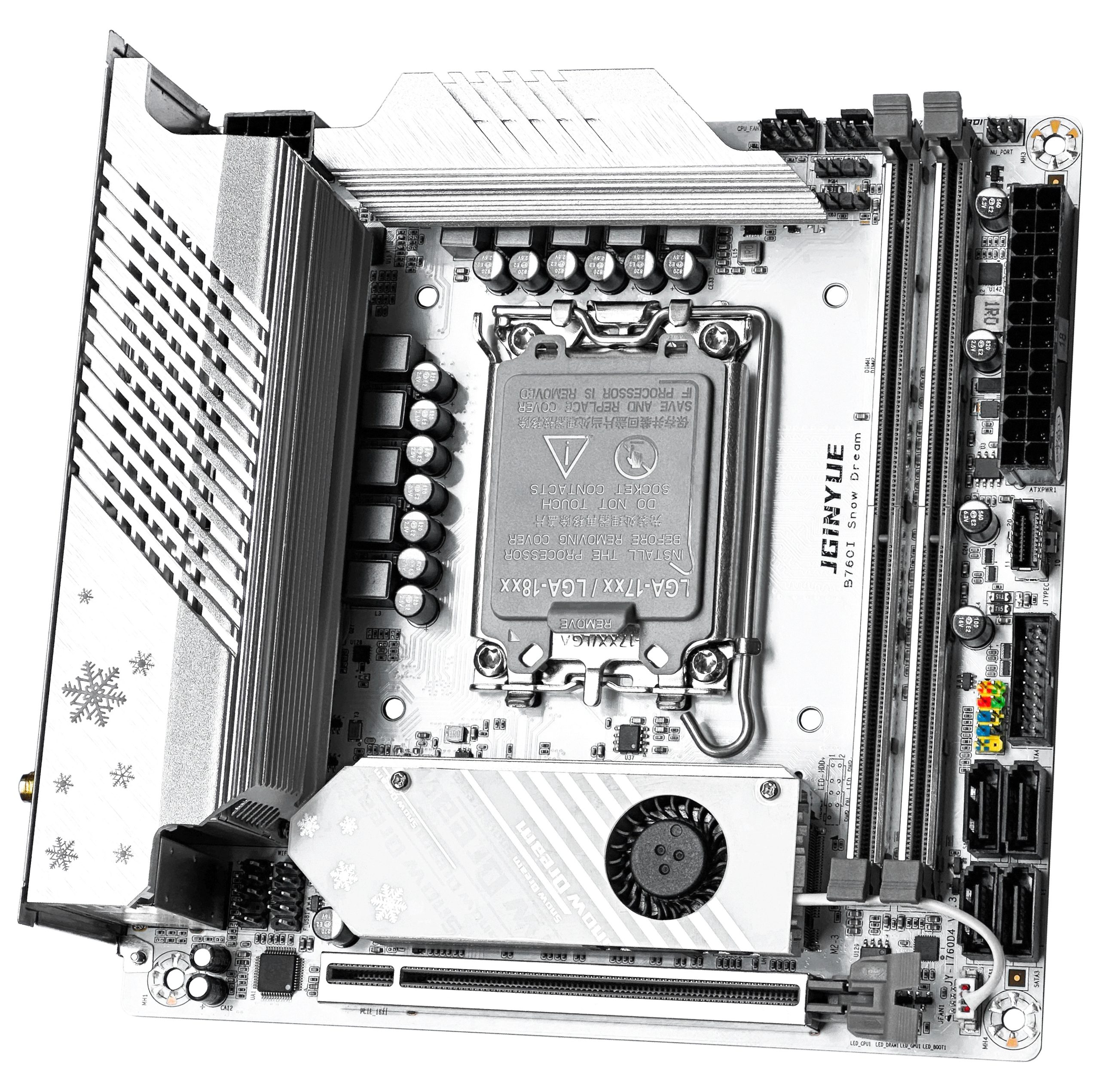
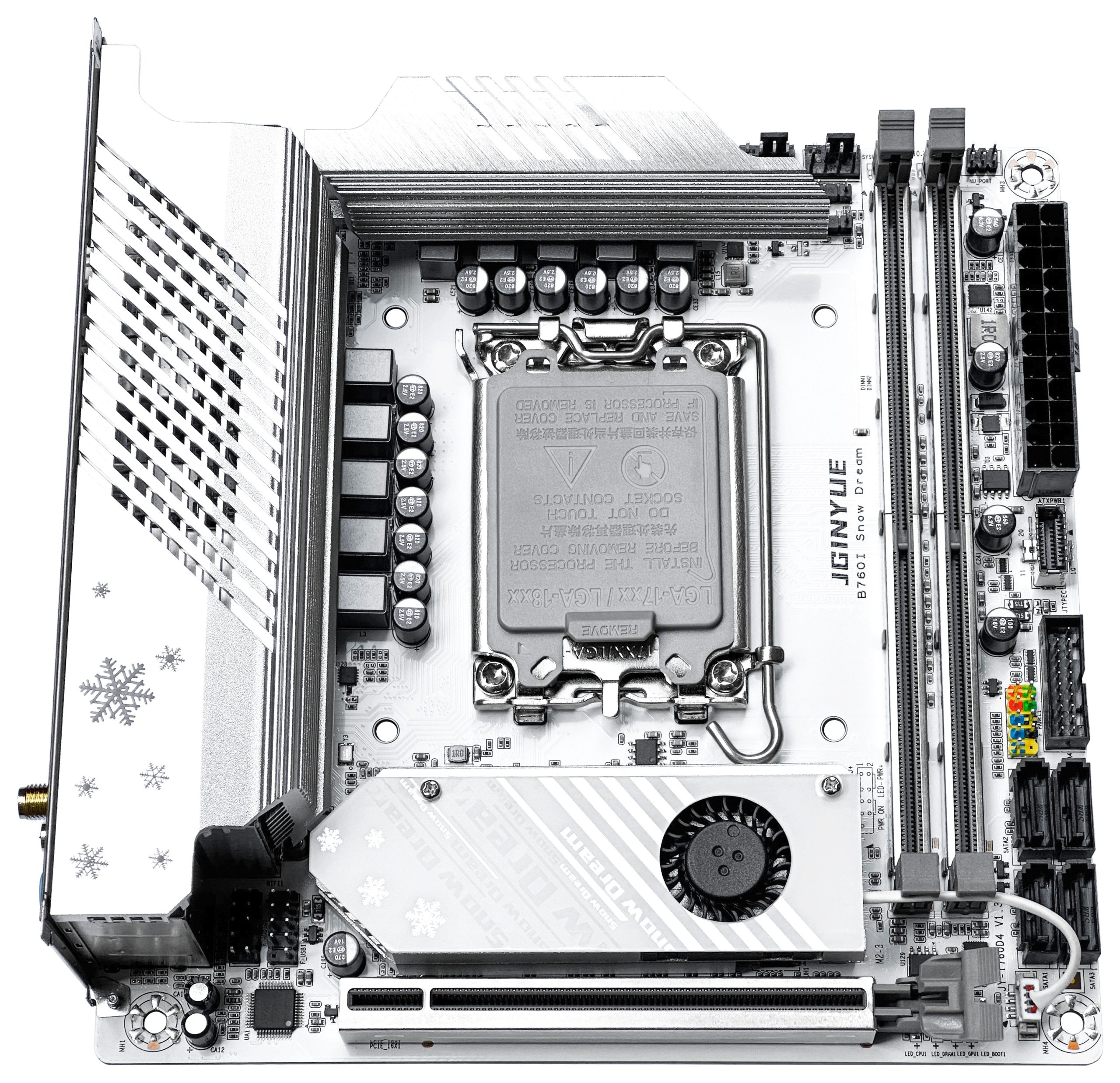
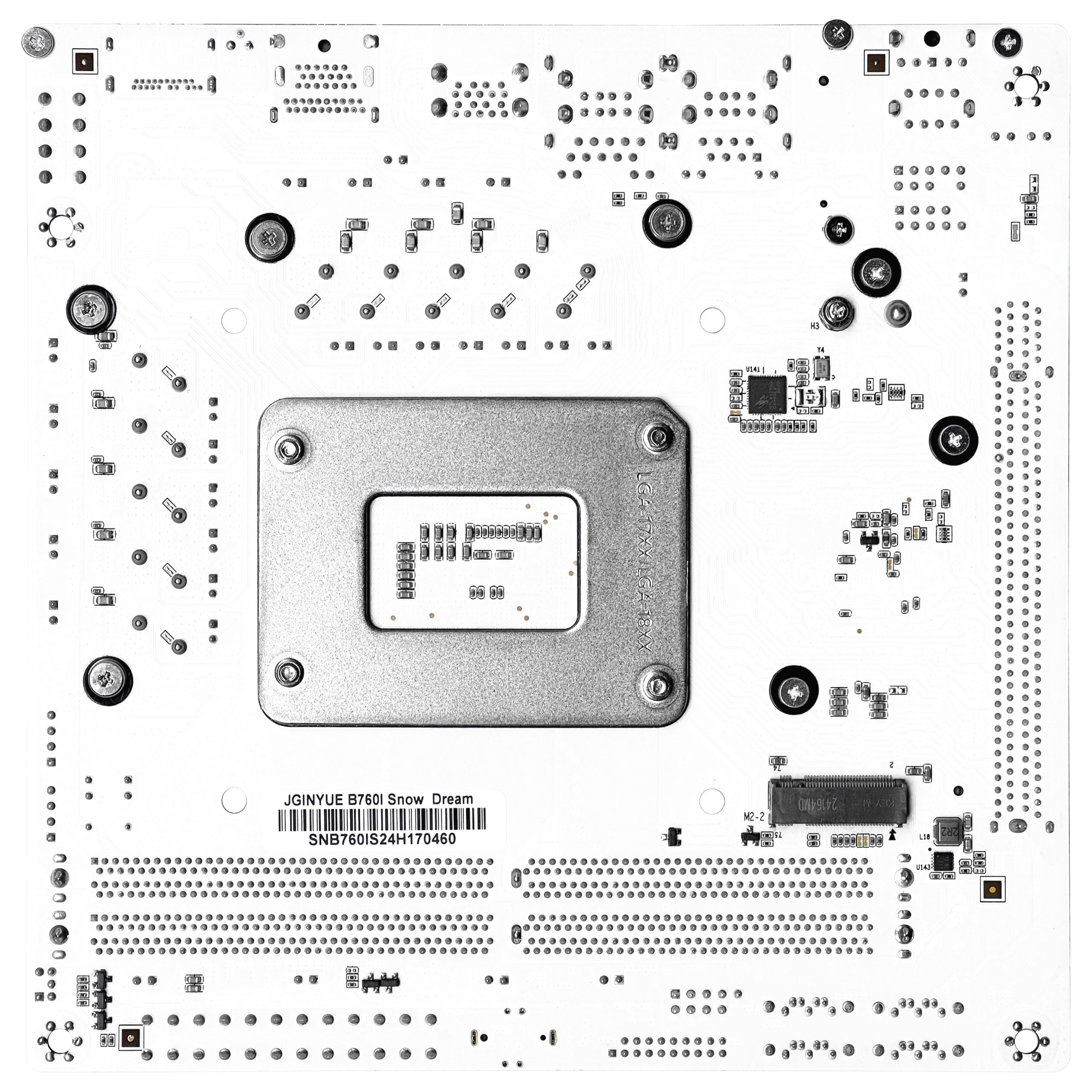
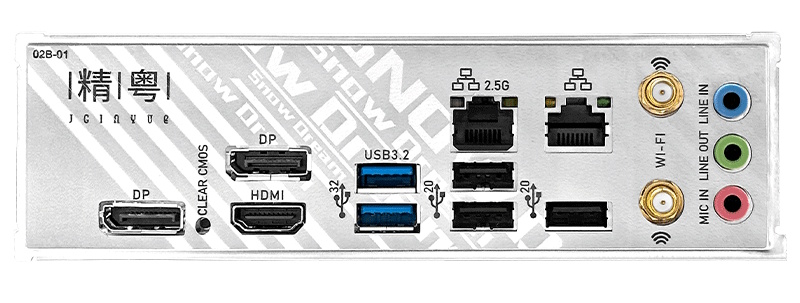
Featuring an all-white aesthetic, the board holds its own against offerings from major brands. The B760i features reinforced memory slots and a reinforced PCIe x16 slot. It even includes a feature typically reserved for pricier boards — an integrated I/O shield.
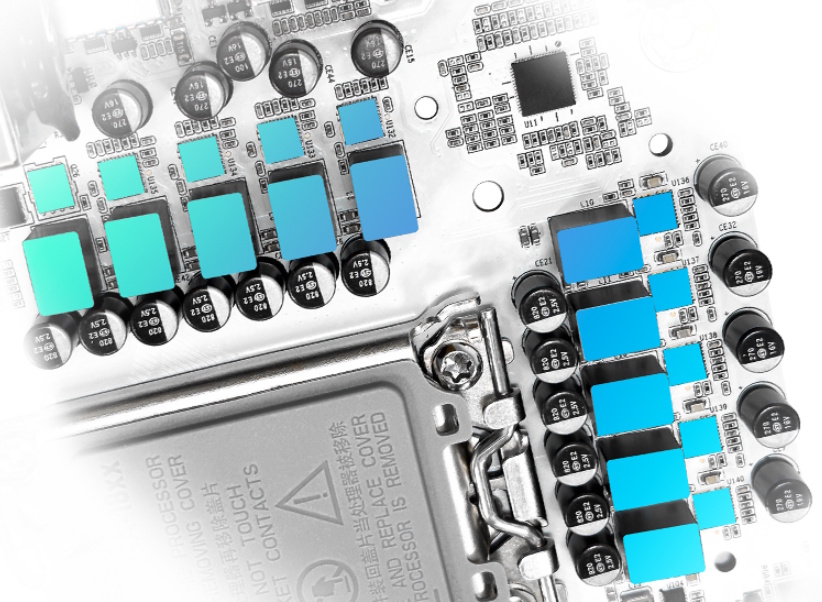
One of the board’s strong suits is its power delivery. The 8+1+1 phase configuration already puts it ahead of most Chinese LGA1700 boards. Each CPU power phase uses a 50A DrMOS component — typically the SIC631, though AOZ5516QI or other similar-spec parts may also be found. Generously sized, screw-mounted heatsinks cover the entire VRM area. By default, the board caps CPU power draw at 250W, though I personally recommend dialing the Power Limit down to ~200W for better thermal headroom.
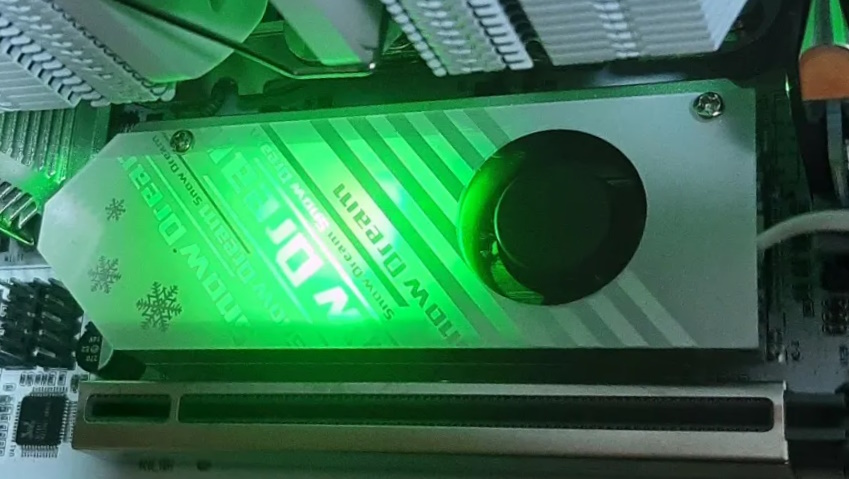
The storage subsystem includes 4 SATA III ports and 2 M.2 NVMe slots, one of which is located on the back of the PCB. Both slots are wired for PCIe 4.0, but only the primary one gets a heatsink — so that’s where your hottest drive should go. It’s cooled by a fairly substantial heatsink with active cooling and RGB lighting.
The networking setup is worth mentioning as well — the board ships with dual LAN controllers: a gigabit RTL8168 and a 2.5-gigabit RTL8125. An M.2 Wi-Fi slot is present too, though installing a module requires removing the side heatsink, which is a rather inconvenient design choice.

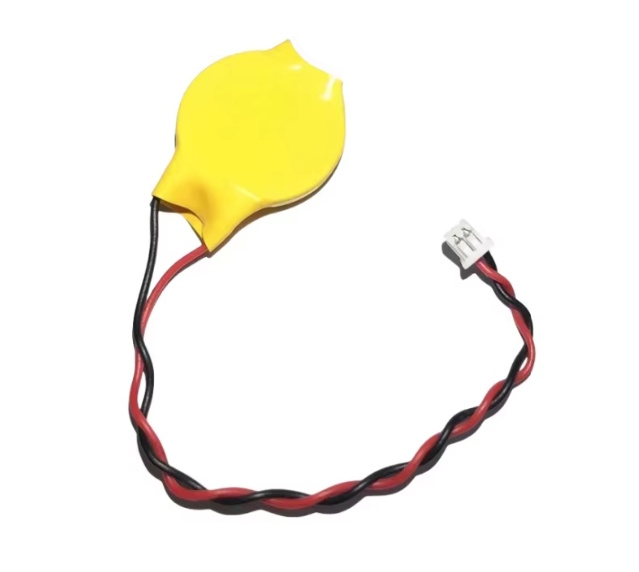
Another questionable design quirk is the lack of a standard CMOS battery socket. Due to the board’s compact size, the manufacturer opted for a 2-pin connector instead — but since shipping batteries by air is prohibited, sellers simply cut the connector wires before shipping. Attaching a new CR2032 is straightforward: the red wire is positive, the black is negative. In rare cases, the board may arrive without the connector at all, requiring a separate purchase or some DIY improvisation.
Fortunately, the questionable design choices end there. The board also includes several subtle but welcome touches: a Clear CMOS button on the rear I/O panel, two 5V 3-pin ARGB headers, a USB-C Type-E front panel header, and a small POST LED indicator tucked under the PCIe slot latch.
Revisions
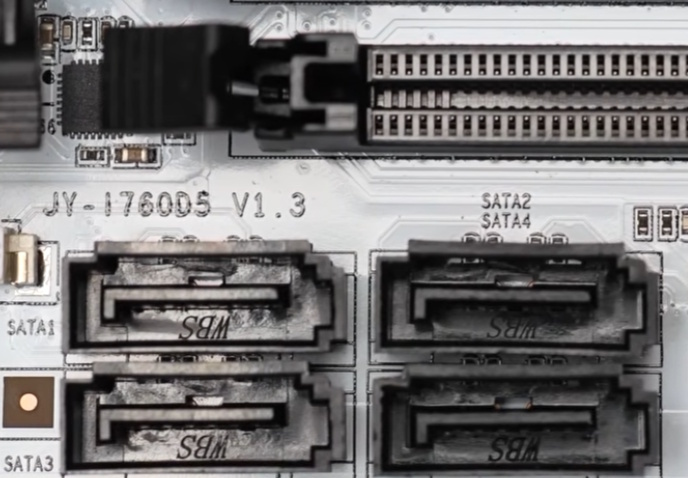
At least four revisions of this board exist (for both DDR4 and DDR5 variants): 1.0, 1.1, 1.2, and 1.3. Unfortunately, no changelog is available, and all revisions are visually nearly identical.
The revision can be identified by the marking near the SATA ports.
BIOS Capabilities
The B760i Snow Dream runs a reasonably well-implemented American Megatrends BIOS with a graphical interface. Early firmware versions were fairly rough, but the manufacturer has since addressed all of the most critical bugs.
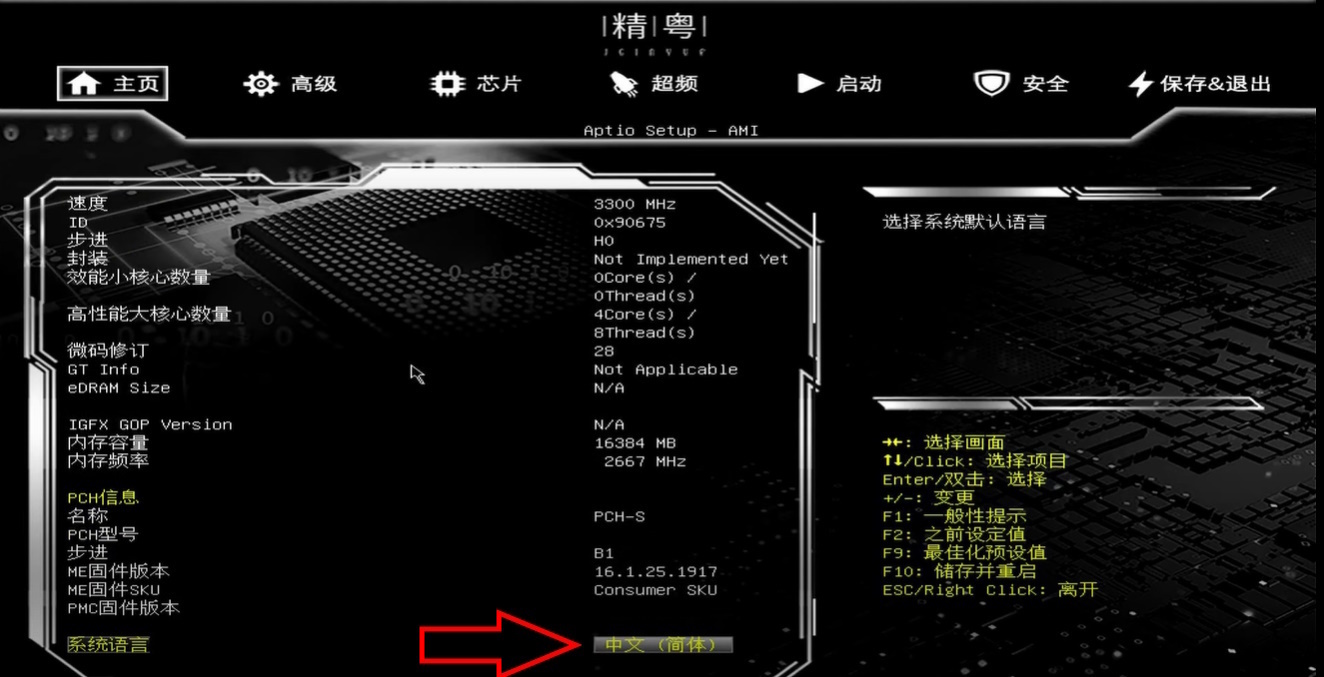
Right out of the box, you get access to all the essential tuning options: memory frequency, primary and secondary timing control, Gear Mode selection, XMP profile support, and memory voltage adjustment in 0.05V increments. For K-series processors, voltage control is available; for non-K CPUs, you can still adjust Power Limits, toggle E-cores, tweak AVX offsets, and access other standard functions. ReBAR and Restore on AC Power Loss are also present, and the Smart Fan implementation covers both 4-pin headers.
The only notable flaw is that the motherboard’s temperature sensors do not work, but aside from that, the firmware is perfectly suitable for daily use.
How to Flash the BIOS
- You will need a USB flash drive formatted as FAT32.
- Download the desired BIOS, extract the archive, locate the «U盘自动刷» folder inside it, then find the «EFI» folder within it and copy it to the root of the flash drive.
- Restart the system and press F11 during boot.
- In the «Select Boot Device» menu, select your flash drive.
- The update will begin automatically. No action is required — simply wait for the green «FPT Operation Successful» message to appear.
- The BIOS has been flashed. Restart the system to finish. After flashing, it is recommended to reset all settings to defaults.
Recent BIOS versions also support flashing directly from Windows using FPTW (located in the win系统刷 folder).
| Board Variant | BIOS version & date | Microcode version | Link |
|---|---|---|---|
| DDR4 | JYI7600H 08/29/2025 | 104 | [Download] |
| DDR4 | JYI7600H 08/29/2025 | 12F | [Download] |
| DDR5 | JI760D514 04/08/2025 | 104 | [Download] |
| DDR5 | JI760D514 04/08/2025 | 12C | [Download] |
Microcode 104 is a specific firmware revision widely used to bypass artificial voltage restrictions on B660/B760 motherboards. Switching to this microcode enables stable CPU undervolting for locked (non-K) processors. Unlike newer firmware, it lacks the aggressive voltage locks, CEP restrictions, and anti-undervolting patches that Intel implemented in later updates.
Frequently Asked Questions
Where can I find drivers for this board?
Our current driver collection for LGA1700 boards is here.
What is a reasonable maximum CPU for this board?
Any LGA1700 processor can be used, including the most powerful models, provided you cap power consumption at ~200W.
Is any CPU overclocking possible?
No. Multiplier overclocking is not available on the B760 chipset, and the board lacks an external clock generator for BCLK overclocking.
Can the RGB lighting be controlled?
Yes, download OpenRGB.
Where is the BIOS chip located?
Next to the primary M.2 slot.
Conclusion
OldRigRevive Review
4.9
4.6
4.6
4.2

Written by
Senior Hardware Specialist proving you don't need top-tier gear to game. Expert in smart upgrades and budget-friendly PC restoration.