Table of Contents
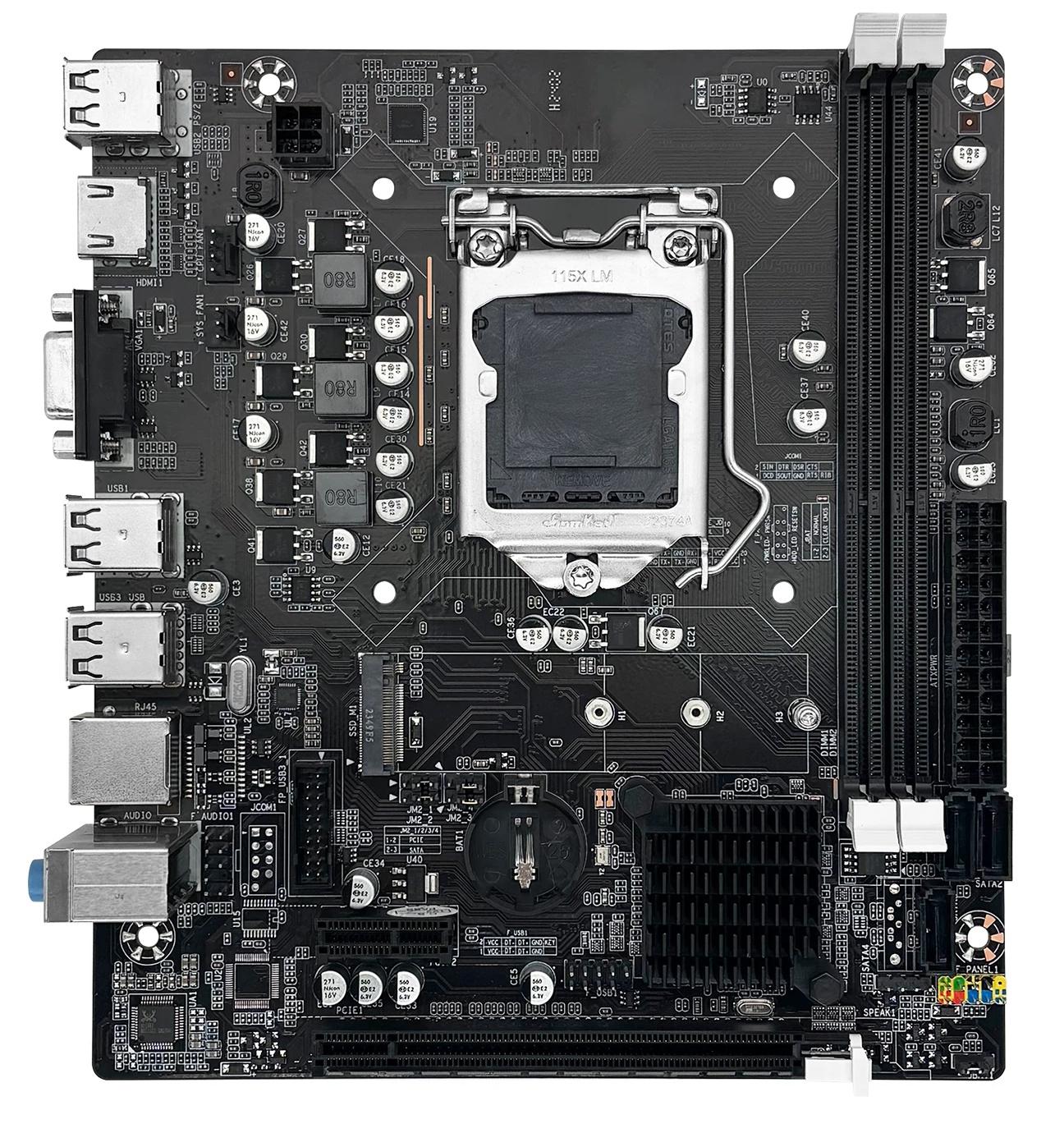
Boards marked ZX-H61C (also found as ZX-H61C/B75) have been known since at least 2019. This is a budget OEM/ODM model from an unknown Chinese manufacturer, sold under a variety of brand names (one of them being Machinist H61).
Despite its obvious shortcomings and extremely simple design, the board is still sold successfully to this day and has picked up a large number of revisions over the years.
Specifications
| Model | ZX-H61C/B75 |
|---|---|
| Socket | LGA 1155 |
| Chipset | H61 / B75 / Q77 |
| Supported Processors | Intel Core i3/i5/i7, Xeon E3, Pentium, Celeron Gen: 2nd / 3rd Generation (Sandy Bridge / Ivy Bridge) |
| VRM Configuration | 3 Phase Total MOSFETs: 6 (1 high-side + 1 low-side) |
| Supported Memory | 2 x DDR3 DIMM (dual-channel) Maximum capacity: 16 GB Maximum frequency: 1600 Mhz |
| Expansion Slots | 1 x PCIe x16 (Gen 2.0/3.0) 1 x PCI-e x1 (Gen 2.0) |
| Storage | 3 x SATA 2.0 1 x M.2 (NVME/NGFF, Gen 2.0 x4) |
| Fan Connectors | 1 x CPU cooler (4pin) 1 x Case fan (3pin) |
| PS/2 Ports | - |
| USB Ports | Up to 2 x USB 3.0 / 6 x USB 2.0 (depends on chipset) |
| Network | 100 Mbps \ 1 Gbps LAN (depends on revision) |
| Audio | 5.1 channel |
| Form Factor & Dimensions | mATX, 190 x 170 mm |
| Approximate Price |
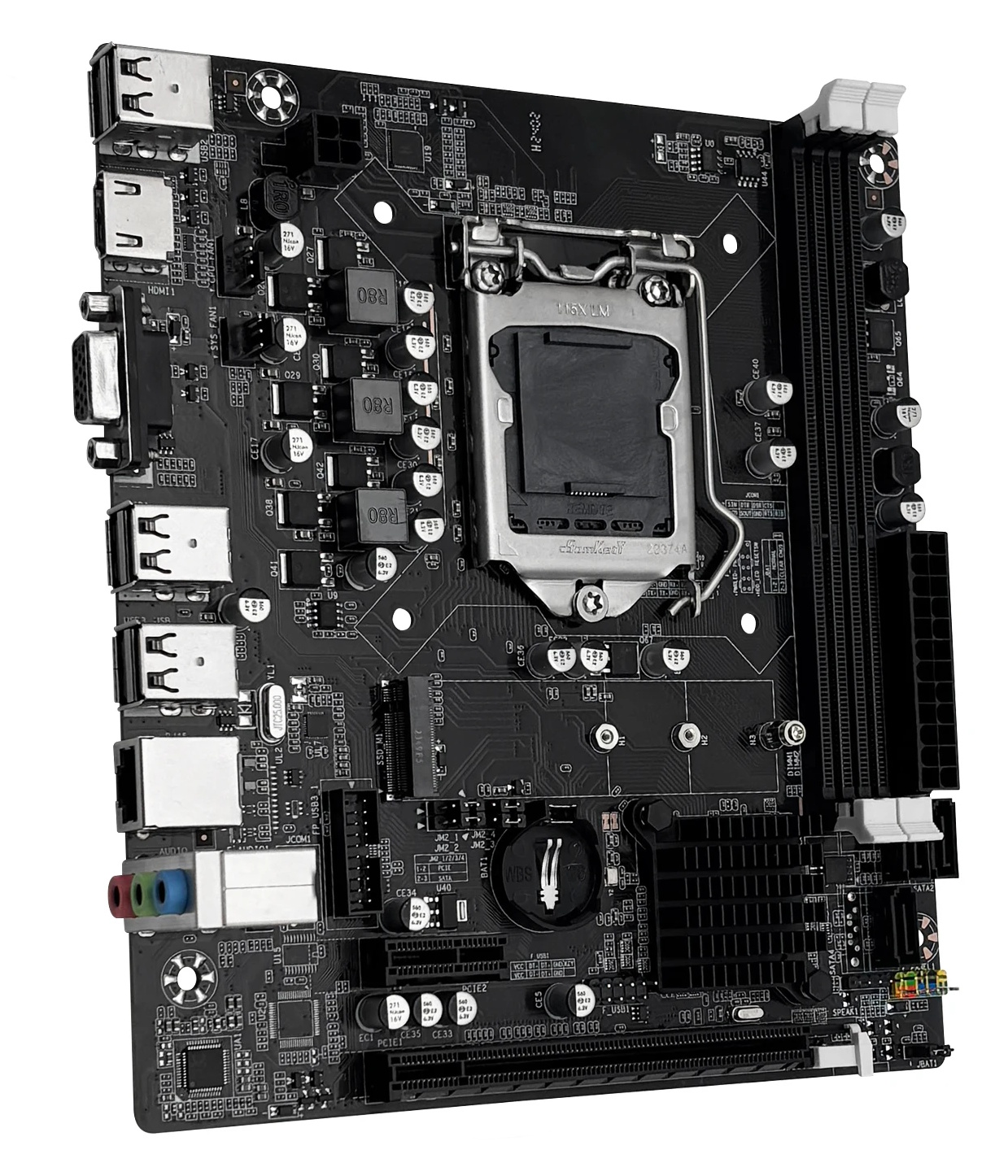
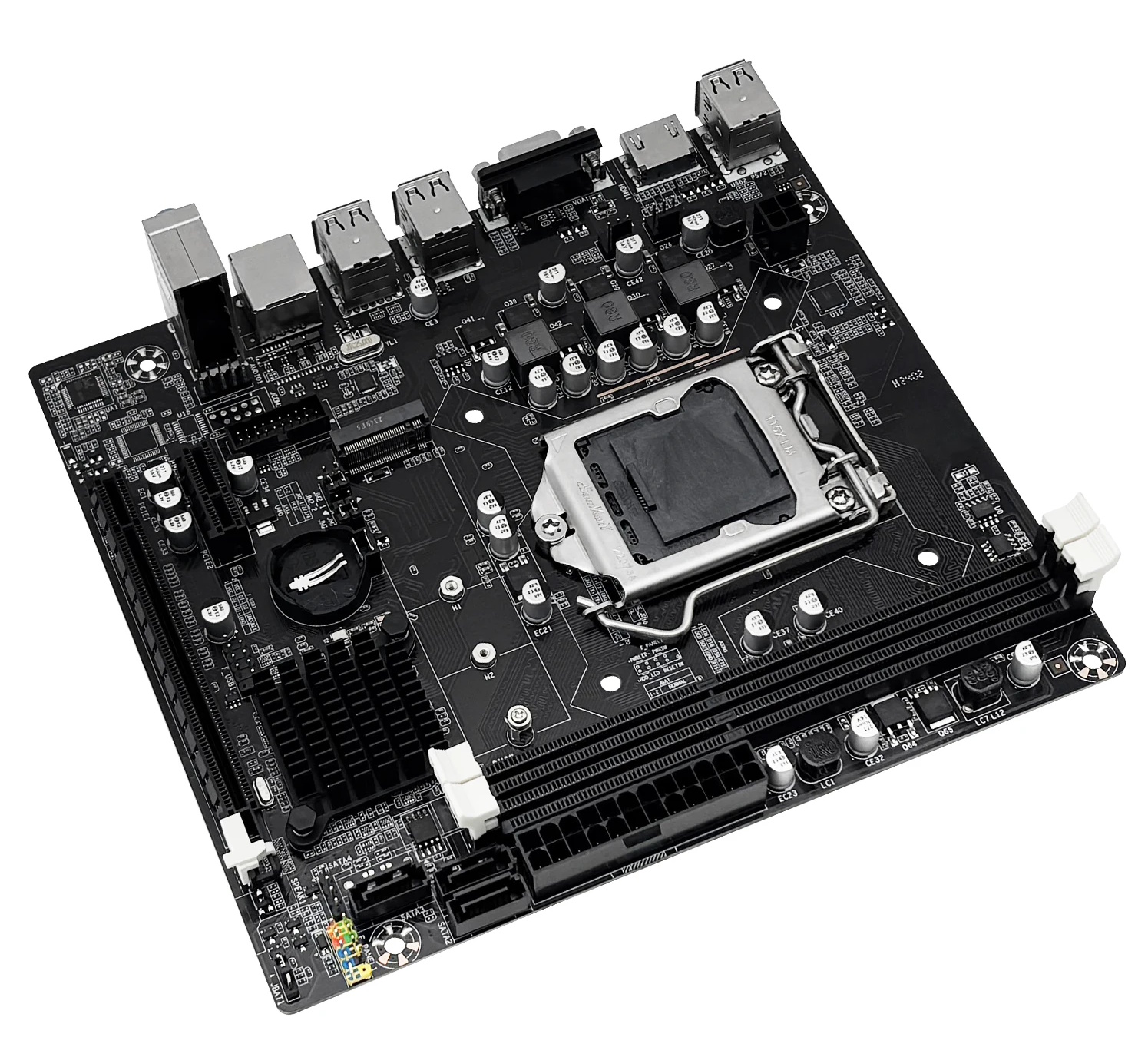
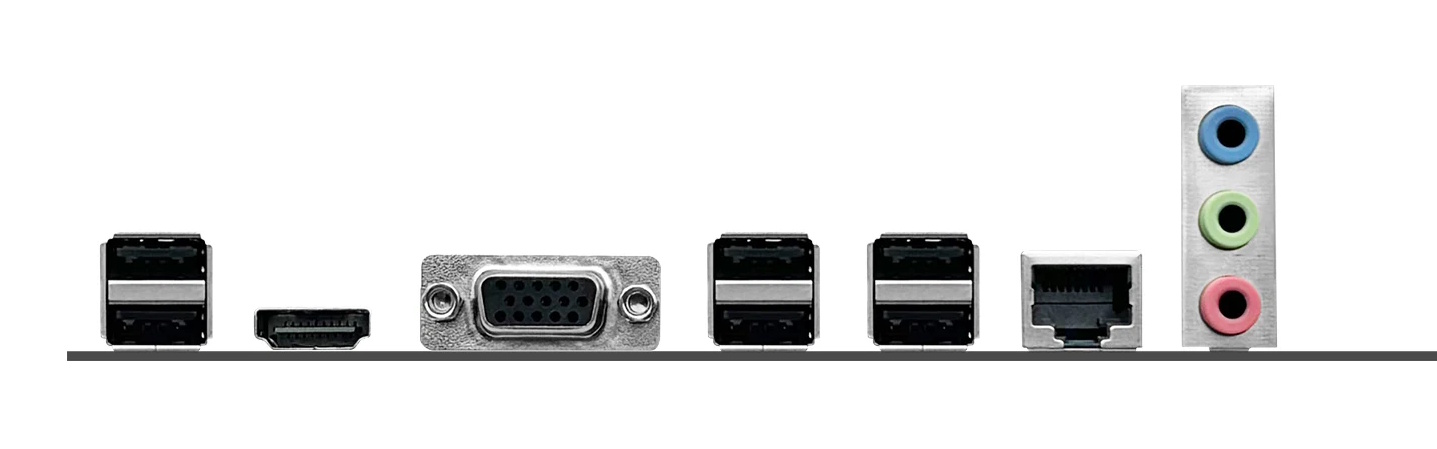
Although the name suggests otherwise, the model can actually run on any of the chipsets native to the 1155 socket, though H61 is the most common. Variants on B75, Q77, and other chipsets are known to exist as well.
All the standard ports of that era are present, including VGA and HDMI for CPUs with integrated graphics. The storage subsystem includes three SATA II ports and one dual-mode M.2 slot supporting both NGFF and NVMe drives. The M.2 slot is routed through the chipset, so you’re limited to PCIe x4 Gen 2.0, but even that is noticeably faster than SATA II.
Board variants on other chipsets may have one SATA III port and several USB 3.0 ports, but don’t rely on blue plastic USB connectors alone — always check the actual chipset the model is running on.
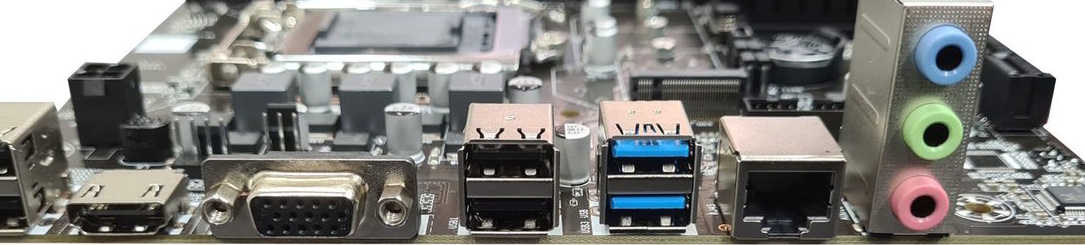
Two PCIe slots are available: X16 (lanes come from the CPU, which also determines the PCIe version) and X1 (lanes come from the chipset, Gen 2.0).
The power delivery subsystem is typical for boards of this class. CPU power is handled by just 3 phases, each with 2 MOSFETs. Installing processors with a TDP above 65–69W is a bad idea. The board is a good fit for low-power Core i5/i7 S- and T-suffix models, the ever-popular i5-3470, or power-efficient server Xeons like the E3-1230 v2 / E3-1240 v2 (69W). If you do decide to run a higher-TDP CPU — 77W or the popular 95W models like the i7-2600 — make sure to provide strong supplemental airflow over the VRM area and forget about extended stress tests.
Revisions
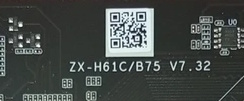
Having a huge number of revisions with no changelog whatsoever is typical for a lot of components coming out of China, and the ZX-H61C/B75 is no exception.
At least the following revisions are known to exist: V1.2 / V1.4 / V2.3 / V2.31 / V3.2 / V3.31 / V3.41 / V4.0 / V4.41 / V5.0 / V6.0 / V7.0 / V7.2 / V7.32 / V7.5.
The key changes appear to have happened with the transition to revision 5.0. Starting with this version, the board gained an M.2 port, and the layout of components on the PCB shifted slightly.
The revision can be identified by the marking on the top of the board (above the CPU socket), though it isn’t present on all versions.
BIOS Capabilities
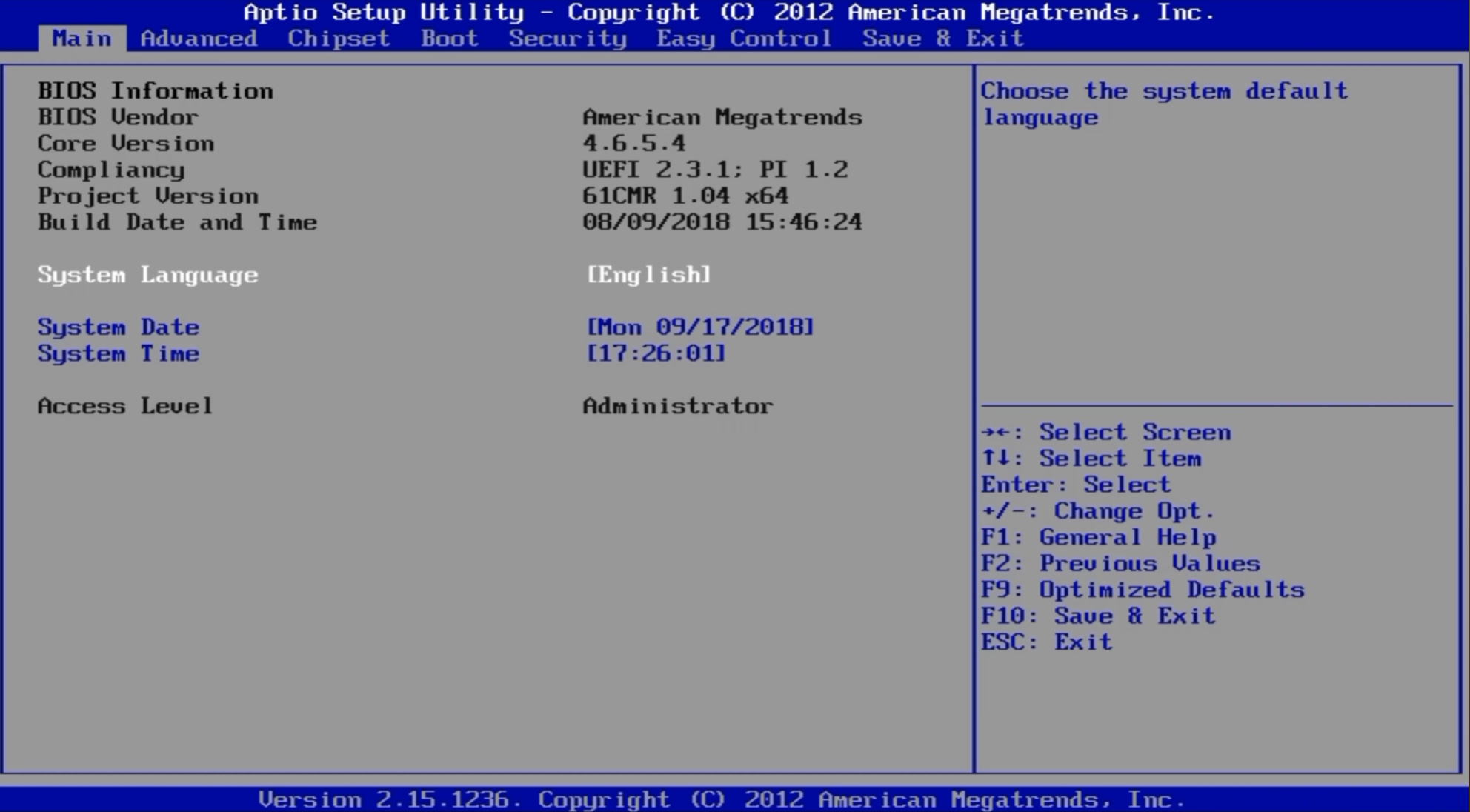
The board runs a typical Aptio IV-based BIOS. There’s no graphical interface or mouse support, but the menu structure and navigation will immediately feel familiar — anyone who has worked with American Megatrends firmware will feel right at home.
All basic functionality is available: Hyper-Threading and individual core enable/disable, memory timing control, Above 4G Decoding. Secure Boot is also present (untested).
| Board Rev | PCH | BIOS version & date | Link |
|---|---|---|---|
| V1.2 | Unknown | 07/15/2016 15:26:57 Ver: FO61R | [Download] |
| V1.4 | H61 | (08/10/2018)H61 Ver:1.2 | [Download] |
| V2.3 | H61 | (12/30/2020)H61 Ver:2.0 | [Download] |
| V2.31 | H61 | (04/17/2019)H61 Ver:2.0 | [Download] |
| V3.41 | H61 | (08/10/2018)H61 Ver:1.2 | [Download] |
| V5.0 | H61 | (08/31/2022)H61 Ver:5.0 | [Download] |
| V7.2 | H61 | (08/31/2022)H61 Ver:5.0 | [Download] |
| V7.2 | B75 | (08/17/2022)B75 Ver:5.0 | [Download] |
How to Flash the BIOS:
Frequently Asked Questions
Where can I download the manual/PDF?
The official manual can be downloaded here.
How do I switch between NVMe and SATA M.2 modes?
Move the jumpers JM2_1, JM2_2, JM2_3 and JM2_4 with the PC powered off:
- NVMe mode: Set to the left position
- SATA mode: Set to the right position.
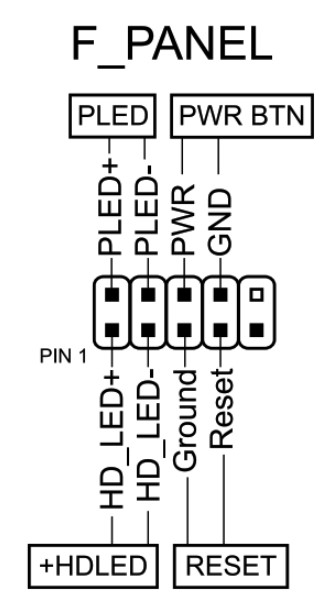
How do I connect the front panel?
Are firmware files cross-compatible between different revisions or different chipset variants?
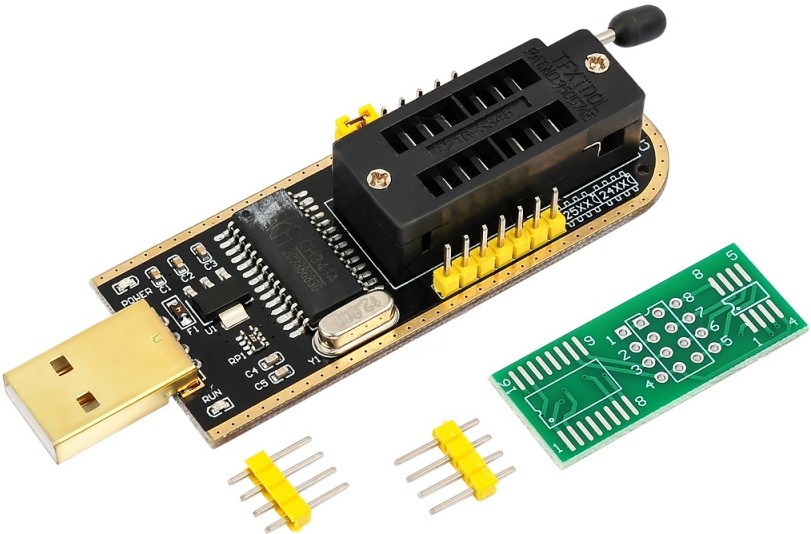
Given the huge number of revisions, it’s hard to give a definitive answer, but there’s a good chance the BIOS will work, provided the chipsets match. Some closely related revisions share the exact same firmware. Always back up the original firmware and keep an SPI programmer on hand just in case.
Where is the BIOS chip located?
To the right of the chipset heatsink.

Written by
Senior Hardware Specialist proving you don't need top-tier gear to game. Expert in smart upgrades and budget-friendly PC restoration.