Table of Contents
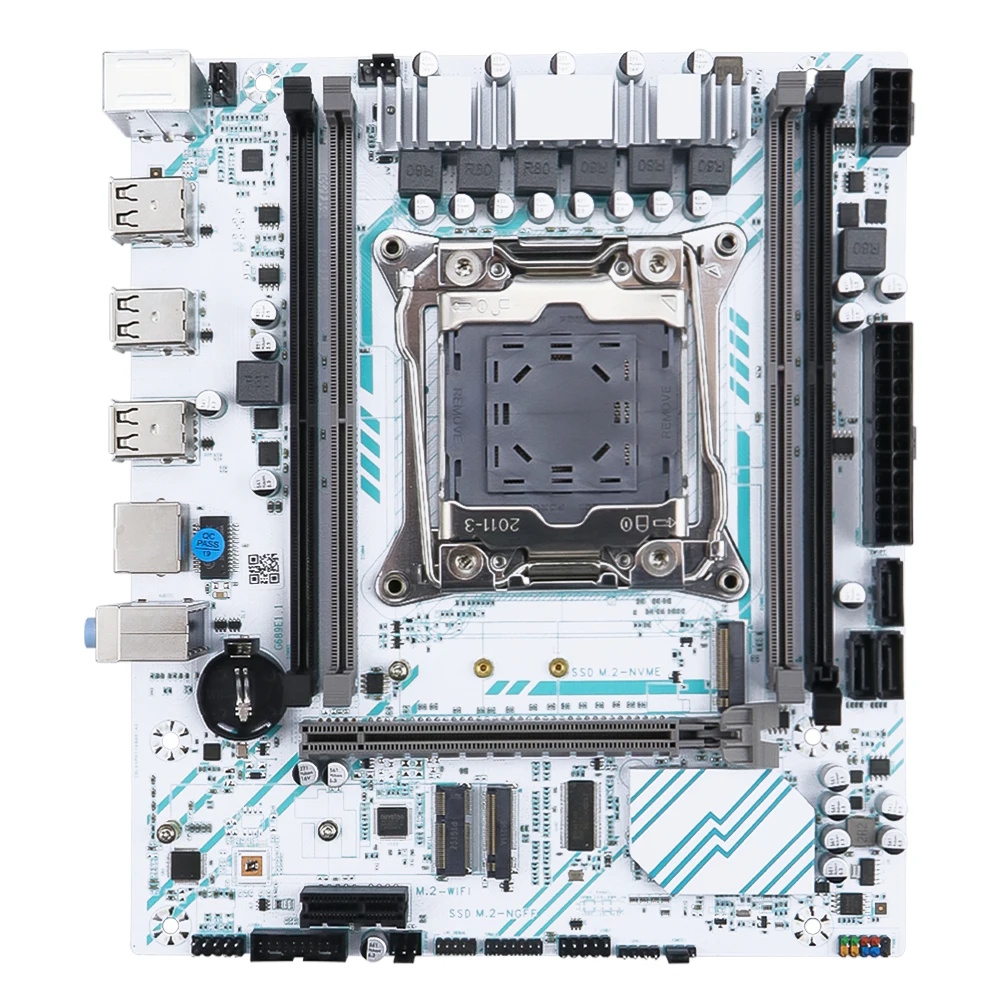
Boards marked G689E1.1 are typical super-budget motherboards for socket 2011-3, produced by the large OEM/ODM factory GuoShuo.
Like most boards of this type, they’re sold under a wide range of Chinese brands, the most prominent being Soyo, which sells this model as the SY-X99E-D4-GS.
This is an absolute bottom-tier X99 motherboard. If you're thinking of buying one, keep in mind that while the price is temptingly low, the savings rarely pay off in the long run.
Manufacturers heavily cut corners on these models, so expect hardware quirks and broken BIOS features. Some issues can be fixed, but it takes time, effort, and often an SPI programmer.
If you care about decent functionality, hassle-free BIOS flashing, and modern connectivity, you're better off spending a bit more on solid budget options like Qiyida X99 K9s, Qiyida X99 H9s, or X99-XD4.
Specifications
| Model | G689E1.1 |
|---|---|
| Socket | LGA 2011-3 |
| Chipset | HM55 / QM57 |
| Supported Processors | Intel Core i7 (5000, 6000 series, Haswell-E/Broadwell-E) Intel Xeon E5-1600 v3/v4, E5-2600 v3/v4, E5-4600 v3/v4 (Haswell-EP/Broadwell-EP) |
| VRM Configuration | 3 phase (6 virtual via doublers) Total MOSFETs: 12 (6 high-side + 6 low-side) |
| Maximum Recommended TDP | ≤90W (v3 processors) ≤100W (v4 processors) |
| Supported Memory | 4 x DDR4 DIMM (dual-channel) with ECC and non-ECC support Maximum capacity: 64 GB |
| Sleep Mode Support | No |
| Expansion Slots | 1 x PCI-e x16 (Gen 3.0) 1 x PCI-e x1 (Gen 2.0) |
| Storage | 3 x SATA 2.0 1 x M.2 NVME (Gen 3.0 x4) 1 x M.2 NGFF |
| Fan Connectors | 1 x CPU cooler (4pin) 1 x case fans (3pin) |
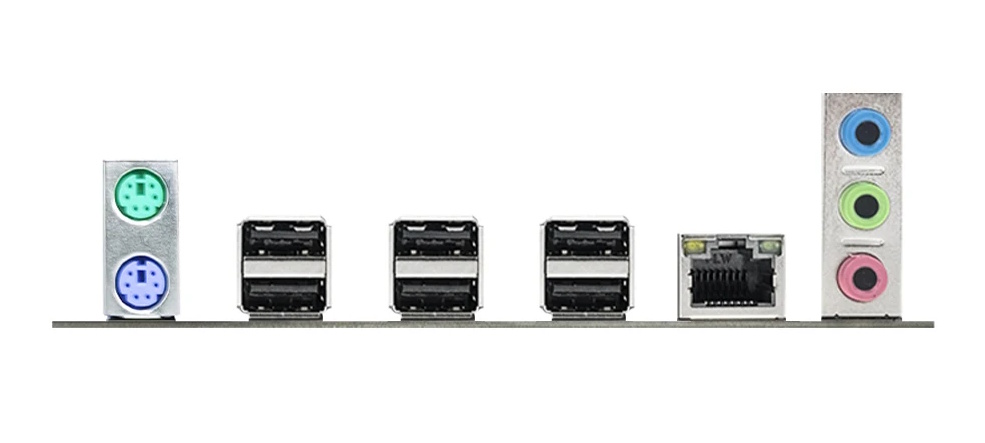
| PS/2 Ports | 2 (mouse + keyboard) |
| USB 3.0 Ports | - |
| USB 2.0 Ports | 6 (+ front panel support) |
| Network | Gigabit LAN (RTL8111H) M.2 Wi-Fi slot |
| Audio | 5.1 channel (ALC662) |
| Super I/O | NCT5567D-B |
| Bios Chip | Winbond 25Q128JVSQ |
| TPM 2.0 header | MSI LPC 14pin |
| JLPC1 header | Yes |
| Form Factor & Dimensions | mATX 215 x 188 mm |
| Approximate Price |
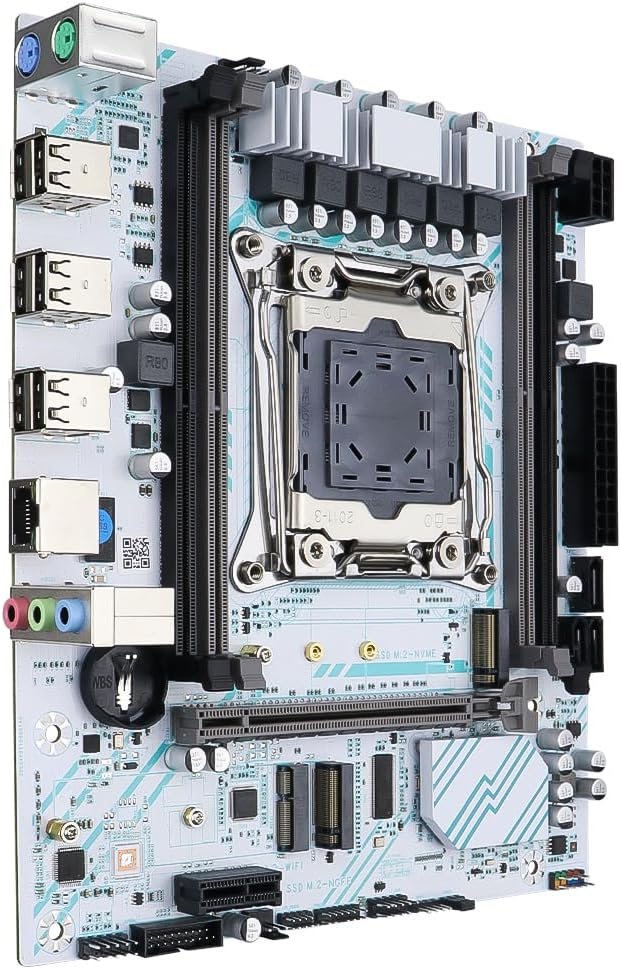
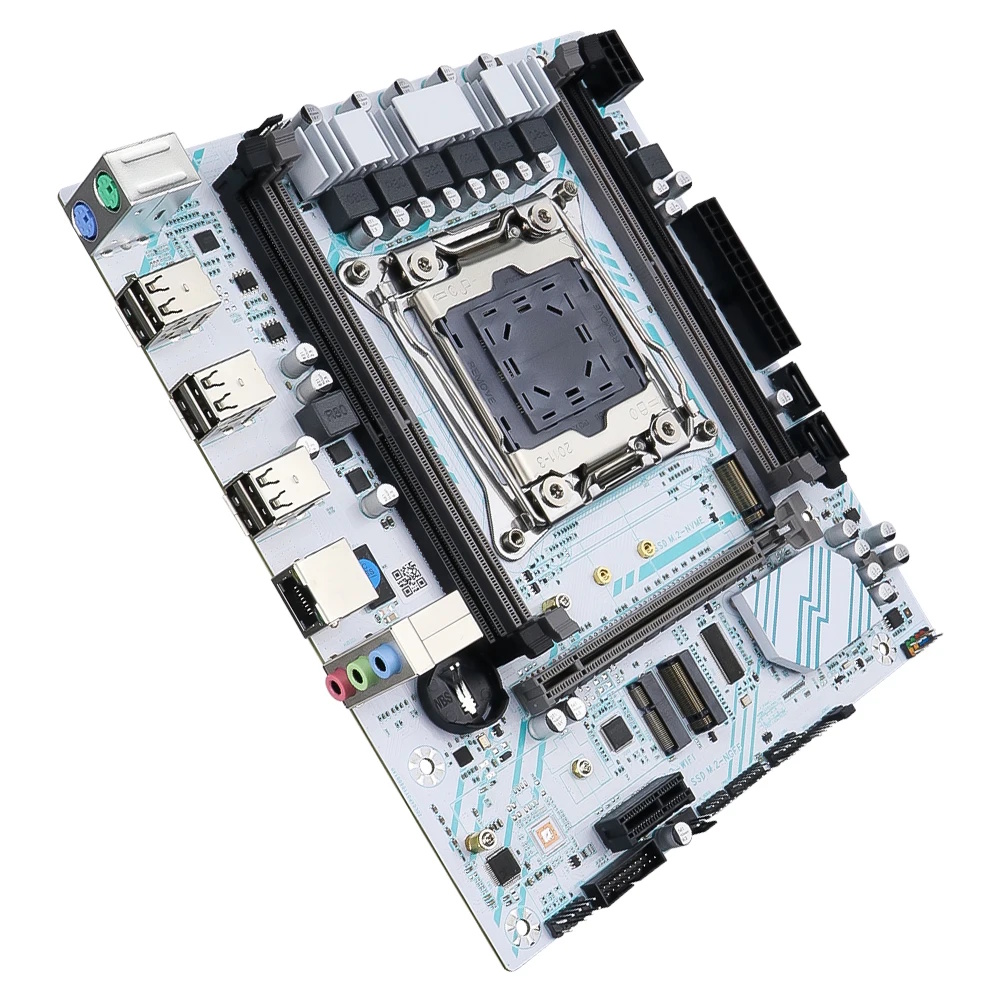
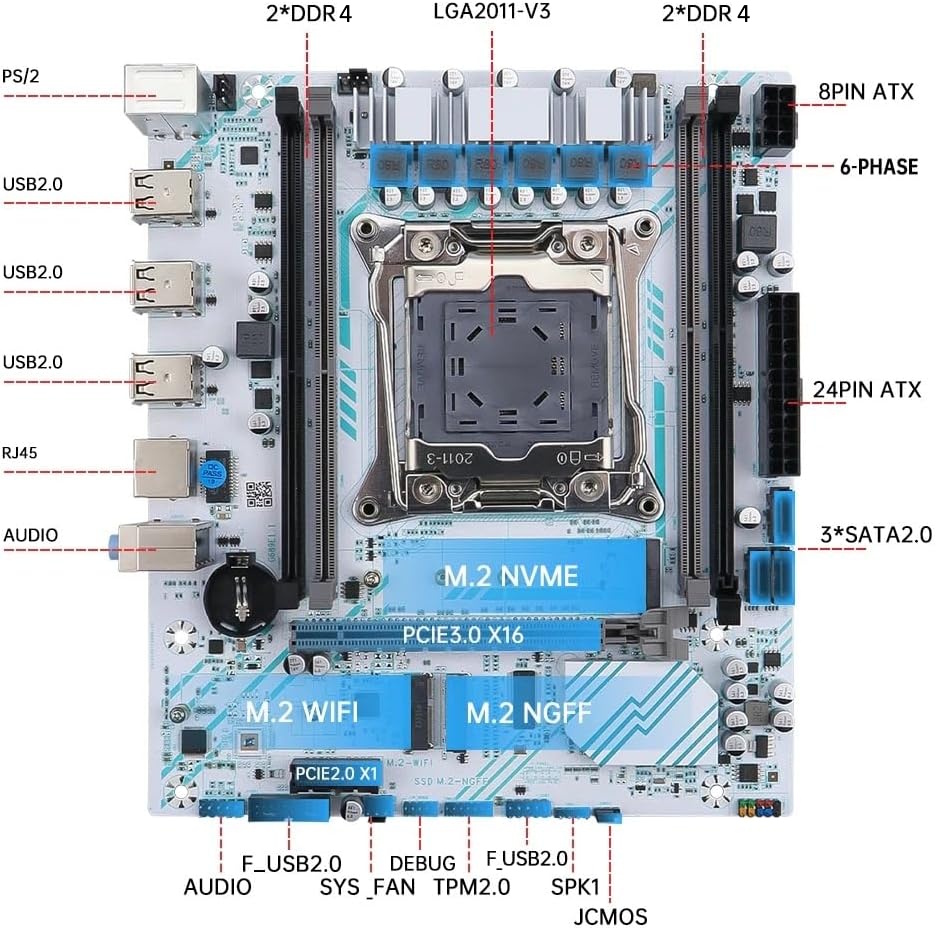
The model is built around 5-series mobile chipsets (originally intended for first-generation Core i processors). Using such an outdated PCH kept the cost low, but stripped the board of native USB 3.0 and SATA III support.
To make up for the lack of fast SATA, the board includes two M.2 slots: the upper one works with NVMe drives and is limited to PCIe x4 Gen 3.0, while the lower one is intended for NGFF models.
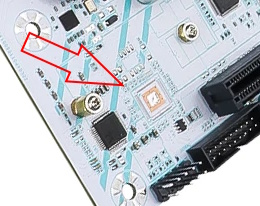
The only way to make up for the lack of USB 3.0 is via an add-in PCIe x1 card. The PCB has an unpopulated footprint for a third-party USB 3.0 controller, suggesting that fully equipped revisions of this board might exist.
The power delivery subsystem is typical for boards of this class: CPU power is handled by three doubled phases (3×2), each with 2 MOSFETs made by UBIQ, covered by a small heatsink. It uses uP1961S doubler drivers (x3) and a uP1649Q PWM controller. This setup easily handles entry-level and mid-range CPUs, but isn’t meant for power-hungry flagship models.
Otherwise, the board doesn’t stand out in any way from other budget models. It has the typical RTL8111 network chip, an ALC662 audio chip (whereas most budget boards these days come with the ALC897), no filtering capacitors in the audio path, and a fairly thin PCB. On the upside, it features a TPM 2.0 header and a reliable Winbond BIOS chip.
BIOS Capabilities
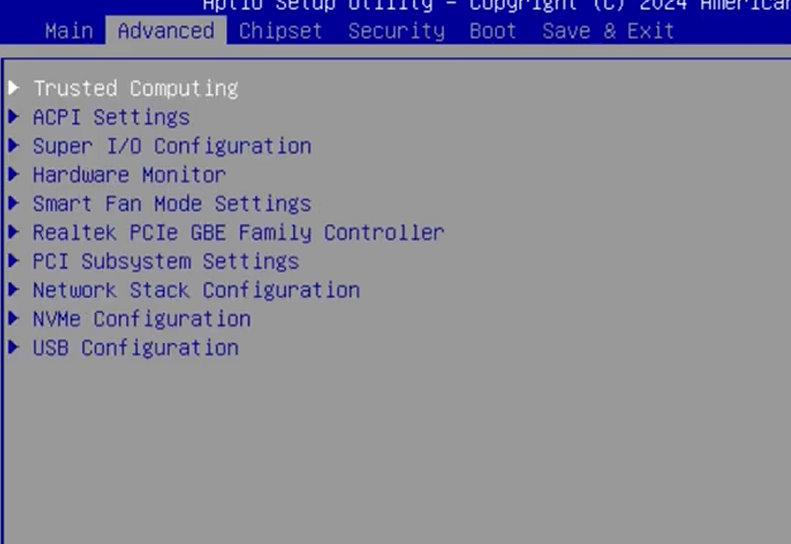
The G689E1.1 runs a BIOS from American Megatrends (Aptio V). There’s no graphical interface or mouse support.
The stock firmware includes ReBAR and Above 4G Decoding, and there’s functionality for TPM 2.0 modules, along with Secure Boot (which I couldn’t get to work). There’s no access to RAM timings, even though this functionality is present in the BIOS structure. All the usual shortcomings typical of budget LGA2011-3 boards are present: dead temperature sensors, no sleep mode support, and SmartFan control limited strictly to the 4-pin header (the 3-pin fan runs at 100% speed at all times), along with various non-functional menu entries.
Motherboards on 5-series chipsets often run into issues when disabling CSM or enabling Secure Boot. If you're facing similar problems after tweaking these settings, check out our fix guide.
How to Flash the BIOS
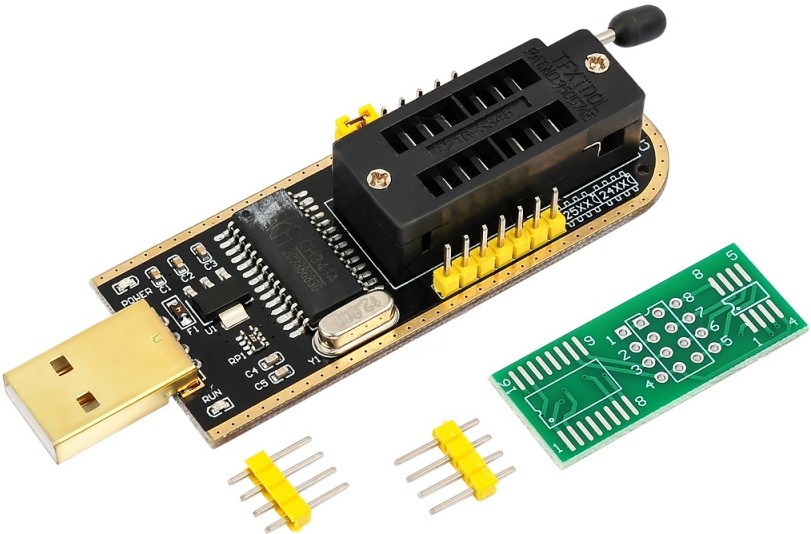
Unfortunately, 5-Series chipsets create real headaches for backup and flashing. Standard tools like the Intel Flash Programming Tool don’t work with these platforms. AFUDOS / AFUWIN can dump only the BIOS region. Full flashing and full backup require a hardware programmer.
| Chipset | BIOS version & date | Ram Timings | ReBAR | Turbo Boost unlock | Undervolt | Secure Boot | TPM2.0 Support | Notes & Link |
|---|---|---|---|---|---|---|---|---|
| HM55 | X99VG Ver:002 10/27/2023 17:01:04 | - | + | - | - | + | + | Stock BIOS [Download] This version has issues with disabling CSM, so testing Secure Boot&TPM2.0 was not possible. |
Frequently Asked Questions
How do I connect the front panel?
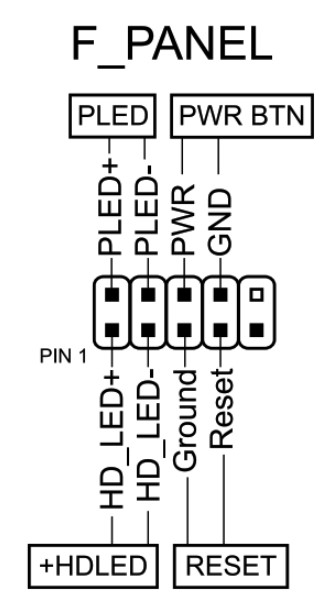
The board won’t boot, black screen, etc. What should I do?
Check out our guide to the most common LGA2011‑3 issues.
Where can I find drivers for this board?
Our current driver collection for socket 2011‑3 boards is here.
How do I perform a Turbo Boost Unlock (TBU) for Haswell-E (v3) CPUs?
If you don’t have an SPI programmer, the most convenient method is to dump the BIOS region using AFUDOS or AFUWIN, modify it following our guide, and flash it back the same way.
Which memory slots are primary?
The black ones (farthest from the CPU).
Where’s the BIOS chip located?
Just above the Fpanel header.
Which TPM 2.0 module is compatible with this board?
You need an MSI 14‑pin LPC TPM 2.0 module — for example, this one.
Conclusion
OldRigRevive Review
5.0
3.5
2.5
1.0
“The G689E1.1 is an X99 board firmly in the “cheapest possible” category. Technically, it’s not the most hopeless model in this segment — it has two M.2 ports, an M.2 Wi-Fi slot, TPM 2.0 support, and even a not-terrible VRM. However, the inability to disable CSM or use Secure Boot, combined with the lack of memory timing adjustments, makes it hard to recommend. The manufacturer could fix this in no time, but you’ll likely struggle to even find their website, let alone updated firmware. Proceed strictly at your own risk.”

Written by
Senior Hardware Specialist proving you don't need top-tier gear to game. Expert in smart upgrades and budget-friendly PC restoration.