Table of Contents
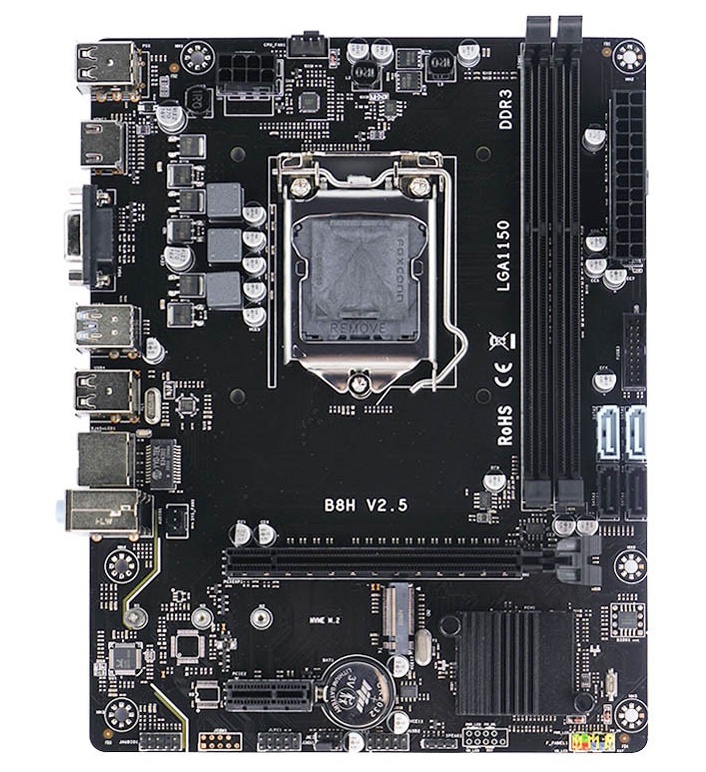
B8H-designated motherboards have been on the market since at least 2019. This is a very simple, budget model manufactured by Angthumb and sold under a wide variety of brands.
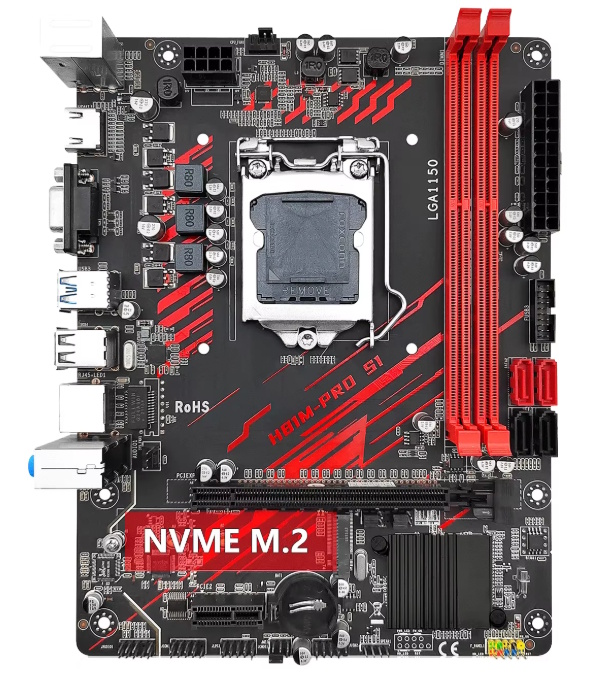
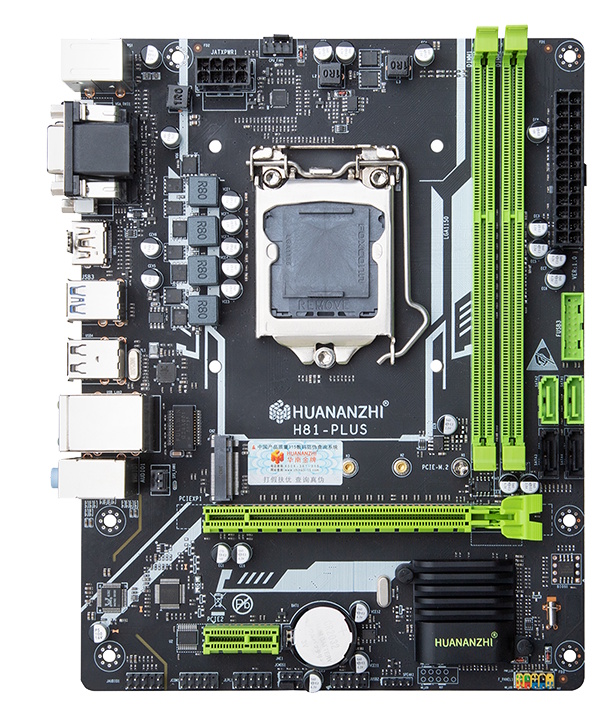
With minor variations, this board is sold under various names, including the Soyo/Maxsun H81M-V3H M2, Machinist H81M PRO S1, Huananzhi H81 Plus, AFOX IB85-MA3-V2, and others.
In this article we’ll take a closer look at the board, break down its actual specifications, and determine if it’s worth considering as the foundation for a budget home PC.
Specifications
| Model | B8H v2.8 |
|---|---|
| Socket | LGA 1150 |
| Chipset | H81 / B85 |
| Supported Processors | Intel Core i3/i5/i7, Xeon E3, Pentium, Celeron Gen: 4 (Haswell) |
| VRM Configuration | 3 Phase Total MOSFETs: 6 (1 high-side + 1 low-side) |
| Supported Memory | 2 x DDR3 DIMM (dual-channel) Maximum capacity: 16 GB Maximum frequency: 1600 Mhz |
| Sleep Mode Support | No |
| Expansion Slots | 1 x PCIe x16 (Gen 2.0/3.0 depends on chipset) 1 x PCI-e x1 (Gen 2.0) |
| Storage | 4 x SATA (up to 4 x SATA 3.0, depends on chipset) 1 x M.2 (NVME/NGFF, Gen 2.0 x4) |
| Fan Connectors | 1 x CPU cooler (4pin) 1 x Case fan (3pin) |
| PS/2 Ports | - |
| USB 3.0 | 2 (+ front panel support) |
| USB 2.0 | 4 (+ front panel support) |
| Network | 1 Gbps LAN (RTL8111H) |
| Audio | 5.1 channel (ALC662) |
| Video Output | 1 x HDMI 1 x DVI 1 x VGA |
| JLPC1\DEBUG header | Yes |
| TPM 2.0 header | MSI 14pin LPC (Depends on the motherboard revision) |
| PCB Layers | 4 |
| Form Factor & Dimensions | mATX, 220 x 170 mm |
| Approximate Price |
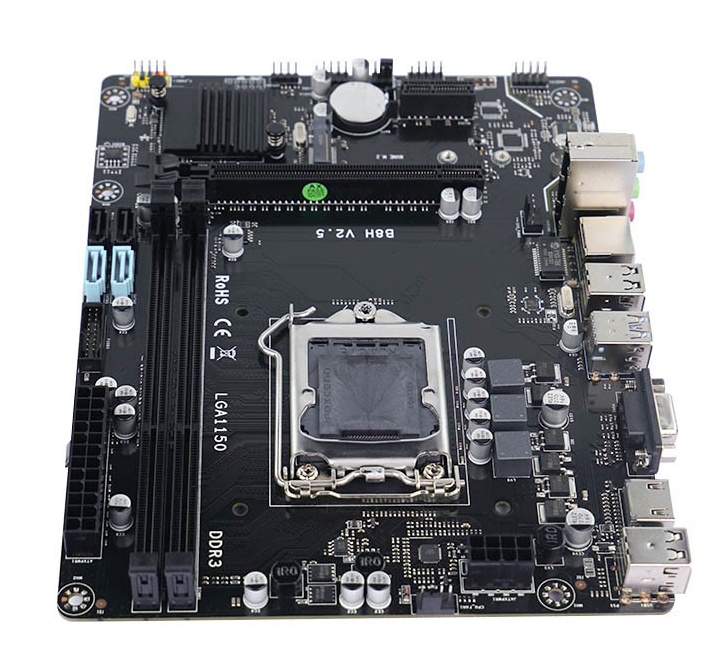
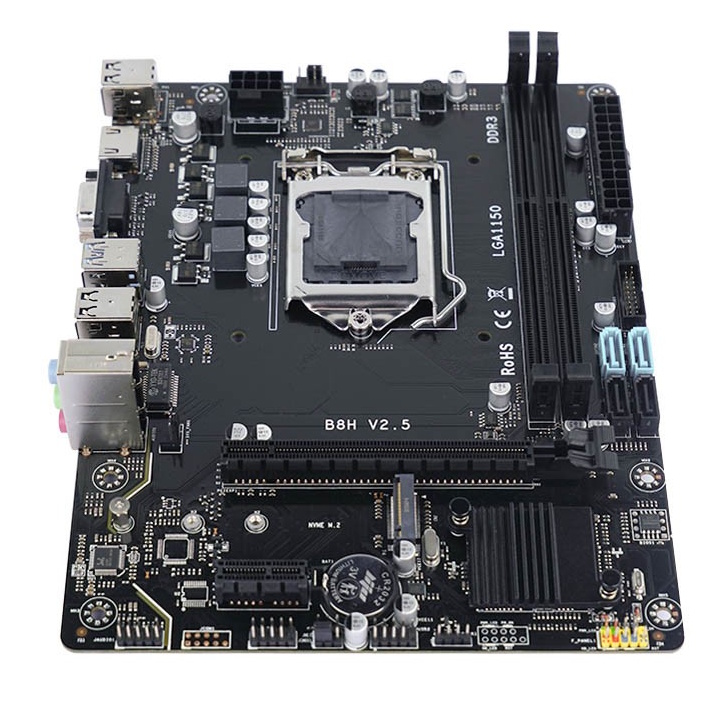
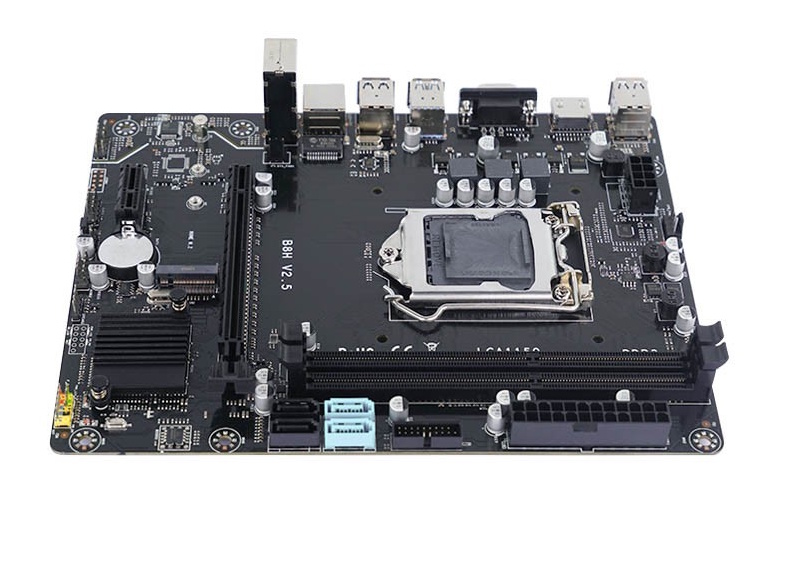
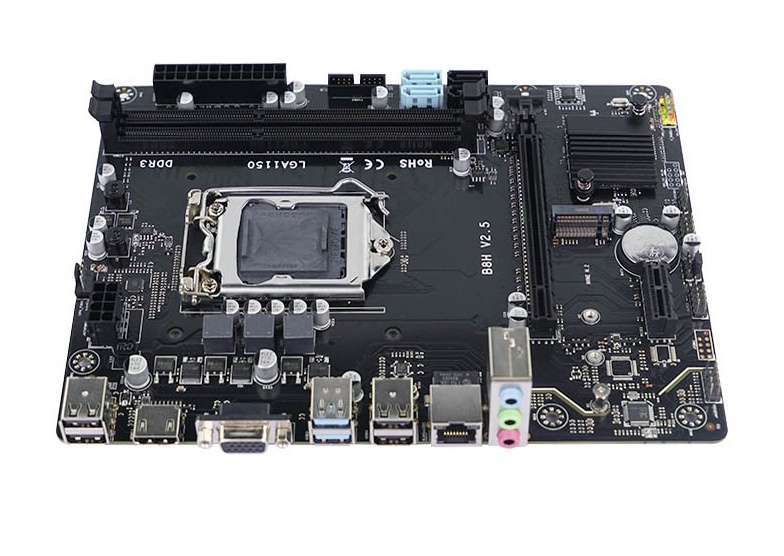
There are 2 variants of this model: one on the H81 chipset and one on the B85 chipset. The main advantages of the B85-based boards are a PCIe x16 Gen 3.0 slot and the upgrade of all SATA ports to SATA III. Meanwhile, the H81-based boards are limited to just two fast SATA ports and PCIe Gen 2.0 speeds.
Sometimes you can tell which chipset is installed just from the model name. Angthumb labels H81-based models B8H-V2.X-H, and B85-based models B8H-V2.X-B.
This model stands out due to two key features:
- First, the lack of a Super I/O controller. The solder pads for the chip are present, but the controller itself is unpopulated. This likely allowed for a slight reduction in final cost, but it created many problems: from the inability to control fan speeds to the total absence of hardware monitoring. This is also likely why the board lacks PS/2 and JCOM ports.
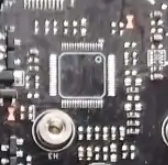
Footprint for the multi-controller chip - Second, the inclusion of a full TPM 2.0 port and BIOS support for it.
Besides the SATA ports, the storage subsystem also includes a dual-format M.2 port. The port’s lanes come from the chipset, so it’s limited to PCIe X4 Gen 2.0, but that’s still noticeably faster than SATA either way. Booting from M.2 is supported.
The board features two PCIe slots: a physical x16 slot (lanes come from the CPU, but the chipset determines the PCIe version) and an x1 slot (Gen 2.0, lanes come from the chipset). The X1 slot is placed in a reasonably convenient spot and remains accessible even after installing large graphics cards.
The power delivery subsystem is typical for boards in this price segment. CPU power is handled by just 3 phases, each with 2 MOSFETs, and there’s no heatsink. Installing processors with a TDP above 65–69W is a bad idea. The board is a good fit for low-power Core i5 S- and T-suffix models, or power-efficient server Xeons like the E3-1230L v3. Installing a standard i7 simply isn’t worth the risk. However, if you do decide to run a higher-TDP CPU, make sure to provide strong supplemental airflow over the bare VRM area and forget about extended stress tests.
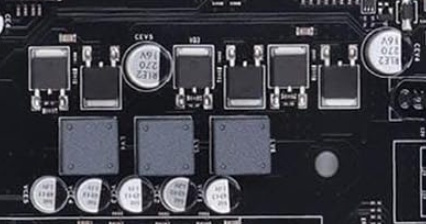
Beyond that, this is a typical budget board through and through: thin PCB, mediocre build quality, and a bare-bones component selection. That said, it’s worth noting that the manufacturer’s LGA1150 boards turned out somewhat better than their LGA1155 models.
Revisions
Having a huge number of revisions with no changelog whatsoever is typical for budget hardware from Chinese OEMs, and this board is no exception.
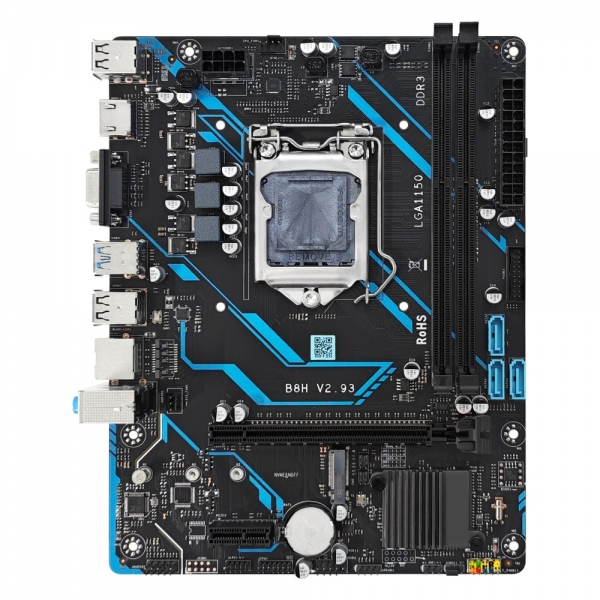
There are at least 6 known revisions of the B8H: v2.2a / v2.4 / v2.5 / v2.6 / v2.8 / v2.93. With no official changelogs available, the only notable differences we can spot are the addition of a TPM 2.0 port in revision 2.8 and the reduction to three SATA ports in revision 2.93.
Rebrands Under Other Names
This board floods the market under dozens of different brands, most of which are completely obscure. As a rule, most of the “rebranding” boils down to changing the PCB color, and sometimes changing the shape of the heatsinks or making other cosmetic tweaks. But a few manufacturers went a bit further.
Machinist. Machinist sells their variant as the MACHINIST H81M PRO S1. The main difference is that the multi-controller chip and some additional components are actually soldered on here. Unfortunately, it appears to be based on one of the earlier revisions (likely v2.5), so there’s no TPM 2.0 port.
Huananzhi. This variant of the board is called the Huananzhi H81 Plus, and it has not only the multi-controller chip but also an extra power phase. It also appears to be based on revision 2.5.
BIOS Capabilities
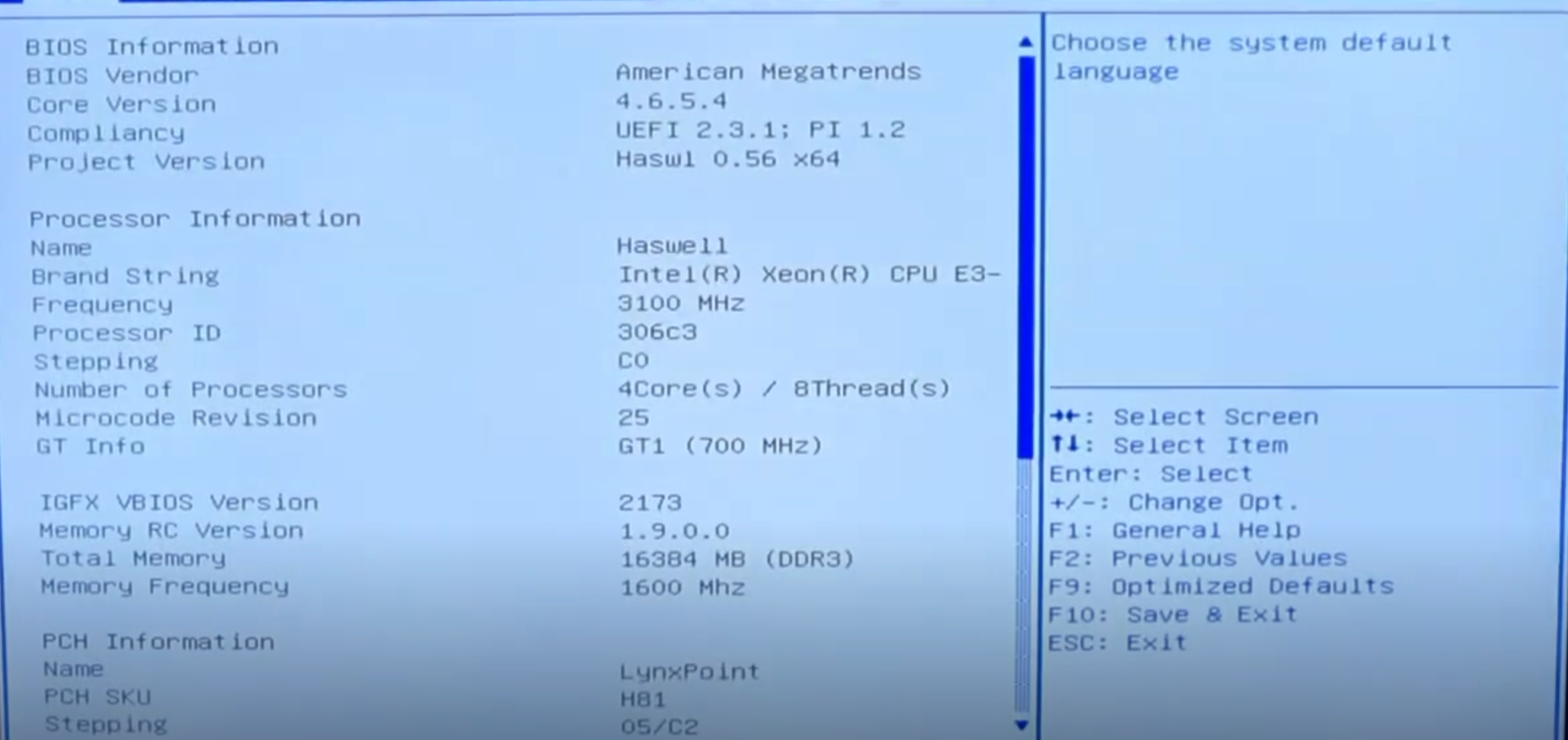
The board runs a typical BIOS for Chinese boards, based on Aptio IV (the Huananzhi and Machinist variants use Aptio V). All core functionality is available: Hyper-Threading and individual core enable/disable, memory timing control, Above 4G Decoding. Secure Boot is also present (untested), as is support for TPM 2.0 modules.
All the usual shortcomings are present: non-functional board temperature sensors, a complete lack of sleep support, no SmartFan, a bunch of non-working options, and so on. In short, the firmware is absolutely typical for Chinese boards in the “cheapest possible” category.
| Board Rev | PCH | BIOS version & date | Link |
|---|---|---|---|
| V2.6 | H81 | B8H26 Ver:006 04/11/2024 10:32:18 | [Download] |
| V2.6 | B85 | B8H26 Ver:006 04/11/2024 10:32:18 | [Download] |
| V2.8 | H81 | B8H28 Ver:001 08/21/2025 15:31:17 | [Download] |
| V2.8 | B85 | B8H28 Ver:001 08/21/2025 15:31:17 | [Download] |
| V2.9 | H81 | B8H29 Ver:001 11/12/2025 16:27:15 | [Download] |
| V2.9 | B85 | B8H29 Ver:001 11/12/2025 16:27:15 | [Download] |
| Huananzhi H81 Plus | H81 | H81PL Ver:006 10/11/2025 17:51:07 | [Download] |
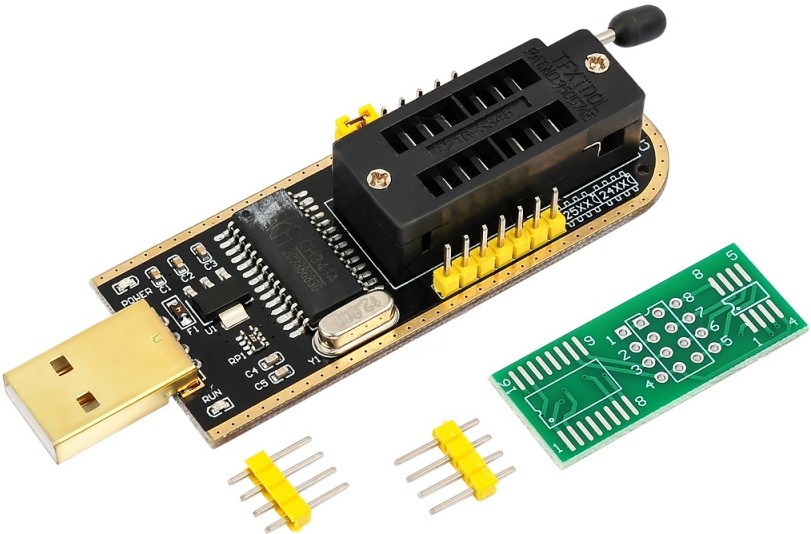
How to Flash the BIOS:
Frequently Asked Questions
Where can I download the manual/PDF?
The official Machinist manual can be downloaded here.
How do I switch between NVMe and SATA M.2 modes?
Move the jumpers with the PC powered off:
- NVMe mode: Set to the left position
- SATA mode: Set to the right position.
How do I connect the front panel?
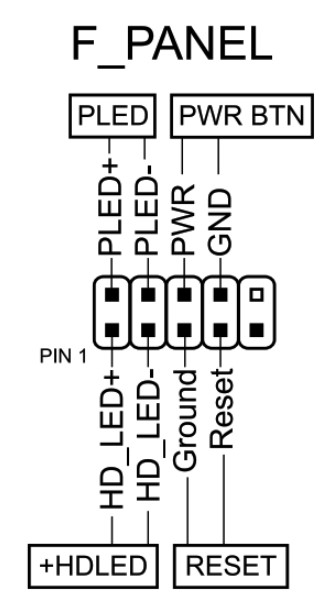
Are firmware files cross-compatible between different revisions or different chipset variants?
Given the huge number of revisions, it’s hard to give a definitive answer, but there’s a good chance the BIOS will work, provided the chipsets match. Always back up the original firmware and keep an SPI programmer on hand just in case.
Where is the BIOS chip located?
To the right of the chipset heatsink. You can connect to the chip using a programmer clip.

Written by
Senior Hardware Specialist proving you don't need top-tier gear to game. Expert in smart upgrades and budget-friendly PC restoration.