Table of Contents
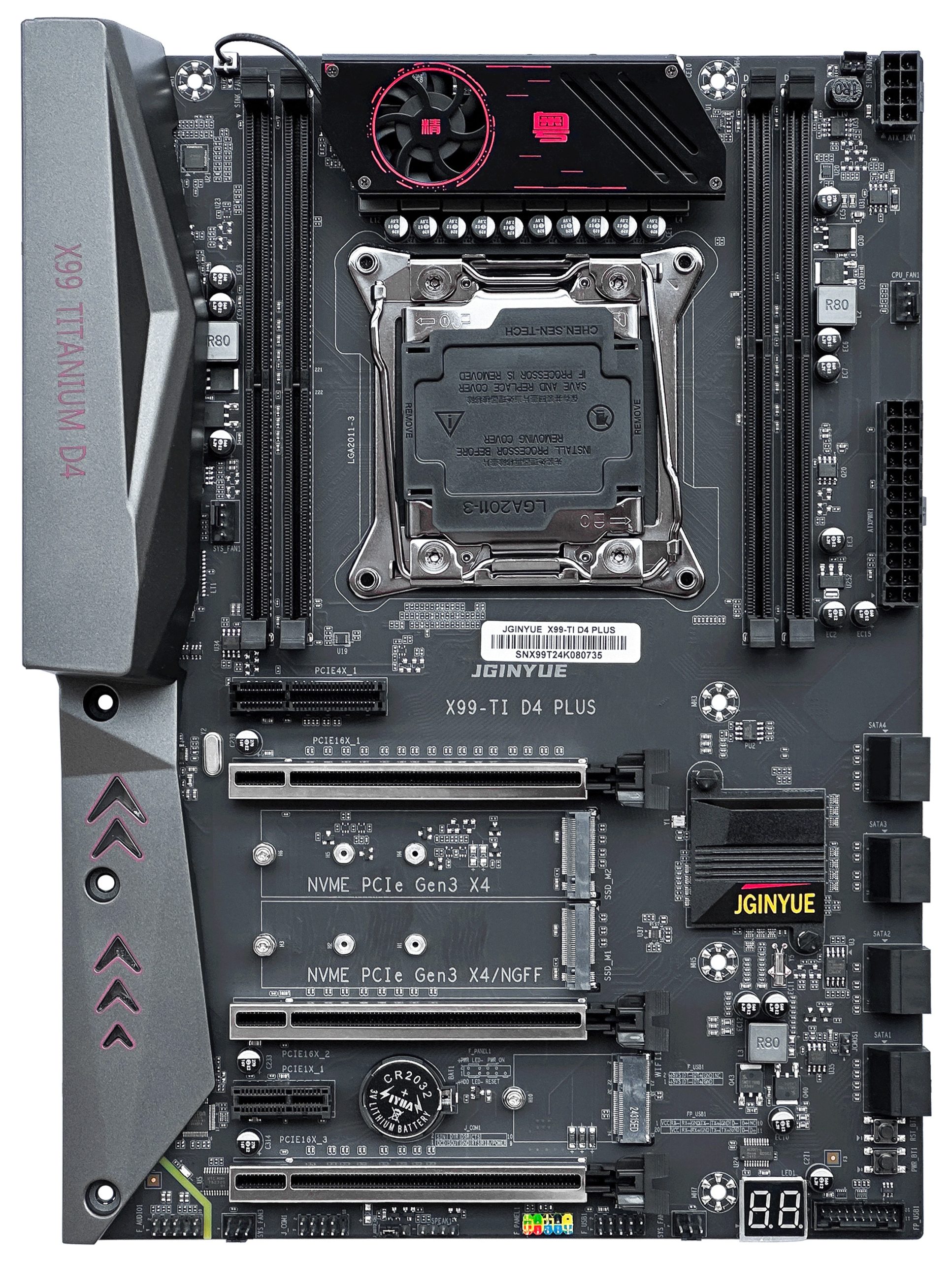
The JGINYUE X99-TI D4 PLUS is a near-flagship model for socket 2011-3 that first appeared on the market in 2024.
The board is the successor to the X99-Titanium D4, a solid model in its day that has since been discontinued. Unfortunately, the updated version comes with both notable improvements and some obvious drawbacks.
Specifications
| Model | JGINYUE X99-TI D4 PLUS |
|---|---|
| Socket | LGA 2011-3 |
| Chipset | C612 |
| Supported Processors | Intel Core i7 (5000, 6000 series, Haswell-E/Broadwell-E) Intel Xeon E5-1600 v3/v4, E5-2600 v3/v4, E5-4600 v3/v4 (Haswell-EP/Broadwell-EP) |
| VRM Configuration | 4 phase (8 virtual via doublers) Total MOSFETs: 24 (8 high-side + 16 low-side) |
| Supported Memory | 4 x DDR4 DIMM (quad-channel) with ECC and non-ECC support Maximum capacity: 128 GB |
| Sleep Mode Support | No |
| Expansion Slots | 1 x PCIe x16 (Gen 3.0) 2 x PCIe x8 (Gen 3.0, full‑length) 1 x PCIe x4 (Gen 2.0) 1 x PCIe x1 (Gen 2.0) |
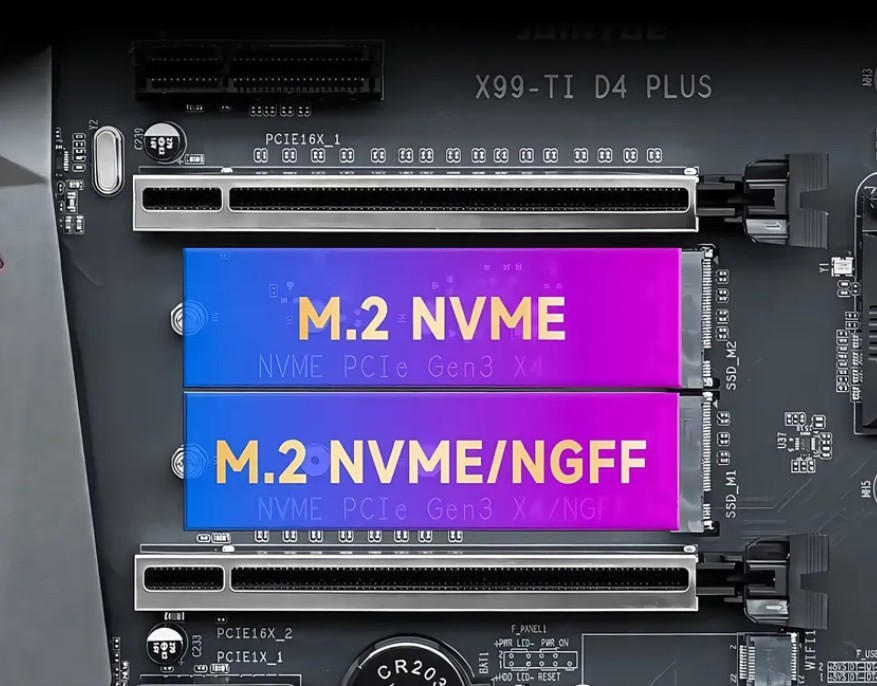
| Storage | 8 x SATA 3.0 1 x M.2 (NVME, Gen 3.0 x4) 1 x M.2 (NVME/NGFF, Gen 3.0 x4) |
| Fan Connectors | 1 x CPU cooler (4pin) 1 x Case fan (4pin) 2 x Case fan (3pin) 2 x VRM fan (2pin) |
| PS/2 Ports | 2 (mouse + keyboard) |
| USB 3.0 Ports | 2 (+ front panel support) |
| USB 2.0 Ports | 4 (+ front panel support) |
| Network | Gigabit LAN (RTL8111 \ RTL8168) |
| Audio | 7.1 channel (ALC897) |
| Extra | M.2 Wi-Fi port Post code display COM port Power and Reset buttons |
| Bios Chip | XM25QH128 |
| JLPC1 header | No |
| TPM 2.0 header | No |
| Form Factor & Dimensions | ATX 300 x 216 mm |
| Approximate Price |
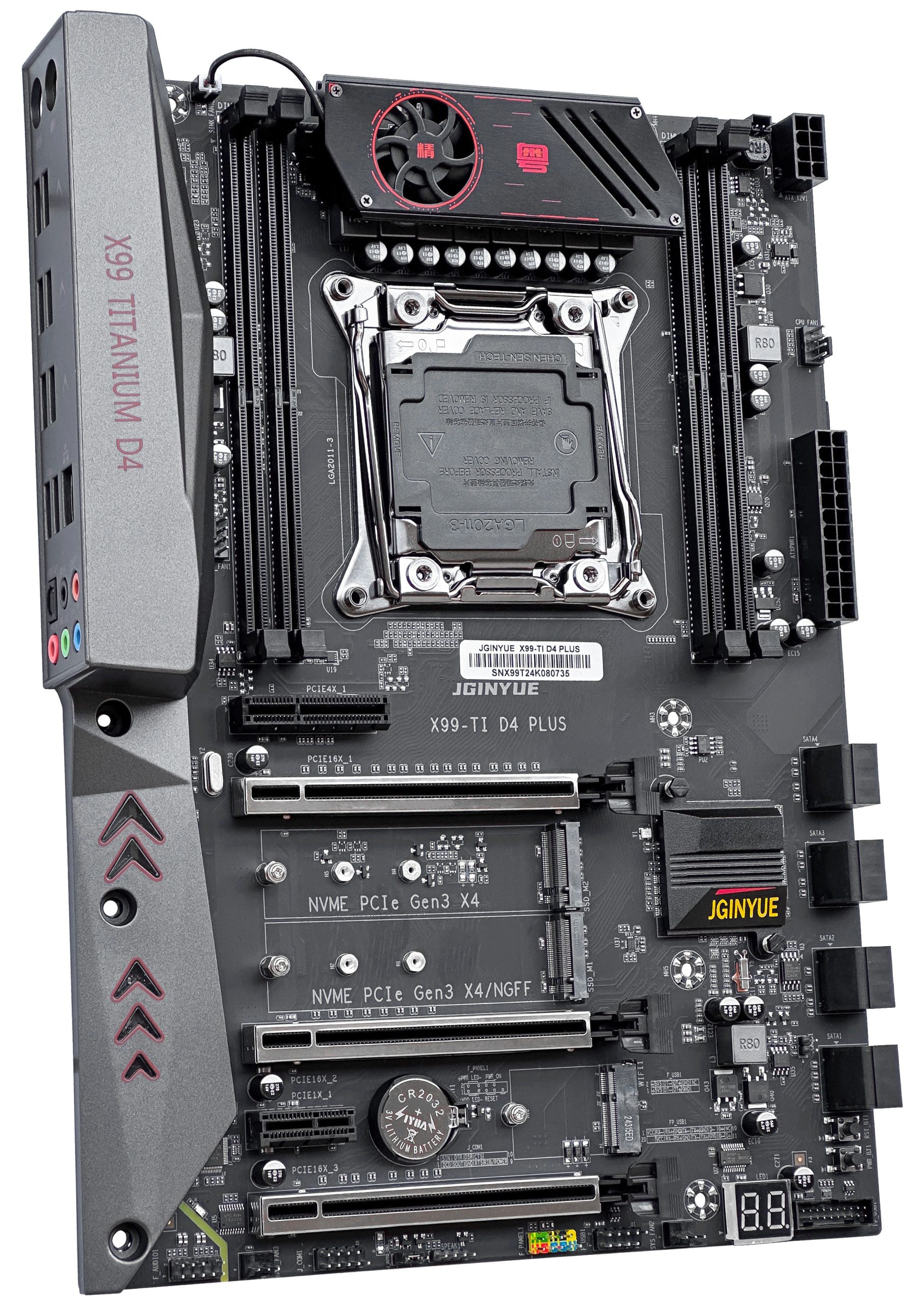
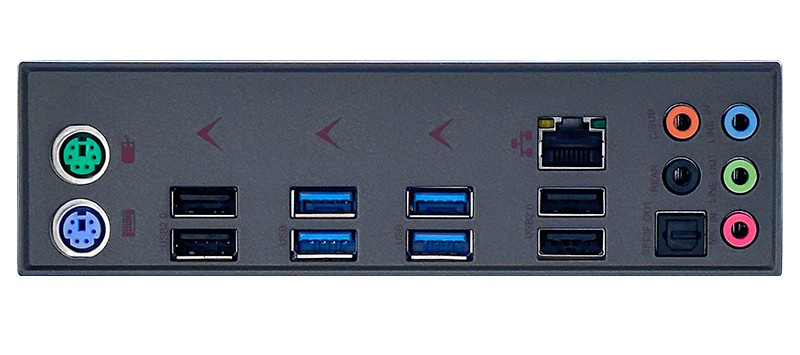
The X99-TI D4 PLUS carries all the hallmarks of a flagship Chinese board: a built-in plastic I/O shield, metal-reinforced PCIe slots, active VRM cooling, a POST code display, and power/reset buttons.
The board is built around the server-grade C612 chipset and clearly doesn’t suffer from a shortage of ports. The storage subsystem includes a full 8 SATA III ports (5 SATA + 3 sSATA) and two M.2 slots: one dedicated to NVMe drives only, and the other able to work with both NVMe and NGFF (SATA) modules.
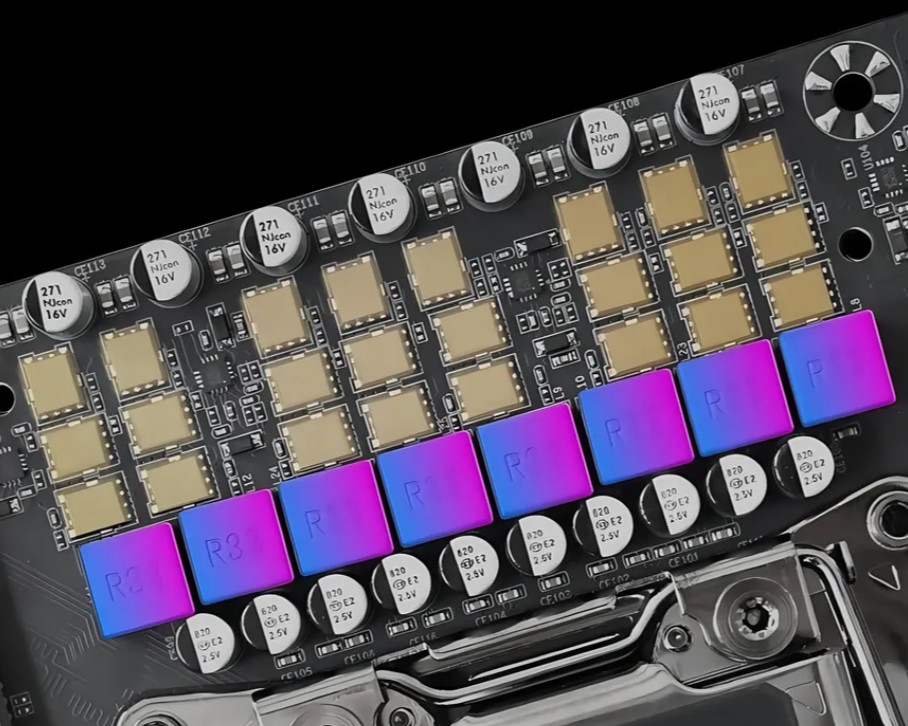
One of its main strengths is the power delivery system, capable of handling the most powerful CPUs available for this socket. There are 8 virtual phases, each backed by 3 MOSFETs: one SM4377NSKP (50A/7mΩ) on the high side and two SM4522NHKP (110A/2.65mΩ) on the low side. Power delivery is managed by a uP1649Q PWM controller along with 4 uP1961S doubler drivers. The VRM is cooled by a small heatsink with a built-in fan that spins at a fixed speed. The fan is quiet enough, and with entry- and mid-range CPUs you can disable it altogether.
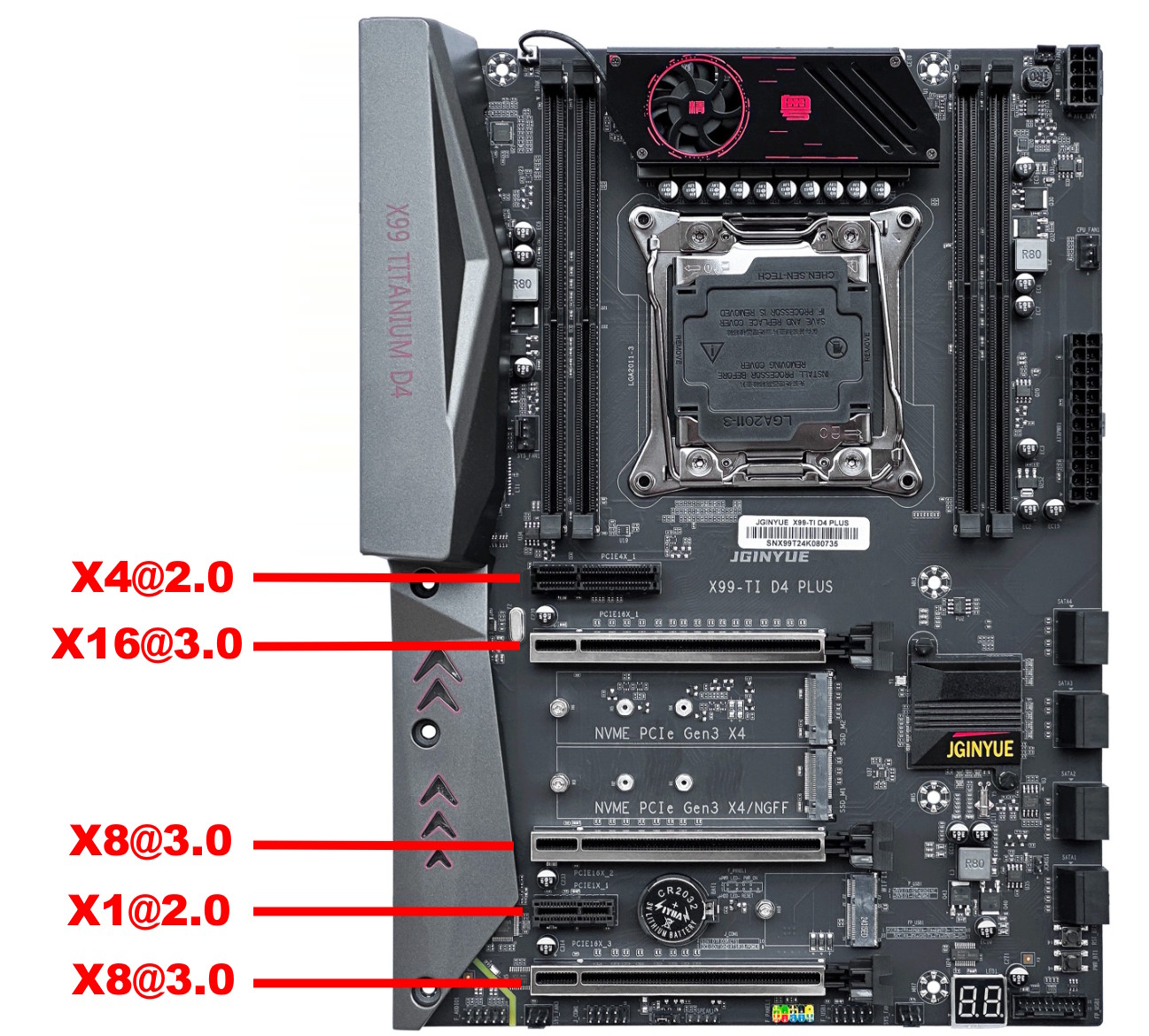
The PCIe layout is well thought out too. All full-length slots get their lanes from the CPU (Gen 3.0), but only the top slot runs at a full x16; the lower slots, while physically full-length, are electrically limited to x8. The x1 and x4 slots are wired to the chipset (Gen 2.0).
You also get an M.2 Wi-Fi slot, a J_COM header, and an SPDIF audio output, which isn’t something you see often on Chinese boards. On the other hand, the board didn’t get a connector for TPM 2.0 modules. Even worse, there are no DEBUG or J_LPC headers either, which rules out any attempt at connecting TPM 2.0.
On the subject of drawbacks, sleep mode doesn’t work either, but the biggest letdown is the software side.
BIOS Capabilities
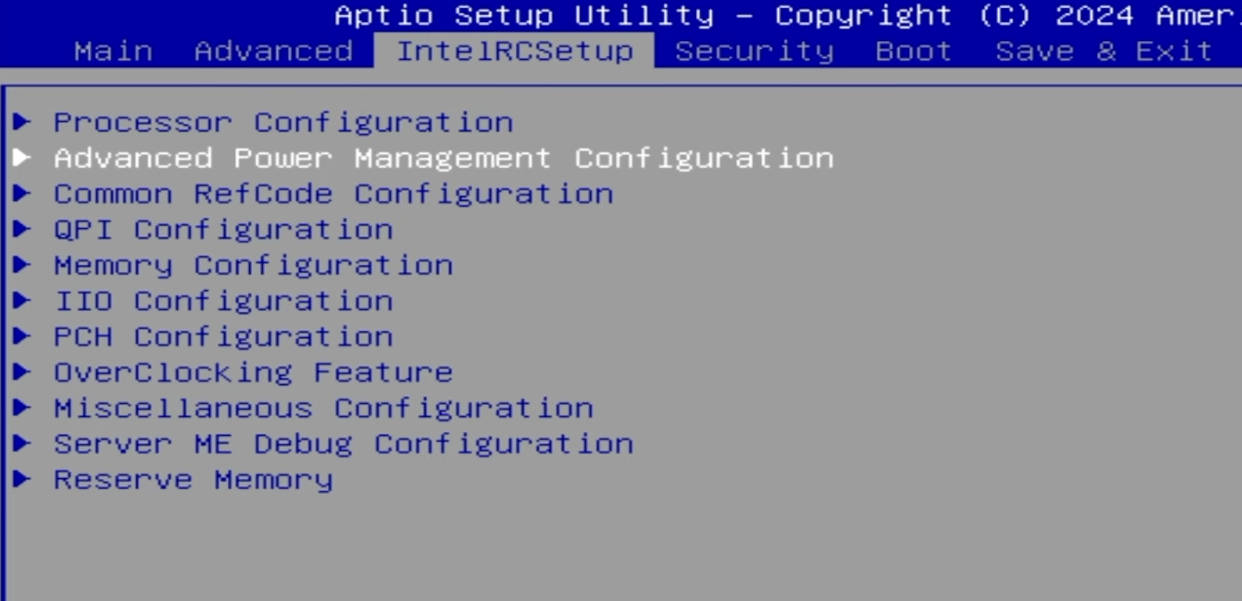
The board runs the classic BIOS typical of Chinese manufacturers, based on Aptio V. There’s no graphical mode or mouse support, but the structure and navigation will be familiar to anyone who’s dealt with American Megatrends BIOSes before.
The first disappointment is just how limited the functionality is for a board of this class. Out of the box you get ReBAR, the ability to change memory frequency, and bifurcation support for the x16 slot… and that’s about it. There’s no access to memory timings, no way to overclock unlocked CPUs, and the 2024 firmware didn’t even include Secure Boot (thankfully, it was added in the 2025 version).
The firmware does include an Overclocking Feature menu, but none of its options actually work. If you try to overclock an unlocked CPU through this menu, the board will refuse to boot and throw POST code 19.
The second issue is that Intel ME appears to be broken here. While this doesn’t directly affect functionality, it’s most likely the reason for the noticeably longer boot times compared even to other Chinese X99 boards. It’s unclear exactly how or why this was done, but you won’t see ME listed in Device Manager. Incidentally, the same problem affected the predecessor board, and it was eventually fixed in one of the firmware updates.
Beyond that, you’ll find all the usual Chinese-board shortcomings: non-functional temperature sensors (don’t panic if you see 100+ degrees in monitoring software; only the CPU core sensors actually work correctly), an inaccurate power consumption sensor, a number of dead menu options, a less-than-stellar SmartFan implementation, and a handful of other minor rough edges.
All of this leads to a discouraging conclusion: JGINYUE isn’t especially interested in bringing their product’s software up to a decent standard. At the time of writing, the board has been on sale for at least 2 years, and in that time all we’ve gotten is Secure Boot. Fortunately, flashing a modded BIOS at least restores access to memory timings.
Simple BIOS Flashing Guide (Windows)
| BIOS version & date | Ram Timings | ReBAR | Unlocked CPU OC | Turbo Boost unlock | Undervolt | Secure Boot | Notes & Link |
|---|---|---|---|---|---|---|---|
| (08/14/2025)X99-TI D4 PLUS | - | + | - | - | - | + | Stock BIOS [Download] |
| (08/14/2025)X99-TI D4 PLUS | - | + | - | + | - | + | Stock BIOS + TBU [Download] |
| (08/14/2025)X99-TI D4 PLUS | + | + | - | - | - | + | Stock BIOS mod by Radovan Kader (Timings+IRST 14.8.2.2397) [Download] |
| (08/14/2025)X99-TI D4 PLUS | + | + | - | + | -50 mV | + | Stock BIOS mod by Radovan Kader (Timings+IRST 14.8.2.2397+TBU) [Download] |
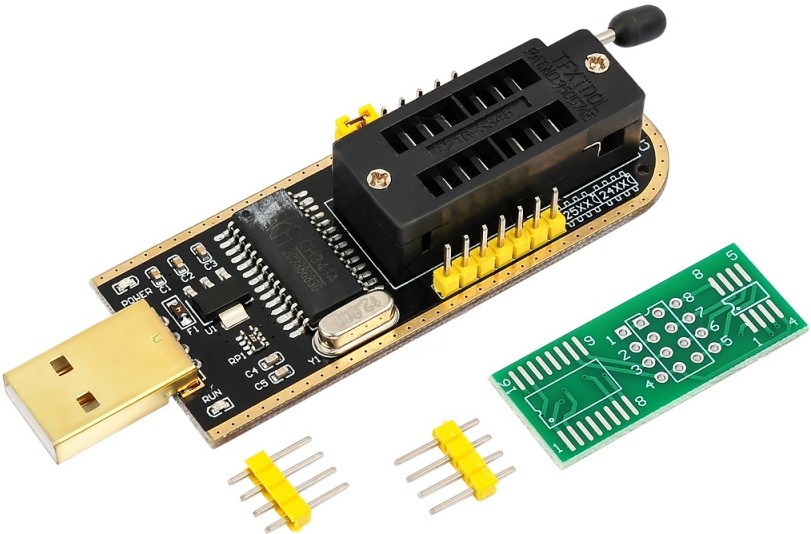
- Download FPTW 9.1.10 from this page.
- Open Command Prompt as Administrator.
- Copy your BIOS file (
bios.binorbios.rom) into the same folder as FPTW. - In Command Prompt, navigate to the FPTW folder using
cd. - Back up first:
fptw64 -d backup.bin - Flash the BIOS:
fptw64 -f bios.bin
Note: Replace bios.bin with the actual name of your BIOS file. If FPT reports that it cannot access parts of the BIOS, reboot into BIOS and disable write protection (IntelRCSetup → PCH Configuration → Security Configuration → BIOS Lock: Disable).
After flashing, we recommend resetting settings or clearing CMOS.
Frequently Asked Questions
How do I connect the front panel?
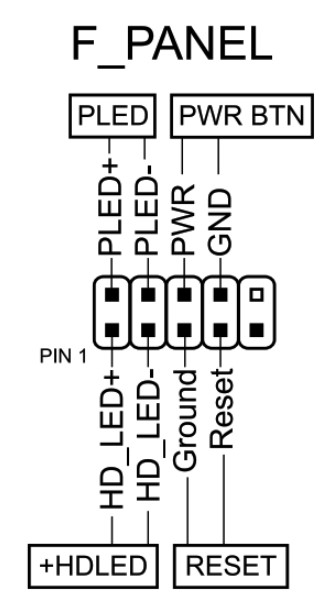
The board won’t boot, black screen, etc. What should I do?
See our article about the most common LGA2011‑3 issues.
Where can I find drivers for this board?
The page with current drivers for socket 2011‑3 boards is located here.
Is there any way to control the fans other than SmartFan?
Try FanControl.
I have an unlocked CPU. Is there really no way to overclock it?
Try overclocking through Intel XTU, after first applying these BIOS settings.
Where is the BIOS chip located?
Slightly below and to the right of the chipset heatsink.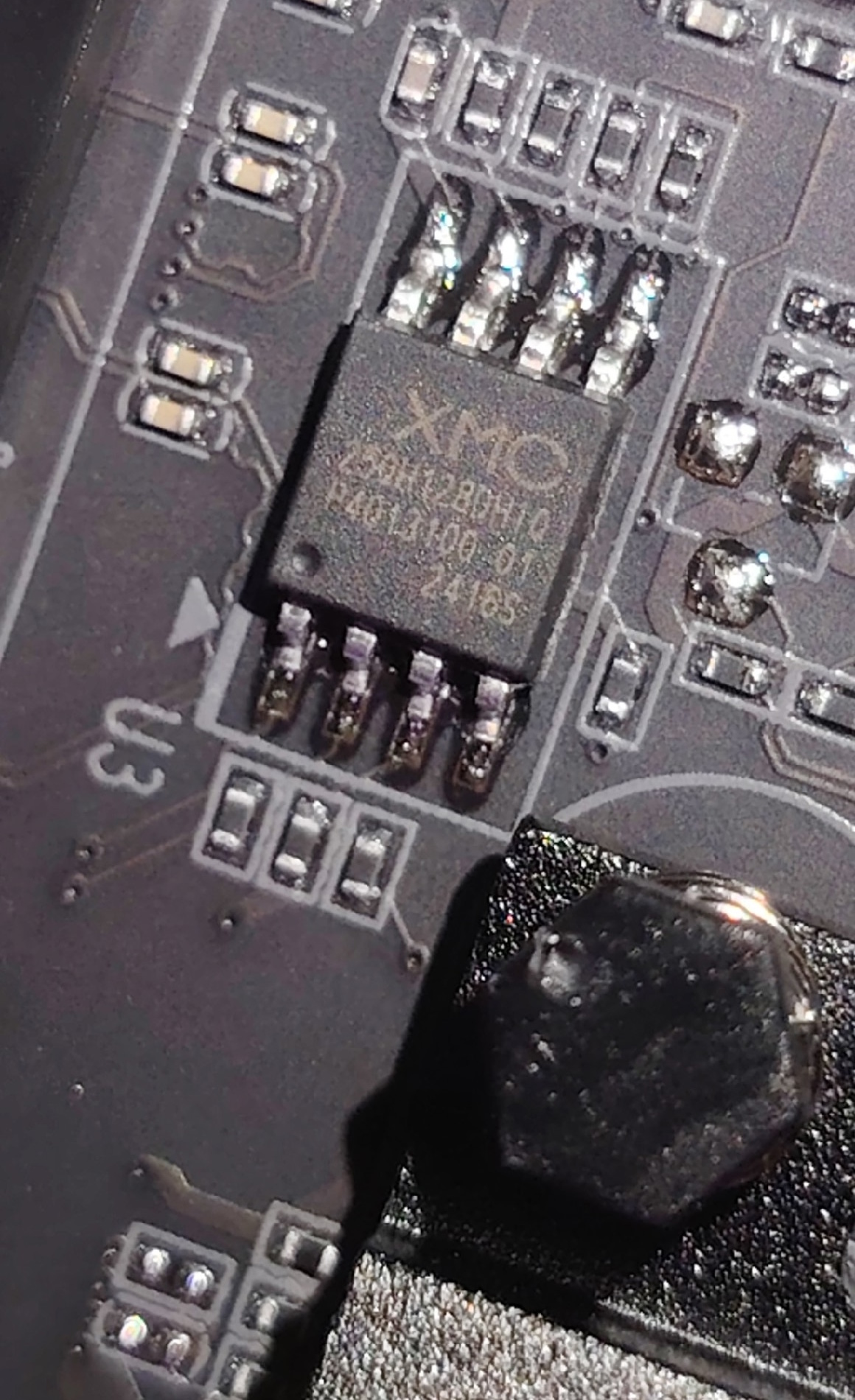
I can’t install the audio drivers.
If none of the audio drivers worked, try a manual installation via Device Manager. To do this, extract the contents of the .cab files, which you can download here.
Conclusion
OldRigRevive Review
4.0
4.6
4.4
3.0
“The JGINYUE X99-TI D4 PLUS is a board that could have been one of the best examples of a Chinese X99 build. It has almost everything you’d want: a server-grade chipset, quad-channel memory, plenty of ports, and an excellent VRM. But it’s all let down by half-baked firmware and a complete lack of any way to connect TPM 2.0. If you can live with these drawbacks, you’ll probably like this board. If not, consider alternatives like the Machinist X99-MR9A PRO or the Machinist X99-MR9S.”

Written by
Senior Hardware Specialist proving you don't need top-tier gear to game. Expert in smart upgrades and budget-friendly PC restoration.