Table of Contents
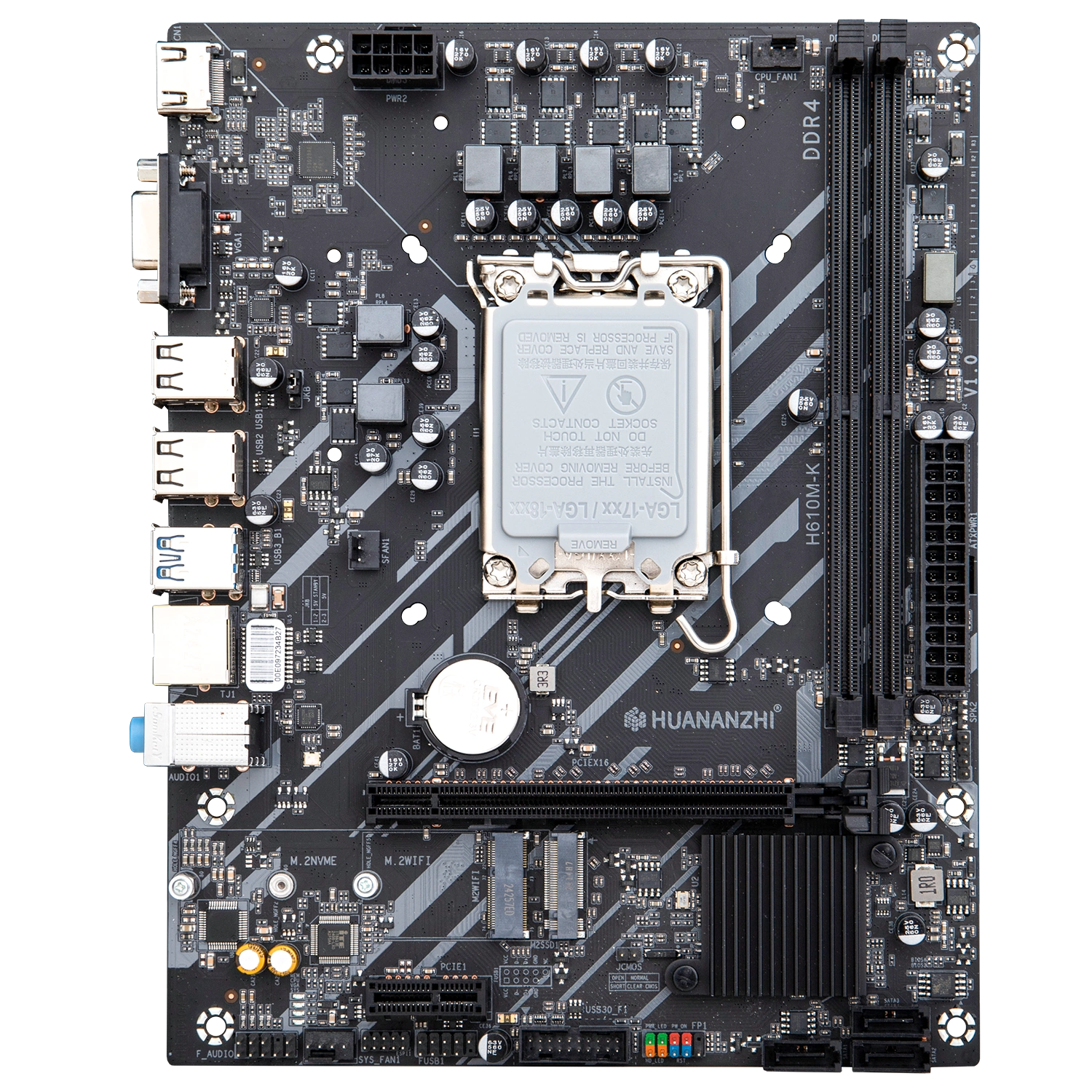
The Huananzhi H610M-K is probably the cheapest LGA1700 board the company makes. Despite the low price, it turned out well and makes a solid base for a budget build.
Specifications
| Model | HUANANZHI H610M-K v1.0 |
|---|---|
| Socket | LGA 1700 |
| Chipset | H610 |
| Supported Processors | Intel Core 12/13/14th Gen |
| VRM Configuration | 6 phase |
| Supported Memory | 2 x DDR4 DIMM (Dual-Channel, up to 64GB) Up to 3200 MHz |
| Sleep Mode Support | Yes |
| Expansion Slots | 1 x PCI-e x16 (Gen 4.0) 1 x PCI-e x1 (Gen 3.0) |
| Storage | 3 x SATA 3.0 1 x M.2 NVME (Gen 3.0 x4) |
| Fan Connectors | 1 x CPU fan (4pin) 1 x Case fan (4pin) 1 x Case fan (3pin) |
| PS/2 Ports | - |
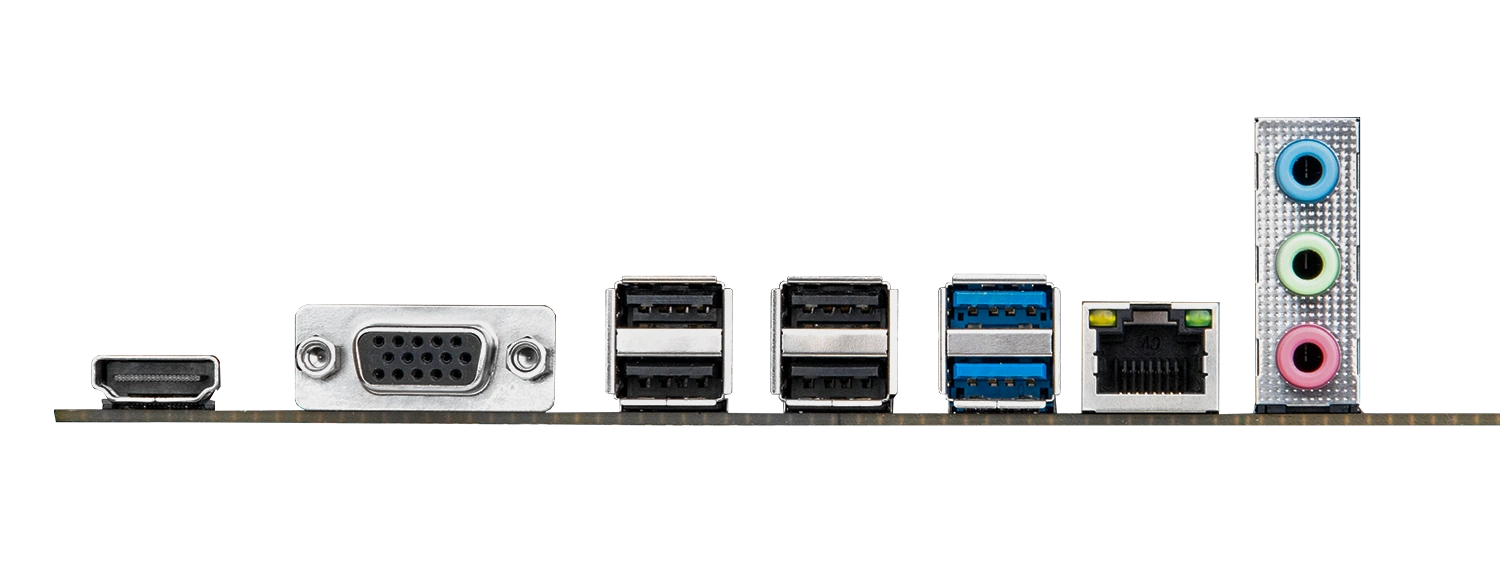
| USB 3.2 Ports | 2 (+ front panel support) |
| USB 2.0 Ports | 4 (+ front panel support) |
| Network | 1 x RTL8111H (1 Gbps) 1 x M.2 Wi-Fi |
| Audio | 5.1 channel (ALC897) |
| Extra | 1 x VGA 1 x HDMI 2.0 |
| Form Factor & Dimensions | mATX, 215 x 165 mm |
| Approximate Price |
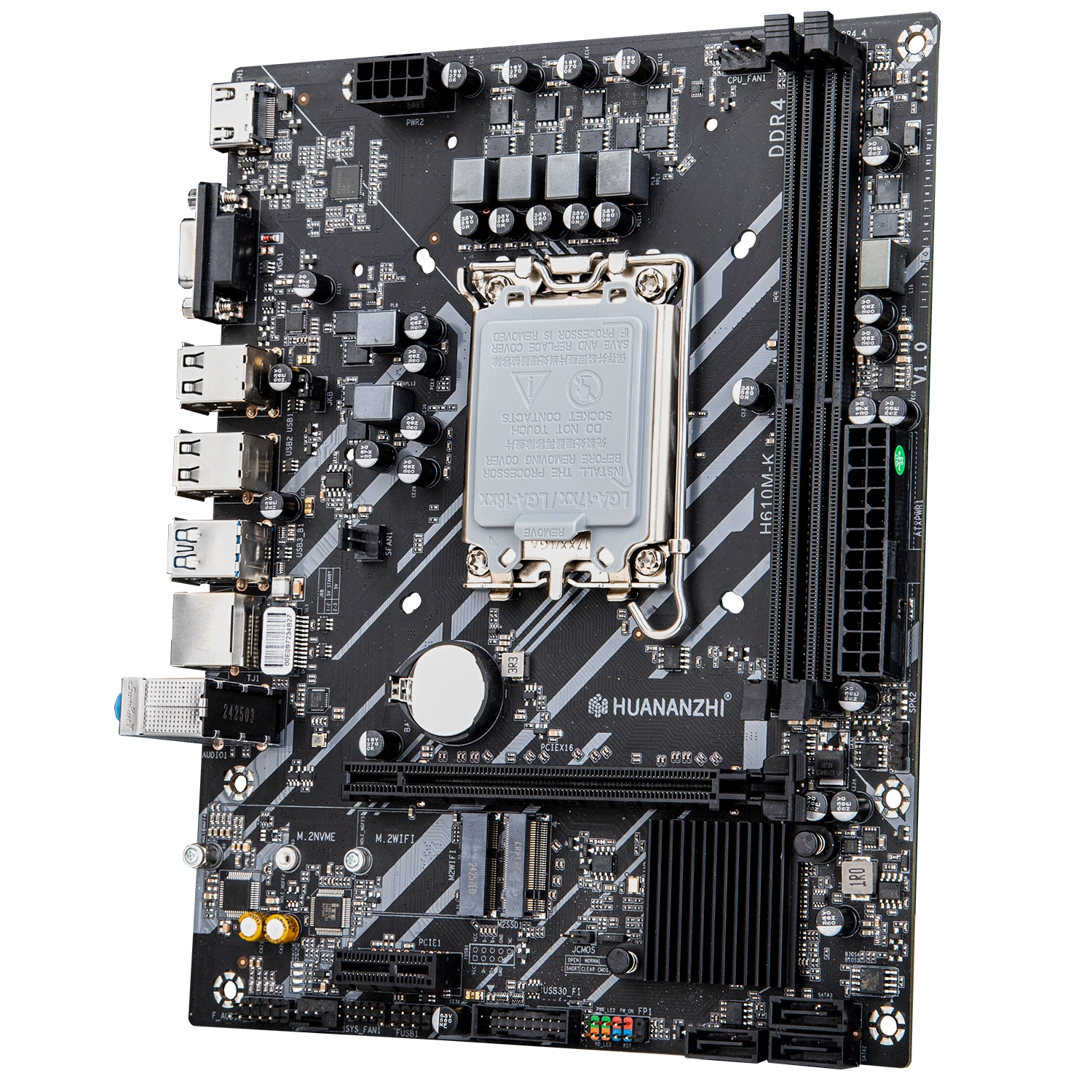
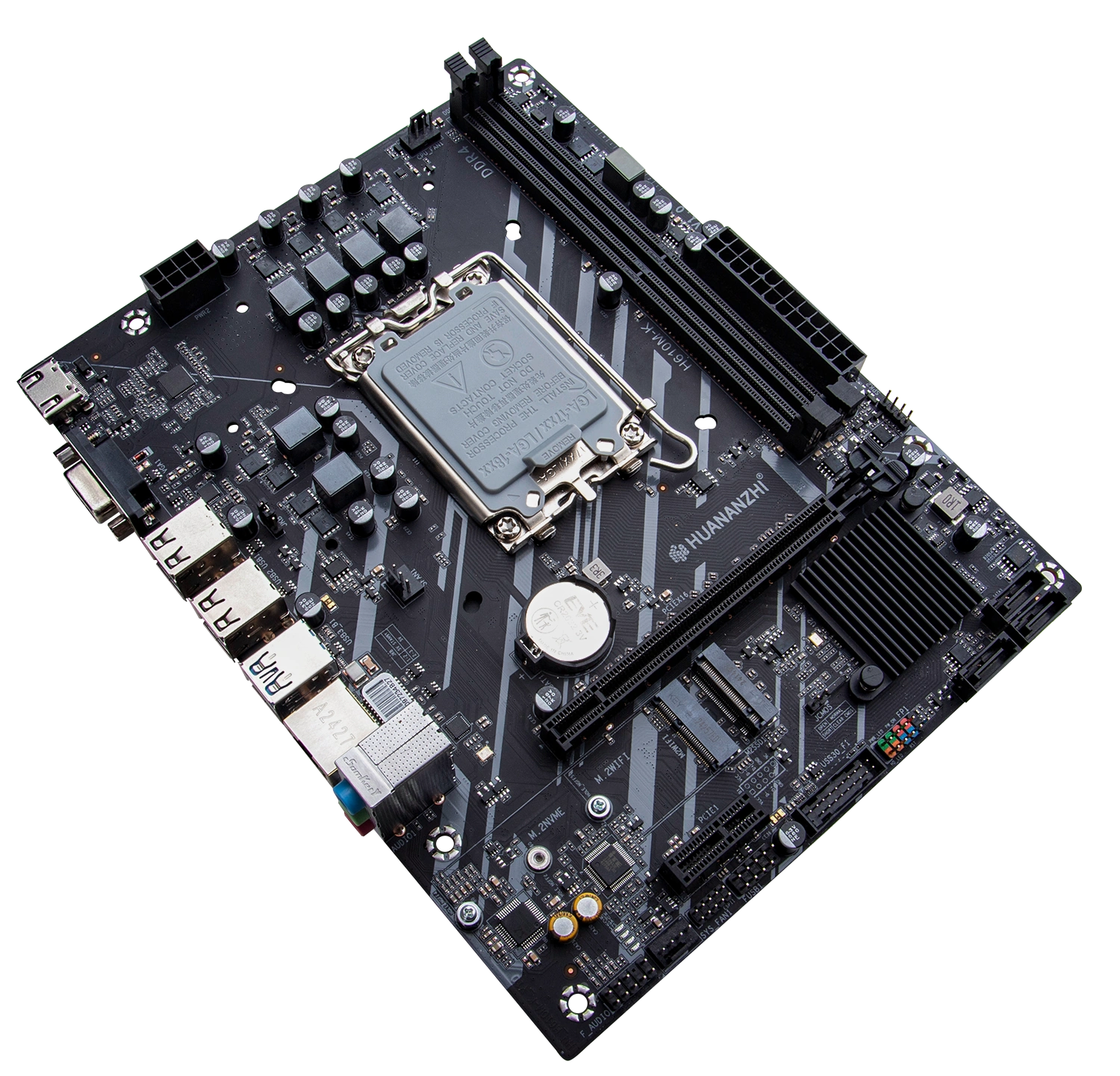
The board comes in a dark color scheme and looks much like countless other budget models. There’s no RGB, no reinforced slots and no decorative extras. That said, build quality is good: components sit straight, the soldering is neat, and there’s nothing to complain about.
There are only two PCIe slots: an x16 Gen 4 slot wired to the CPU and an x1 Gen 3 slot running off the chipset.
Storage consists of three SATA III ports and a single M.2 NVMe slot. The M.2 slot runs at PCIe 3.0 x4, so there’s little point in putting a fast, expensive drive in it.
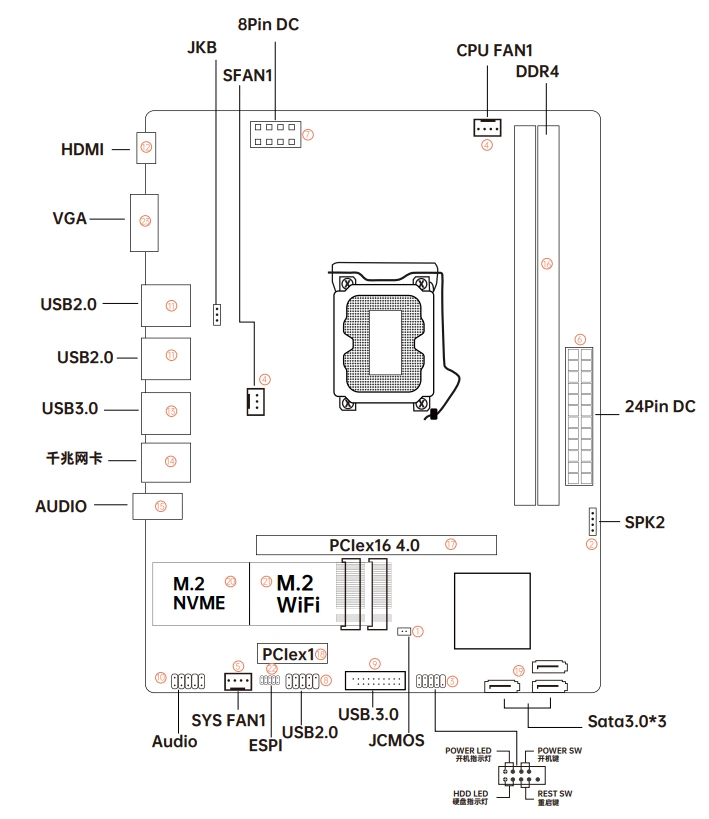
Power delivery is a modest 6 phases with two MOSFETs per phase. There are no VRM heatsinks, but the PCB has mounting holes for them, so you can add cooling later if needed. Huananzhi doesn’t state a maximum CPU TDP, but it’s easy to see the board is meant for Core i3 and, at most, entry-level Core i5 chips.
Audio is handled by the Realtek ALC897, the usual pick for Chinese boards. Unlike many cheap boards, though, this one has filter capacitors in the audio path, so sound quality is perfectly acceptable.
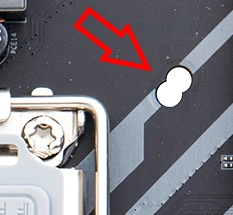
A small but welcome detail found on many Huananzhi boards: besides standard LGA1700 coolers, it also takes coolers made for LGA1200/115x.
BIOS Capabilities
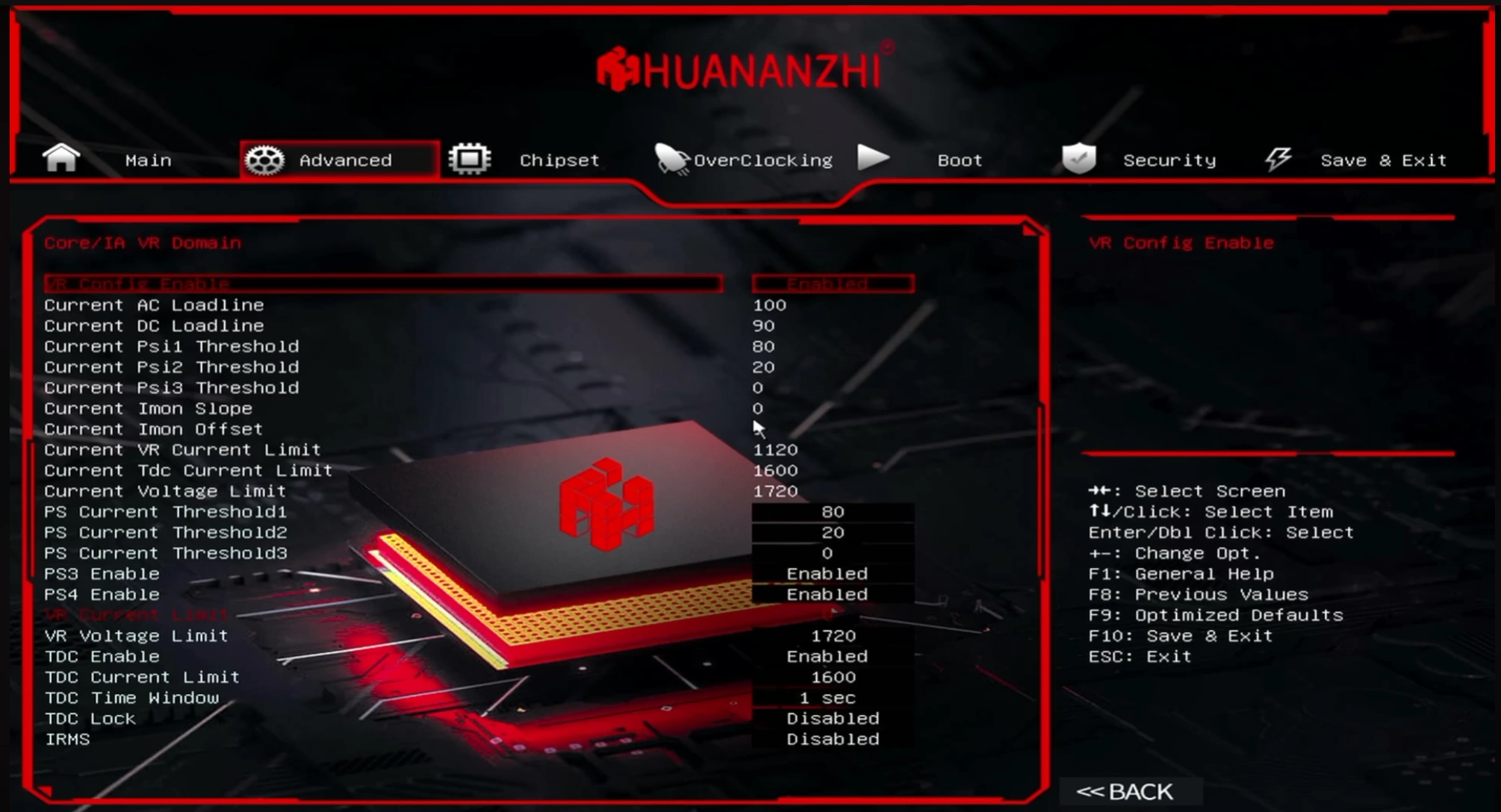
The Huananzhi H610M-K runs a convenient AMI UEFI with a graphical interface and mouse support. There’s nothing extraordinary in it, but it’s probably one of the best BIOS versions I’ve come across on Chinese H610 boards.
You get everything the chipset has to offer: memory timing control, working XMP and Gear modes, Secure Boot, ReBAR, TPM and a Smart Fan mode that actually works (4-pin fans only; 3-pin fans always run at 100%). You can also edit power limits, enable or disable cores, and even adjust voltages on K-series CPUs.
H610 isn’t meant for overclocking at all, but this board has the settings anyway. They won’t do anything with regular desktop CPUs, but owners of mutant HX processors will appreciate them: those chips run, overclock and undervolt without issues on any chipset.
| BIOS version & date | Link |
|---|---|
| HUANANZHI H610M-K Ver:1.00 (2024\07\02) | [Download] |
| HUANANZHI H610M-K Ver:1.01 (2025\06\09) | [Download] |
How to Flash the BIOS
- You will need a USB flash drive formatted as FAT32.
- Download the desired BIOS, extract the archive, locate the “EFI” folder and copy it to the root of the flash drive.
- Restart the system and press F11 during boot.
- In the “Select Boot Device” menu, select your flash drive.
- The update will begin automatically. No action is required — simply wait for the green “FPT Operation Successful” message to appear.
- The BIOS has been flashed. Restart the system to finish. After flashing, it is recommended to reset all settings to defaults.
Alternative flashing methods: FPT v16 and AFUDOS / AFUWIN.
Frequently Asked Questions
Where can I find drivers for this board?
Our current driver collection for LGA1700 boards is here.
Is there a manual available, maybe a PDF?
The official Huananzhi manual can be downloaded here.
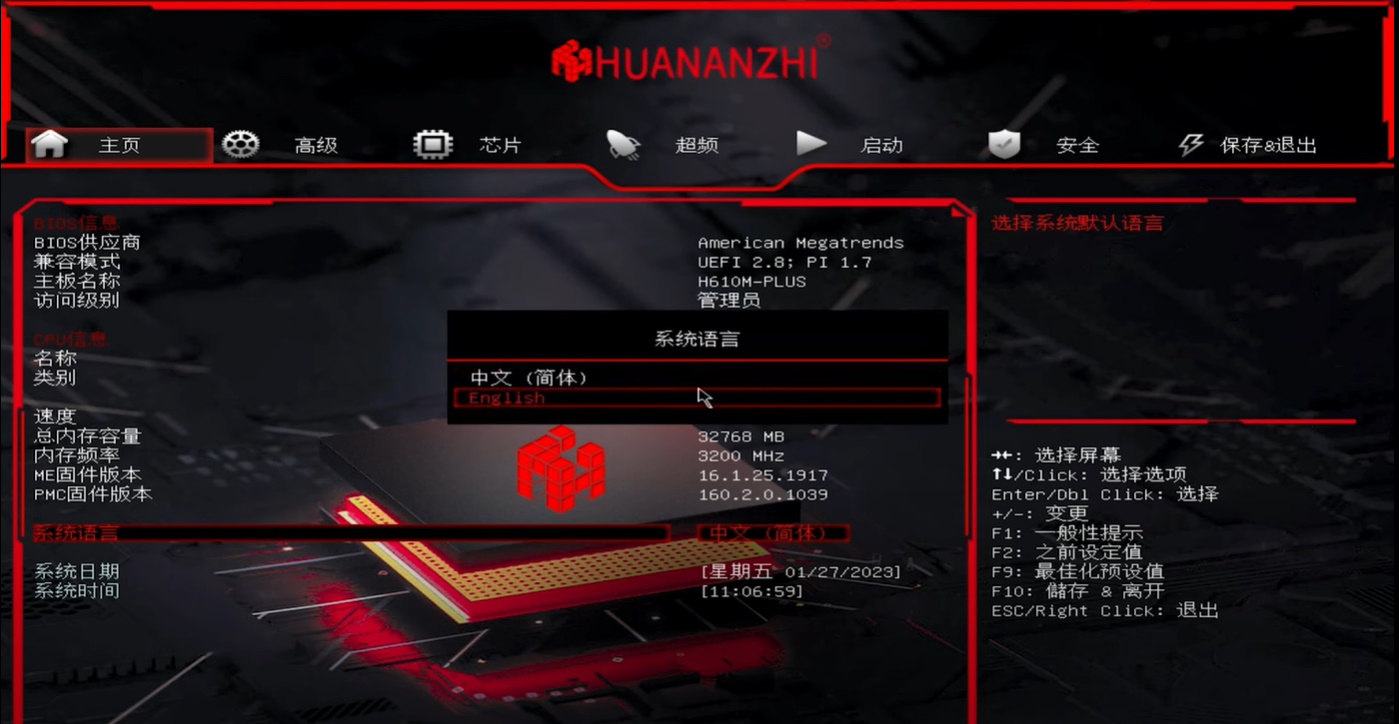
My BIOS is in Chinese. How do I switch it to English?
On the main screen, open the third menu item from the bottom.
What is the best CPU for this board?
Core i5-12400F / 13400F / 14400F and similar models.
Where is the BIOS chip located?
To the right of the chipset heatsink.
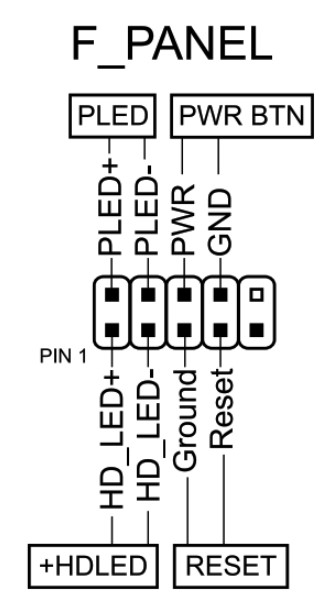
How do I connect the front panel?
Conclusion
OldRigRevive Review
4.8
3.0
3.5
4.8

Written by
Senior Hardware Specialist proving you don't need top-tier gear to game. Expert in smart upgrades and budget-friendly PC restoration.