Table of Contents
LGA775 (also known as Socket T) arrived in 2004 as the replacement for Socket 478. It was Intel’s first desktop socket with an LGA (Land Grid Array) package: the pins moved from the processor to the socket on the motherboard, leaving only flat contact pads on the CPU. Before that, the pins stuck out of the chip itself and were all too easy to bend.
LGA775 stayed Intel’s mainstream platform for more than five years, until LGA1156 and LGA1366 took over. That makes it arguably the longest-lived of Intel’s modern sockets, and enthusiasts have treated it as a legend for years.
Over that time, LGA775 went through three processor generations, from the hot-running single-core Pentium 4 to the quad-core Core 2 Quad. It also went through three memory types (DDR, DDR2, and DDR3), while the front-side bus (FSB) climbed from 533 to 1600 MHz. In effect, it’s three different platforms sharing one socket, and a CPU that fits the socket won’t necessarily work in it.
Today LGA775 is mostly retro hardware: a convenient base for a Windows XP or Windows 7 build, a cheap test bench, or a platform for overclocking experiments. It’s not dead yet, though. The top chips, especially the quad-core Core 2 Quad and Xeon models, still cope with web browsing and most everyday software.
This guide covers the essentials: the processor generations LGA775 supports, the CPU lineup, chipsets and memory, and, most importantly, how to tell whether a specific CPU will actually run on your board.
LGA775 CPU Architectures and How They Differ
NetBurst
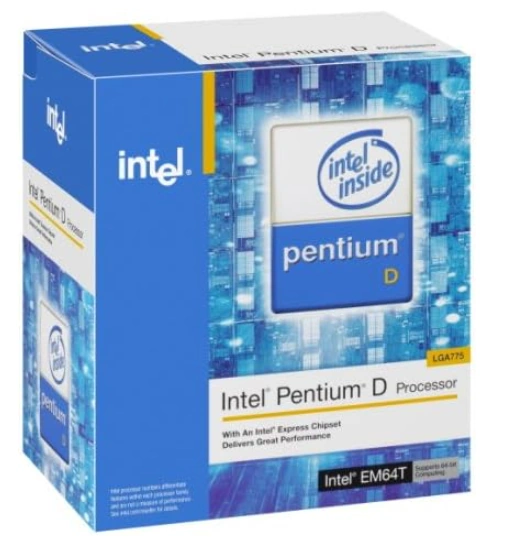
Intel released the first LGA775 processors in June 2004: the Pentium 4 5xx series on the Prescott core. They launched alongside the 915 and 925X chipsets, which brought DDR2 memory and PCI Express (in place of AGP) to the mainstream platform. NetBurst was built around high clock speeds achieved with a very long pipeline, but in practice it ran straight into heat and power limits. The promised 4 GHz never arrived.
Key characteristics:
- Process node: 90 nm (Prescott, Smithfield), later 65 nm (Cedar Mill, Presler).
- Pipeline: 31 stages on Prescott. That allowed high clock speeds at the cost of low per-clock performance.
- Clock speeds up to 3.8 GHz, FSB 533/800/1066 MHz.
- L2 cache: from 256 KB on the Celeron D to 2 MB on the Pentium 4 6xx and 2×2 MB on the Pentium D 9xx.
- Hyper-Threading on most Pentium 4 models. Regular Pentium D chips don’t have it; only the Pentium Extreme Edition does.
- The first dual-cores: the Pentium D 8xx (Smithfield) has both cores on a single die, while the Pentium D 9xx (Presler) uses two separate dies under one heat spreader. Either way, each core has its own cache, and the cores talk to each other over the FSB.
- Instructions: SSE3. Not every early model supports 64-bit mode (EM64T) or the XD bit, and only a few later chips have VT-x.
- Power draw: up to 130 W TDP on the top models. Prescott’s heat quickly became a running joke.
These days NetBurst is mostly for collectors and period-correct retro builds. Keep in mind that many boards from that era don’t support Core 2 at all, so upgrading an old Pentium D system to a Core 2 Quad usually means replacing the motherboard, not just the CPU.
Core
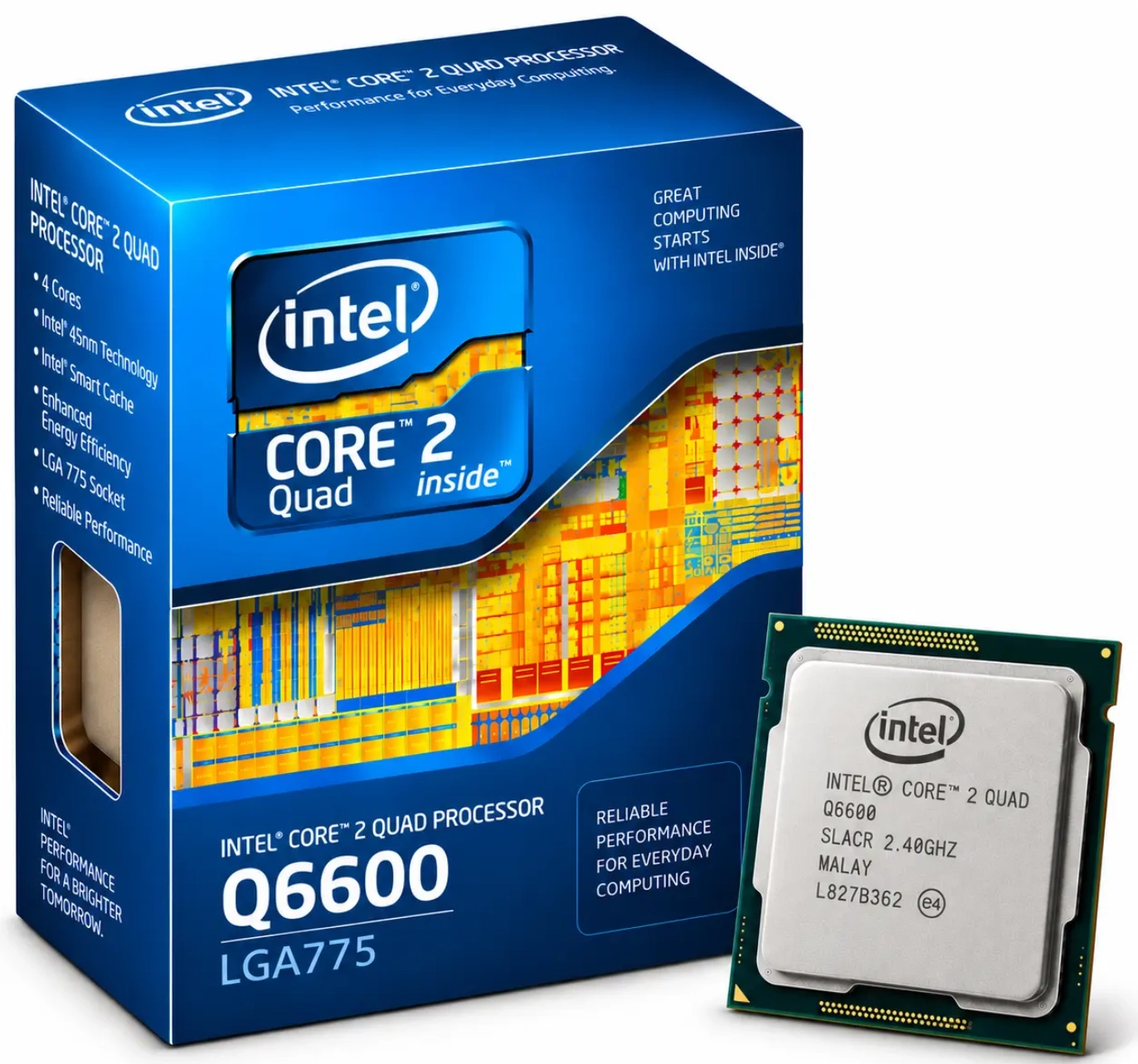
In July 2006 Intel launched the Core 2 Duo on the Conroe core, and the market changed almost overnight. The new Core architecture was derived from the mobile Pentium M, not from NetBurst. The chips ran cooler, drew less power, and were noticeably faster at lower clock speeds. Early 2007 brought the first mainstream quad-cores: the Core 2 Quad on the Kentsfield core.
Key characteristics:
- Process node: 65 nm.
- Pipeline: 14 stages, a wider core (up to four instructions per clock), and macro-fusion. Per-clock performance is far ahead of NetBurst.
- L2 cache is shared by both cores on a die. Sizes range from 512 KB on the Celeron to 4 MB on the top Core 2 Duo models. The quad-core Kentsfield is two dies, so its cache is 2×4 MB, with each pair of cores sharing its own 4 MB.
- FSB 800/1066/1333 MHz.
- Cores:
- Conroe: Core 2 Duo E6xxx;
- Allendale: Core 2 Duo E4xxx, Pentium Dual-Core E2xxx, Celeron E1xxx;
- Conroe-L: single-core Celeron 4xx;
- Kentsfield: Core 2 Quad Q6xxx and Core 2 Extreme QX6xxx, which are two Conroe dies under one heat spreader.
- Power draw: 65 W for most dual-cores, 95–130 W for quad-cores.
- Instructions: EM64T across the board, plus SSSE3. Most Core 2 chips support VT-x, but some lower-end models don’t.
- Board requirements: VRM 11-compliant power delivery, plus chipset and BIOS support for the CPU. Without these, a Core 2 chip won’t boot on an older board.
Core was the turning point for the whole socket. It gave us chips like the Core 2 Quad Q6600, which people overclocked through the FSB by the thousands. LGA775 went from a hot, power-hungry platform to one of the best of its time.
Penryn
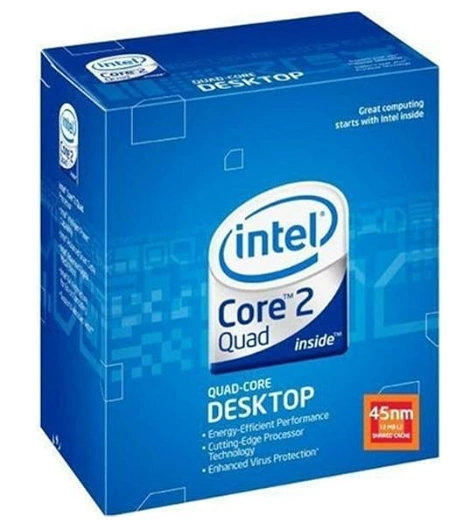
In late 2007 Intel moved Core to 45 nm. The Core 2 Extreme QX9650 came first, and mainstream models followed in early 2008. Penryn (the Wolfdale and Yorkfield cores) wasn’t a revolution, but it refined the architecture: more cache, less heat, higher clock and FSB speeds, and new instructions. For LGA775, this is as good as it gets.
Key characteristics:
- Process node: 45 nm with high-k dielectric and metal gates, which is where the lower heat and better overclocking come from.
- L2 cache: up to 6 MB on the dual-core Core 2 Duo E8xxx and up to 2×6 MB on the Core 2 Quad Q9x50. Lower-end quads get less: 2×2 MB on the Q8xxx and 2×3 MB on the Q9300/Q9400.
- FSB up to 1333 MHz on mainstream models and 1600 MHz on the Core 2 Extreme QX9770.
- Cores:
- Wolfdale: Core 2 Duo E7xxx/E8xxx, Pentium E5xxx/E6xxx, Celeron E3xxx;
- Yorkfield: Core 2 Quad Q8xxx/Q9xxx and Core 2 Extreme QX9xxx.
- Instructions: SSE4.1 was added, but only on Core 2 and Xeon models; the Pentium and Celeron chips don’t have it. SSE4.1 is the newest instruction set on LGA775. No processor for this socket supports SSE4.2, POPCNT, or AVX.
- Low-power S versions (Q8200S, Q9400S, Q9550S) with a 65 W TDP.
- Board requirements: BIOS support for 45 nm chips and a VRM that can deliver their lower voltages. A board that runs 65 nm Core 2 chips just fine may still refuse to boot a Penryn.
The Core 2 Duo E8400 and Core 2 Quad Q9550/Q9650 are still the most popular upgrades for the platform. Penryn is also where compatibility problems come up most often, so check your board before buying (see the chipsets and compatibility section below).
The Complete LGA775 CPU List
Intel shipped so many processors for Socket 775 that listing them all here would double the length of this guide. So we put every single one on a separate page — model by model, with core, clock speed, FSB, cache and TDP, plus the LGA771 Xeons that drop in after the mod.
LGA775 CPU Model Numbers: What the Letters and Digits Mean
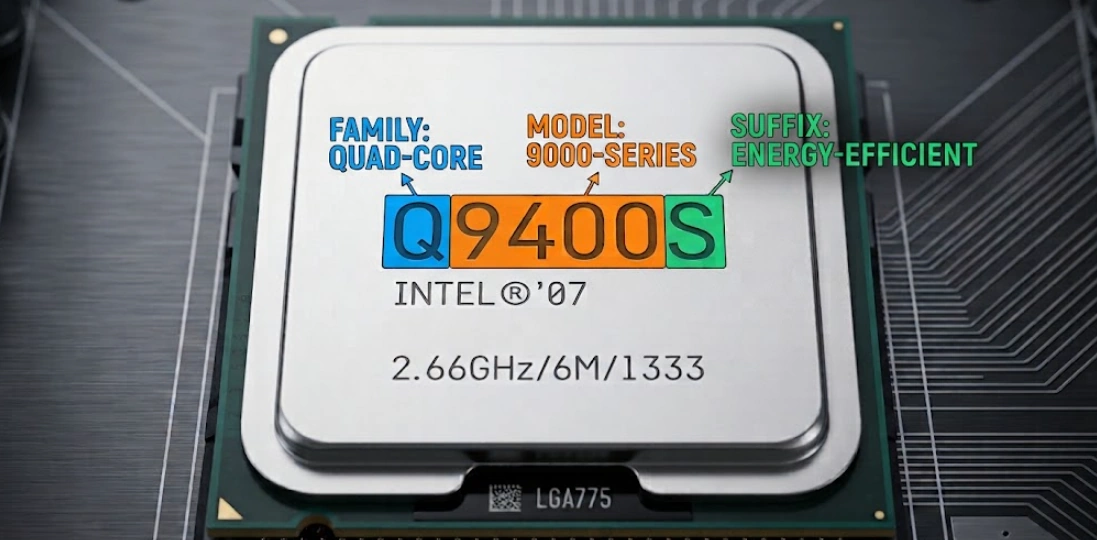
Intel changed its naming scheme several times over LGA775’s lifetime, so there’s no single system to learn. Let’s go through the main families one at a time.
Pentium 4, Pentium D, and Celeron D (NetBurst)
Pentium 4 5xx: Prescott core, 1 MB of L2. Higher numbers mean higher clock speeds. The series mixes models with and without 64-bit support, the XD bit, and Hyper-Threading, so check the exact model against a spec table.
Pentium 4 6xx: 2 MB of L2. The 6×0 models are Prescott 2M (90 nm), the 6×1 models are Cedar Mill (65 nm, cooler running), and the 6×2 models add VT-x.
Pentium D 8xx: the first dual-cores, on the Smithfield core. The Pentium D 9xx is Presler (65 nm, 2×2 MB of L2).
Pentium Extreme Edition (840, 955, 965): dual-core Pentium D chips with Hyper-Threading and an unlocked multiplier. Don’t confuse them with the single-core Pentium 4 Extreme Edition, which was also sold for LGA775.
Celeron D 3xx: cut-down Pentium 4 chips with a small cache and a 533 MHz FSB.
Core 2, Pentium, and Celeron (Core and Penryn)
The letter at the start of the model number tells you the CPU class:
- E: dual-core, with a TDP of around 65 W.
- Q: quad-core Core 2 Quad.
- X and QX: Core 2 Extreme, dual- and quad-core respectively, with an unlocked multiplier.
- S at the end (Q8200S, Q9400S, Q9550S): low-power versions with a 65 W TDP.
Single-core Celeron 4xx chips have no letter at all.
The first digit is the series, which tells you the core, cache size, and FSB at a glance:
| Series | Core | L2 Cache | FSB (MHz) |
|---|---|---|---|
| Core 2 Duo E4xxx | Allendale | 2 MB | 800 |
| Core 2 Duo E6xxx | Conroe | 2–4 MB | 1066/1333 |
| Core 2 Duo E7xxx | Wolfdale | 3 MB | 1066 |
| Core 2 Duo E8xxx | Wolfdale | 6 MB | 1333 |
| Core 2 Quad Q6xxx | Kentsfield | 2×4 MB | 1066 |
| Core 2 Quad Q8xxx | Yorkfield | 2×2 MB | 1333 |
| Core 2 Quad Q9300 / Q9400 / Q9505 | Yorkfield | 2×3 MB | 1333 |
| Core 2 Quad Q9450 / Q9550 / Q9650 | Yorkfield | 2×6 MB | 1333 |
| Pentium Dual-Core E2xxx | Allendale | 1 MB | 800 |
| Pentium E5xxx | Wolfdale | 2 MB | 800 |
| Pentium E6xxx | Wolfdale | 2 MB | 1066 |
| Celeron 4xx | Conroe-L | 512 KB | 800 |
| Celeron E1xxx | Allendale | 512 KB | 800 |
| Celeron E3xxx | Wolfdale | 1 MB | 800 |
Steppings: Why the Same Model Isn’t Always the Same Chip
Within a single model, Intel shipped several die revisions, known as steppings. The differences can be significant: later steppings run at lower voltage, produce less heat, and overclock better. The best-known examples:
- Core 2 Quad Q6600: the early B3 (105 W TDP) and the later G0 (95 W). The G0 runs cooler and clocks noticeably higher.
- Core 2 Duo E8xxx: the early C0 versus the later E0. Core 2 Quad Q9xxx: C0/C1 versus E0 (on the lower-end Q8xxx and the Q9300/Q9400, the equivalent steppings are M1 and R0). The later revisions need less voltage and are the better pick for overclocking.
- Pentium D 9xx: the early B1 versus the later C1, which runs cooler and draws less power.
You can identify the stepping from the sSpec code printed on the heat spreader: a five-character code starting with “SL” (SLACR on a Q6600 G0, for example). Look it up on Intel ARK or CPU-World, and you’ll have the model and revision in seconds. If the code starts with “Q,” you’re looking at an engineering or qualification sample (ES/QS).
Xeon on LGA775
LGA775 Xeons are the server twins of the regular Core 2 chips. They reach the socket in two ways: native models from the 3000, 3100, 3200, and 3300 series built for LGA775 (though not every model in those series is), and LGA771 server Xeons, which fit a 775 board after a fairly simple mod.
Native Xeons for LGA775
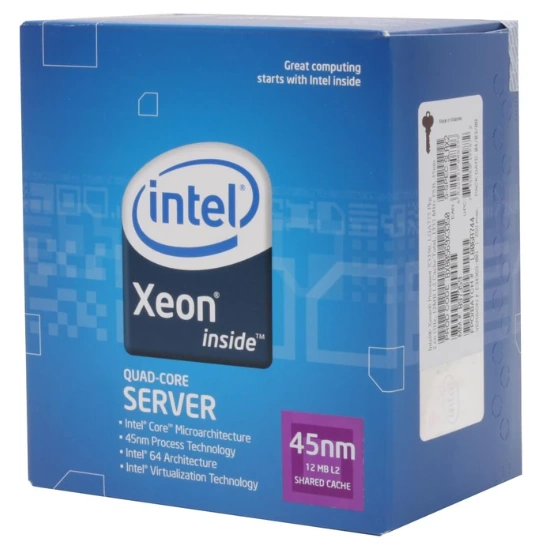
Native Xeons use the same dies as the Core 2 Duo and Core 2 Quad and have almost identical specs. In a regular desktop board, a Xeon behaves exactly like its Core 2 counterpart.
| Model | Core | Core 2 Equivalent |
|---|---|---|
| Xeon 3040 / 3050 | Allendale | Core 2 Duo E6300 / E6400 |
| Xeon 3060 / 3070 | Conroe | Core 2 Duo E6600 / E6700 |
| Xeon 3065 / 3075 / 3085 | Conroe | Core 2 Duo E6550 / E6750 / E6850 |
| Xeon X3210 / X3220 / X3230 | Kentsfield | X3210: no direct equivalent (2.13 GHz); X3220: Q6600; X3230: Q6700 |
| Xeon E3110 / E3120 | Wolfdale | Core 2 Duo E8400 / E8500 |
| Xeon L3110 | Wolfdale | Core 2 Duo E8400 at a 45 W TDP |
| Xeon X3320 / X3330 | Yorkfield | Core 2 Quad Q9300 / Q9400 |
| Xeon X3350 / X3360 / X3370 | Yorkfield | Core 2 Quad Q9450 / Q9550 / Q9650 |
| Xeon X3380 | Yorkfield | No direct equivalent: 3.16 GHz, 2×6 MB, faster than the Q9650 |
| Xeon L3360 | Yorkfield | Core 2 Quad Q9550S (65 W TDP) |
Watch out: the same series also include models that won’t fit an LGA775 socket without the mod. These are the CL variants built for single-socket LGA771 servers: the Xeon L3014, E3113, X3323, X3353, and X3363. Their names are easy to confuse with native parts like the E3110 or X3360, so always check the socket of the exact model before you buy.
The LGA771 → LGA775 Mod: Server Xeons in a Desktop Board
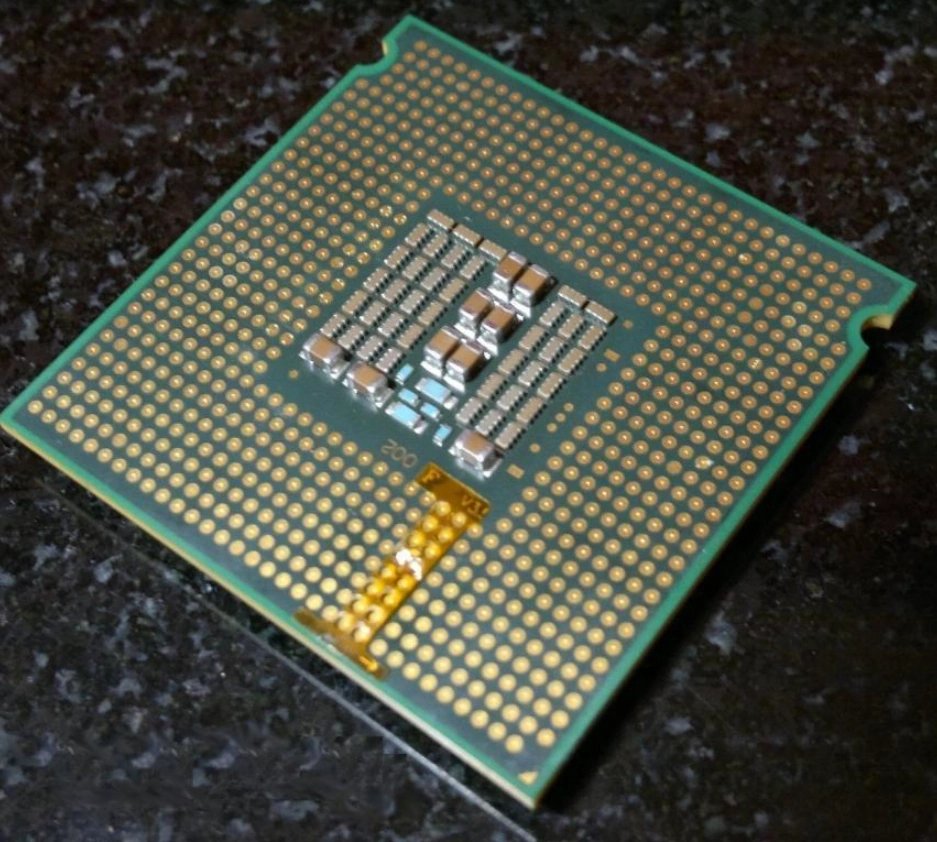
What really made Xeons popular on LGA775 was the mod that lets you run LGA771 server processors in ordinary desktop boards. Once servers started being decommissioned en masse, these Xeons sold for next to nothing while matching the top Core 2 Quad chips in performance.
How the mod works:
- LGA771 and LGA775 processors are nearly identical, but the 771 chips have their alignment notches in different places and a few contacts swapped around.
- You cut off two plastic keys in the board’s socket and put an adapter sticker on the CPU that swaps the relevant contacts.
- You add the server CPU microcode to the board’s BIOS.
The most interesting chips for the mod are the quad-core Xeon 54xx models on the Harpertown core, the server counterpart of Yorkfield:
- E5450, X5450, X5460: the sweet spot for price and performance;
- X5470: 3.33 GHz, one of the fastest CPUs you can put in an LGA775 board;
- L5420 (and the rest of the L series): a 50 W TDP, for quiet, low-power builds.
Before buying, make sure your board supports 45 nm processors and the FSB the chip needs. Otherwise, even a flawless mod won’t help. As a rule, if a board supports a given Core 2 generation, it supports that generation’s Xeon twin too.
For a closer look at the mod, see our dedicated articles:
- Xeon 5000 Series Guide: Moving from LGA771 to LGA775
- Compatible LGA775 Motherboards for Xeon 5000 and 3000 Series
- Modified BIOS Files for the LGA771 → LGA775 Mod
Chipsets and Compatibility
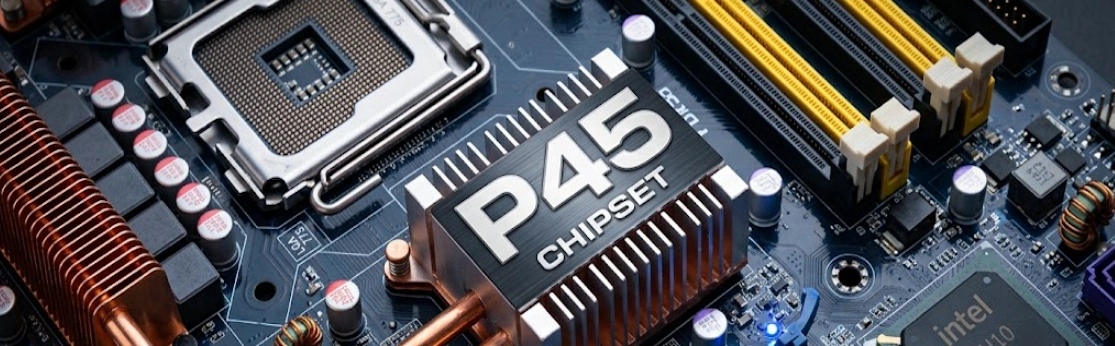
As mentioned at the start, fitting the socket doesn’t guarantee a CPU will work. Compatibility depends on several factors at once:
- The chipset sets the supported FSB, the memory type and capacity, and the PCI Express version.
- The board’s CPU power delivery (VRM). Pentium 4-era boards were designed to the VRM 10 spec, while Core 2 chips need VRM 11. The 45 nm Penryn chips also need support for their lower voltages (VRM 11.1).
- The BIOS has to recognize the CPU, which means it needs the right microcode. Without it, the board may not boot or may run unstable.
- The specific board model. Manufacturers implemented the same chipset in different ways, so two 945P boards can support completely different CPU lists.
Intel Chipsets
| Chipset | Year | FSB (official, MHz) | Memory | Max RAM | PCIe | Core 2 / Penryn | Integrated Graphics |
|---|---|---|---|---|---|---|---|
| 910GL / 915PL / 915P / 915G | 2004 | 533/800 (910GL: 533 only) | DDR or DDR2 (910GL and 915PL: DDR only) | 4 GB (910GL and 915PL: 2 GB) | 1.0a | Not officially | GMA 900 (G variants) |
| 925X / 925XE | 2004 | 800 / 1066 (XE) | DDR2 | 4 GB | 1.0a | No | No |
| 945P / 945G / 945PL / 945GZ / 945GC | 2005 | 533/800/1066 (800 max on lower-end variants) | DDR2 | 4 GB (2 GB on lower-end variants) | 1.0a | Board-dependent | GMA 950 (G variants) |
| 955X | 2005 | 800/1066 | DDR2 | 8 GB | 1.0a | Board-dependent | No |
| 975X | 2005 | 800/1066 | DDR2 | 8 GB | 1.0a | Core 2: yes; Penryn: board-dependent | No |
| P965 / G965 | 2006 | 800/1066 | DDR2 | 8 GB | 1.1 | Core 2: yes; Penryn: board-dependent | GMA X3000 (G965) |
| G31 / P31 | 2007 | G31: up to 1333; P31: up to 1066 | DDR2 | 4 GB (2 slots) | 1.1 | Yes | GMA 3100 (G31) |
| P35 / G33 | 2007 | 800/1066/1333 | DDR2 or DDR3 | 8 GB | 1.1 | Yes | GMA 3100 (G33) |
| G35 | 2007 | 800/1066/1333 | DDR2 | 8 GB | 1.1 | Yes | GMA X3500 |
| X38 | 2007 | 800/1066/1333 | DDR2 or DDR3 | 8 GB | 2.0 | Yes | No |
| G41 | 2008 | 800/1066/1333 | DDR2 or DDR3 | 8 GB (2 slots) | 1.1 | Yes | GMA X4500 |
| P43 / P45 | 2008 | 800/1066/1333 | DDR2 or DDR3 | 16 GB | 2.0 | Yes | No |
| G43 / G45 | 2008 | 800/1066/1333 | DDR2 or DDR3 | 16 GB | 2.0 | Yes | GMA X4500 / X4500HD |
| X48 | 2008 | up to 1600 | DDR2 or DDR3 | 16 GB | 2.0 | Yes | No |
Alongside the desktop chipsets, Intel made server ones, the 3000/3010 and 3200/3210, with ECC memory support (on the desktop side, the 955X, 975X, X38, and X48 support ECC as well). The 3200/3210 are close to the X38 in features and support 45 nm processors. For business PCs, Intel offered Q variants (Q965, Q35, Q45, and others), which are broadly similar to their G counterparts.
Third-Party Chipsets
Besides Intel, NVIDIA, ATI, VIA, and SiS all made chipsets for LGA775:
- NVIDIA nForce: nForce4 SLI Intel Edition, plus the 5xx, 6xx (650i, 680i SLI), and 7xx (750i, 780i, 790i) series. Boards built on them were popular with SLI and overclocking fans, though the early nForce 6xx chipsets often have trouble with 45 nm processors.
- ATI CrossFire Xpress 3200 (RD600): a rare chipset, but a good overclocker, with Core 2 support.
- VIA (PT880, P4M800, P4M890): budget chipsets, often with AGP support. The best-known boards are ASRock’s VSTA series.
- SiS (661, 671, 672): budget chipsets for office boards, with limited features.
OEM Boards: Dell, HP, Lenovo
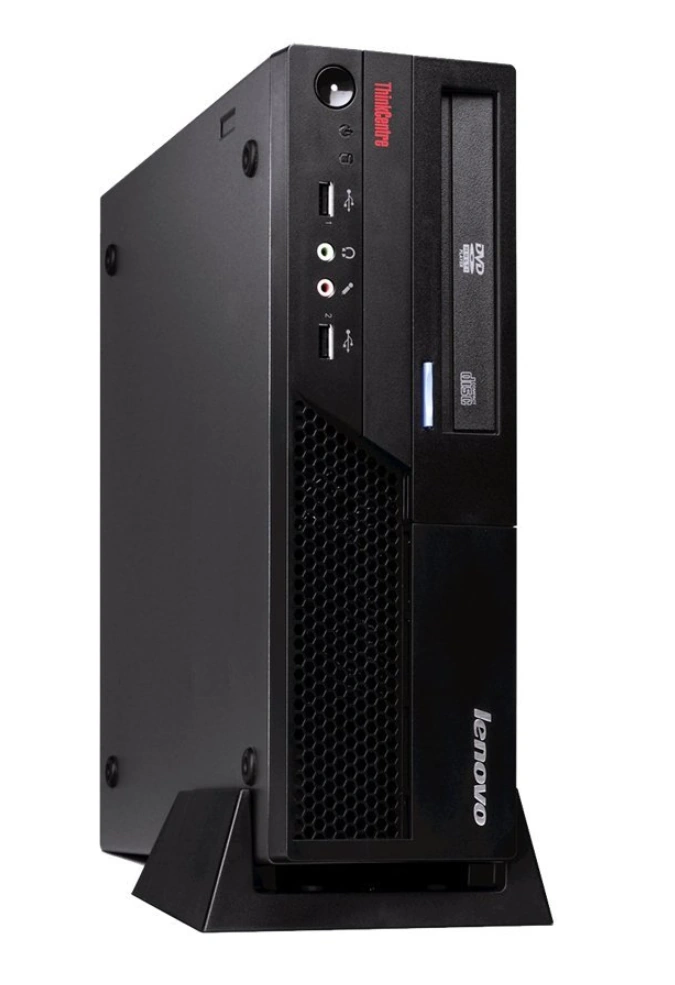
Much of the LGA775 hardware on the used market comes from decommissioned office PCs: Dell OptiPlex, HP Compaq, Lenovo ThinkCentre. These machines play by their own rules:
- The BIOS often supports only the CPUs the manufacturer offered in its factory configurations. An unsupported CPU may not boot even on a capable chipset.
- Overclocking and FSB adjustment are usually locked out.
- Proprietary power connectors and case form factors make it hard to move the board into a standard case.
Still, later models on the Q35, Q45, and G41 often run Core 2 Quad Q9xxx chips after a BIOS update. For a cheap office or retro build, that’s a perfectly workable option, as long as you find the supported CPU list for your exact model first.
Memory
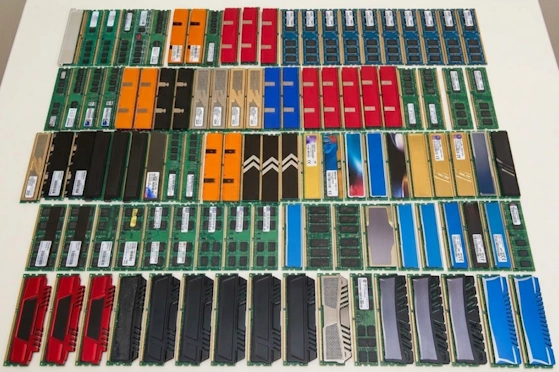
LGA775 spans three memory generations: DDR, DDR2, and DDR3. On this platform, the memory controller sits in the chipset’s northbridge, not in the CPU, so the memory type, capacity, and speed depend on the board rather than the processor.
Which Memory You’ll Find on LGA775
- DDR: only on the earliest boards with the 910GL and 915 chipsets, plus some VIA and SiS boards.
- DDR2: the main memory type for LGA775, used on everything from the 915/925 chipsets to the G41 and P45. Typical speeds are DDR2-533, 667, and 800.
- DDR3: arrived with the P35 chipset and went mainstream in 2008 with the 4 series (G41, P43, P45). Typical speeds are DDR3-1066 and 1333.
Most boards support only one memory type. You’ll occasionally find combo boards with both DDR2 and DDR3 slots (or DDR and DDR2 on older VIA boards), but you can only use one type at a time.
High-Density Modules: The Big Trap
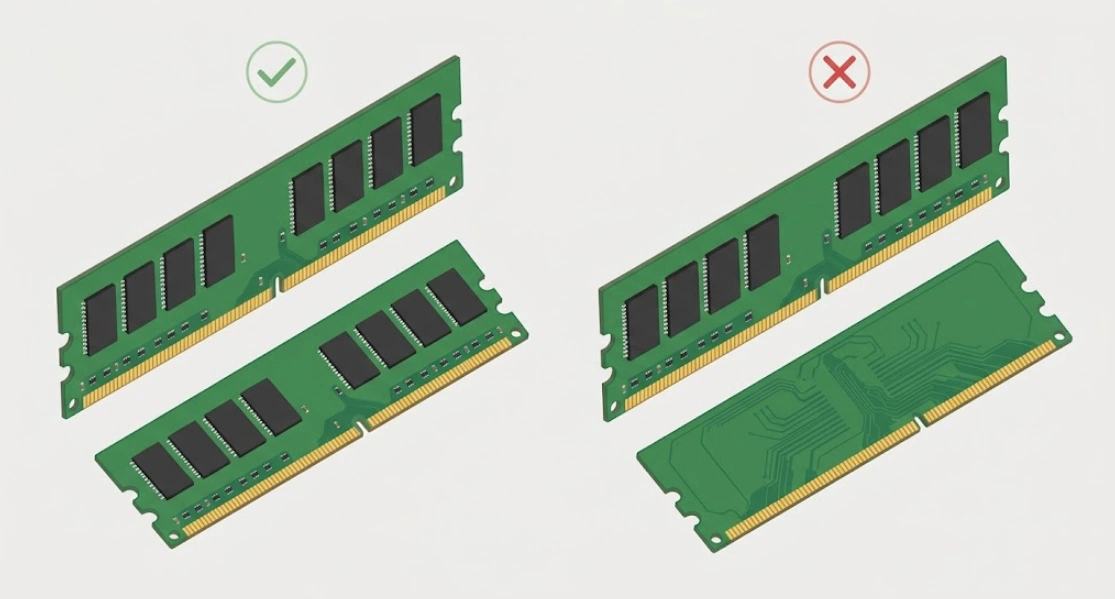
This is the most common reason perfectly good memory won’t work on LGA775. A module of a given capacity can be built from different numbers of chips:
- A low-density module uses more, smaller chips: typically 16, eight on each side.
- A high-density module uses fewer, larger chips: typically 8, all on one side.
Intel’s LGA775 chipsets are designed around chips of specific densities and generally won’t work with high-density modules. Either the board won’t boot, or it sees only half the capacity. In practice:
- 2 GB DDR2 sticks: get 16-chip, double-sided modules.
- 4 GB DDR2 sticks won’t work on Intel chipsets in most cases, so plan for 2 GB per slot at most.
- 4 GB DDR3 sticks: again, look for 16-chip modules. Modern single-sided 4 GB sticks most likely won’t work on LGA775.
If a module or a listing says “for AMD only,” it’s almost certainly high-density memory. It worked on AMD platforms of that era, but it won’t work on LGA775.
Capacity and Dual-Channel Mode
- Dual-channel mode: install modules in pairs, one in each channel (the board manual shows which slots to use). The controller then accesses both at once, doubling the theoretical bandwidth.
- Maximum capacity depends on the chipset and the number of slots; see the chipset table above. Realistic setups today are 4 GB (2×2 GB) or 8 GB (4×2 GB) on DDR2 boards, and 8 GB (2×4 GB or 4×2 GB) to 16 GB (4×4 GB) on DDR3 boards. Some nForce chipsets can go higher.
- More than 4 GB is only usable with a 64-bit OS. Some older chipsets, such as the 945, can’t remap memory above the 4 GB boundary, so even a 64-bit OS may see only about 3 GB out of 4 GB.
Overclocking
Overclocking on LGA775 works differently from what you may be used to on newer platforms. Almost every processor has a locked multiplier, so you overclock by raising the front-side bus instead. That’s why the result depends on the motherboard as much as on the CPU.
How It Works
CPU frequency is the bus speed times the multiplier. The Core 2 Quad Q9550, for example, runs at 2.83 GHz: 333 MHz × 8.5.
Watch the numbers here. CPU specs list the effective FSB, such as 1333 MHz. In the BIOS, you set the actual bus clock, which is a quarter of that: 333 MHz. Raise it to 400 MHz, and you get 400 × 8.5 = 3.4 GHz.
Raising the FSB puts more load on the northbridge and also raises the memory frequency, since the memory runs at a fixed ratio to the FSB (the FSB:DRAM ratio). So you’re balancing three things at once: the CPU, the chipset, and the memory. To keep the memory from hitting its limit before the CPU does, overclockers usually pick a lower memory ratio.
Only the expensive Core 2 Extreme chips (X and QX series) and the Pentium Extreme Edition have an unlocked multiplier. On the plus side, most Core 2, Pentium Dual-Core, and Xeon chips let you lower the multiplier, which helps when you want to push the FSB higher without going past what the CPU can handle.
What Determines the Result
- The chipset. The best chipsets for overclocking are the P35, P45, X38, and X48. On these, dual-core chips reliably run at an FSB of 450–500 MHz or higher.
- Core count. Core 2 Quad and quad-core Xeon chips are two dies on a shared bus, so they handle high FSB speeds noticeably worse than dual-cores. For them, 400–450 MHz is already a good result.
- The CPU multiplier. The higher it is, the less you need to raise the FSB to reach a given frequency. That’s why high-multiplier chips like the Pentium E5200 overclock very well even on budget boards.
- The stepping. Later revisions clock higher and need less voltage.
- Board power delivery (VRM). Overclocking a quad-core on a budget board with basic power delivery can overheat the VRM and cause instability.
LGA775 Overclocking Legends
| CPU | Stock Clock (FSB × Multiplier) | Typical Air-Cooled Overclock |
|---|---|---|
| Pentium D 805 | 2.66 GHz (133 × 20) | 3.5–4.0 GHz |
| Pentium E2160 | 1.8 GHz (200 × 9) | 3.0–3.4 GHz |
| Pentium E5200 | 2.5 GHz (200 × 12.5) | 3.5–3.75 GHz |
| Core 2 Duo E6300 | 1.86 GHz (266 × 7) | 3.0–3.4 GHz |
| Core 2 Quad Q6600 | 2.4 GHz (266 × 9) | 3.2–3.6 GHz |
| Core 2 Duo E8400 | 3.0 GHz (333 × 9) | 3.8–4.2 GHz |
| Core 2 Quad Q9550 | 2.83 GHz (333 × 8.5) | 3.6–4.0 GHz |
| Xeon E5450 | 3.0 GHz (333 × 9) | 3.6–4.0 GHz |
Results vary with the individual chip, the board, and the cooling, so treat these numbers as a rough guide. Still, taking a Q6600 from 2.4 to 3.6 GHz is a 50% gain, and numbers like that are exactly why overclockers loved LGA775.
Is LGA775 Still Worth It in 2026?
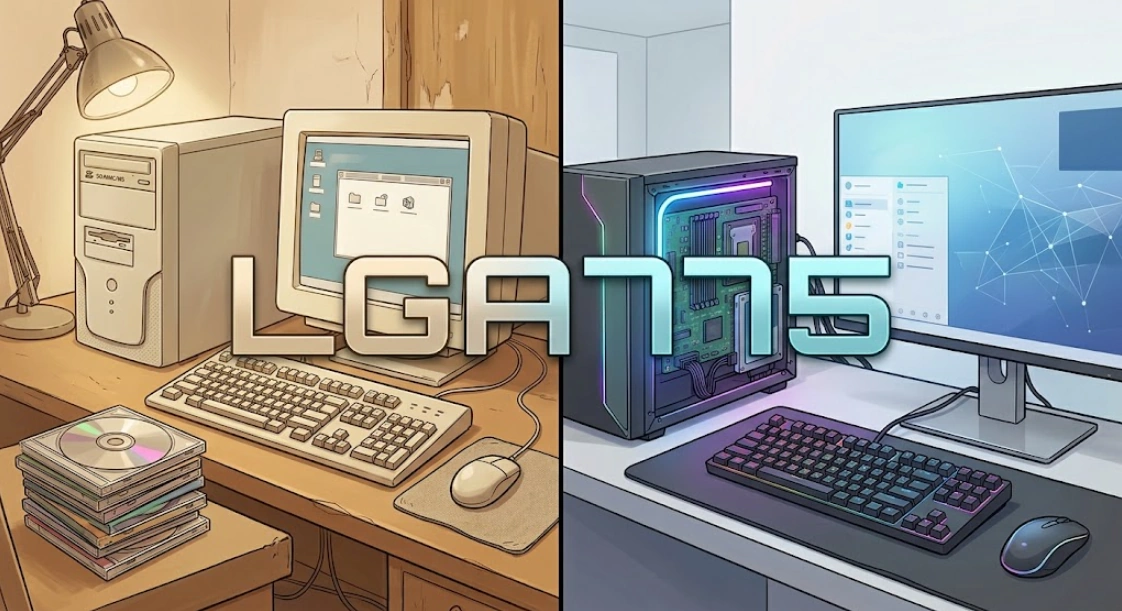
The platform is more than twenty years old, so keep your expectations realistic. It’s not useless, though: the top Core 2 Quad and quad-core Xeon chips still handle a browser, office apps, video playback, and most everyday programs.
Gaming is a mixed bag. Games released up to around 2012–2014 run well, which is exactly why LGA775 is so popular for retro builds. Newer titles either hit a performance wall or won’t start at all because the CPU lacks the required instructions.
The platform’s main limitations:
- No SSE4.2, POPCNT, or AVX on any LGA775 processor. That’s why plenty of modern games, professional apps, and operating systems simply won’t run.
- Dated interfaces: PCI Express 1.1 or 2.0, SATA II, USB 2.0, and no UEFI. Booting from an NVMe drive takes a workaround (see the FAQ below).
- Graphics cards have to support Legacy BIOS mode. A safe bet is GeForce GTX cards up to the 900 series, the last generation with Windows XP drivers. If XP isn’t part of the plan, a reasonable ceiling is the GeForce GTX 10 and 16 series and the Radeon RX 400/500. Newer cards can run into boot problems and black screens, and Intel Arc won’t work on LGA775 at all.
- No AES-NI, so encryption, VPNs, and encrypted drives all put extra load on the CPU.
- Power consumption: a quad-core LGA775 system draws noticeably more than a modern office PC. Keep that in mind for a machine that runs 24/7, like a home server.
Building a new LGA775 system for everyday use in 2026 only makes sense if your budget is close to zero. As a retro platform for Windows XP and Windows 7, period-correct gaming, and overclocking experiments, though, it’s still one of the best around.
Which LGA775 CPU Should You Choose?
Before buying any CPU from this list, make sure your board supports it (see the chipsets and compatibility section above).
Maximum performance:
- Xeon E5450 / X5460 / X5470 (with the 771→775 mod): the fastest practical CPUs for LGA775, and among the cheapest. The E5450, with its 80 W TDP, is the sweet spot. The X5460 and X5470 overclock better, but their 120 W TDP calls for a board with solid power delivery and serious cooling.
- Core 2 Quad Q9650 or Xeon X3370 / X3380: the top choice without the mod, if you’d rather not deal with stickers and BIOS files.
Budget upgrade:
- Core 2 Quad Q9400 / Q9550 or Xeon E5420 / E5430 / E5440 (with the mod): four 45 nm cores for very little money, and a big step up from any dual-core.
If your board doesn’t support 45 nm:
- Core 2 Quad Q6600 or Xeon X3220: the best-value 65 nm quad-core, only slightly slower than the Q6700 and Xeon X3230.
- Core 2 Duo E6600 / E6700 if your board can’t handle a quad-core. If it supports a 1333 MHz FSB, go for the E6750 / E6850.
Retro build for Windows XP:
- Core 2 Duo E8400 / E8600: high clock speeds on two cores, which is exactly what period games want, since most of them can’t make proper use of more than two cores.
- Core 2 Quad Q9650 if later Windows 7-era games are on the list too.
Budget overclocking:
- Pentium E5200: its high multiplier lets it overclock well even on budget boards.
Quiet, low-power system (HTPC, home server):
- Core 2 Quad Q9550S / Q9400S / Q8400S or Xeon L3360: four cores at a 65 W TDP.
- Xeon L5408 / L5410 / L5420 / L5430 (with the mod): four cores at a 40–50 W TDP.
For a media player that runs on integrated graphics, pick a board with the G45 chipset: its GMA X4500HD graphics decode H.264 in hardware. It doesn’t support VP9 or AV1, though, and those are the codecs YouTube streams in today. To watch YouTube in a browser, you’ll need an extension that forces H.264 (h264ify, for example), and even then a setup like this is best suited to local files.
Frequently Asked Questions
What’s the most powerful LGA775 processor?
For practical purposes, the Xeon X5470 (with the 771→775 mod): four cores at 3.33 GHz. The Xeon X5492 at 3.4 GHz is technically faster, but it needs a board that supports a 1600 MHz FSB, costs considerably more, and is harder to find. Among native LGA775 chips, the fastest is the Core 2 Extreme QX9770 at 3.2 GHz. It also needs 1600 MHz FSB support, though, which is why most people go with a Core 2 Quad Q9650 instead.
Can you install Windows 11 on LGA775?
Versions up to 23H2 can be installed if you bypass the system requirements check. Starting with 24H2, Windows 11 requires the SSE4.2 and POPCNT instructions, which no LGA775 processor has, so it won’t install at all. Windows 10 runs on LGA775 without any trouble.
Can you boot from an NVMe SSD?
Only with a modified BIOS that includes an NVMe module, or with a bootloader on a USB flash drive that hands off to the NVMe drive. The drive itself goes into a PCI Express slot through an adapter, and its speed is capped by the old PCIe version. A regular SATA SSD is simpler and more reliable: even on SATA II, it’s dramatically faster than a hard drive.
Will a modern cooler fit LGA775?
Not all of them. LGA775 uses 72 mm mounting-hole spacing, while LGA115x/1200 uses 75 mm, so the brackets aren’t interchangeable. Many modern coolers no longer ship with LGA775 mounting hardware, so check the supported socket list before buying.
Can you use an old power supply?
You can, but be careful. Power supplies from that era are often worn out by now, and a failing one can take the rest of the system with it. Check it with a PSU tester before connecting anything. Also, older Pentium 4-era units were usually built around a strong 5 V rail, while Core 2 chips and graphics cards draw from 12 V, and those units often lack PCIe power connectors for a graphics card. A modern power supply works fine: its 20+4-pin and 4+4-pin connectors are backward compatible with older 20-pin boards.
Conclusion and Legacy
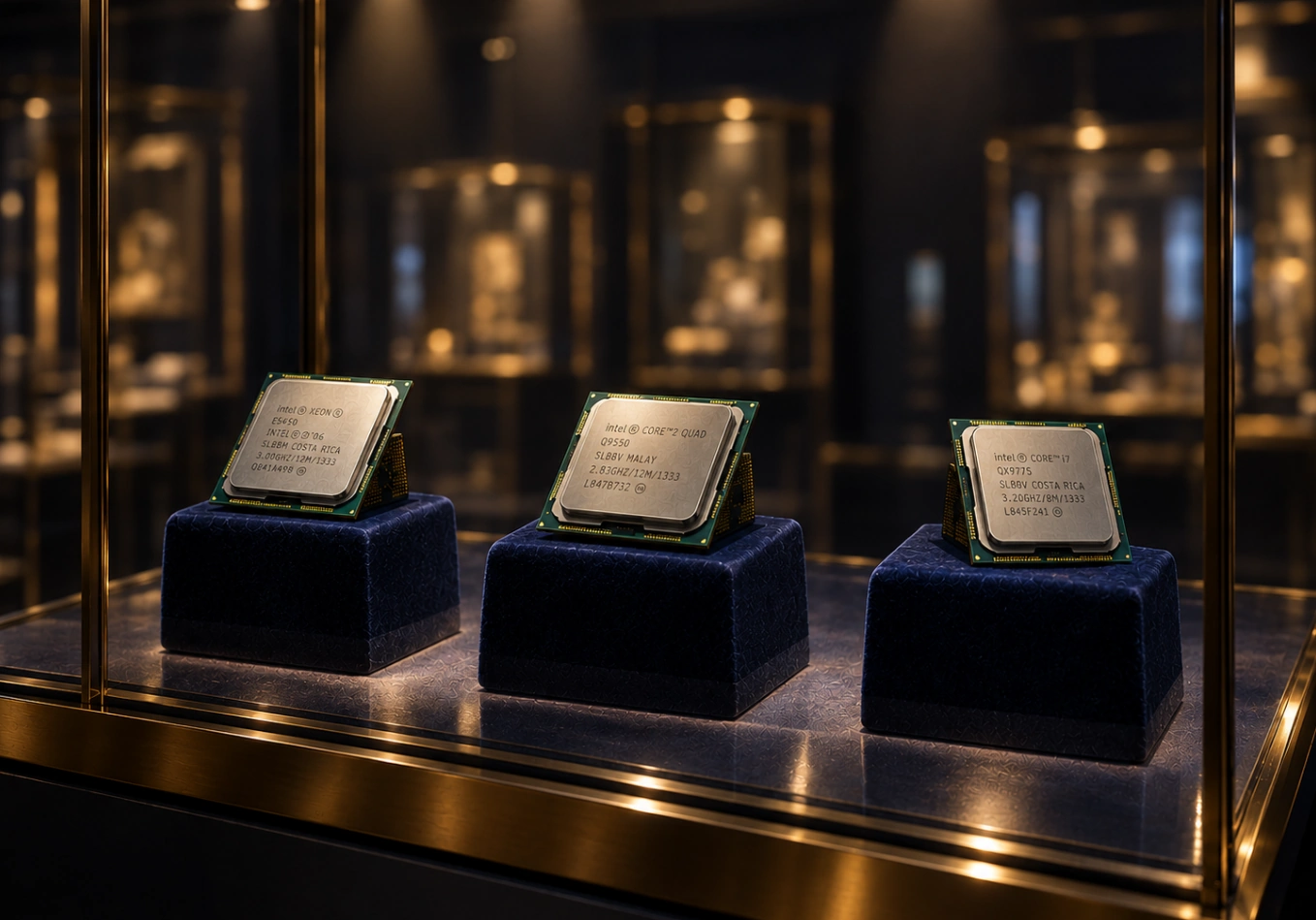
LGA775 is one of the longest-lived and most important platforms in Intel’s history. It carried Intel from NetBurst to the Core architecture, and it’s where Intel took back the performance lead after its failed race for gigahertz.
Over its lifetime, the platform:
- Went through an architecture change and three processor generations, from the hot-running Pentium 4 to the fast, efficient 45 nm Core 2.
- Brought PCI Express, DDR2, and DDR3 to the mass market.
- Made multi-core processors the norm: first the dual-core Pentium D and Core 2 Duo, then the quad-core Core 2 Quad.
- Established LGA as Intel’s standard CPU package, a design Intel still uses today.
- Built a whole FSB overclocking scene around legends like the Pentium E2160, Core 2 Quad Q6600, and Core 2 Duo E8400.
- Gave enthusiasts the 771→775 mod, which turned decommissioned server Xeons into some of the best and cheapest processors for the platform.
Today LGA775 is retro hardware, but it’s far from a museum piece. People still build Windows XP and Windows 7 machines on it, still experiment with overclocking and mods, and the top chips still handle everyday tasks. LGA775 proved that a good platform can stay useful long after its maker has moved on.

Written by
Senior Hardware Specialist proving you don't need top-tier gear to game. Expert in smart upgrades and budget-friendly PC restoration.