Table of Contents
What is AMISCE
AMISCE — short for AMI Setup Control Environment (also called “SCE Utility”) — is a command-line tool
from American Megatrends used to export and import BIOS/UEFI NVRAM Setup variables on AMI Aptio-based
firmware. Depending on the platform, the same tool ships under different executable names:
- SCEWIN.exe / SCEWIN_64.exe — Windows 32-bit / 64-bit builds
- AMISCE.exe / AMISCE64.efi — DOS and EFI shell builds
- SCELNX_64 (with its companion SCELNX64.cif) — 64-bit Linux build
Do not confuse AMISCE with AMIBCP. AMIBCP edits an offline BIOS image before you flash it
(menu layout, Access/Use rights, Show/Hide flags, defaults). AMISCE works the other way around: it talks to a BIOS that is
already flashed and running, dumps the entire current set of Setup variables into a plain-text script, lets you
edit the values in that script, and then writes the edited script back into NVRAM. Because the export includes options AMI
never exposes in the visible Setup menu, AMISCE is the go-to tool for unlocking hidden BIOS settings, cloning
a known-good configuration across a batch of identical boards, or scripting BIOS changes instead of clicking through Setup
by hand.
AMISCE versions and compatibility
Just like AMIBCP, AMISCE builds are tied to the BIOS/Aptio generation. Match your firmware generation to
the corresponding utility build:
| BIOS / Firmware | Tool & Version | Notes |
|---|---|---|
| AMIBIOS8 (legacy / pre-UEFI) | AMISCE / AMISCEW v2.0x – v2.20 (DOS / Win) | Reads and writes CMOS through legacy interrupt calls rather than the EFI HII database used by later builds. |
| Aptio IV / Aptio V (UEFI) — Windows or EFI shell | SCEWIN / SCEWIN_64 v5.x (e.g. 5.03.1115, 5.03.1111) | Native UEFI utility, works through the EFI HII database. If the newest build throws a compatibility/HII error, try a neighboring sub-build such as 5.03.1111 or 5.03.1107. |
| Aptio IV / Aptio V (UEFI) — Linux | SCELNX_64 (same v5.x branch) | Linux x64 counterpart of SCEWIN_64 — handy for headless rigs and Linux-based servers. |
Not sure which Aptio generation your board runs? Open a BIOS dump in UEFITool (Ctrl+F → Text tab → Unicode)
and search for “Aptio IV” / “Aptio V”, or check the header AFUDOS/AFUWIN prints when opening the ROM.
Risk warning
Use AMISCE at your own risk. It writes directly into live NVRAM, including options that are hidden for a reason — some of
them exist to protect the platform (voltage/power limits, security toggles, write-protection flags) rather than because AMI
forgot to expose them. A bad write can render the motherboard unstable or prevent it from POSTing. Before touching anything:
- Export and keep a copy of the current, working configuration first (see the
/O /Sswitch below). - Change one setting at a time when experimenting, and note down the original value.
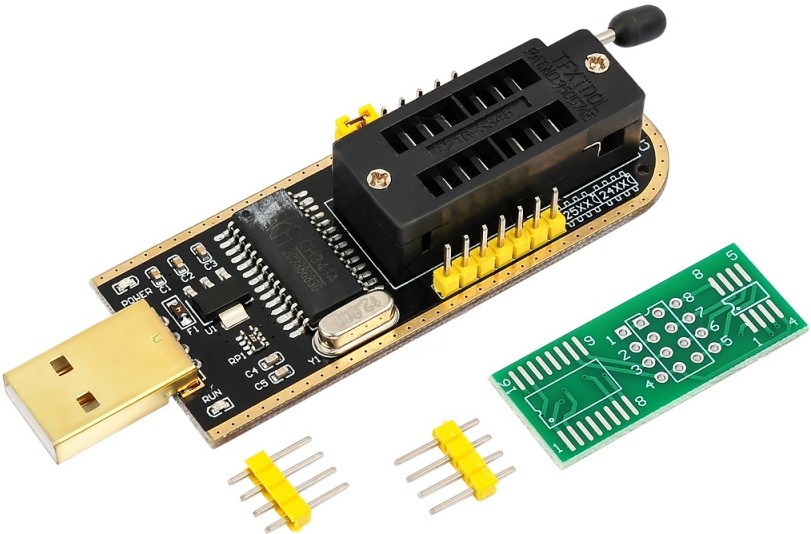
- Know how to clear CMOS on the board, and have a recovery method ready (e.g., an SPI programmer) in case a change
locks you out of Setup entirely. - On some newer, write-protected boards (NVRAM write-protection / “BIOS Lock” enabled) AMISCE may fail outright with an
HII-database or compatibility error — that’s a platform restriction, not a bug in the tool.
Command-line usage
AMISCE/SCEWIN is normally run from an elevated Command Prompt or PowerShell, from inside the folder that matches your
Windows/Linux bitness and your Aptio version. The two core operations are export (“output”) and import (“input”):
| Switch | What it does |
|---|---|
/O /S <file> |
Export (“output”) the full current set of Setup/NVRAM variables to a text script. |
/I /S <file> |
Import (“input”) a script and write its values back into NVRAM. |
/q |
Suppress confirmation/warning prompts — useful in unattended batch scripts. |
/cpwd <password> |
Supplies the BIOS administrator password, required on boards where changing Setup variables is password-protected. |
Two examples:
SCEWIN_64.exe /O /S CurrentSettings.txt
SCEWIN_64.exe /I /S CurrentSettings.txt
The exported .txt script lists every Setup question with its available values; the currently active value is
marked with an asterisk. To change something, move the asterisk to the desired option (or edit the value directly for
numeric/string fields), save the file, and import it back with /I /S.
Basic workflow
- Open an elevated Command Prompt (Windows) or a root terminal (Linux), and switch to the folder for the correct
bitness/version — or run the bundledSaveBIOSsettings.bat/RestoreBIOSsettings.batscripts
directly. - Back up first: run the export command to save your current, working configuration to a text file.
- Locate the target option in the exported script and move the asterisk to the value you want (or note the token if
you’re scripting a single change). - Run the import command to write the edited script back into NVRAM.
- Reboot — changes only take effect after a full POST, not immediately after the import command finishes.
- Confirm the change, either in Setup or by exporting again and comparing against the edited file.
- If the board fails to POST after a change, clear CMOS to restore the board’s factory defaults.
Download AMISCE
⚠️ Disclaimer
These tools are proprietary software owned by their respective copyright holders.
They are not officially distributed to end-users and are provided here strictly for educational and research purposes only.
Use them entirely at your own risk. Neither the website nor the uploader assumes any responsibility for potential damage, misuse, or legal consequences.
📦 Note: Due to hosting and licensing limitations, all software files are shared via Telegram channel.
Join to access the complete collection of tools and updates in one place.
